
 Web Development
 Data Science
 Python
 SQL
SQL JavaScript
 Artificial Intelligence
 IT & Software
 IT Certifications
 Hacking
 AWS
AWS Arduino
 DevOps
 3D Modeling
 Graphic Design
 Photoshop
 Drawing
 Digital Painting
 UX Design
 Business
 Data Analysis
 Communication Skills
 Project Management
 Leadership & Management
 Human Resources
 Digital Marketing
 Social Media Marketing
 Marketing
 SEO
SEO Google Analytics
 Branding
 Excel
Excel Office Productivity
 SAP
SAP PowerPoint
 Microsoft Access
 SharePoint
 Finance & Accounting
 Trading & Investing
 Accounting
 Bitcoin
 Personal Finance
 Video Editing & Animation
 Photography
 Adobe Premier Pro
 Adobe Lightroom
 Personal Development
 Productivity
 Career Development
 Life Coaching
 Health & Fitness
 Meditation & Mindfulness
 Yoga
Yoga Music
Music Music Production
 Guitar
 Piano
Piano Singing
 Language Learning
 Teaching & Academics
 Engineering
 Math
Math Lifestyle
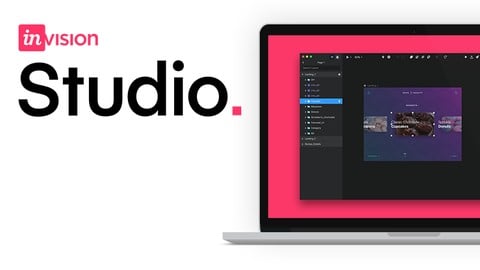
Animating Sketch files in InVision Studio (2021) (Udemy.com)
Create beautiful and engaging interactions for your user interface designs
Created by: Joseph Angelo Todaro
Last updated August 2021
Our take
Based on the ratings of 290 students, a sample of their written reviews and the syllabus, as the course stood in August 2021. No course pays to be reviewed.
This is a compact 85 minute course, 27 lectures across nine sections, on taking a finished Sketch design into InVision Studio and adding motion. Joseph Angelo Todaro walks through importing, basic prototyping, the Motion tools, the Timeline editor, scrolling and pinning, and publishing to InVision Cloud. It assumes a working knowledge of Sketch. The intended audience is UI designers who have static screens and want them to move, and one reviewer says anyone who has used Figma or Adobe XD can be up and running in a couple of hours.
The teaching gets consistent praise. Students mention a clear voice, a sensible pace, and explanations of why some things break and others work. Many arrived from Todaro's Sketch course and found this a natural follow up. The complaints are real though. Some reviewers found it thin and rushed for a paid course, and one points out that a similar free version exists on InVision's own site. Others hit steps that no longer matched the software, including a resize shortcut that had been removed. The last update was August 2021, and the most recent reviews say InVision Studio has been sunset and can't be downloaded anymore.
That last point decides it. The 4.6 rating from 290 reviews shows the material itself landed well, and a senior front end developer with 20 years of experience called it perfectly pitched. But a tool that can't be installed is hard to recommend. If you have Studio already, it's a pleasant hour and a half. If not, a Sketch prototyping course or a general mobile app design course will serve you better.
Pros
- Clear, calm narration that reviewers say holds attention without needing 2x speed
- Tight 85 minute runtime split into short sections, easy to finish in an afternoon
- Timeline editor gets the most time, about 25 of the 85 minutes, covering timing, easing and delay
- Natural follow up to Todaro's Sketch course, which many reviewers came from
Cons
- Reviewers report InVision Studio was discontinued in 2023 and can no longer be downloaded
- Last updated August 2021; at least one demonstrated shortcut had already been removed from the app
- Several students found it thin and rushed for a paid course, with a similar free version on InVision's site
His voice is so clear! He explains clearly and I don't need to put him on 2x speed in order to keep my attention.
Beginner to Studio, not to design. It expects a finished Sketch UI and a free InVision account before lesson one.
 What you will learn
- Master InVision Studio to create engaging ui animations
- Advanced techniques and shortcuts to design faster than most professionals
- How a good UI (user interface) influences good UX (user experience)
- Troubleshoot and fix animation glitches
- Master timing and easing techniques for superb transition mechanics
Course content
9 sections · 27 lectures · 1.4 hours of video 1 quiz
- 1Welcome 2 free previews4 lectures · 7 min
- 2Importing from Sketch1 lecture · 1 quiz · 3 min
- 3Prototyping Basics5 lectures · 12 min
- 4Motion 1 free preview5 lectures · 22 min
- 5The Timeline Editor 2 free previews6 lectures · 25 min
- 6Troubleshooting animations1 lecture · 5 min
- 7Scrolling and Pinning3 lectures · 7 min
- 8Publishing and Sharing1 lecture · 4 min
- 9Congratulations1 lecture · 1 min
Who it is for
The instructor says it suits
- Designers who want to learn to create engaging user interfaces using animation and motion
What you need before you start
- Be able to design a user interface in Sketch
- Create a free InVision account
 Course Description
InVision Studio allows us to import our Sketch files and transform them into beautiful interactive experiences full of engaging animations with just a few clicks.
Learn to Animate Beautiful, High-Fidelity UI Animations with Studio's Powerful Tools and Smooth Workflow
Master the essential principles and tools of InVision Studio.
Discover animation techniques that will enhance your creative potential.
Learn and implement UI animation best practices to ensure quality and usability.
Journey from design to fully interactive prototype by building on a sample iPhone app.
Find out why every company in the Fortune 100 uses InVision
Studio combines design, prototyping, and collaboration into one harmonious workflow. It starts with a live design environment, which gives you the power to create intelligent layouts and interactions as part of your normal workflow.
Studio enables designers to move fluidly between visual and interaction design. Any type of layer (including artboards) can have one or more interactions. If a layer has interactions, you can see the layer marked with the small lightning icon in the layer list on the left side of Studio.
Take your simple interactions and animations to the next level with advanced motion that lets you modify the global duration and delay, or edit in Timeline.
The comprehensive animation editor for Studio, Timeline gives you complete control over every aspect of your prototyping interactions. Timeline presents a compact visual overview of your animation timing and layer hierarchy, allowing precise control over each animated property. Timeline makes it easier to manage complex transitions and fine-tune the delay, timing, easing adjustments, and speed of animated layers and properties. Use Timeline to edit all your animated interactions—adjusting each interaction layer by layer or as a whole.
After creating your prototype in Studio, you can publish that prototype to InVision Cloud where you can preview interactions and animations, leave comments, and inspect elements.
At any point in the design and prototyping process, Studio allows you to sync directly to your InVision account to share and collaborate on your project. Once you’ve synced to InVision, you’ll be able to view your prototype in all of it’s animated glory, gather feedback from stakeholders, and get developers what they need to begin building.
When you open a Studio prototype on the web, you see exactly what you saw in the InVision preview window. The same fidelity, the same interactions, the same animations—the same everything. When it's time to share, you can head down to the Share button in the bottom right hand corner, choose Copy Link, and send it off anywhere you like. Anyone with a link to your prototype will be able to view it in its full fidelity and leave comments.
Contents and Overview
Whether you’re a beginner or a veteran designer with experience using Photoshop and Illustrator, you will find this course valuable in the way that it blends step-by-step instruction with hands-on, customizable exercises:
Studio Prototyping from A to Z: With 28 lectures and 90 minutes of dense content, this course covers everything from rapid prototyping, interactions, and styling to text editing to exporting finished projects.
Test Your Knowledge: Periodic quizzes will review key concepts and ensure that you are mastering the content.
Interactive Design Project: Together with the instructor, you will animate the user interface for a travel app. Included Sketch and Studio documents allow you to pick up at any point in the project.
After completing this course, you will understand how to animate high-fidelity mobile application prototypes using Studio — and you will be better prepared to meet the demands of your clients and developers.
Who this course is for:
Designers who want to learn to create engaging user interfaces using animation and motion

 Udemy Discount
The discount is applied through our link. Open the course from here and Udemy's current promotional price is applied at checkout on most courses, no code to type.
Some courses are excluded from Udemy's promotions. If the price does not drop, clear your browser cookies and use the button again.
Instructor Details

- 4.6 Rating
 290 Reviews
Joseph Angelo Todaro
My education, career, and even personal life have been molded by one simple principle; well designed information resonates with people and can change lives. I have a passion for making information resonate. It all starts with how people think. With how humans work. As humans we have learned how to read and write and while that is incredible, we are also already hard-wired to do some things a bit more "automatically". We are animals – designed to see things things as a whole. To start with a big picture and build understanding as we break it down. To learn from the visual. The spacial. The tangible. Information can be all of these things. The difference is design. I am a designer who uses the art, science, and psychology of design to nurture effective communication and facilitate enjoyable experiences. Through over 10,000 hours of one-to-one teaching for one of the largest software companies in the world and over a decade of exploring the visual arts, I have learned to make information work for people. "People ignore design that ignores people." - Frank Chimero
 More courses by Joseph Angelo Todaro

Sketch from A to Z: Become an app designer (2025)
4.6 (10,354 Reviews)
 Provider: Udemy
 Time: 4.6h
$119.99
More Invision courses


Mobile App Design: From Beginner to Intermediate (2017)
4.2 (144 Reviews)
- Provider: Udemy
- Time: 10h
$39.99
 Reviews
No reviews yet. Be the first to review this course!
 Quality Score
No CourseDuck member has rated this course yet. Taken it? Give each part a thumbs up or down.
Overall Score : 92 / 100

- Video Duration:
 1.4h
1.4h - Price: $54.99
- Provider: Udemy
- Updated:
 August 2021
 - Level:
 Beginner
 - Language:
 English
 - Certificate:
 Yes
Yes - Lectures:27 in 9 sections
- Practice:1 quiz
- Students:1,097
- Subtitles:1 language
30-day money-back guarantee on most paid courses
Udemy Coupon Price Tracker
