
How to create interactive PDF with Adobe Indesign CC 2018. (Udemy.com)
Learn to create interactive PDF using Adobe Indesign 2018.
Created by: Prashant Gupta
Produced in 2018
 What you will learn
- Students will be able to create and publish interactive PDF.
 Quality Score
Overall Score : 90 / 100
 Live Chat with CourseDuck's Co-Founder for Help
 Course Description
This course covers the following topics :-
- Laying out content pages.
- Creating a navigation system.
- Creating hyperlink destinations.
- Working with hyperlinks.
- Showing and hiding content with buttons.
- Creating a slide show.
- Inserting and playing a video.
- Publishing your document.
- Publishing online.
- Issues regarding viewing interactive PDF.
- Anyone who wants to learn to create interactive PDF.


*Some courses are excluded from this sale. Coupon not working? If the link above doesn't drop prices, clear the cookies in your browser and then click this link here.
Also, you may need to apply the coupon code directly on the cart page to get the discount.
 Instructor Details

- 4.5 Rating
 2 Reviews
Prashant Gupta
This course is authored by Prashant Gupta. Prashant believes that Multimedia and Web is the future of education and learning. Prashant has gained expertise in Adobe and Articulate suite of software's through self-learning. He is also proficient in using WordPress and Microsoft office. He has almost twenty years of experience in creating eLearning. Currently he uses Articulate Storyline 360, Adobe Creative Cloud, Camtasia 2018 and PowerPoint 2019 to create eLearning projects.
Prashant is an avid photographer and loves photographing birds.
 Reviews


- Video Duration:
 1h
1h - Price: 11.99 Track Price 11.99 Track Price
- Provider:
 Udemy
Udemy - Year:
 2018
2018 - Language:
 English, English [Auto-generated]
 - Certificate:
 Yes
Yes

30-Day Money-Back Guarantee
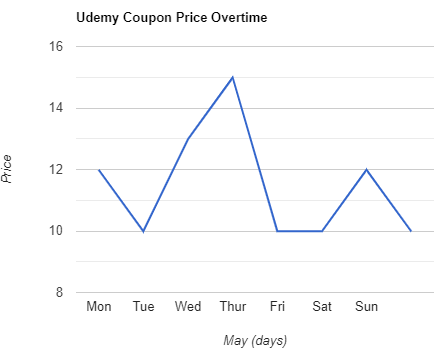
Udemy Coupon Price Tracker