
 Web Development
 Data Science
 Python
 SQL
SQL JavaScript
 Artificial Intelligence
 IT & Software
 IT Certifications
 Hacking
 AWS
AWS Arduino
 DevOps
 3D Modeling
 Graphic Design
 Photoshop
 Drawing
 Digital Painting
 UX Design
 Business
 Data Analysis
 Communication Skills
 Project Management
 Leadership & Management
 Human Resources
 Digital Marketing
 Social Media Marketing
 Marketing
 SEO
SEO Google Analytics
 Branding
 Excel
Excel Office Productivity
 SAP
SAP PowerPoint
 Microsoft Access
 SharePoint
 Finance & Accounting
 Trading & Investing
 Accounting
 Bitcoin
 Personal Finance
 Video Editing & Animation
 Photography
 Adobe Premier Pro
 Adobe Lightroom
 Personal Development
 Productivity
 Career Development
 Life Coaching
 Health & Fitness
 Meditation & Mindfulness
 Yoga
Yoga Music
Music Music Production
 Guitar
 Piano
Piano Singing
 Language Learning
 Teaching & Academics
 Engineering
 Math
Math Lifestyle
Learn Arnold - Fundamentals of Shading and Lighting (Udemy.com)
Become an expert in Shading, Lighting and Rendering with Arnold for Maya, Katana, Cinema4d, Houdini and other 3D render
Created by: Arvid Schneider
Last updated June 2019
 What you will learn
- Fully understand the principles of shading and lighting and how to apply it to your own work.
- Have better chances to land a job in the VFX industry by becoming more versatile and efficient.
- Be able to create photo-realistic renderings which stand out in the community.
How it compares
Against the other 43 rated Udemy courses in Houdini on CourseDuck:
- Rating4.1 out of 5higher than 6% of them
- Reviews638#4 of 44 by number of reviews
- Length6.7 hourslonger than 55% of them
- Last updatedJune 2019earlier than 65% of them
 Quality Score
Overall Score : 82 / 100
 Course Description
Arvid Schneider is an established artist, who has been working in the professional VFX industry for more than 10 years. He has worked on big blockbusters like Ready Player One, Jurassic World, Transformers and more.
With his knowledge and expertise Arvid has prepared a detailed beginner and intermediate course which helps you to skip the line and become an experienced lighting and shading TD in today's competitive industry.
Learn the fundamentals of Arnold
Apply the knowledge to any other software package like 3DsMax, Maya, Cinema4D, Katana using Arnold.
Understand the most important shading nodes, like Curvature, Noise, Occlusion, Surface and a lot more.
Be able to use best practices in terms of stylized photographic lighting.
Create physically correct shaders, which look appealing and render efficiently.
Setup complex shading networks with advanced light rigs.
What this course is NOT
Not teaching how to work within Autodesk Maya.
Not about modelling, texturing or animation.
Not providing source files.

 Udemy Discount
The discount is applied through our link. Open the course from here and Udemy's current promotional price is applied at checkout on most courses, no code to type.
Some courses are excluded from Udemy's promotions. If the price does not drop, clear your browser cookies and use the button again.
Instructor Details

- 4.1 Rating
 638 Reviews
Arvid Schneider
Arvid loves being creative and technical at the same time, that is why he has been working in the industry as a technical director for leading VFX companies like ILM, MPC, Cinesite. In his 10+ years experience Arvid has worked on several big shows like Transformers, Ready Player One, Jurrassic World, James Bond - Spectre, to name the most recent.
Arvid is specialized in the look development and lighting field, where all the pipeline departments come together to create the final rendered image. Technical and artistic expertise is needed to compete in the high end industry of VFX.
For this reason Arvid is very keen to share and help other artists, new comers or even advanced artists in the look development and lighting field.
Arvid is also developing pipeline optimizations tools to improve efficiency of artists and production. Most of the code is written in python, a little part is C++.
Apart from developing third party tools for rendering packages, he also develops applications for iOS and macOS using Swift.
 More courses by Arvid Schneider

KATANA | Mastering LookDev & Lighting for the VFX industry (2019)
4.6 (276 Reviews)
 Provider: Udemy
 Time: 10.4h
$49.99
More Houdini courses

Vehicle Modeling in Houdini 16.5 - SciFi Dropship (2019)
4.8 (1,214 Reviews)
- Provider: Udemy
- Time: 10.3h
Free
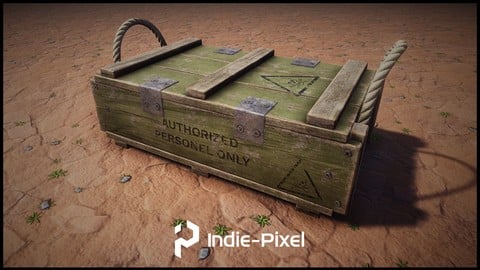
Houdini 16.5 - Procedural Prop Modeling - Ammo Crate (2020)
4.8 (206 Reviews)
- Provider: Udemy
- Time: 3.2h
$64.99
Master Houdini FX: Create Stunning Visual Effects rigs (2025)
4.7 (642 Reviews)
- Provider: Udemy
- Time: 18.8h
$89.99


 Reviews

By Praveen Kumar on 8/25/2026
video does not play well and download link was not working
By Jonathan Jarzembowski on 2/1/2024
Missing file downloads no longer exist which is a shame. Doesn't go in to how to load up Maya in to Look Dev mode. Had to find that out and the other items in the view are not there which is a shame. Going to simply try and follow it best I can.
By Shashank on 2/5/2022
Even though the teacher's voice is not so engaging, drawn out - the course content is great. Some time it may feel like he is meandering a bit, however he is presenting many variations around a basic theme, like making various kinds of metal looks. A great beginner course. I am now able to somewhat properly apply materials and produce good renders. Thanks for the education sir!
By Luis Joan Mirabal Rodríguez on 5/17/2020
Very early to determine, but he is assuming somebody can do easily half of the things he is doing when it is not that way. now after getting to half the course, I keep my feedback even more. Although I have to say the course is getting better, perhaps sharing the things he is using with the student could be nice, so I do not have to stop the lesson to look for the right texture or object.
By K. Schorer on 1/24/2019
Arvid did a great job within this course here! Very clearly designed, well explained and not lost in detail. You can see that he has a lot of experience and can teach this in a comprehensible way. Over the last years I have mainly worked with Cycles, but I quickly became friends with Arnold & Maya during this course ;-) Keep it up! Thank you very much Arvid for all the insights! All the best Konstantin
By Mario Cortes on 11/18/2018
This course is highly recommended, the only cons is section 1 and 2 that has a flicker problem in most of the videos, after those 2 sections the videos are high quality and play without problems. The course is really great and the content is undoubtedly valuable. Arvid is a great instructor, his expertise in the topics covered is evident and vast. I will definitely buy more of this courses.
By Bianca Takahashi on 11/16/2018
I really enjoyed this course. It is hard to find in-depth technical courses with explanations that are clear and concise. With that said, beware that there is some flickering in the video. Finally, if you plan on taking this course, make sure you know how to execute a basic render in a 3d software. Otherwise, I highly recommend this course, and I look forward to seeing what Arvid posts next.
By Matthew Daday on 9/28/2018
The course is very good. I have one section remaining to complete. There is a lot of information here that I have failed to find anywhere else. The instructor goes through the menu options one at a time explaining what they all do and why you should use them. This is refreshing because most tutorials I watch just tell you what menu item to adjust without much explanation. A couple of drawbacks: The screen recording is only 720p which is a pretty low resolution to try and follow some of what is going on in the menus. There also seems to be some screen recording artifacts specifically with the mouse pointer location that obstructs what is being clicked on. Neither of these really take much away from the content, so I'd still recommend the course if you are trying to learn Arnold.
By Kyan Etemadi on 9/21/2018
Awesome Udemy course! Even as an experienced artist there were a lot of good tips I didn't knew about. Everything is nicely compressed in the lectures and it refreshes my basic knowledge and enriches my everyday shading. Arvid does an awesome job and I can absolutely recommend it for beginners, intermediates and senior artists. I rate this course as ''E'' for Everyone!
By Vasyl Rozdolskyy on 9/17/2018
I am following Arvid for a while already on youtube. He is contributing really a lot to the CG community with his free tutorials and slack group where you can ask and give feedback,receive news and learn a lot in overall. Even though I don't consider myself a beginner in Arnold,I found this course quite useful, especially for beginners-it is well organized and easy to grasp. I would definitely recommend it to anybody who is trying to dive into lookdev and lighting in arnold.

- Video Duration:
 6.7h
6.7h - Price: $89.99
- Provider: Udemy
- Updated:
 June 2019
 - Level:
 All Levels
 - Language:
 English
 - Certificate:
 Yes
Yes
30-day money-back guarantee on most paid courses
Udemy Coupon Price Tracker
