
Learn to create flat graphics using Affinity Designer (Udemy.com)
Learn to create real world objects and human characters using Affinity Designer.
Created by: Prashant Gupta
Produced in 2017
 What you will learn
- Students will learn to create flat graphics using Affinity Designer.
- Students will learn to use shape and pen tools to create real world objects.
- Students will learn to create simple human characters for their projects.
 Quality Score
Overall Score : 84 / 100
 Live Chat with CourseDuck's Co-Founder for Help
 Course Description
Flat graphics are simple to create and are useful for e-learning projects, business presentations, explainer videos and even for creating graphics for social media.
This is a complete and comprehensive online course which will teach you each and every aspect of creating flat design graphics.
In this course we will be covering the following subjects:
- Using shape tools to create flat graphics.
- Using the pen tool.
- creating real world objects.
- Creating a character.
- creating complex objects and more...
- Graphic Designers who want to learn skill sets to create flat graphics.
- e-learning developers, whiteboard animators and business presenters who want to create their own graphics.
- Anyone who wants to learn and create simple graphics to depict real world concepts.


*Some courses are excluded from this sale. Coupon not working? If the link above doesn't drop prices, clear the cookies in your browser and then click this link here.
Also, you may need to apply the coupon code directly on the cart page to get the discount.
 Instructor Details

- 4.2 Rating
 6 Reviews
Prashant Gupta
This course is authored by Prashant Gupta. Prashant believes that Multimedia and Web is the future of education and learning. Prashant has gained expertise in Adobe and Articulate suite of software's through self-learning. He is also proficient in using WordPress and Microsoft office. He has almost twenty years of experience in creating eLearning. Currently he uses Articulate Storyline 360, Adobe Creative Cloud, Camtasia 2018 and PowerPoint 2019 to create eLearning projects.
Prashant is an avid photographer and loves photographing birds.
 Reviews


- Video Duration:
 2h
2h - Price: 11.99 Track Price 11.99 Track Price
- Provider:
 Udemy
Udemy - Year:
 2017
2017 - Language:
 English, English [Auto-generated]
 - Certificate:
 Yes
Yes

30-Day Money-Back Guarantee
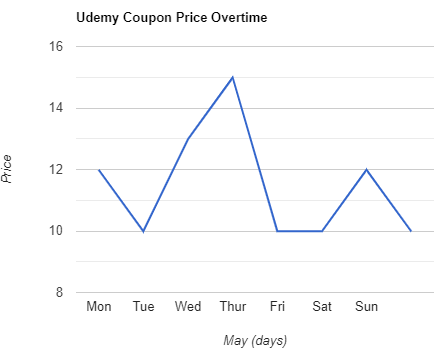
Udemy Coupon Price Tracker