
 Web Development
 Data Science
 Python
 SQL
SQL JavaScript
 Artificial Intelligence
 IT & Software
 IT Certifications
 Hacking
 AWS
AWS Arduino
 DevOps
 3D Modeling
 Graphic Design
 Photoshop
 Drawing
 Digital Painting
 UX Design
 Business
 Data Analysis
 Communication Skills
 Project Management
 Leadership & Management
 Human Resources
 Digital Marketing
 Social Media Marketing
 Marketing
 SEO
SEO Google Analytics
 Branding
 Excel
Excel Office Productivity
 SAP
SAP PowerPoint
 Microsoft Access
 SharePoint
 Finance & Accounting
 Trading & Investing
 Accounting
 Bitcoin
 Personal Finance
 Video Editing & Animation
 Photography
 Adobe Premier Pro
 Adobe Lightroom
 Personal Development
 Productivity
 Career Development
 Life Coaching
 Health & Fitness
 Meditation & Mindfulness
 Yoga
Yoga Music
Music Music Production
 Guitar
 Piano
Piano Singing
 Language Learning
 Teaching & Academics
 Engineering
 Math
Math Lifestyle
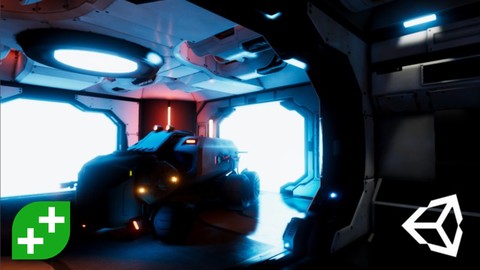
Unity Tech Art: Realistic Lighting For Game Development (Udemy.com)
Learn AAA cinematic tech art techniques in the Unity game engine (Global Illumination and Shader Graph)
Created by: Wilmer Lin
Last updated August 2022
 What you will learn
- Complete A to Z of lighting in Unity
- Enhance your 3D game worlds with clever lighting strategies
- Build fast and efficient lighting setups for early prototyping of games
- Build complex lighting setups with direct lighting and global illumination
- Customize stock or Asset Store assets through lighting
- Create dramatic cinematic atmosphere using lighting
- Creating shader effects using the visual ShaderGraph editor
How it compares
Against the other 183 rated Udemy courses in Unity on CourseDuck:
- Rating4.5 out of 5higher than 48% of them
- Reviews1,152#38 of 184 by number of reviews
- Length10.9 hourslonger than 51% of them
- Last updatedAugust 2022more recently than 62% of them
 Quality Score
Overall Score : 90 / 100
 Course Description
2019 Update: Check out our new Section on the ShaderGraph! Creating shaders can now be done without writing a single line of code!
Making your Unity games look amazing is easier than you think. You don't need to be great at programming and don't need incredible 3D art skills.
Creating immersive games starts with understanding the secrets of lighting and being able to squeeze maximum value from your technical art pipeline.
This course assumes that you're a little bit familiar with Unity but doesn't require you to have any programming or art experience. We will take you through Unity's lighting toolset and discuss everything from colour theory to shadows to materials that emit light.
More specifically, the course will start off with basic light set ups such as a single point light and build up to complex lighting setups. Among other things, the course covers:
Direct realtime lighting including directional lights, point lights and spotlights.
Global illumination theory and principles, both realtime and baked (pre-rendered).
Emissive materials and how they can be used to make specific items in your scene stand out.
Three- and four-point lighting set ups - how to create them, how to vary them and how to use them for different effects in your games.
ShaderGraph: get started using Unity's visual editor for creating shaders!
We follow a project-and-challenge approach which means you don't just sit there and watch us, you follow along and flex your own creative muscles to create interesting game moments. We all learn best by doing (rather than just watching)!
You will also be asked to take on a bigger challenge and light your own scene. This serves as a great portfolio piece, or just something to show yourself what you're capable of once you've finished the course.
Unity is a fantastic engine which enables you to make production-quality games. Furthermore these games can be created for Windows, MacOS, iOS, Android and Web from a single source!
This course is perfect for programmers who want to make their game more interesting, for 3D artists who want to triple how amazing their artwork looks, designers who dream of creating cinematic moments worthy of AAA games, and anyone else who is interested in leveling up their tech art skills.
Get plugged into our communities of amazing developers on Facebook (nearly 20k), in our own TA-curated Community (17k views/day), and our student chat group (10k live at any one time).
Come and join us in this course now - you'll be amazed at what you're capable of creating!
Note: the project files for this course have been updated to use Unity 2019 with version 2 of the PostProcessing stack. We recommend that you complete the using Unity 2019 or above.

 Udemy Discount
The discount is applied through our link. Open the course from here and Udemy's current promotional price is applied at checkout on most courses, no code to type.
Some courses are excluded from Udemy's promotions. If the price does not drop, clear your browser cookies and use the button again.
Instructor Details

- 4.5 Rating
 1,152 Reviews
Wilmer Lin
Wilmer Lin is a 3D and visual effects artist with over fifteen years of industry experience in film and television. He has trained tens of thousands students over the course of a decade.
Now an independent game developer and educator, Wilmer helps aspiring gamedevs learn technical art and the craft of programming, using Unity3D, Maya and Photoshop.
 More courses by Wilmer Lin

Make a Match-Three Puzzle Game in Unity (2021)
4.8 (1,013 Reviews)
 Provider: Udemy
 Time: 16.2h
$11.99


Make an Assassins GO Board Game in Unity (2020)
4.8 (471 Reviews)
- Provider: Udemy
- Time: 11.4h
$99.99


More Unity courses

Learn to make an Awesome Builder-Defender game in Unity! (2021)
4.9 (1,909 Reviews)
- Provider: Udemy
- Time: 10.1h
$79.99

RPG Core Combat Creator: Learn Intermediate Unity C# Coding (2025)
4.8 (11,337 Reviews)
- Provider: Udemy
- Time: 27.6h
$149.99

Learn To Code By Making a 2D Platformer in Unity (2017)
4.8 (2,597 Reviews)
- Provider: Udemy
- Time: 13.1h
$13.99

Learn Blender 3D Modeling for Unity Video Game Development (2026)
4.8 (2,152 Reviews)
- Provider: Udemy
- Time: 11.7h
$149.99

Learn To Create A Roguelike Game In Unity (2020)
4.8 (1,234 Reviews)
- Provider: Udemy
- Time: 19.4h
$16.99
 Reviews

By Luke Liu on 9/10/2023
The instructor explains very well on the concepts. I'm amazed by how many lighting techniques need to apply in a project. Although several provided projects (e.g. Section 3 and beyond) are not compatible with the newer version of Unity, with some fixing (or start a new project and work around), should be able to catch up the course. The last two sections are a bit harder, but those two sections are worth while. It's recommend to have 3D modeling, CG programing, and trigonometry knowledge in the last two sections.
By Daniel Tozer on 9/3/2023
This course was great at demystifying the lighting in Unity. I was using unity 2022.2.6f1 for this and I was able to adapt all the knowledge. The course has all the assets ready to go and scenes already set up to launch from so you can focus on just the lighting. The addition of shaders was a great addition. Highly recommend this course!
By Althaf U on 12/15/2022
Nice explanation of the videos, visually attractive. I enjoyed the course and learned a lot from it. The content is well organized and focused on practical situations. Thank you GameDev.tv for this great course
By Michelle Moreno Arverás on 10/13/2021
Wish we had smaller scenes to preview the changes. Unfortunately, my PC couldn't stand some bakes, but the instructors know every detail needed and they try them out for you :)
By Randy Keeler on 11/21/2020
Perfect, so far.
By Niko Gozali on 11/14/2020
this is the ultimate from noob to boon lighting series.
i always wonder why my scene look so bad, but i wonder no more
By Mahmoud Ahmed on 11/1/2020
I'm not a beginner, but i'm definitely learning new stuff.
By M L on 10/26/2020
So amazing!!! I totally understand all information.
Now I know how to light my scene in Unity.
Thank you so this amazing tutorial. It helped me a lot.
By Cliff Crawford on 10/18/2020
Instruction and visuals very good, some work matching it to Unity 2020 version of Unity
By Kyuu Fuzisaki on 10/15/2020
Wilmer Lin is an amazing teacher! The course have everything you need to start from zero (that's my case)! I feel confident enough now to start my work with lighting, post processing and shader graphs! Highly recommend to everybody!
By Abhishek Mallick on 9/18/2020
Thank you Both of for Providing a wonderful Course.
I have completed the full course and it is really helpful to get progress in my Career.
To Students:
People who are looking for taking this course can start with course and I can assure you can learn a lot about the Lighting and many related things.
To instructors:
I really want you to make a course regarding the LWRP and HDRP in a full and also for VR as well as video creation with Cinemachine or anything in unity using those Render Pipelines.
By Adrian de la Iglesia Valls on 9/18/2020
I'm more of a technical person and not only I've learned the tweaks and settings I needed, also I learned about colors and how to combine them. Overall I enjoyed it.
- Video Duration:
 10.9h
10.9h - Price: $13.99
- Provider: Udemy
- Updated:
 August 2022
 - Level:
 Beginner
 - Language:
 English
 - Certificate:
 Yes
Yes
30-day money-back guarantee on most paid courses
Udemy Coupon Price Tracker
