

Arduino Alarm Clock Using a Real Time Clock and LCD Screen (Udemy.com)
Make your own Arduino Alarm Clock and set the Alarming time and interact with Time and Date efficiently and effectively
Created by: Educational Engineering Team
Produced in 2018
 What you will learn
- Make your own Arduino Alarm Clock
- Interface Real Time Clock Module with Arduino
- Learn Working Principle of Real Time Clock DS3231
- Interface LCD with Arduino
 Quality Score
Overall Score : 72 / 100
 Course Description
>>> Continues Updates <<<
More Than 3900 STUDENTS!!! THANK YOU!!!
What students are saying:
- Orven Bregu says, "Project was explained into details. I've learned new things :)"
This Course will teach you how to Make your own Arduino Alarm Clock and set the Alarming time and interact with Time and Date Variables efficiently and effectively, This Guide will take you in a step by step manner to know what each component inside this circuit is, and what it does and how to wire it up, starting with the RTC DS3231 Time and Date Module and ending with resistors.
You will know what is the actual working principle of RTC Module and how to interface and configure it correctly so that you can make your Arduino Powered alarm system, and view time and date in addition to initiate alarm action.
After this course you will be able to make your own Arduino Alarm Clock Using a Real Time Clock and LCD Screen and the choice is yours to use it and apply it with any application that comes in your mind and can make your life easier, since all connections are explained in details.
We are going to set the desired alarm time inside the code using an Arduino. The RTC Module will take care of the time and date values.
Goal From This Course:
- Make your own Arduino Alarm Clock and set the Alarming time and interact with Time and Date efficiently and effectively.
What you will learn in this Course
- How to Real Time Clock and LCD Screen to Arduino.
- How to Deal with Time and Date variables Using Arduino.
- How to set an AlAarm Action depending on the data that you take from RTC.
- How to interface different type of electronic elements with Arduino.
- How Arduino Can make your life easier.
- How Program, burn a code and wire Arduino and RTC Module.
- What are the right tools that you need to start making amazing projects.
Who this course is for:
- Arduino Geeks
- Electronics Geeks
- Anyone Interested in Learning New Things about Arduino
- Anyone Interested in Learning How to make Arduino Alarm Clock
- Anyone Interested in Microcontrollers
 Instructor Details

- 3.6 Rating
 5 Reviews
Educational Engineering Team
Educational Engineering Team is a Leading Team in Microcontroller Industry, with over than 11 Years of Experience in Teaching and Doing Practical Projects.
We strive to put all our hands-on experience into these courses. Instead of superficial knowledge - we go into the depth of the topic and give you the exact - step by step blueprint on how to tame simple as well as complex topics in easy and digestible bite-sized videos.
This real-world knowledge enables you to grasp knowledge easily, and you can apply this learning immediately into your life and projects.
Educational Engineering Team has been in the Programming and Microcontroller business since 2007. We have been part of many projects. Over the course of these years - we have gained a good insight into students and educators needs. We are passionate about sharing all our collective knowledge with you. As of 2018, we have already taught over FIFTY-THOUSAND students and counting.
Educator and Author of "Educational Engineering".
Ashraf is an educator, Mechatronics engineer, electronics and programming hobbyist, and Maker. He creates online video courses on EduEng YouTube Channel (More Than 2 Million View) and author of two Microcontroller books.
As a Chief Educational Engineer since 2007 at Educational Engineering Team, the company he founded, Ashraf's mission is
 More courses by Educational Engineering Team
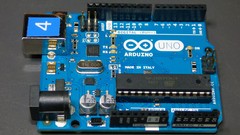
Arduino Practice Test: Get Certified and Test Your Skills (2017)
3.4 (50 Reviews)
 Provider: Udemy
$11.99

LabVIEW Step By Step: Beginners Complete Guide (2021)
3.6 (45 Reviews)
- Provider: Udemy
 Time: 1 hour on-demand videoh
$11.99

Android Development: Make Apps without Coding or Experience (2018)
3.8 (38 Reviews)
- Provider: Udemy
- Time: 1h
$11.99
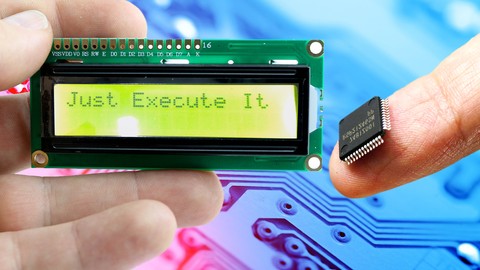
PIC Microcontroller Step by Step: Your complete guide (2021)
3.5 (35 Reviews)
- Provider: Udemy
- Time: 8h
$11.99

C# Basics for Beginners: Learn C# Fundamentals by Coding (2021)
3.5 (29 Reviews)
- Provider: Udemy
- Time: 2.5h
$11.99

More arduino courses


Mastering Arduino by Building Real World Applications (2018)
4.9 (38 Reviews)
- Provider: Udemy
- Time: 4.5h
$11.99

Arduino : Industrial Data Logger Designing and Programming (2021)
4.9 (27 Reviews)
- Provider: Udemy
- Time: 24.5h
$11.99

How to Program an Arduino as a Modbus RS485 Master & Slave (2021)
4.8 (140 Reviews)
- Provider: Udemy
- Time: 3h
$11.99

How to Program an Arduino as a Modbus TCP/IP Client & Server (2021)
4.8 (129 Reviews)
- Provider: Udemy
- Time: 2h
$11.99

Tech Explorations Arduino: Make an IoT environment monitor (2021)
4.8 (50 Reviews)
- Provider: Udemy
- Time: 5h
$11.99
 Reviews


- Video Duration:
 30m
30m - Price: 11.99 Track Price 11.99 Track Price
- Provider: Udemy
- Year:
 2018
2018 - Language:
 English, English [Auto-generated]
 - Certificate:
 Yes
Yes

30-Day Money-Back Guarantee
Udemy Coupon Price Tracker
