
 Web Development
 Data Science
 Python
 SQL
SQL JavaScript
 Artificial Intelligence
 IT & Software
 IT Certifications
 Hacking
 AWS
AWS Arduino
 DevOps
 3D Modeling
 Graphic Design
 Photoshop
 Drawing
 Digital Painting
 UX Design
 Business
 Data Analysis
 Communication Skills
 Project Management
 Leadership & Management
 Human Resources
 Digital Marketing
 Social Media Marketing
 Marketing
 SEO
SEO Google Analytics
 Branding
 Excel
Excel Office Productivity
 SAP
SAP PowerPoint
 Microsoft Access
 SharePoint
 Finance & Accounting
 Trading & Investing
 Accounting
 Bitcoin
 Personal Finance
 Video Editing & Animation
 Photography
 Adobe Premier Pro
 Adobe Lightroom
 Personal Development
 Productivity
 Career Development
 Life Coaching
 Health & Fitness
 Meditation & Mindfulness
 Yoga
Yoga Music
Music Music Production
 Guitar
 Piano
Piano Singing
 Language Learning
 Teaching & Academics
 Engineering
 Math
Math Lifestyle
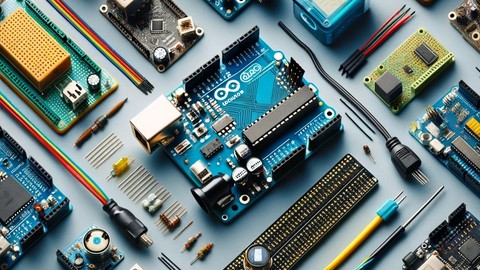
15 Days Arduino Masterclass: 15 Days Bootcamp (Udemy.com)
In this Arduino Bootcamp you will learn Arduino in a Step By Step Manner and you will be able to do practical Projects
Created by: Educational Engineering Team
Last updated February 2026
 What you will learn
- Start to programming Arduino
- Siscover things that will help you to excel in Arduino programming
- Simulate Arduino Boards UNO, Mega, nano and others in Windows Environment
- Write codes and test them without having an Arduino Board
- Choose the right board that fulfills your needs
- What is the main difference between each of the boards and why one is better than the other
- Make your own Arduino Board
- Bootload Your Arduino
- Know what is the actual brain of an Arduino
- Link Arduino with Raspberry Pi
- Protect Your Raspberry Pi using Arduino as Interface between Raspberry and heavy devices
- Make your own Web Controlled System using Arduino
- Learn Working Principle of Ethernet Shield and web control
- Interface Ethernet Shield with Arduino
- Control Arduino from Your own Mobile Phone
- Make a Home Automation System using Bluetooth
- Build your own Radar Using UltraSonic
How it compares
Against the other 295 rated Udemy courses in Arduino on CourseDuck:
- Rating3.8 out of 5higher than 3% of them
- Reviews105#193 of 296 by number of reviews
- Length9.3 hourslonger than 73% of them
- Last updatedFebruary 2026more recently than 73% of them
 Quality Score
Overall Score : 76 / 100
 Course Description
>>> Continues Updates <<<
More Than 7300 STUDENTS!!! THANK YOU!!!
Bonus!
When You Join This Course You Will Get Arduino Practice Test: Get Certified and Test Your Skills Course For FREE (Usually worth 200$) in the Bonus Section in which you will test Your PIC Microcontroller Skills with more than 100 Question, This is the only Arduino Practice Exam course on Udemy that has timed test-taking ability and provides interactive, section level feedback.
Welcome to this course.
The instructor is a very high experienced hardware developer who has strong background in Arduino development, and made this course to help new comers to the Arduino world.
He has also been teaching programming since 2010 and have mastered the art delivery.
This course is designed to introduce the Arduino hardware and programming environment to get you started on building projects as soon as possible.
The Arduino is an open-source electronics platform based on easy-to-use hardware and software. Sensing the environment by receiving inputs from many sensors the Arduino affects its surroundings by controlling lights, motors, and a number of other accessories. It's intended for anyone making interactive hardware projects.
A Platform for Creating any project that comes in your mind.
No experience is required, and all you need is an Arduino
This course is designed for anyone interested in Arduino with zero background knowledge.
Start working with different Arduino boards without buying them and start unleashing the power of code in Simulation
The Arduino is an open-source electronics platform based on easy-to-use hardware and software. Sensing the environment by receiving inputs from many sensors, Arduino affects its surroundings by controlling lights, motors, and a number of other accessories. It's intended for anyone making interactive hardware projects.
In this course you will learn how to Simulate different Arduino Boards in A Professional Simulation Environment which will help you unleash your full coding potionital without buying any of the Arduino boards.
This course will help you test your codes and schematics for Arduino without the risk of burning your board because of bad connections or wrong codes.
Contents and Overview This course is designed for anyone interested in learning electronic design. No experience is required, and all you need is a computer.
Boards that can be Simulated: Arduino Uno, Mega, Nano, zero and others
You will no longer wonder what board should you start with, or what board should you learn or use, this is your way in
When it comes to choosing a single-board computer or Controller, PIC Microcontroller, Arduino and Raspberry Pi are the big names that you'll be considering. But which one should you choose? What is the Arduino best used for? What are the drawbacks of using a Raspberry Pi? Why using PIC Microcontroller? And how do you decide between the three options? It can be a tough decision, so we'll break it down here for you.
For the purposes of this Course, I'll be discussing PIC Microcontroller PIC164550, Arduino Uno R3 and the Raspberry Pi 2 Model B. There are many versions of THESE boards, and there are plenty of alternatives to the PIC Microcontroller, The Pi and the Arduino that provide different specs and capabilities, but these Three are the mainstays of each line at the moment.
While both the Arduino and the Raspberry Pi are very versatile little machines, they both have specific things that they're good at.
This guild will help you know Arduino internal components and how to make your own board at home step by step
This tutorial shows you how to build an Arduino compatible breadboard with an Atmel AVR microcontroller, it will take you in a step by step manner to know what each component inside the Arduino board is, and what it does and how to wire it up
You will know what is the actual brain in Arduino board and what you can do with it and how to interface it with your own PC and send codes freely, you will no longer burn a code to a board that you know nothing about it's hardware.
After this course you will be able to make your own board on a breadboard or PCB the choice is yours to make since all connections are explained in details.
In this Course you will learn how to connect Raspberry Pi and Arduino the software and hardware part and why it's useful
This tutorial shows you how to connect Arduino Board with Raspberry Pi, it will take you in a step by step manner to know why this is helpful and how it can make your life a way much easier and saves you lots of Money.
You will know what is the actual hardware and software configurations needs to be done to make this interfacing work smoothly, you will no longer see your raspberry Pi damaged or burned by excessive voltage or power source failure, your raspberry Pi will work like a mini computer a way from the hardware connection that could damage it.
After this course you will be able to make your own interfacing and the choice is yours to use it in any application that comes in mind since all connections and configurations are explained in details.
Make your own Arduino Web Control and start Controlling any device that you imagine using A Simple Webpage and Arduino
This Course will teach you how to use a Web Page to Control anything using Arduino, This Guide will take you in a step by step manner to know what each component inside this circuit is, and what it does and how to wire it up, starting with the Ethernet shield and ending with resistors.
You will know what is the actual working principle of Ethernet shield and how to interface and configure it correctly so that you can access your Arduino Powered device from anywhere with an internet connection, and control any device with simple clicks in a webpage.
After this course you will be able to make your own web controlled device and the choice is yours to use it in any application that comes in your mind and can make your life easier, since all connections are explained in details.
We are going to control LEDs from a web page using an Arduino Ethernet module. The Ethernet module will create a server using the router and we will set a web page for this server.
We will use the HTML commands to print the data and to make the buttons on the web page.
When the button on the web page is pressed, we will get some data on the serial monitor. We will save this data in the string and will u

 Udemy Discount
The discount is applied through our link. Open the course from here and Udemy's current promotional price is applied at checkout on most courses, no code to type.
Some courses are excluded from Udemy's promotions. If the price does not drop, clear your browser cookies and use the button again.
Instructor Details

- 3.8 Rating
 105 Reviews
Educational Engineering Team
Educational Engineering Team is a Leading Team in Microcontroller Industry, with over than 11 Years of Experience in Teaching and Doing Practical Projects.
We strive to put all our hands-on experience into these courses. Instead of superficial knowledge - we go into the depth of the topic and give you the exact - step by step blueprint on how to tame simple as well as complex topics in easy and digestible bite-sized videos.
This real-world knowledge enables you to grasp knowledge easily, and you can apply this learning immediately into your life and projects.
Educational Engineering Team has been in the Programming and Microcontroller business since 2007. We have been part of many projects. Over the course of these years - we have gained a good insight into students and educators needs. We are passionate about sharing all our collective knowledge with you. As of 2018, we have already taught over FIFTY-THOUSAND students and counting.
Educator and Author of "Educational Engineering".
Ashraf is an educator, Mechatronics engineer, electronics and programming hobbyist, and Maker. He creates online video courses on EduEng YouTube Channel (More Than 2 Million View) and author of two Microcontroller books.
As a Chief Educational Engineer since 2007 at Educational Engineering Team, the company he founded, Ashraf's mission is
 More courses by Educational Engineering Team


Android Development: Make Apps without Coding or Experience (2026)
4.0 (552 Reviews)
 Provider: Udemy
 Time: 1.8h
$34.99

Electronic & Electrical Devices Maintenance&Troubleshooting (2026)
3.9 (549 Reviews)
- Provider: Udemy
- Time: 5.2h
$54.99
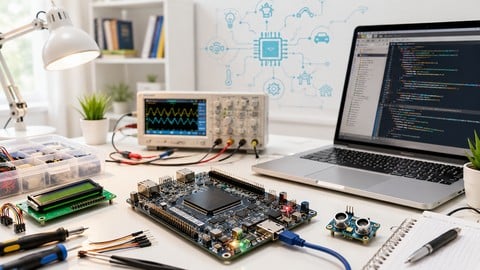
Become an Embedded System Engineer w/ this 60 Days Challenge (2026)
4.0 (412 Reviews)
- Provider: Udemy
- Time: 53.5h
$64.99
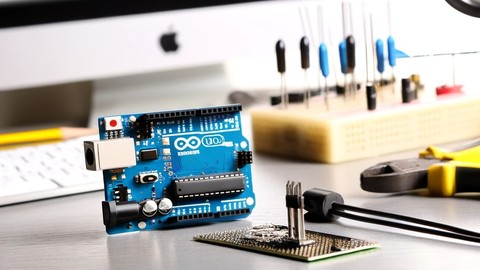
Arduino Practice Test: Get Certified and Test Your Skills (2017)
3.6 (359 Reviews)
- Provider: Udemy
$29.99
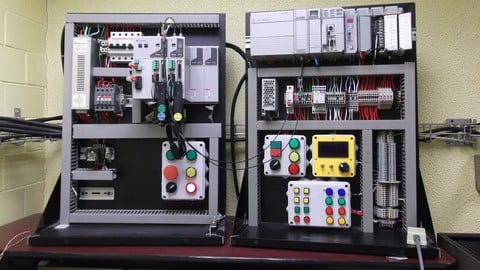
More Arduino courses


Learn to Build a Computer (PC) in 2026 - all types!
4.9 (245 Reviews)
- Provider: Udemy
- Time: 6.1h
$74.99

Raspberry Pi For Beginners - 2026 Complete Course
4.8 (3,105 Reviews)
- Provider: Udemy
- Time: 10.6h
$89.99

Ultimate Guide to Raspberry Pi : Tips, Tricks and Hacks (2023)
4.8 (2,363 Reviews)
- Provider: Udemy
- Time: 5.2h
$69.99

Mastering Microcontroller: STM32-LTDC, LCD-TFT, LVGL (MCU3) (2026)
4.8 (487 Reviews)
- Provider: Udemy
- Time: 8.1h
$79.99

Arduino Step by Step: Getting Started (2024)
4.7 (8,714 Reviews)
- Provider: Udemy
- Time: 21.4h
$159.99
 Reviews

By proeco20 Roman
no real assembly videos
By Garvit jain
noot proper explantation!!
By Awaish. Matani
It will reflect my CV in standard manner
By Hammou Chaouane
good
By Mike Brown
The content is valuable full of useful information so far and every thing is explained clearly
By Matus Halh
Not learned anything
By Luigi Frasca
Pronuncia in inglese pessima, sottotitoli sbagliati che rendono la lezione difficile da seguire.
By Moshe Nachim
There is no explanation as to how to insert the codes into the board
By Krishna murthy S
my doubts are not clarified by anyone!
By Walter Izaguirre
La pronuciación en ingles no es muy clara, hay muchos errores en los subtitulos, no muestran los requisitos para empezar (el tipo de hardware, IDE para programar, etc).
By Ignacio Cubillos
The english is so bad. I can´t understand the things that she want to say.
And the information is so so so simply. I thought that in this course I can find a more things to learn. But the information that you can see is basic.
Thank You.
By Juan Castillo
For this moment it's ok
- Video Duration:
 9.3h
9.3h - Price: $19.99
- Provider: Udemy
- Updated:
 February 2026
 - Level:
 All Levels
 - Language:
 English
 - Certificate:
 Yes
Yes
30-day money-back guarantee on most paid courses
Udemy Coupon Price Tracker
