
 Web Development
 Data Science
 Python
 SQL
SQL JavaScript
 Artificial Intelligence
 IT & Software
 IT Certifications
 Hacking
 AWS
AWS Arduino
 DevOps
 3D Modeling
 Graphic Design
 Photoshop
 Drawing
 Digital Painting
 UX Design
 Business
 Data Analysis
 Communication Skills
 Project Management
 Leadership & Management
 Human Resources
 Digital Marketing
 Social Media Marketing
 Marketing
 SEO
SEO Google Analytics
 Branding
 Excel
Excel Office Productivity
 SAP
SAP PowerPoint
 Microsoft Access
 SharePoint
 Finance & Accounting
 Trading & Investing
 Accounting
 Bitcoin
 Personal Finance
 Video Editing & Animation
 Photography
 Adobe Premier Pro
 Adobe Lightroom
 Personal Development
 Productivity
 Career Development
 Life Coaching
 Health & Fitness
 Meditation & Mindfulness
 Yoga
Yoga Music
Music Music Production
 Guitar
 Piano
Piano Singing
 Language Learning
 Teaching & Academics
 Engineering
 Math
Math Lifestyle
Become an Embedded System Engineer w/ this 60 Days Challenge (Udemy.com)
Step by step All in One Challenge to be an Embedded System Engineering Engineer and master Needed Skills to Succeed
Created by: Educational Engineering Team
Last updated February 2026
 What you will learn
- Learn Embedded C
- Learn how to program, use and interact with Arduino
- Learn how to program, use and interact with PIC Microcontroller
- Learn Communication Protocols
- Learn Circuit Design and Simulation from scratch
- Learn 3D Design and Simulation to make your own 3D Models
- Learn PCB Fabrication from scratch
- Learn everything about Embedded System
- Learn to use all the software tools needed to be successful as an Embedded System Engineer
- Build an Arduino prototype to create your own game using LEDs
- Learn how to solve complex problems with microcontrollers
- Learn how to make your own products - make them work!
- How to implement communication protocols in your project
How it compares
Against the other 295 rated Udemy courses in Arduino on CourseDuck:
- Rating4.0 out of 5higher than 11% of them
- Reviews412#75 of 296 by number of reviews
- Length53.5 hourslonger than 99% of them
- Last updatedFebruary 2026more recently than 73% of them
 Course Description
46 Hours of Full HD Content, 76 Sections, 555 Lectures, and 95 Articles
This Embedded Systems course is designed as a 60 Days Challenge that takes you from beginner level to building practical embedded systems skills with confidence.
You do not need prior experience in electronics, programming, or hardware.
The course follows a structured learning path where each stage introduces a new skill, helping you move step by step toward becoming an Embedded System Engineer.
What You Will Learn
By the end of this course, you will learn how to:
Program embedded systems using C
Work with Arduino
Work with PIC Microcontrollers
Understand communication protocols
Design and simulate electronic circuits
Build IoT projects
Design 3D enclosures
Design and fabricate PCBs
Understand the fundamentals of Embedded Systems Engineering
60 Days Learning Roadmap
The course is divided into focused learning stages:
Days 1 to 10: C Programming for Embedded Systems
Days 11 to 20: Arduino Microcontroller
Days 21 to 30: PIC Microcontroller
Days 31 to 37: Communication Protocols
Internet of Things: Extra Section
Days 38 to 44: Circuit Design and Simulation
Days 45 to 50: 3D Design and Simulation
Days 51 to 60: PCB Design and Fabrication
Days 1 to 10: C Programming for Embedded Systems
You will start by learning C Programming from scratch and build the programming foundation needed for embedded systems.
You will learn:
Data types
Control structures
Functions
Arrays
Pointers
Dynamic memory
Input and output
Problem solving
Embedded programming concepts
C is widely used in embedded systems because it gives programmers direct control over memory, hardware, and microcontrollers.
You will also learn how C is used in applications such as robotics, automotive systems, electronics, and industrial systems.
By the end of this section, you will have a stronger understanding of programming and how microcontrollers are programmed.
Days 11 to 20: Arduino Microcontroller
In this section, you will learn Arduino step by step through practical examples and projects.
You will learn:
Arduino programming
Digital and analog input and output
Sensors
Motors
Motion detection
Electronics basics
IoT concepts
Real-world Arduino applications
Arduino is an open-source microcontroller platform used to build interactive electronic systems.
This section will help you understand how software can interact with real hardware.
Days 21 to 30: PIC Microcontroller
Next, you will move into PIC Microcontrollers and learn how microcontroller systems are designed and programmed.
You will learn:
Microcontroller architecture
Digital logic
Binary numbers
Boolean algebra
Breadboard circuits
Schematic diagrams
Analog and digital interfacing
Programming microcontrollers in C
This section gives you practical experience in building and programming embedded systems using PIC Microcontrollers.
Days 31 to 37: Communication Protocols
Communication is an essential part of embedded systems.
In this section, you will learn how microcontrollers exchange information with computers, sensors, and other devices.
You will learn:
I2C Communication
SPI Communication
USB Interfacing
Serial Communication
Arduino Communication
PIC Microcontroller Communication
GUI Control
Data transfer concepts
Networking fundamentals
Bluetooth communication concepts
You will gain a practical understanding of how data moves between embedded devices.
Internet of Things
This additional section introduces IoT concepts and shows how embedded systems can communicate through networks and the internet.
You will understand how connected devices collect, send, and receive data.
Days 38 to 44: Circuit Design and Simulation
In this section, you will learn how to design and simulate electronic circuits before building them physically.
You will work with tools such as:
Fritzing
Proteus
Altium Designer
Yenka
You will learn:
Electronic circuit design
Microcontroller circuit simulation
Arduino circuit simulation
PCB design basics
PCB fabrication concepts
Electronic component placement
Soldering fundamentals
This section gives you the practical skills needed to move from an idea to a working electronic circuit.
Days 45 to 50: 3D Design and Simulation
You will learn how to create custom 3D enclosures for electronic and microcontroller projects.
Using Fusion 360, you will learn:
3D modeling basics
Creating custom enclosures
Working with dimensions
Extrude
Chamfer
Split tools
Creating cutouts
Importing reference models
Fixing design errors
Preparing designs for 3D printing
Understanding materials and filament types
You will follow practical examples to create enclosures for Arduino boards.
Days 51 to 60: PCB Design and Fabrication
The final stage focuses on Printed Circuit Board design and fabrication.
You will learn how to design PCBs using different software tools and prepare your designs for production.
You will learn:
PCB layout
PCB design workflow
Component placement
Circuit routing
PCB fabrication
Fritzing PCB Design
Proteus PCB Design
Altium Designer
Arduino Nano PCB Design
3D PCB simulation
PCB design is a major skill in electronics and embedded product development.

 Udemy Discount
The discount is applied through our link. Open the course from here and Udemy's current promotional price is applied at checkout on most courses, no code to type.
Some courses are excluded from Udemy's promotions. If the price does not drop, clear your browser cookies and use the button again.
Instructor Details

- 4.0 Rating
 412 Reviews
Educational Engineering Team
Educational Engineering Academy is a global leader in high-tier microcontroller and embedded systems training. Founded by Ashraf, a veteran Mechatronics Engineer with over 13 years of industrial experience, our mission is to transform students from foundation-level learners into Systems Architects.
With a legacy dating back to 2007, we have moved beyond superficial tutorials. We specialize in Production-Grade Engineering, focusing on areas where AI cannot compete: hardware labs, physical circuit design, and complex industrial simulations. Having empowered over 650,000 students globally, we provide the exact, step-by-step blueprints required to master the "Microcontroller Industry" and "PLC Industrial Automation".
Why Engineers Choose Our Ecosystem:
• Deep-Thinking Architecture: Our curriculum utilizes a three-level assignment structure (Basic, Intermediate, and Advanced) to ensure you don't just watch videos, but solve real-world coding challenges.
• Professional Benchmarks: We provide Project Portfolio Reviews and Résumé Feedback to ensure your skills translate directly into a high-paying career.
 More courses by Educational Engineering Team


Android Development: Make Apps without Coding or Experience (2026)
4.0 (552 Reviews)
 Provider: Udemy
 Time: 1.8h
$34.99

Electronic & Electrical Devices Maintenance&Troubleshooting (2026)
3.9 (549 Reviews)
- Provider: Udemy
- Time: 5.2h
$54.99
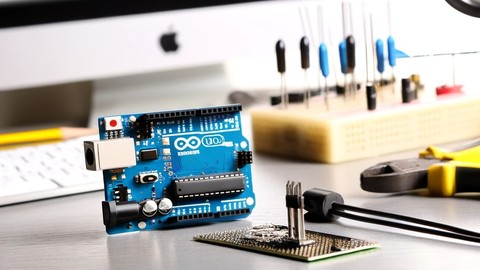
Arduino Practice Test: Get Certified and Test Your Skills (2017)
3.6 (359 Reviews)
- Provider: Udemy
$29.99
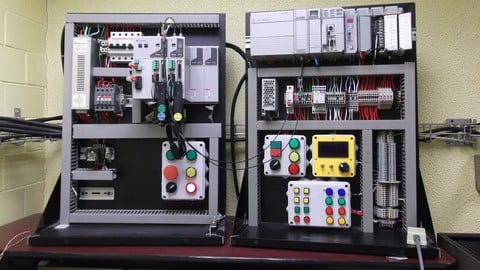

More Arduino courses


Learn to Build a Computer (PC) in 2026 - all types!
4.9 (245 Reviews)
- Provider: Udemy
- Time: 6.1h
$74.99

Raspberry Pi For Beginners - 2026 Complete Course
4.8 (3,105 Reviews)
- Provider: Udemy
- Time: 10.6h
$89.99

Ultimate Guide to Raspberry Pi : Tips, Tricks and Hacks (2023)
4.8 (2,363 Reviews)
- Provider: Udemy
- Time: 5.2h
$69.99

Mastering Microcontroller: STM32-LTDC, LCD-TFT, LVGL (MCU3) (2026)
4.8 (487 Reviews)
- Provider: Udemy
- Time: 8.1h
$79.99

Arduino Step by Step: Getting Started (2024)
4.7 (8,714 Reviews)
- Provider: Udemy
- Time: 21.4h
$159.99
 Reviews

By Robert Culley on 4/30/2025
Some of the instuctor code has compiler errors in the code. The discussion on variables has errors that were pointed out over two years ago and has not been fixed. Holding out that things will improve.
By Nandisile Malindi on 1/24/2025
The PIC microcontroller and the communication protocols seem interesting, as I am relatively new to them. But so far, everything has been put together in a manner that makes it easy to follow and understand
By Tom Descamps on 11/12/2024
This is just extremely sub-par. might be worth some time if you are an absolute beginner, but this is far from punctual or professional imo. I do appreciate all the effort you 2 put into this but there where alot of things that negtively influence the quality, one such thing is: stop filling up time in your "lectures" saying welcome to a new lecture, this is educational engineering, you can find more info about us on this site.. in a 5 min video; I mean seriously your introduction was longer and more elaborate than the actual info you provided. This feels lazy, stop trying to convince new ppl with amounts of topics you go over and try to keep the amounts of topics low but the content high. this honostly feels like some kind of scam
By Abdelrahman AbdelWahed on 2/18/2024
I wish I can give a higher rating but I would be incorrect; overall this is a good source for starting but in a lot of parts the course had wrong information like the c part one exam question had c++ code, other parts were rushed through without actually explaining the topic and some of the lectures just cut through the explaining and the structure of the lectures needs correcting.
By Joseph Gichumbi on 1/20/2024
It's great. However, I would suggest to review the MinGW installation procedure. Using the installer I ran into the "the file has been downloaded incorrectly" error which seems to be a common problem. I fixed the problem by downloading the files and unzipping them into the C drive. I then added the path to the bin folder and it worked. Although it is possible to go around the installer, I think getting this information from the onset would be helpful and time-saving.
By Peter Ogheneyerovwo Okiokpa on 3/21/2023
The experience has been great. I have learnt a lot especially as someone with little knowledge prior starting the course.
By Moss on 2/2/2023
The instructor is knowledgeable and presents the material in a clear and concise manner. He breaks down the concepts into easy-to-understand sections and provides hands-on exercises that help reinforce the lessons. The course is structured in a way that builds upon each previous lesson, which makes it easy to follow along and understand the concepts.
By Muhi on 2/2/2023
What I appreciated most about the course was the emphasis on practical application. The instructor provides a variety of project ideas that you can build using the skills learned in the course. This helped me see the real-world applications of the concepts and made the course much more engaging.
By Smith Bimth on 8/4/2022
Many thanks for a great course in embedding, this was my first experience in embedding and the careful guidance and clear explanations made this course very productive for me personally.
By Miguel Ángel Pérez Bautista on 2/3/2022
Very useful the information and thanks for that, reardless I found the exercices presented as assignments that no correspond to the main topic of the lessons... you don't explain how to print yet and put an exercice that I need print something on screen. So the assignments don't correspond to the lessons explained. You should put an eye on it.
 Quality Score
No CourseDuck member has rated this course yet. Taken it? Give each part a thumbs up or down.
Overall Score : 80 / 100

- Video Duration:
 53.5h
53.5h - Price: $64.99
- Provider: Udemy
- Updated:
 February 2026
 - Level:
 All Levels
 - Language:
 English
 - Certificate:
 Yes
Yes
30-day money-back guarantee on most paid courses
Udemy Coupon Price Tracker
