
 Web Development
 Python
 SQL
SQL JavaScript
 Data Science
 Artificial Intelligence
 IT & Software
 IT Certifications
 Hacking
 Arduino
 AWS
AWS 3D Modeling
 Graphic Design
 Photoshop
 Drawing
 Digital Painting
 UX Design
 Business
 Data Analysis
 Communication Skills
 Project Management
 Leadership & Management
 E-Commerce
 Digital Marketing
 Social Media Marketing
 Marketing
 SEO
SEO Google Analytics
 Branding
 Office Productivity
 Excel
Excel Finance & Accounting
 Bitcoin
 Video Editing & Animation
 Photography
 Adobe Premier Pro
 Adobe Lightroom
 Personal Development
 Health & Fitness
 Music
Music Guitar
 Teaching & Academics
 Language Learning
 Engineering
 Lifestyle
Ultimate Guide to Raspberry Pi : Tips, Tricks and Hacks (Udemy.com)
Master the Raspberry Pi 4, Work with Python, GPIO pins and sensors, the Pi Camera Module, build an Amazon Echo Clone!
Created by: Lee Assam
Last updated May 2023
 What you will learn
- Understand what the Raspberry Pi is and how to set it up
- Understand the process of installing any OS for the Raspberry Pi
- Understand how to connect remotely to your Raspberry Pi and run it in headless mode
- Learn the ins and outs of working with the Terminal and Linux commands
- Learn how to install software using the APT Package system
- Learn how to setup a Web Server
- Learn how to work with GPIO pins and read external inputs and sensors (buttons and PIR sensors)
- Learn how to work with USB Cameras
- Learn how to use the Raspberry Pi Camera Module and interact with it programmatically
- Learn how to make an Amazon Echo Clone
 Course Description
Last Updated : November 2022
Added content to cover the Raspberry Pi Imager which is a new software tool that can be used to flash your SD cards
Added details about Raspberry Pi OS, which is the replacement for the Raspbian OS
Update : November 2019
Includes the Raspberry Pi 4! Covers both the Raspberry Pi 4 and Raspberry Pi 3.
Step by Step instructions on how to setup your Raspberry Pi in Headless Mode - No extra monitor, keyboard, mouse or HDMI cable needed!
This course will provide the information you need to Master the Raspberry Pi 3 and Raspberry Pi 4! It assumes no prior programming or electronics knowledge and walks you through everything you need to know to use the platform to the fullest! Here are some of the topics that are covered:
We will first dive into what the Raspberry Pi is and learn what components you need to set everything up
Step by step videos on how to set it up
We will walk through how to easily flash an SD card with any OS for the Pi
We will talk about tips to prevent SD card corruption
We will show configuration tips for the Raspberry Pi Operating System
Multiple methods of connecting remotely to your Raspberry Pi will be covered to show how you can run it in "headless mode" without a monitor
We dive into the Terminal and Linux commands to show how you can navigate your system, work with files, perform network and system commands and keyboard shortcuts
We dive in depth into the APT Package system for installing software and show how to install any software for your Pi
Best practices for securing your Raspberry Pi are covered
We install a Web Server using different approaches
We work with GPIO pins and show how you can control LEDs, determine if a button is pressed, work with a PIR sensor and will make a PIR sensor alarm circuit
We will do Python code reviews for the projects so you will understand how the software and hardware work together
We work with cameras and images and show how you can setup a USB web cam and install software to create a live streaming camera feed
We use the Raspberry Pi Camera module and show how you can interact with it programmatically to take photos, video and create special effects
We create a working Amazon Echo Clone with the Alexa Voice Service
Much much more!
No previous programming or electronics knowledge is required.
You get the best information that I have compiled over years of trial and error and experience!
Learn the Raspberry Pi 3 and Pi 4 fast! Install software, build circuits, make projects! Get started now!

 Udemy Discount
The discount is applied through our link. Open the course from here and Udemy's current promotional price is applied at checkout on most courses, no code to type.
Some courses are excluded from Udemy's promotions. If the price does not drop, clear your browser cookies and use the button again.
Instructor Details

- 4.8 Rating
 2,363 Reviews
Lee Assam
Lee holds a Bachelor's Degree in Electrical and Computer Engineering and a Master's Degree in Computer Science.
He has taught at Universities on topics ranging from Software Development to Electrical Engineering and prototyping. He likes coming up with new ideas and prototyping them using the Arduino and Raspberry Pi platforms.
His passion for innovation has resulted in several wins in Hack Day competitions. He is a US Patent holder and has numerous US Patent Applications currently being reviewed. He tries to understand how the latest technolgy can be used to solve business problems and challenges in creative ways.
His hobby is Arduino and the Internet of Things. He has been playing around with the Arduino and the Raspberry Pi platforms since their inception, and he uses his Electrical Engineering background coupled with software development skills to create and develop exciting projects.
He prefers a hands-on, project-based learning approach and uses his teaching background to make concepts fun and entertaining, while at the same time educational and informative.
 More courses by Lee Assam
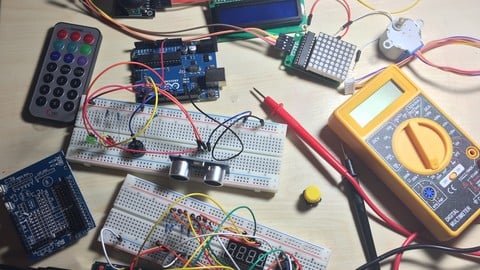
Arduino Bootcamp : Learning Through Projects (2022)
4.4 (1,072 Reviews)
 Provider: Udemy
 Time: 9.6h
$16.99
Building Internet of Things Projects with Arduino IOT Cloud (2022)
4.5 (498 Reviews)
- Provider: Udemy
- Time: 4.8h
$64.99
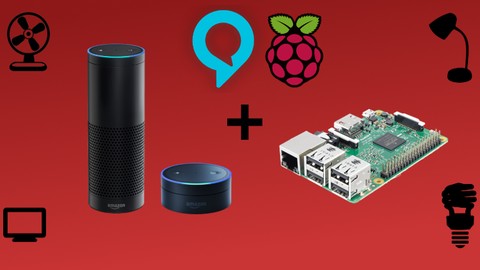
Building Alexa Skills for Home Automation with Raspberry Pi (2022)
4.4 (187 Reviews)
- Provider: Udemy
- Time: 4.1h
$69.99
More Arduino courses


Learn to Build a Computer (PC) in 2026 - all types!
4.9 (245 Reviews)
- Provider: Udemy
- Time: 6.1h
$74.99

Raspberry Pi For Beginners - 2026 Complete Course
4.8 (3,105 Reviews)
- Provider: Udemy
- Time: 10.6h
$89.99

Mastering Microcontroller: STM32-LTDC, LCD-TFT, LVGL (MCU3) (2026)
4.8 (487 Reviews)
- Provider: Udemy
- Time: 8.1h
$79.99

Arduino Step by Step: Getting Started (2024)
4.7 (8,714 Reviews)
- Provider: Udemy
- Time: 21.4h
$159.99
Arduino Programming and Hardware Fundamentals with Hackster (2023)
4.7 (4,944 Reviews)
- Provider: Udemy
- Time: 7.5h
$99.99
 Reviews

By Anonymized User on 4/6/2022
Thorough explanation in every section of the course. It is highly recommended for beginners seeking new knowledge in IoT devices. I felt the course would have been better if the webserver section had been more extensive. For instance, running a simple web application using the Raspberry Pi as the server. Nevertheless, it has been a great course. Thank you Lee for sharing your knowledge and experience, cheers!
By Gloria Gardner on 8/21/2021
This is an excellent course and Mr. Assam is a great teacher. Firstly, I love the way Mr. Assam speaks slowly and enunciates every word clearly. Far too many online instructors run through the material like they are being chased by a truck! The material is greatl I bought the course primarily for the material in sections 5 and 6- setting up my Raspberry Pi computers and connecting to them remotely. These sections helped me to achieve my goals quickly and accurately. Now that I have taken a course by Mr. Assam I will take others. Thank you so much.
By Mayank Malviya on 10/5/2020
Great Course and Fabulous Content !! The best thing about this course was its course structure. It was structured so nicely that I was able to complete this course in just 2 days with 100% understanding. I just love the way how he first introduces what we are going to do in this segment, then what are the materials required after that the demo, and then my most favorite part: the code review. Everyone who wants to learn the know-how of Raspberry Pi must take this course !!
By Anonymized User on 8/19/2020
This was a great introduction to using the Raspberry Pi. I am even more excited now to build my own projects with PIR sensors and cameras. The Alexa clone section was a pleasant surprise and unexpectedly simple! Note: I took this course using my Raspberry Pi 4B, other than some glitches with the playback through the browser it was good.
By C L on 8/10/2020
I thoroughly enjoyed this course (and binged it). The presentation and delivery of the lessons is very good; organized, well presented, an appropriate level of detail, at a good relaxed pace and not leaving any questions in my mind about the content. When something I might be curious about comes up and it is the topic of a future lesson, that is mentioned. Just one nit picky comment ...most of the URLs in the Introduction "Parts List" are broken. There are also no links for Raspberry Pi 4 starter kits. It took me some time to locate a starter kit with a sub set of the components needed and the rest I purchased separately. It would be helpful if these URLs were updated. I had no prior knowledge or experience with Raspberry Pi before taking this but, always wanted to delve into it. I now feel confident that I have the information necessary to make a start on my own. As a 'from scratch' course, I highly recommend this one. I'll be checking out more of Assam's courses.
By Nirocca on 6/3/2020
Very thorough at the beginning with the basics, but became a little leaner towards the end. You highlight a number of functions, but do not provide an idea on what any / all or how to find out what is the functionality of various functions other than to state that some do exist with examples. Additionally, how do you know what software / functionality is available for installation ? Thank you very much, very good
By EmpowerCodes Technologies on 5/21/2020
This course is fantastic. Its very good for beginners who wants to get started and get familiar with Raspberry Pi. The instructor had created the videos very clearly with precise instructions. The basic programs of Raspberry are interesting. Overall the course is a great resource to the people who wants to get in Raspbery Pi as well as IOT.
By Satyendra Pratap Singh on 3/30/2020
Teaching and explaining techniques of Mr. Lee is excellent. Good basics and fundamentals to understand Rasberry Pi. Helpful for beginners. I was hoping to more on IOT implementation like taking value from temperature and humidity sensor and sending to web server and analyze the value if value is above critical value sending mail or message, Bluetooth wireless connectivity etc.
By Manuel Esparza on 4/4/2019
I highly recommend this course. The instructor walked through every step of each exercise and clearly explained each step. Each lesson built upon the previous lessons. I also liked the option to download files related to the lessons. Some of the projects like Pi Camera and the Alexa clone were fun and sparked interest into what else an RPi could do. The instructor was also very quick to respond to student questions posted in the Q&A section. I posted a question and had a response in under 45 minutes.
By Gonzalo Ahuactzin on 11/28/2018
I really really did enjoy the course, it was simple, helpful, and did totally gets you on your way to becoming a raspberry pie master. Although I do wish he would have gone a little bit more in depth with some things. Perhaps how the terminal interacts with the software and how things are are executed and hoe packages/software is structured and organized. Maybe its a little out of the scope of the course but I think even a high level overview might be really helpful to piece all of it together. Over all it was GREAT!
 Quality Score
No CourseDuck member has rated this course yet. Taken it? Give each part a thumbs up or down.
Overall Score : 96 / 100

- Video Duration:
 5.2h
5.2h - Price: $69.99
- Provider: Udemy
- Updated:
 May 2023
 - Level:
 All Levels
 - Language:
 English
 - Certificate:
 Yes
Yes
30-day money-back guarantee on most paid courses
Udemy Coupon Price Tracker
