
 Web Development
 Data Science
 Python
 SQL
SQL JavaScript
 Artificial Intelligence
 IT & Software
 IT Certifications
 Hacking
 AWS
AWS Arduino
 DevOps
 3D Modeling
 Graphic Design
 Photoshop
 Drawing
 Digital Painting
 UX Design
 Business
 Data Analysis
 Communication Skills
 Project Management
 Leadership & Management
 Human Resources
 Digital Marketing
 Social Media Marketing
 Marketing
 SEO
SEO Google Analytics
 Branding
 Excel
Excel Office Productivity
 SAP
SAP PowerPoint
 Microsoft Access
 SharePoint
 Finance & Accounting
 Trading & Investing
 Accounting
 Bitcoin
 Personal Finance
 Video Editing & Animation
 Photography
 Adobe Premier Pro
 Adobe Lightroom
 Personal Development
 Productivity
 Career Development
 Life Coaching
 Health & Fitness
 Meditation & Mindfulness
 Yoga
Yoga Music
Music Music Production
 Guitar
 Piano
Piano Singing
 Language Learning
 Teaching & Academics
 Engineering
 Math
Math Lifestyle
Building Internet of Things Projects with Arduino IOT Cloud (Udemy.com)
Learn the Internet of Things.Build IoT Projects, Configure IoT Things, Dashboards, Webhooks and build IFTTT Integrations
Created by: Lee Assam
Last updated November 2022
Our take
Based on the ratings of 498 students, a sample of their written reviews and the syllabus, as the course stood in November 2022. No course pays to be reviewed.
A short, project based introduction to the Arduino IoT Cloud from Lee Assam, an electrical engineer who has taught at university level. In under five hours and 58 lectures the syllabus walks from controlling an LED from the cloud through analog readings and button events to two bigger builds: a motion sensor alarm that calls a cell phone, and a self regulating temperature system built around a DHT-22 sensor. It's labelled beginner, but the requirements ask for basic Arduino and C, and the projects need an MKR WiFi 1010 board (one reviewer says he was told the older MKR1000 would do).
Students like the teaching. Reviewers call Assam a clear communicator who explains every step patiently, and four and five star ratings make up most of the 498 reviews. The big complaint is age. The course was recorded on the beta Arduino IoT Cloud, and although it was last touched in November 2022, several reviewers say the current site's menus, dialogs and section names no longer match the videos, so they spend time hunting for where things moved. A few also mention unanswered questions, a flaky Arduino cloud service, and a wish that ESP32 boards were covered.
It sits beside Python, Spring and Flutter courses in our software development list, and it needs hardware on the desk before lesson one. Anyone with an MKR board who wants a guided, hands on route into Arduino's cloud dashboards, webhooks and IFTTT will find it a decent short buy, provided they accept some detective work in the web editor. People who want current screens or ESP32 coverage should look elsewhere.
Pros
- Builds real projects, including a motion alarm that calls a phone and a self regulating temperature system
- Reviewers call Lee Assam a patient, clear communicator who explains each step and how the parts fit
- Short at under five hours and 58 lectures, so the whole thing fits in a weekend
- Covers dashboards, webhooks and IFTTT integration, not just board setup
Cons
- Recorded on the beta Arduino IoT Cloud; reviewers say menus and names no longer match the videos
- Needs an MKR WiFi 1010 board and basic Arduino and C knowledge despite the beginner label
- Some reviewers report unanswered questions in the Q&A and want ESP32 alternatives covered
The instructor shows great patience in explaining carefully each step of the creation of each project and how the various parts fit together to form the whole.
Beginner to IoT Cloud, not to Arduino: expect to already know basic Arduino sketches and some C.
 What you will learn
- Build working IoT Projects that connect to the Cloud
- Learn how to use the Arduino IoT Cloud Platform
- Learn how to use the MKR WiFi 1010 Arduino Board
- Build Arduino IoT Applications in the Cloud
- Build Dashboards for your IoT Applications with minimal code
- Use If This Then That (IFTTT) to integrate Webhooks into your IoT Applications
Course content
11 sections · 58 lectures · 4.8 hours of video 5 articles
- 1Introduction 3 free previews6 lectures · 17 min
- 2Setup your account and board5 lectures · 21 min
- 3First Project - Controlling an LED from the Cloud 1 free preview6 lectures · 18 min
- 4Reviewing the Project Files, Web Editor and Code3 lectures · 25 min
- 5Taking Analog Readings 1 free preview5 lectures · 18 min
- 6Detecting external events like a Button Press 1 free preview7 lectures · 27 min
- 7Creating a Motion Sensor Alarm that calls your Cell Phone when it is Tripped 1 free preview9 lectures · 54 min
- 8Measuring Temperature and Humidity with a DHT-22 Sensor 1 free preview5 lectures · 24 min
- 9Creating a Temperature-Controlled Self Regulating System 1 free preview10 lectures · 1.3 hours
- 10Closing1 lecture
- 11Bonus 1 free preview1 lecture · 3 min
Who it is for
The instructor says it suits
- Arduino makers that want to learn about the Arduino IoT Cloud Platform
- IoT Hobbyists
- Students
- Electrical Engineers
- Electronics Hobbyists
- Makers
- Tinkerers
What you need before you start
- Basic knowledge of Arduino
- Basic understanding of any programming language (C Programming Language preferred)
- Basic knowledge of Cloud Concepts
- Willingness to learn
How it compares
Against the other 518 rated Udemy courses in Software Development on CourseDuck:
- Rating4.5 out of 5higher than 41% of them
- Reviews498#227 of 519 by number of reviews
- Length4.8 hoursshorter than 63% of them
- Last updatedNovember 2022earlier than 82% of them
 Course Description
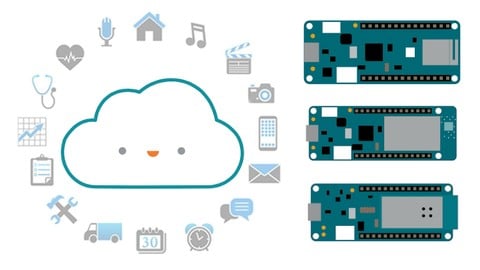
In this course you will learn about the Arduino IoT Cloud Platform that allows you to easily build Internet of Things (IoT) applications and projects that connect to the Cloud.
Go from Zero to Hero and learn how to quickly build secure Internet of Things (IoT) apps and dashboards using Arduino that connect to the Cloud.
What you will Learn
In this course, you will learn:
A basic understanding of what is the Internet of Things
IoT Terminology
What is the Arduino IoT Cloud Platform
How to setup your Arduino MKR boards to connect to the Arduino IoT Cloud
How to use the Arduino Internet of Things (IoT) Cloud Platform to build IoT apps with minimal code
How to build dashboards to monitor your Internet of Things (IoT) projects , peripherals and sensors
How to incorporate Webhooks in your Internet of Things (IoT) Applications
How to use the If This Then That (IFTTT) to integrate services into your IoT Applications
How to use Arduino MKR Boards to prototype Internet of Things (IoT) Projects
Securely connecting your Internet of Things (IoT) device to the Cloud
The ins and outs of the Arduino Web Editor
What you will Build
We will start with basics by building simple Internet of Things (IoT) Cloud projects such as:
Controlling an LED from the Cloud
Taking Analog Readings
Detecting events from IoT devices like a button push in the Cloud
We will progress to advanced projects such as:
Creating a motion sensor alarm circuit that calls your cell phone when motion is detected
Creating a self-regulating temperature controlled system
You will also learn how to build Internet of Things (IoT) dashboards with little to no code to monitor your Things and Properties from the Cloud!
Who this course is for:
Students
Internet of Things (IoT) Hobbyists
Electronics Hobbyists
Electrical Engineers
Makers
Tinkerers
What previous knowledge should I have:
A basic understanding of Arduino
A basic understanding of Programming (C preferred)
Be willing to learn
Why is the Arduino Internet of Things (IoT) Cloud Platform important?
We all know and love Arduino Platform for tinkering and building prototypes. But when it comes to building IoT projects that connect to the internet, using Arduino by itself gets messy.
Here are some of the challenges with Building IoT Apps with simple flavors of Arduino Boards :
You need to use an Arduino board that has Wifi built-in or use additional modules like the ESP8266 or ESP32 to enable internet connectivity
You have to worry about how to secure connections to the internet from IoT devices to prevent hackers from intercepting your IoT data
Connecting to the Cloud is also challenging as you have to write custom code to handle integrations
Building Dashboards to monitor and control your IoT apps requires writing additional custom code and programming and this can get messy very quickly
The Arduino IoT Cloud was created to solve these issues.
The Arduino IoT Cloud allows you to:
Easily, Securely and Seamlessly build Arduino Internet of Things (IoT) projects that connect directly with the Cloud
Quickly allow Arduino MKR Boards to connect securely connect to the Cloud
Create WebHooks to easily connect backend APIs and Services to your Internet of Things (IoT) Projects
Monitor your projects in real-time by creating dashboards and widget with a few mouse clicks
Join the Arduino IoT Cloud Bootcamp Course today and learn to build Arduino Internet of Things (IoT) apps that connect to the Cloud the easy way!
Check out the free preview lectures and I will see you in the course!

 Udemy Discount
The discount is applied through our link. Open the course from here and Udemy's current promotional price is applied at checkout on most courses, no code to type.
Some courses are excluded from Udemy's promotions. If the price does not drop, clear your browser cookies and use the button again.
Instructor Details

- 4.5 Rating
 498 Reviews
Lee Assam
Lee holds a Bachelor's Degree in Electrical and Computer Engineering and a Master's Degree in Computer Science.
He has taught at Universities on topics ranging from Software Development to Electrical Engineering and prototyping. He likes coming up with new ideas and prototyping them using the Arduino and Raspberry Pi platforms.
His passion for innovation has resulted in several wins in Hack Day competitions. He is a US Patent holder and has numerous US Patent Applications currently being reviewed. He tries to understand how the latest technolgy can be used to solve business problems and challenges in creative ways.
His hobby is Arduino and the Internet of Things. He has been playing around with the Arduino and the Raspberry Pi platforms since their inception, and he uses his Electrical Engineering background coupled with software development skills to create and develop exciting projects.
He prefers a hands-on, project-based learning approach and uses his teaching background to make concepts fun and entertaining, while at the same time educational and informative.
 More courses by Lee Assam

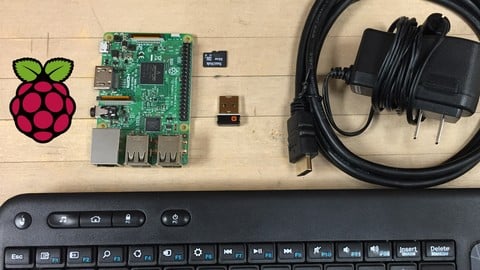
Ultimate Guide to Raspberry Pi : Tips, Tricks and Hacks (2023)
4.8 (2,363 Reviews)
 Provider: Udemy
 Time: 5.2h
$69.99
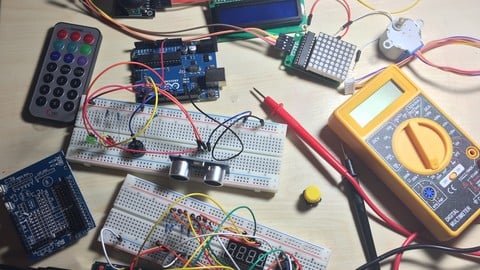
Arduino Bootcamp : Learning Through Projects (2022)
4.4 (1,072 Reviews)
- Provider: Udemy
- Time: 9.6h
$16.99
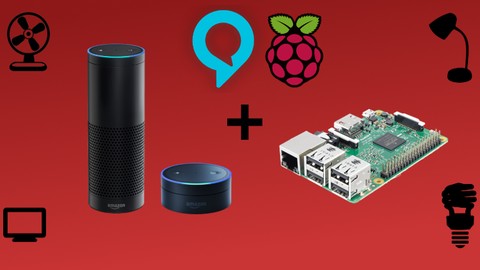
Building Alexa Skills for Home Automation with Raspberry Pi (2022)
4.4 (187 Reviews)
- Provider: Udemy
- Time: 4.1h
$69.99
More Software Development courses

MATLAB Programming Simulink: Beginner to Pro with ChatGPT (2026)
5.0 (930 Reviews)
- Provider: Udemy
- Time: 9.6h
$10.99


![Build Web Apps with Nuxt.js 3: Master TypeScript & API [New]](/programming/software-development/images/6457785_5adc_4.jpg?v=1789443959)
Build Web Apps with Nuxt.js 3: Master TypeScript & API [New] (2026)
4.9 (635 Reviews)
- Provider: Udemy
- Time: 6.7h
$19.99

![Terraform 101: The Ultimate Hands-On Guide [Azure Edition]](/programming/software-development/images/6208847_f60a_7.jpg?v=1791193600)
Terraform 101: The Ultimate Hands-On Guide [Azure Edition] (2025)
4.8 (1,975 Reviews)
- Provider: Udemy
- Time: 11.9h
$94.99
 Reviews

By Keven Crick on 6/12/2023
Seems to be a good match for me. However it would be good to speak of alternative open source hardware platforms for IOT.. an example would be the Espressif ESP8266 or the newer ESP32
By Robin Ashencaen on 11/1/2022
This is actually a well put together, well thought out course but someone who clearly knows their stuff. Unfortunately Lee is let down by the Arduino cloud website which is very flaky. Most annoyingly, I paid for a Maker level subscription to get around the resource limitations. They took my money but the restrictions are still there. So It looks like I'll have to use something other than Arduino to do IoT.
By Paul Guilbeault on 2/6/2022
An excellent training course. Good paste following the instruction and details information step by step. Lee is really great communicator.
By Anas Alsalahi on 1/14/2022
All you need to know to go from zero to making your own designs, practice a lot after this course and you will become a pro.
By Martin Hall on 4/27/2021
Yes, it is a good match. One observation, at the beginning it said I needed a MKR 1010. Whilst I had a MKR1000, I didn't have the 1010, so I immediately ordered it so it would arrive tomorrow. Once I listened, I was told the 1000 would have done. Its not an issue at all for me as I'll play with both, but perhaps the text should say 1000 or 1010.
By Ian Chapman on 11/13/2020
The course met my expectations for learning to use Arduino IoT-enabled devices with the Arduino IoT Cloud. The pace was a little slow for me as an experienced electronics engineer, but is ideal for new learners. The instructor shows great patience in explaining carefully each step of the creation of each project and how the various parts fit together to form the whole.
By Chris Phillips on 5/13/2020
Very well presented, easy paced course. Perfect for IoT beginners.
By Bertrand Pinel on 1/5/2020
The pace is good and explanations are precise and clear. Just the course I was looking for to start with my Nano33 IoT board ! The only caveat I have seen is relative to the pin number that are different from on board to another, and thus ask for some adaptations while implementing the tutorials. Great job, really.
By Donald Schiavone on 11/19/2019
This was a good match for me. I learned quite a bit and the hands on exercises were great. The teacher also responded quickly when I had a few questions.
By Martin Hall on 8/30/2019
I had expected it to include the Nano 33 IOT which is the platform that I have. I've had no problem translating the lesson to use the Nano 33 IOT.
 Quality Score
No CourseDuck member has rated this course yet. Taken it? Give each part a thumbs up or down.
Overall Score : 90 / 100
- Video Duration:
 4.8h
4.8h - Price: $64.99
- Provider: Udemy
- Updated:
 November 2022
 - Level:
 Beginner
 - Language:
 English
 - Certificate:
 Yes
Yes - Lectures:58 in 11 sections
- Students:4,221
- Subtitles:1 language
30-day money-back guarantee on most paid courses
Udemy Coupon Price Tracker
