
 Web Development
 Data Science
 Python
 SQL
SQL JavaScript
 Artificial Intelligence
 IT & Software
 IT Certifications
 Hacking
 AWS
AWS Arduino
 DevOps
 3D Modeling
 Graphic Design
 Photoshop
 Drawing
 Digital Painting
 UX Design
 Business
 Data Analysis
 Communication Skills
 Project Management
 Leadership & Management
 Human Resources
 Digital Marketing
 Social Media Marketing
 Marketing
 SEO
SEO Google Analytics
 Branding
 Excel
Excel Office Productivity
 SAP
SAP PowerPoint
 Microsoft Access
 SharePoint
 Finance & Accounting
 Trading & Investing
 Accounting
 Bitcoin
 Personal Finance
 Video Editing & Animation
 Photography
 Adobe Premier Pro
 Adobe Lightroom
 Personal Development
 Productivity
 Career Development
 Life Coaching
 Health & Fitness
 Meditation & Mindfulness
 Yoga
Yoga Music
Music Music Production
 Guitar
 Piano
Piano Singing
 Language Learning
 Teaching & Academics
 Engineering
 Math
Math Lifestyle
Raspberry Pi Bootcamp : For the Beginner (Udemy.com)
Learn about the Raspberry Pi, build a DIY Google Home Clone, RetroPie Gaming System, work with GPIO pins and much more..
Created by: Lee Assam
Last updated November 2022
 What you will learn
- Become familiar with Raspberry Pi
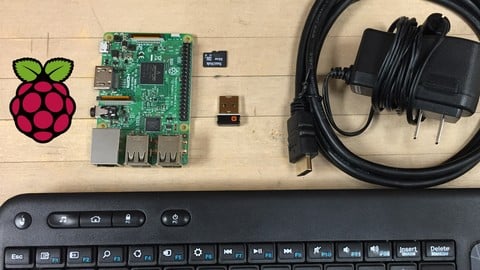
- Learn how to easily prepare SD cards for any Raspberry Pi Operating System
- Build a Digital Assistant using the Google Assistant API and Raspberry Pi
- Build a Gaming System with Raspberry Pi
- Understand how to work with GPIO pins and external peripherals
- Install and configure a Web Server
- Learn how to control circuits and peripherals over the internet via a web page
How it compares
Against the other 1,182 rated Udemy courses in IT & Software on CourseDuck:
- Rating4.4 out of 5higher than 30% of them
- Reviews688#499 of 1,183 by number of reviews
- Length2.6 hoursshorter than 75% of them
- Last updatedNovember 2022earlier than 75% of them
 Course Description
It is catered for all levels and those interested in learning about the Raspberry Pi and its capabilities. After completing this course:
You will understand all the components needed to get your Raspberry Pi up and running and how to connect themYou will learn how to easily prepare anSD card and flash it for anyOperating System for the PiYou will learn to work with GPIO (General Purpose Input Output) pins and how to programmatically control them with PythonYou will be able to build simple circuits with an LED and interface them to GPIOpinsYou will build a fully functioning gaming system with RetroPie to play old Nintendo, Sega,PlayStation games and games from many other older consoles..
You will build a Personal Digital Assistant or Google Home Clone using the Google Assistant API complete with robust speech recognitionYou will learn about the different types of Raspberry Pi modelsYou will learn the difference between Arduino and Raspberry Pi and when you should use one over the otherLots more bonus content is included and new content will be added over time
No previous knowledge is required. All principles taught from scratch! The best and easiest way to get up to speed and become extremely familiar with the Raspberry Pi Platform.
Don't just take my word for it, here are what some past students are saying about the course:
A great way to get started in the Raspberry PI world for a novice like myself. Lee explains step by step what is needed to accomplish the task and why it is necessary. Just a great way to get your feet wet. ~ Anthony InnissGood examples and easy to understand ~Brad EgebartJust exactly the intro to Raspberry Pi I was looking for! Great instructor and excellent course. - Adam MuellerThe instructor is very easy to understand unlike many other courses. All steps are included and there isnt a lot of repeated information. Getting a gaming system going was worth the price of everything.~ Dan VisteWho this course is for:
Anyone interested in learning about Raspberry PiStudentElectronics HobbyistMaker

 Udemy Discount
The discount is applied through our link. Open the course from here and Udemy's current promotional price is applied at checkout on most courses, no code to type.
Some courses are excluded from Udemy's promotions. If the price does not drop, clear your browser cookies and use the button again.
Instructor Details

- 4.4 Rating
 688 Reviews
Lee Assam
Lee holds a Bachelor's Degree in Electrical and Computer Engineering and a Master's Degree in Computer Science.
He has taught at Universities on topics ranging from Software Development to Electrical Engineering and prototyping. He likes coming up with new ideas and prototyping them using the Arduino and Raspberry Pi platforms.
His passion for innovation has resulted in several wins in Hack Day competitions. He is a US Patent holder and has numerous US Patent Applications currently being reviewed. He tries to understand how the latest technolgy can be used to solve business problems and challenges in creative ways.
His hobby is Arduino and the Internet of Things. He has been playing around with the Arduino and the Raspberry Pi platforms since their inception, and he uses his Electrical Engineering background coupled with software development skills to create and develop exciting projects.
He prefers a hands-on, project-based learning approach and uses his teaching background to make concepts fun and entertaining, while at the same time educational and informative.
 More courses by Lee Assam

Ultimate Guide to Raspberry Pi : Tips, Tricks and Hacks (2023)
4.8 (2,363 Reviews)
 Provider: Udemy
 Time: 5.2h
$69.99
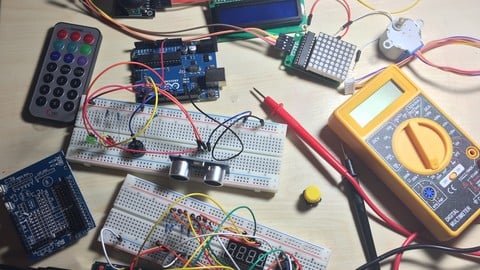
Arduino Bootcamp : Learning Through Projects (2022)
4.4 (1,072 Reviews)
- Provider: Udemy
- Time: 9.6h
$16.99
Building Internet of Things Projects with Arduino IOT Cloud (2022)
4.5 (498 Reviews)
- Provider: Udemy
- Time: 4.8h
$64.99
Building Alexa Skills for Home Automation with Raspberry Pi (2022)
4.4 (187 Reviews)
- Provider: Udemy
- Time: 4.1h
$69.99
More IT & Software courses

D3.js Data Visualization Fundamentals - Hands On (2026)
4.9 (3,917 Reviews)
- Provider: Udemy
- Time: 4.6h
$49.99

Hands-On Training: Streaming Data with Apache Kafka on Azure (2025)
4.9 (103 Reviews)
- Provider: Udemy
- Time: 3.7h
$10.99


Oracle Grid Infrastructure and RAC using Oracle Database 19c (2026)
4.8 (2,499 Reviews)
- Provider: Udemy
- Time: 8.7h
$19.99

PowerShell Scripting & Automation: The Complete Hands-On (2026)
4.8 (1,750 Reviews)
- Provider: Udemy
- Time: 9.6h
$11.99

AWS EC2 Crash Course + Load Balancing with Demos and PDFs (2025)
4.8 (866 Reviews)
- Provider: Udemy
- Time: 3.7h
$19.99
 Reviews

By Zaahied Cassim on 11/22/2020
Quality of preperation and delivery is good and easy to follow
By Chesway Slabbert on 11/8/2020
I really enjoyed the interactive step by step demo's. I didn't have some components, so couldn't complete some parts, but mostly set up was very simple to follow. Thank you!
By Damian Berg on 9/25/2020
Yes, the instructor takes things slowly and begins with the very basics before moving on to anything more complicated, allowing me to easily follow along.
By Loy Rickman on 8/22/2020
I've done some of these things with my Pi 3/Stratux aviation track receiver so pretty familiar up to here, but the next lessons will go where I have not gone before.
By Kushal on 8/21/2020
sir etcher is not working for me as it is showing that the raspbian is correpted
By Prachi Awalgaonkar on 8/17/2020
As I am the beginner for using the raspberry pi, I enjoyed the course. It was very descriptive and informative. I learned basics from the course and it will surely help me to build the basic projects using raspberry pi. Thank you :)
By Ricky Pristas on 7/27/2020
yes outdated tho
By Sushanth Krishnamithran on 7/25/2020
overall an good experience! Could have rated more , if used raspberry pi 4
By Magesh Ramalingam on 7/4/2020
Good and simple example of LED to learn about GPIO pins. I really like the approach of starting with direct LED and then python and finally into web page. Excellent - step by step way of learning. Google Assistant is another good exercise.
By William L Dempsey on 7/1/2020
It was a great startup video except it would have been nice to have links in the video to download the tools mentioned by clicking. Then, folks could click the link to download the file during the rest of the video. The sections which use the command line have three problems. First, the text in the command line window is too small for middle-aged adult eyes. Second, it is gray text on a black background, so the lack of contrast makes it even more difficult to read. Third, there is no introduction to each command being used on the command line, no breakdown of what parameters are allowed for each command, no explanation of the parameters which were actually used in the specific command line being used, and no explanation of sudo to help students understand why it was used on some commands, but absent on others. The command line is the part of Raspian which is least understood by newcomers to the Linux world, and so far the videos haven't been very helpful in understanding why some things can still only be done from the command line. Perhaps the remaining videos will help, but I'm halfway through the course and wondering why we are still forced to do so many things using this ancient command line interface when we are two decades into the 21st Century. It would be nice to know exactly what these commands are telling the system to do and what other things each command can be used to do. I guess I expected to gain a better understanding of the "why" behind the things I'm doing, rather than mindlessly mimicking what I see the instructor type on the screen.
By Mrunal Joshi on 6/25/2020
yeah.. I learned something new and interesting
By Jay Billimoria on 6/20/2020
Great course so far - revisiting the setup etc as I have taken your Udemy course "2020 Ultimate Guide to the Raspberry Pi - tips, tricks, hacks"
 Quality Score
No CourseDuck member has rated this course yet. Taken it? Give each part a thumbs up or down.
Overall Score : 88 / 100
- Video Duration:
 2.6h
2.6h - Price: $44.99
- Provider: Udemy
- Updated:
 November 2022
 - Level:
 Beginner
 - Language:
 English
 - Certificate:
 Yes
Yes
30-day money-back guarantee on most paid courses
Udemy Coupon Price Tracker
