

AutoCAD Electrical from beginner to expert (Udemy.com)
if you want to master AutoCAD for Electrical stream this course definitely for you.
Created by: Sanjeev Kumar
Produced in 2021
 What you will learn
- You will be able to do after taking this course 1. Project Manager, Lists, Projects Advanced Tools
 Quality Score
Content Quality
/
Video Quality
/
Qualified Instructor
/
Course Pace
/
Course Depth & Coverage
/
Overall Score : 86 / 100
 Course Description
AutoCAD Electrical
Difference between CAD and CADE (CAD Electrical):-
Tells about the basic advantages of AutoCAD electrical over normal CAD.
Different types of wires and wire layers:-
This session is the first step for an electrical engineer to get into ACADE.
Inserting components from CAD library:-
Must know function to set component scale and rotation angle.
Source and destination arrows:-
This is one of the most useful features in AutoCAD Electrical, which enables to do easy wire cross referencing (From and To).
Creating intelligent title blocks with ladder cross referencing:-
Many times people do manual editing in each title block individually and with thorough understanding in "title block" function within ACADE one can do the changes in all sheets in one go.
Component and source destination arrow cross referencing:-
In electrical circuits we use parent and child components (eg. Coil and Contacts of a relay) in different parts of a project. In order to study and read one circuit it is always necessary to trace the locations of all the parts of one component. This automatic cross referencing is another major advantage of ACADE.
Project Manager functions:-
Managing a project in proper way is as important as creating a set of drawings. This skill makes you a perfect professional design engineer.
How to create new symbols and user circuits:-
The more and more you use ACADE, you may require more components and circuits which is not there in the standard CAD library. By creating new standard user circuits and symbols you will become master of this art.
NEMA and IEC electrical circuit:-
These are the two major standards which normally use to design electrical circuits. In this session we will use both the standards to design the same circuit and will spot the difference.
Finally we will do one sample project covering Single Line Diagram, Panel Layouts, Cable tray layouts, Room layouts, Schematic (Wiring) diagram and generating Bill of Materials.
1. Introduction and Wires
A) About ACADE
B) Inserting Wires
C) Different Wire Types
D) Trimming Wires
E) Wire Numbers
2. Components
A) Inserting Components
B) Editing Components
C) Copying Components
D) Deleting Components
E) Component Cross Reference
3. Customizing Wire Numbers
A) Different types of Wire Numbering
B) Adding prefix to Wire Numbers
4. Customizing Component Cross Reference
A) Different types of Cross Referencing
B) Customizing Tagging
C) Customizing Cross Reference
5. Creating Circuits (PRACTICAL)
A) Sample circuit using Wires & Components
6. Reports
A) Creating Reports from Schematic
7. Ladders
A) Basic Ladders
B) Inserting Components in Ladders
C) Ladders for Title Block
8. Symbol Builder
A) Adding Attributes
B) Creating New Components
9. Title Blocks
A) Adding Attributes
B) Making Blocks
C) Creating Standard Title Blocks
10. Customizing Title Blocks
A) Different types of Title Blocks
B) Creating Title blocks with different X & Y Axis
11. Incomer & Drive Panel (PRACTICAL)
A) Single Line Diagram Concept
B) Creating Schematic from SLD
C) Schematic of Main Incomer Panel
D) Schematic of Drive Panel
12. Drive With Bypass (PRACTICAL)
A) Schematic of Drive With Bypass
13. Control Circuits
B) Inserting Ladders
C) Inserting Components in Ladders
D) Cross Reference
14. PLC Modules (Part 1-3)
A) Inserting PLC Modules
B) Connecting Wires to Modules
C) Selecting Modules from Catalogue
15. Basic Panel Layout
A) Basic Concept of Layout
B) Creating internal Layouts manually
C) Creating Side View from Front View
16. ACADE Panel Layout
A) Panel Layout TAB
B) Footprint from Schematic
C) Terminal Strips from Schematic
D) Bill of Materials from footprint
17. Recap Session
A) Project Manager
B) JIC and IEC Directory Settings
C) IEC Schematic
D) Converting JIC projects into IEC
E) Wires and Wire Numbering
F) Components and Cross Referencing
G) Source and Destination Arrows
H) Inserting Images in Customized Title Blocks
I) Project Wide Utilities
J) Other Commands at a GlanceWho this course is for:
Difference between CAD and CADE (CAD Electrical):-
Tells about the basic advantages of AutoCAD electrical over normal CAD.
Different types of wires and wire layers:-
This session is the first step for an electrical engineer to get into ACADE.
Inserting components from CAD library:-
Must know function to set component scale and rotation angle.
Source and destination arrows:-
This is one of the most useful features in AutoCAD Electrical, which enables to do easy wire cross referencing (From and To).
Creating intelligent title blocks with ladder cross referencing:-
Many times people do manual editing in each title block individually and with thorough understanding in "title block" function within ACADE one can do the changes in all sheets in one go.
Component and source destination arrow cross referencing:-
In electrical circuits we use parent and child components (eg. Coil and Contacts of a relay) in different parts of a project. In order to study and read one circuit it is always necessary to trace the locations of all the parts of one component. This automatic cross referencing is another major advantage of ACADE.
Project Manager functions:-
Managing a project in proper way is as important as creating a set of drawings. This skill makes you a perfect professional design engineer.
How to create new symbols and user circuits:-
The more and more you use ACADE, you may require more components and circuits which is not there in the standard CAD library. By creating new standard user circuits and symbols you will become master of this art.
NEMA and IEC electrical circuit:-
These are the two major standards which normally use to design electrical circuits. In this session we will use both the standards to design the same circuit and will spot the difference.
Finally we will do one sample project covering Single Line Diagram, Panel Layouts, Cable tray layouts, Room layouts, Schematic (Wiring) diagram and generating Bill of Materials.
1. Introduction and Wires
A) About ACADE
B) Inserting Wires
C) Different Wire Types
D) Trimming Wires
E) Wire Numbers
2. Components
A) Inserting Components
B) Editing Components
C) Copying Components
D) Deleting Components
E) Component Cross Reference
3. Customizing Wire Numbers
A) Different types of Wire Numbering
B) Adding prefix to Wire Numbers
4. Customizing Component Cross Reference
A) Different types of Cross Referencing
B) Customizing Tagging
C) Customizing Cross Reference
5. Creating Circuits (PRACTICAL)
A) Sample circuit using Wires & Components
6. Reports
A) Creating Reports from Schematic
7. Ladders
A) Basic Ladders
B) Inserting Components in Ladders
C) Ladders for Title Block
8. Symbol Builder
A) Adding Attributes
B) Creating New Components
9. Title Blocks
A) Adding Attributes
B) Making Blocks
C) Creating Standard Title Blocks
10. Customizing Title Blocks
A) Different types of Title Blocks
B) Creating Title blocks with different X & Y Axis
11. Incomer & Drive Panel (PRACTICAL)
A) Single Line Diagram Concept
B) Creating Schematic from SLD
C) Schematic of Main Incomer Panel
D) Schematic of Drive Panel
12. Drive With Bypass (PRACTICAL)
A) Schematic of Drive With Bypass
13. Control Circuits
B) Inserting Ladders
C) Inserting Components in Ladders
D) Cross Reference
14. PLC Modules (Part 1-3)
A) Inserting PLC Modules
B) Connecting Wires to Modules
C) Selecting Modules from Catalogue
15. Basic Panel Layout
A) Basic Concept of Layout
B) Creating internal Layouts manually
C) Creating Side View from Front View
16. ACADE Panel Layout
A) Panel Layout TAB
B) Footprint from Schematic
C) Terminal Strips from Schematic
D) Bill of Materials from footprint
17. Recap Session
A) Project Manager
B) JIC and IEC Directory Settings
C) IEC Schematic
D) Converting JIC projects into IEC
E) Wires and Wire Numbering
F) Components and Cross Referencing
G) Source and Destination Arrows
H) Inserting Images in Customized Title Blocks
I) Project Wide Utilities
J) Other Commands at a GlanceWho this course is for:
- anybody want to learn AutoCAD Electrical designing
 Instructor Details

- 4.3 Rating
 332 Reviews
Sanjeev Kumar
Sanjeev is Mechanical engineer with experience 20 years in design using software like Solidworks and Catia and had certified as an expert in using Solidworks and he is a member of the community of professional user of Excel
worked in many positions like manger of Mechanical design engineers and instructor at Dasco Company
 More courses by Sanjeev Kumar
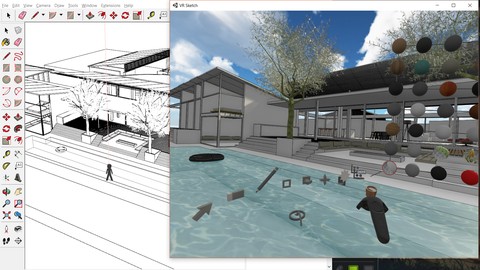
Learn google sketchup from basic to advance Level (2021)
4.6 (38 Reviews)
 Provider: Udemy
 Time: 18h
$11.99



More design thinking courses



NodeJS 3 in 1: Basics of NodeJS & Express With Projects (2017)
4.7 (50 Reviews)
- Provider: Udemy
- Time: 10h
$11.99

Design Thinking + Entrepreneurship: My 8-Step Launch Program (2019)
4.6 (136 Reviews)
- Provider: Udemy
- Time: 7h
$11.99
 Reviews


- Video Duration:
 10.5h
10.5h - Price: 11.99 Track Price 11.99 Track Price
- Provider: Udemy
- Year:
 2021
2021 - Language:
 English
 - Certificate:
 Yes
Yes

30-Day Money-Back Guarantee
Udemy Coupon Price Tracker
