

Learn iMovie Version 10.0.9 (Udemy.com)
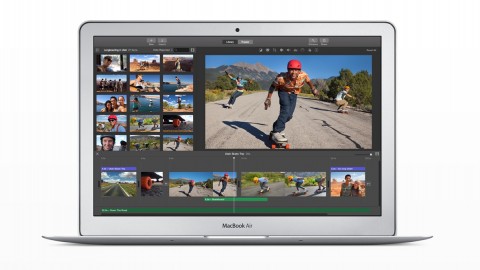
A step by step guide on how to create a simple video on iMovie.
Created by: Christopher Young
Produced in 2015
 What you will learn
- Create a successful video.
- Use a variety of keyboard shortcuts for quicker editing.
 Quality Score
Overall Score : 0 / 100
 Course Description
Anyone can take this course
 Instructor Details

- 0.0 Rating
 0 Reviews
Christopher Young
Hello my name is Christopher Young. I have a YouTube channel with over 1,000 Subscribers and I make weekly videos. I also am a big fan of technology and enjoy making videos. I am a great fan of new opportunity and ways to grow my brand and make money in the process. Everything I teach is self taught meaning I didn't have courses like any on Udemy when I wanted to learn. I make learning very simple and easy to understand. I have learned everything from Microsoft Word, a long time ago, to things like iMovie and I continue to learn new and useful tools that will improve workflow and productivity, And teach people in the process. I have taught lots of people how to use programs so they can be very successful. I have taught lots of people iMovie and they have now become very good with editing programs. I also have taught people programs and tutorials on my YouTube channel, these have been very successful. I also call my self a video editor because that is mainly my strong point.
 More other courses


Unofficial Udemy Student Guide: Courses Free or Dirt Cheap (2019)
4.9 (312 Reviews)
 Provider: Udemy
 Time: 3.5h
$11.99


Professional Advanced Angelic Healing Practitioner Course (2021)
4.9 (310 Reviews)
- Provider: Udemy
- Time: 3h
$11.99

Professional Accredited Earth Angel Course (2021)
4.9 (301 Reviews)
- Provider: Udemy
- Time: 2.5h
$11.99

Cours signe bb tout le vocabulaire autour du bb (2021)
4.9 (198 Reviews)
- Provider: Udemy
- Time: 1 hour on-demand videoh
$11.99
 Reviews

- Video Duration:
 33 mins on-demand videoh
 - Price: 11.99 Track Price 11.99 Track Price
- Provider: Udemy
- Year:
 2015
2015 - Language:
 English
 - Certificate:
 Yes
Yes

30-Day Money-Back Guarantee
Udemy Coupon Price Tracker
