
 Web Development
 Data Science
 Python
 SQL
 JavaScript
 Artificial Intelligence
 IT & Software
 IT Certifications
 Hacking
 Microsoft Azure
 AWS
 Arduino
 3D Modeling
 Graphic Design
 Photoshop
 Drawing
 Digital Painting
 UX Design
 Business
 Data Analysis
 Communication Skills
 Project Management
 Leadership & Management
 Human Resources
 Digital Marketing
 Social Media Marketing
 Marketing
 SEO
 Google Analytics
 Branding
 Excel
 Office Productivity
 SAP
 PowerPoint
 Microsoft Copilot
 Microsoft Access
 Finance & Accounting
 Trading & Investing
 Accounting
 Bitcoin
 Personal Finance
 Video Editing & Animation
 Photography
 Adobe Premier Pro
 Adobe Lightroom
 Personal Development
 Productivity
 Career Development
 Life Coaching
 Health & Fitness
 Yoga
 Meditation & Mindfulness
 Music
 Music Production
 Guitar
 Piano
 Singing
 Teaching & Academics
 Engineering
 Language Learning
 English Language
 Math
 Lifestyle

151 Best + Free jQuery Courses & Certificates [2026]
Ranked by Michael Kuhlman, CourseDuck's founder, from student reviews across every provider. How we rank
Our top picks
- The Complete jQuery Course: From Beginner To Advanced! [Udemy]
- Complete Javascript & jQuery Course with Bonus Vue JS Intro [Udemy]
- jQuery Crash Course: Learn the Essentials of jQuery Fast [Udemy]
- jQuery and AJAX for Beginners - The Definitive Guide (2014) [Udemy]
- jQuery for Beginners - Create Website Animations Easily [Udemy]
- Python and Django Full Stack Web Developer Bootcamp [Udemy]
- The Complete Front-End Web Development Course [Udemy]
- Complete Web Design: HTML, CSS, JavaScript, Vue, React, Git [Udemy]
- Become a Certified Web Developer: HTML, CSS and JavaScript [Udemy]
- Build Responsive Website Using HTML5, CSS3, JS And Bootstrap [Udemy]
About the best jQuery courses
Frequently asked questions
The most-reviewed jQuery course in this category is The Complete jQuery Course: From Beginner To Advanced! by Joe Parys, with about 9,430 reviews at 4.5 as of October 2026.
jQuery is a JavaScript library that simplifies selecting page elements, handling events, animating content and making AJAX requests. It lets developers write browser scripts with less code. Courses here cover jQuery basics, jQuery UI, AJAX, animations and building projects.
- Average
- $98,310 a year
- Middle half earn
- $74,500 to $116,500 25th to 75th percentile
- Full range
- $35,500 to $151,000
Share of US job postings in each pay band; the dark bar holds the average, the striped bars the 25th and 75th percentiles. Source: ZipRecruiter salary data collected in 2020-21, when this FAQ was first written; pay has moved since, so treat it as a rough guide.
Paid Udemy video courses include a certificate of completion when you finish; free courses and practice-test-only courses do not. It shows you did the work, but it is not an accredited qualification. edX usually charges for a certificate, issued with the university or company that made the course.


1
The Complete jQuery Course: From Beginner To Advanced! (2018)
Six hours of jQuery from animations to Ajax, taught clearly by Peter Sommerhoff, with 9,400 reviews behind it and a Q&A board that nobody answers anymore.
Best for: People who already know basic JavaScript and want every jQuery feature walked through at a gentle pace.


-
- Peter Sommerhoff's clear, step-by-step explanations get praised across the four- and five-star reviews
- Mini-challenges in most lectures, and reviewers report building a small app or fixing a work problem afterward
- Covers form validation and Ajax against real APIs (Flickr, TheMovieDB), not just animations
- Captions in nine languages plus GitHub resources; one reviewer praises the reference materials
-
- Q&A has gone unanswered for years, so there is no help when code breaks
- Ajax gets only five lectures; reviewers who use $.ajax daily wanted more
- Last updated June 2018 and slowly paced; one reviewer says it could fit in three hours



2
Complete Javascript & jQuery Course with Bonus Vue JS Intro (2021)
A beginner JavaScript course that adds a proper jQuery section, an Ajax quiz-game project and a short Vue 3 intro, all in about 17 hours of video.
Best for: Beginners with a little HTML and CSS who want JavaScript, jQuery and Ajax taught together with plenty of exercises.
-
- Exercise lists praised in two reviews, one for showing students their own progress, one for motivating learning
- jQuery and Ajax are taught on top of real JavaScript, with a t-shirt calculator and a quiz game as projects
- Explanations are consistently called clear and step by step, including by non-native English speakers
- Complete written course material is included alongside the 98 video lectures
-
- Last updated July 2021, so newer JavaScript features and tooling are not covered
- Content stays basic; a three-star reviewer says most of it is freely available on YouTube
- The Vue 3 section is a 76-minute taster, not a full Vue course
3
jQuery Crash Course: Learn the Essentials of jQuery Fast (2025)
A short, paid jQuery primer from Simon Sez IT that walks through selectors, events, DOM traversal and jQuery UI one line of code at a time, in about two and a half hours.
Best for: Web designers who know HTML and CSS and want a fast, watch-along overview of jQuery before reading the docs.
-
- Every demo starts from a blank file and each line is written and explained on screen
- Covers jQuery UI widgets and popular plugins, not just core selectors and events
- Instructor leaves in mistakes and explains why code failed, which one reviewer found instructive
- Refreshed December 2025, with 4.5 stars from about 1,800 reviews and very few one-star ratings
-
- Audio is low and uneven; several reviewers could barely hear the instructor at full volume
- No assignments or pauses to code along; it is a watch-as-he-codes format
- Big jump from the basics section to the advanced one, and too short for any real depth

4
jQuery and AJAX for Beginners - The Definitive Guide (2014)
A free, concise 2.6 hour run through jQuery selectors, events, effects and AJAX from Zenva, with downloadable example files and very little padding.
Best for: Developers who know basic HTML, CSS and JavaScript and want the jQuery and AJAX essentials in an afternoon, for free.
-
- Free, and reviewers say it is straight to the point with little wasted time
- Downloadable practical example files with HTML, CSS and JS, which a reviewer singled out as exactly what they expected
- Dedicated 38 minute AJAX section covering JSON, form submission and cache issues
- Pablo Farias Navarro explains clearly and speaks well, according to several reviews
-
- No quizzes, coding exercises or assignments to test what you learned
- Built around jQuery 2.x and first published in 2014; explains how more than why
- One reviewer mentions videos cutting off abruptly, another got no help with local server setup
5
jQuery for Beginners - Create Website Animations Easily (2022)
A three hour, 29 lecture jQuery primer from Edwin Diaz that gets HTML and CSS people animating and swapping page content, with a 4.5 rating from about 1,300 reviews.
Best for: HTML and CSS people who want fades, sliders and menus working this afternoon without learning much JavaScript first.
-
- Diaz's energy and plain explanations keep nervous beginners going, according to most reviews
- Five short sections build from selectors to animation to dynamic content in a sensible order
- Roughly 88 percent of about 1,300 reviews are four or five stars
- Last updated January 2022, so it is not the untouched 2015 original
-
- Code on screen isn't indented and some later videos go too fast to follow along
- No quizzes, exercises or projects; three hours of video and one article
- Stops before AJAX or plugins, and the course itself says real JavaScript is needed to go further
6
Python and Django Full Stack Web Developer Bootcamp (2019)
A 32-hour front-to-back bootcamp that teaches HTML, CSS, JavaScript and Python before Django, a Udemy Bestseller with over 220,000 students despite code last updated in 2019.
Best for: Complete beginners who want front end and Python basics folded in before touching Django, and don't mind fixing old code.
-
- Covers HTML, CSS, Bootstrap, JavaScript and Python before Django, so true beginners are not lost
- Two full clone projects, including the Star Social site a reviewer singles out
- One reviewer says the lectures are clear enough to finish the code without help
- Updated notes file and the student Q&A hold fixes for most version problems
-
- Last updated September 2019 and built on Django 1.11; current versions throw errors on the course code
- Uses the discontinued Atom editor, and the lectures were never updated to say so
- REST framework, payments and deeper ORM coverage are missing, and one reviewer calls the jQuery part rushed
7
The Complete Front-End Web Development Course (2024)
A short, project-led pass through HTML, CSS, JavaScript, jQuery and Bootstrap that builds a Fallout Pip-Boy page and ends with two Chrome extensions.
Best for: Beginners who want a quick, project-led pass through HTML, CSS and JavaScript, ending in a working Chrome extension.
-
- Three real builds, including a Fallout Pip-Boy page and a Chrome extension
- Reviewers call the HTML and CSS sections good for beginners
- Covers HTML, CSS, JavaScript, jQuery and Bootstrap in about 17 hours
- Instructor leaves mistakes in and fixes them on screen, which some students like
-
- JavaScript section moves fast and often skips the why, say several low-star reviewers
- Parts date from 2017: Atom editor is gone and one extension reportedly no longer works
- No quizzes or coding exercises, and audio and small text bother some students
8
Complete Web Design: HTML, CSS, JavaScript, Vue, React, Git (2025)
A 40-hour front-end bootcamp that runs from HTML and CSS through JavaScript, TypeScript, React, Firebase and Git, with Vue getting about six hours near the end.
Best for: Complete beginners who want one paid course covering the whole front end before choosing between React and Vue.
-
- Covers HTML, CSS, JavaScript, TypeScript, React, Vue and Git in one 41-hour course
- Last updated September 2025; syllabus includes React with Redux Toolkit and Vue with Pinia
- Step-by-step teaching that beginners and older learners say works for them
- About 90 percent of 9,000 reviews give four or five stars
-
- Only about six of the 41 hours are Vue; it is a survey course, not a Vue deep dive
- Reviewers report skipped JavaScript basics and weak continuity between sections
- Some links and materials reported out of date, and one reviewer waited a week for support
9
Become a Certified Web Developer: HTML, CSS and JavaScript (2023)
 What You'll Learn
- Prepare for Industry Certification Exam
- Earn Certification that is Proof of your Competence
- Hours and Hours of Video Instruction
- Dozens of Code Examples to Download and Study
- Over 25 Engaging Lab Exercises
- All Lab Solutions
- Instructor Available by Email or on the Forums
- All Free Tools
- Comprehensive Coverage of HTML and CSS
- Client Side Programming with Javascript
- Server Side Development with PHP
- Learn Database Development with mySQL
10
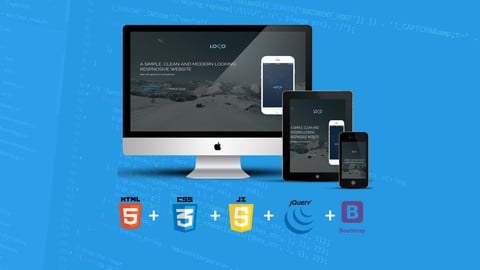
Build Responsive Website Using HTML5, CSS3, JS And Bootstrap (2019)
What You'll Learn
- At the end of this course, You will have a great skills set like HTML5, CSS3, JavaScript, JQuery and Bootstrap Framwork.
- You will learn about web design guidelines which you can apply to real world web projects.
- You will see, the complete web development process from start to finish project.
- You will be able to build modern looking website which will look great on all the small & wide screens.
- You will learn about media queries and will be able to make website perfect for responsive design.
- You will get complete code for real responsive website

11
Web Development - Complete Fast Track Course (2020)
What You'll Learn
- Design websites from scratch!
- Master six fundamental web development languages!
- Work as a full-stack web developer!
- Use CSS, images, fundamental design concepts and UX psychology to create professional quality websites.
- Build your portfolio of websites!
- And lots more...
Show All
All 151 jQuery courses
- Python and Django Full Stack Web Developer Bootcamp
- The Complete Front-End Web Development Course
- The Complete jQuery Course: From Beginner To Advanced!
- Complete Web Design: HTML, CSS, JavaScript, Vue, React, Git
- Accelerated JavaScript Training
- Become a Certified Web Developer: HTML, CSS and JavaScript
- Build Responsive Website Using HTML5, CSS3, JS And Bootstrap
- Dissecting Ruby on Rails 5 - Become a Professional Developer
- JavaScript For Beginners - Learn JavaScript From Scratch
- Generative AI Web Dev Bootcamp: LLMs, RAG & AI Engineering
- Web Development - Complete Fast Track Course
- Complete Javascript & jQuery Course with Bonus Vue JS Intro
- Web Development | HTML | CSS | JavaScript | jQuery | NodeJS
- JavaScript & jQuery - Certification Course for Beginners
- jQuery Crash Course: Learn the Essentials of jQuery Fast
- jQuery and AJAX for Beginners - The Definitive Guide (2014)
- A 18 Hour SQL/SQL Server 2014/Visual Studio 2017 Course
- jQuery for Absolute Beginners : From Beginning to Advanced
- Bootstrap & jQuery - Certification Course for Beginners
- jQuery for Beginners - Create Website Animations Easily
- Complete Web Developer Course HTML CSS JavaScript PHP jQuery
- Learn to Use jQuery UI Widgets
- Complete Web Development: React 18, HTML, Vue.js, PHP, MySQL
- Build Modern Responsive Website With HTML5, CSS3 & Bootstrap
- Projects in PHP and MySQL
- Learn jQuery - For Beginners
- Responsive Website Basics: Code with HTML, CSS, and JavaScript
- 1 hour jQuery
- Build Creative Website Using HTML5, CSS3, jQuery & Bootstrap
- Projects In JavaScript & JQuery
- Java Servlet, JSP and Hibernate: Build eCommerce Website
- Single-Page Application with ASP.NET & jQuery Hands-On
- Learn AJAX with jQuery
- Complete jQuery Course Modern for Beginners to Advanced
- AJAX using Javascript and JQuery + 2 Projects
- Master KnockoutJS : Knockout JS - JavaScript MVVM
- Master JavaScript from Scratch (with jQuery and React JS)
- Databases and SQL for Data Science
- Front-End Web UI Frameworks and Tools
- Complete JavaScript, jQuery and React Bootcamp - Hands-On
- The Complete NodeJS Course: Build a Full Business Rating App
- Learn Knockout JS Framework from GroundUp
- Database Management Essentials
- Create a Twitter Social Network Clone From Scratch PHP,MySQL
- Javascript and jQuery Basics for Beginners
- Total Frontend Website Creation HTML CSS JavaScript jQuery
- Learn How to Build a Website with jQuery
- jQuery in Action: Build 20 jQuery Projects
- Seven to Heaven - HTML5, CSS3 and jQuery Course
- Create Dynamic Forms HTML CSS JavaScript and jQueryUI
- Responsive Web Design
- ASP NET CORE - ANGULAR 2 - Web API E-Commerce App
- Serverless Data Analysis with Google BigQuery and Cloud Dataflow
- Ultimate Css & JQuery Form Designing From Beginner to Expert
- jQuery Course Beginner to Professional jQuery for beginners
- jQuery for Absolute Beginners
- jQuery Fundamentals Powerful Bootcamp for beginners
- Python Programming: Create an Digital Marketplace in Django
- Create a PHP Login and Registration System From Scratch 2020
- Building Web Applications in PHP
- JavaScript AJAX PHP mySQL create a Dynamic web Form project
- JQuery Bootcamp 2021
- jQuery UI Ultimate:Design Amazing Interface Using jQuery UI
- jQuery UI in Action: Build 13 jQuery UI Projects
- Learn jQuery AJAX in 1 hour
- Learn jQuery by Example Course
- jQuery Masterclass Course: JavaScript and AJAX Coding Bible
- jQuery For Beginners : A Basic Introduction
- PHP with PDO: Build a Basic Task List with PHP, PDO & MySQL
- Essential JavaScript, jQuery and AngularJS Training
- Learn Basic Microsoft ASP.Net Development with Visual Studio
- Build A Custom Dynamic Blog Website with PHP, MySQL & Jquery
- JavaScript, jQuery & TypeScript: Full-Stack Web Development
- Complete HTML, CSS, JavaScript & jQuery Course for Beginners
- The Complete jQuery Bootcamp : Build 20 Real Projects!
- Superb jQuery Course - Become Certified jQuery Developer
- Learn By Example: jQuery
- ASP.NET (MVC) 5 CORE: Web Development, jQuery & RESTful API
- Learn jQuery: An In-depth Course For Beginners
- Learn HTML, CSS , jQuery and Bootstrap by Building Websites
- Ultimate PHP, Laravel, CSS & Sass! Learn PHP, Laravel & Sass
- jQuery Mobile Masterclass: Build Real apps using jQuery.
- Mastering JavaScript and jQuery Course Beginners to Advanced
- Comprehensive JavaScript Programming
- HTML5 CSS3 JavaScript Bootstrap & jQuery Masterclass 5 in 1
- jQuery Made Easy: A Beginner’s Guide
- Introduction to Data Analytics for Business
- jQuery Practice Exercises for Beginners Building Forms
- jQuery for Application Development: Fundamentals
- jQuery - Complete jQuery Course From Beginner To Advanced
- How to build Instagram using Ruby on Rails
- Complete jQuery Course: Learn From Beginner To Advanced
- Ajax, jQuery and JSON for Beginning Web Developers
- AJAX with jQuery Basics Beginner Introduction Course
- Build Responsive Real World Websites with HTML5 and CSS3
- Web Development With HTML CSS BOOTSTRAP JQUERY for Beginners
- Learning 200 jQuery Functions with 800 Examples
- JavaScript, jQuery and Ajax
- jQuery & React Essentials: Learn jQuery & React Basics
- Introduction to jQuery
- Complete jQuery Course: Learn jQuery Programming from A-Z
- JQuery Create Overlay Popups from scratch using Jquery
- Projects in jQuery Mobile: Learn by building Real World Apps
- jQuery Coding Fundamentals Explore jQuery Code Examples
- Introduction to jQuery Web Development
- Ruby on Rails 5 Masterclass: Build Ajax web app from scratch
- Master Javascript & jQuery
- Knockout JS from Basics to Advanced + Practice Tests
- Practical Predictive Analytics: Models and Methods
- JQuery Essentials core training for Dynamic Interactive web
- AJAX using JavaScript Libraries jQuery and Axios
- jQuery UI In Depth
- Web Building Starter Pack. Html Css and JQuery Animations
- Learn PHP and develop Projects.
- Introduction to Clinical Data Science
- Jquery :basics for beginners
- Learning KnockoutJS
- jQuery API Exercise Youtube Data WebSite
- HTML5 for Mobile Devices
- Learn JavaScript Through Microsoft Visual Studio 2013 Web
- Getting Started with ASP.NET Core MVC
- Hands-On jQuery: jQuery Examples
- Step-by-Step ASP.NET MVC Tutorial: 18Hrs Zero to Hero Course
- STEP BY STEP .NET MVC 5 with EF,WebApi, Generic Repo & DI
- Foundations for Big Data Analysis with SQL
- Introduction to jQuery with Visual Studio 2017 Community
- jQuery for Beginner to Advanced: 12 Projects included [2023]
- App Development with ASP .NET Core MVC
- Learn jQuery Mobile from Scratch
- Advanced jQuery Tips & Tricks for Developers & Designers
- Advanced HTML5 in Action: Build 5 Advanced HTML5 Web Apps
- Intro To AJAX With jQuery ( Web Programming Made Easy )
- Learn Basic Microsoft Razor with JQuery and Visual Studio
- LEARNING PATH: jQuery: Master Web Development with jQuery 3
- JQuery For Mobile Tutorial - Learning Made Easy
- Clinical Data Models and Data Quality Assessments
- Analyzing Big Data with SQL
- JQuery UI - Interface Design In JQuery - UI Training
- Learn JavaScript and JQuery from Scratch
- Practise jQuery: Build Classic Tic Tac Toe Game using jQuery
- Data Wrangling, Analysis and AB Testing with SQL
- jQuery for Beginners
- jQuery Mastery and Plugins
- Introduction to jQuery
- JavaScript (and jQuery) in 7 Days
- Getting Started with jQuery 3
- Introduction to jQuery
- Intro to jQuery
- The DOM in JavaScript, jQuery, AngularJS, and React
- Beginning jQuery
- Introduction to jQuery