
 Web Development
 Python
 SQL
SQL JavaScript
 Data Science
 Artificial Intelligence
 IT & Software
 IT Certifications
 Hacking
 Arduino
 AWS
AWS 3D Modeling
 Graphic Design
 Photoshop
 Drawing
 Digital Painting
 UX Design
 Business
 Data Analysis
 Communication Skills
 Project Management
 Leadership & Management
 E-Commerce
 Digital Marketing
 Social Media Marketing
 Marketing
 SEO
SEO Google Analytics
 Branding
 Office Productivity
 Excel
Excel Finance & Accounting
 Bitcoin
 Video Editing & Animation
 Photography
 Adobe Premier Pro
 Adobe Lightroom
 Personal Development
 Health & Fitness
 Music
Music Guitar
 Teaching & Academics
 Language Learning
 Engineering
 Lifestyle
290 Best + Free Git Courses & Certificates [2026]
Ranked by Michael Kuhlman, CourseDuck's founder, from student reviews across every provider. How we rank
Our guide: The Best DevOps Courses on Udemy in 2026: Docker, Kubernetes, Terraform, Ansible and CI/CD
Our top picks
- The Git & Github Bootcamp [Udemy]
- Basic Git and Github - essentials [Udemy]
- Git Complete: The definitive, step-by-step guide to Git [Udemy]
- Git & GitHub Crash Course: Create a Repository From Scratch! [Udemy]
- DevOps CI/CD Project: Jenkins, Ansible and Kubernetes [Udemy]
- Jenkins, From Zero To Hero: Become a DevOps Jenkins Master [Udemy]
- GitHub Ultimate: Master Git and GitHub - Beginner to Expert [Udemy]
- Learn Git by Doing: A step-by-step guide to version control [Udemy]
- Git Essentials: Learn Git with Bitbucket and Sourcetree [Udemy]
- Web Development 101 [TheOdinProject] - Reddit's Choice
About the best Git courses
Frequently asked questions
- Udemy and Eduonix are best for practical, low cost and high quality Git courses.
- Coursera, Udacity and EdX are the best providers for a Git certificate, as many come from top Ivy League Universities.
- YouTube is best for free Git crash courses.
- PluralSight, SkillShare and LinkedIn are the best monthly subscription platforms if you want to take multiple Git courses.
- Independent Providers for Git courses & certificates are generally hit or miss.
- Average
- $104,268 a year
- Middle half earn
- $86,500 to $129,000 25th to 75th percentile
- Full range
- $23,000 to $144,000
Share of US job postings in each pay band; the dark bar holds the average, the striped bars the 25th and 75th percentiles. Source: ZipRecruiter salary data, gathered when this guide was first published in October 2026.


1
The Git & Github Bootcamp (2026)
Colt Steele's 17-hour Git course goes from first commit to rebasing, reflogs, and Git internals, and more than 42,000 reviews average 4.8 stars.
Best for: Anyone who wants to understand what Git is doing, not just memorize commands, and has time for 17 hours.


-
- Slides and worksheets that reviewers say make each command stick
- Covers the scary parts: rebasing, interactive rebase, reflogs, hashing and objects
- Refreshed in January 2026, with a 4.8 rating from over 42,000 reviews
- Lectures are easy to replicate on a home machine, with humor to keep it moving
-
- Only one quiz and no coding exercises, so there is little to check what stuck
- Cherry-picking is not covered, and the GUI client feels like an add-on
- 17 hours is long if the goal is just daily push, pull, and branch


2
Basic Git and Github - essentials (2026)
A 48 minute command line introduction to Git and GitHub that 100,000 students have enrolled in, held back mainly by muffled audio.
Best for: Complete beginners who want the basic Git commands in under an hour, not a full bootcamp.
-
- Under an hour, so the whole thing fits in one sitting before a first commit
- Reviewers call the explanations clear and step by step, with a running practical example
- Taught entirely at the command prompt, so you learn the real commands rather than a GUI
- Updated February 2026 and captioned in 22 languages
-
- Audio is muffled, a complaint in four and five star reviews as well as the low ones
- Command line only, with only a few seconds spent on the GitHub website
- No quizzes or exercises, and 48 minutes leaves no room for anything past the basics


3
Git Complete: The definitive, step-by-step guide to Git (2022)
A six-hour, screencast-first walk through Git basics, branching, merging, rebasing, stashing and tagging that about 160,000 students have taken, though it has not been refreshed since 2022.
Best for: Developers new to Git who want to type every command along with the instructor and watch merge conflicts get resolved on screen.
-
- Screencast-heavy, so every command is typed and narrated on screen rather than shown on slides
- Merge conflicts are created on purpose and then resolved step by step with a visual merge tool
- Short, focused videos that reviewers say are clear even with no prior version control experience
- Bonus office hour sessions and an errata section cover questions and changes since recording
-
- Last updated in August 2022, and reviewers report dead links and changed naming conventions
- Setup only covers Windows and Mac; a Linux student had to find alternative tools on their own
- Cherry-pick and pull --rebase get little coverage, and there are no quizzes or exercises
4
Git Going Fast - A Git Crash Course for Busy Professionals (2026)
A sub-four-hour Git and GitHub crash course from Jason Taylor, rebuilt in 2026, that takes newcomers from install to a finished pull request without lingering on theory.
Best for: Developers and team members who have never used Git and need the basic commit, push, and pull request workflow this week.
-
- Command-line first, so students say they understand what each Git command actually does
- Brisk, to-the-point pace: setup to a GitHub pull request in under four hours
- Rebuilt with a June 2026 update after running since 2014, with 152,000 students enrolled
- Clear demos that reviewers say are easy to follow along with in real time
-
- Low-star reviews call it too basic and too rushed: thin for beginners, little new for the experienced
- Setup is demoed on a Mac; one Windows newcomer lost over an hour matching the steps
- Reviewers ask for more on branching, git history, and IDE comparison; two lectures are labelled Outdated

5
Git & GitHub Crash Course: Create a Repository From Scratch! (2025)
A free 40-minute command-line walkthrough of creating, cloning, committing and pushing to a GitHub repo, taught clearly enough that 17,700 reviewers gave it 4.5 stars.
Best for: Web developers who have never typed a git command and want the basics done in one free sitting.
-
- Free, and the whole thing fits in under 40 minutes across 12 short lectures
- Every command is typed live on screen, so reviewers can follow along in their own terminal
- Explains the vocabulary (clone, stage, commit, push, diff) before using it
- Refreshed in October 2025 and still rated 4.5 by about 17,700 students
-
- Recorded on a Mac; two reviewers ask for a version showing a Windows setup
- Stops at push and diff; branching, merging and pull requests aren't on the syllabus, and one reviewer calls it too basic
- Some GitHub screenshots are dated since the site has changed its interface
6
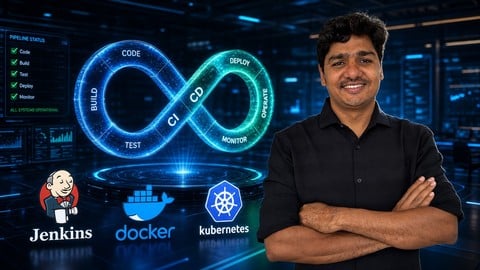
DevOps CI/CD Project: Jenkins, Ansible and Kubernetes (2026)
A short, project-first walkthrough that wires Git, Jenkins, Maven, Docker, Ansible and Kubernetes on AWS EKS into one pipeline for a Java app.
Best for: People who know Jenkins and Docker basics and want to see them joined into one Git-to-Kubernetes pipeline.
-
- One continuous project takes a Java app from a Git commit to pods on Kubernetes
- Reviewers call the explanations clear and easy to follow in small chunks
- Covers Tomcat, Docker, Ansible and EKS in a single pipeline, not separate demos
- At about 6.3 hours it is quick to finish in a weekend or two
-
- Some videos use older, unsupported tool versions, which can trip up beginners
- No quizzes or coding exercises, so practice is limited to following along
- Assumes basic knowledge of seven tools and needs an AWS free-tier account

7
Jenkins, From Zero To Hero: Become a DevOps Jenkins Master (2025)
 What You'll Learn
- Learn what is Jenkins and how it works in depth
- Learn Continuous Integration and Continuous Deployment
- Learn how to integrate Jenkins with Docker, Ansible, AWS, GIT, Email, Maven and more!
- Learn how to design and build your own Jobs with a bunch of tools
- Orchestrate the most popular DevOps tools nowadays
8
GitHub Ultimate: Master Git and GitHub - Beginner to Expert (2022)
What You'll Learn
- Learn the key concepts of the Git source control system
- Step through the entire Git workflow
- Compare the different states in Git
- Manage files inside and outside the control of Git and GitHub
- Create and manage repositories on GitHub
- Create branches and resolve conflicts with confidence
- Save work in progress with Stashes
- Mark special events with Tags and Releases
- Even a bit of time travel within Git repositories and on GitHub
- Perform many of the same local Git operations directly on GitHub
- Join other GitHub projects by Forking and contribute back using Pull Requests
- Review and Accept Pull Requests from Others
- Share code with Gists
- Manage project defects or enhancement requests with GitHub Issues
- Group related repositories together with GitHub Organizations
9
Learn Git by Doing: A step-by-step guide to version control (2017)
What You'll Learn
- Track and Modify projects using Git
- Revert/Reset their project to a previous version
- Create multiple versions of a project and merge them together
- Collaborate and share projects using Github
- Understand when and why to use Git and/or Github for version control on a project
- Recognize when to use what Git command in the terminal
- Use advanced git commands for more complex tracking and editing scenarios
10
Git Essentials: Learn Git with Bitbucket and Sourcetree (2018)
What You'll Learn
- Integrate Git in their daily projects.
- Work for any solid or start up company and feel comfortable using Git commands on the companies project(s).
- Execute basic commands in the command line (Terminal for Mac Users, and Git Bash for Windows Users).


11
Web Development 101 (2013)
-
- This introduction covers substantial ground, but it is only the beginning. A complete path to web development is available through continued learning.
- Online community appears more dedicated to success than most, making it an invaluable resource.
- Self-paced learning lets you get back what you put into the learning process.
-
- Similar to free-range parenting, the Odin method is all about self-sufficiency. Those who do best being led by the hand will not succeed here.
- This is priming students for deep mastery of concepts. Information is dense compared to other introductory courses.