

Introduction to VR with Unity (Udemy.com)
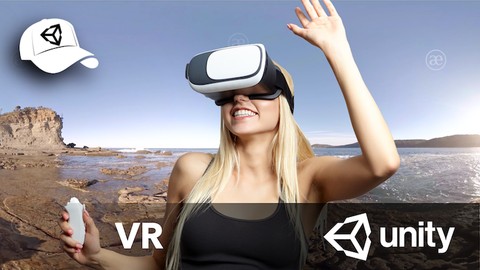
Create an immersive Virtual Reality experience on iPhone/Android Cardboard or VR Device with Unity.
Created by: Fred Moreau
Produced in 2019
 What you will learn
- Create a 3D VR project targeting a device as simple as iOS/Android cardboard.
- Create immersive VR experiences with panoramic videos.
- Create interactive VR game plays with advanced Unity features, including Ray Casting and NAVigation (Path Finding).
- Create interactive head's up 3D user interfaces.
- Add support for Game Controllers and Cardboard "Screen Touch" button.
- Take advantage of Ambisonic Audio files.
- Use Unity Remote to test things in the Editor.
- Bypass Unity XR SDKs and use the Gyroscope, to test things in the Editor with Unity Remote.
- Take advantage of Unity's Events to trigger actions on interactive objects, including loading scenes.
- Use Unity's Animator State Machine along with Collider Triggers, to trigger animations when passing by.
 Quality Score
Overall Score : 86 / 100
 Course Description
No previousprogrammingexperience is required, and most of the principles covered in the course will help future programmers wrap their head aroundprogrammingbasics.
It features a self learning approach. Every topic comes in on a need to know basis.
Most of the course examples can be done with the simplest hardware.
Whether you want to experiment with a simple Android or iPhone cardboard, adda remote game controller, or go for pro hardware, the principles, techniques and code you'll take away from this course will help youdeliver a full VR experience, fast!
Who this course is for:
VR enthusiasts willing to learn UnityUnity developers willing to learn VR features
 Instructor Details

- 4.3 Rating
 67 Reviews
Fred Moreau
Coach and Consultant - Design & Development, Business, Training
[English ]
With a strong technical expertise and a taste for design, I've had the opportunity to lead teams of creative people through development of innovative projects.
I'm passionate about learning and training, I started giving training early and have been involved in training certification programs. When you work in this industry, sharing your knowledge is not only a duty, it's the opportunity to learn even more.
I'm a self-taught developer myself. I work with Unity since 2011, and was very lucky to meet with mentors who taught me a great deal about OOP. That's a lot to learn about when your background is not in engineering, though, I figured that if I could do it, anyone can.
[Franais]
Je suis passionn par lapprentissage et lenseignement. Jai donn mes premires formations trs tt et me suis impliqu dans les programmes de certifications de grands diteurs. Quand on travaille dans cette industrie, partager ses connaissances est plus quun devoir, cest aussi le meilleur moyen dapprendre davantage.
Je suis dveloppeur autodidacte. Je travaille avec Unity depuis 2011 et jai eu la chance de rencontrer dexcellents mentors qui mont beaucoup appris sur la programmation objet.
Cest beaucoup de choses apprendre lorsque vous navez pas un parcours dingnieur. Cependant, si jy suis parvenu, nimporte qui peut en faire autant.
 More courses by Fred Moreau

Model-View-Controller design pattern with Unity. (2021)
4.1 (100 Reviews)
 Provider: Udemy
 Time: 2.5h
$11.99

Agile & Multi-Platform Game Dev. with Unity - Tier 1 (2021)
4.8 (60 Reviews)
- Provider: Udemy
- Time: 11.5h
$11.99
More unity courses



Mastering Unity 3D Game Development from scratch using C# (2018)
4.9 (24 Reviews)
- Provider: Udemy
- Time: 6h
$11.99

Learn To Create A Racing Game With Unity & C# (2021)
4.9 (21 Reviews)
- Provider: Udemy
- Time: 9.5h
$11.99
 Reviews

- Video Duration:
 7.5h
7.5h - Price: 11.99 Track Price 11.99 Track Price
- Provider: Udemy
- Year:
 2019
2019 - Language:
 English
 - Certificate:
 Yes
Yes

30-Day Money-Back Guarantee
Udemy Coupon Price Tracker
