
 Web Development
 Data Science
 Python
 SQL
SQL JavaScript
 Artificial Intelligence
 IT & Software
 IT Certifications
 Hacking
 AWS
AWS Arduino
 DevOps
 3D Modeling
 Graphic Design
 Photoshop
 Drawing
 Digital Painting
 UX Design
 Business
 Data Analysis
 Communication Skills
 Project Management
 Leadership & Management
 Human Resources
 Digital Marketing
 Social Media Marketing
 Marketing
 SEO
SEO Google Analytics
 Branding
 Excel
Excel Office Productivity
 SAP
SAP PowerPoint
 Microsoft Access
 SharePoint
 Finance & Accounting
 Trading & Investing
 Accounting
 Bitcoin
 Personal Finance
 Video Editing & Animation
 Photography
 Adobe Premier Pro
 Adobe Lightroom
 Personal Development
 Productivity
 Career Development
 Life Coaching
 Health & Fitness
 Meditation & Mindfulness
 Yoga
Yoga Music
Music Music Production
 Guitar
 Piano
Piano Singing
 Language Learning
 Teaching & Academics
 Engineering
 Math
Math Lifestyle
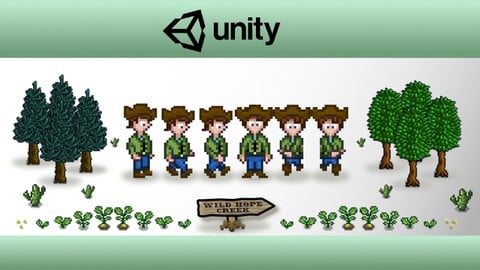
Unity 2D Game Developer Course Farming RPG (Udemy.com)
Build the core systems for a 2D Farming RPG game using the Unity game engine and C# in this intermediate Unity course.
Created by: Rob Ager
Last updated April 2026
Our take
Based on the ratings of 1,148 students, a sample of their written reviews and the syllabus, as the course stood in April 2026. No course pays to be reviewed.
Rob Ager's farming RPG course builds the core systems of a Stardew Valley style game in Unity 2D, starting from a blank project. The syllabus shows 23 sections, 101 lectures and about 44 hours. It covers inventory, scene loading, crops, saving, tools, a day and night cycle and NPC pathfinding. It is labeled intermediate and means it: the requirements say plainly that C# and Unity basics are not taught. About 11,400 students have taken it.
Reviewers praise the teaching most. Rob talks through the code as he goes, and one student says most courses skip that explanation while this one doesn't. Others call the structure solid and well commented, and one says he answered questions quickly even years after launch. Criticism is mild. One reviewer says the course has fallen behind newer Unity versions and some functions are legacy or unsupported. Another says later lectures turn into copy, paste and explain, which slows beginners down. The rating is 4.6 from 1,148 reviews, with 750 of them five-star.
The course was last updated in April 2026, so it hasn't been left to rot, though the project itself dates from 2020. Forty-four hours is a serious time commitment, but the full finished project comes with save points after every lecture, so a stuck student can compare notes. Reviewers recommend it to people past the beginner phase, which fits anyone who has finished a few small Unity games and wants a large project to learn from. Everyone else should do a beginner course first. One reviewer wished for a part 2.
Pros
- Rob explains each piece of code as he pastes it, so the logic behind it makes sense
- Covers inventory, scene loading, crops, save and load, and NPC pathfinding in one project
- Includes the full finished project with save points after every lecture
- Reviewers say Rob answers questions quickly, even years after launch
Cons
- Built on older Unity; reviewers hit legacy or unsupported functions in newer versions
- Later lectures lean on copy, paste and explain, which slows down less experienced students
- Not for beginners: C# and Unity basics are assumed, and the course does not teach them
Well explained and extensive course with a lot to be done, well commented, it provides a good and solid structure for a farming sim game.
Intermediate for real: it expects a few finished Unity prototypes and solid C# and object oriented basics.
 What you will learn
- Unity 2D Game Development For A Farming RPG to create the core systems for a Stardew Valley type game.
- Intermediate level course will show you how to build a sophisticated game by creating complex Unity components using C# scripting.
- 43 Hours of in depth tutorials and includes the full completed project with save points after every lecture.
- Set-up the Player game object in a multi-level hierarchy, and implement movement and animations using events.
- Use multiple tilemap layers to build game scenes which give a sense of depth.
- Use Cinemachine to create a camera to follow the player and remain within the scene bounds.
- Build comprehensive item and inventory systems using scriptable objects and prefabs.
- Build an inventory bar UI that allows the player to pickup, drop and re-arrange items.
- Implement a game time system and UI that generates time related events.
- Create a scene manager that loads and unloads scenes as the player moves between them.
- Use C# Interfaces to define the properties and methods gameobjects should implement to save their game state as the player moves between scenes.
- Use hidden tilemaps to store grid properties, such as, where the player can drop items or dig.
- Implement a variety of tools that the player can use, such as a hoe to dig ground and an axe to chop down trees.
- Build an object pool to re-use objects.
- Create a VFX Manager and build particle effects.
- Implement a configurable and flexible crop system covering the planting, growing and harvesting of crops.
- Create a Pause Menu that provides a full inventory management screen, save game and quit options.
- Build sophisticated save and load game functionality that uses C# interfaces and binary serialisation.
- Implement functionality to fully customise your game characters appearance.
- Create sophisticated AStar pathfinding for the game NPCs and time based movement schedules.
- Implement player sounds, ambient sounds, and game music.
- Create a Day and Night lighting cycle for the game - using a lighting schedule configurable by season.
Course content
23 sections · 101 lectures · 44 hours of video 3 articles
- 1Introduction 1 free preview1 lecture · 3 min
- 2Preparation2 lectures · 49 min
- 3Game Architecture and Course Structure Overview 1 free preview1 lecture · 9 min
- 4Project Setup2 lectures · 39 min
- 5Player Basics6 lectures · 1.9 hours
- 6Game Scenes & Tile Maps6 lectures · 2.6 hours
- 7Inventory & Items15 lectures · 6.8 hours
- 8Game Time System2 lectures · 47 min
- 9Scene Management4 lectures · 2.6 hours
- 10Preserving Scene State4 lectures · 1 hour
- 11Tilemap Grid Properties5 lectures · 2.4 hours
- 12Using Tools6 lectures · 3 hours
- 13Pool Manager1 lecture · 27 min
- 14VFX Manager & Particle Effects2 lectures · 28 min
- 15Crops14 lectures · 5.6 hours
- 16Pause Menu3 lectures · 2.1 hours
- 17Save Game4 lectures · 1.9 hours
- 18Player Customisation6 lectures · 2 hours
- 19Pathfinding For NPCs10 lectures · 5.9 hours
- 20Sound Effects And Music4 lectures · 2 hours
- 21How To Take Your Game Forward1 lecture · 3 min
- 22Extension Lectures 1 free preview1 lecture · 1.3 hours
- 23Addendum - Bug Fixes & Enhancements1 lecture · 2 min
Who it is for
The instructor says it suits
- Intermediate Unity Developers who want to extend their skills and knowledge using a full project based course.
- Existing Unity developers who are fans of Stardew Valley or Harvest Moon and want to build their own Farming RPG.
- A Unity developer who has previously built some prototypes or games and wants a challenging project course to level up their skills.
What you need before you start
- *** Please do not buy this course if you are an absolute beginner! This course doesn’t cover C# and Unity basics, for example, constructing animation clips from sprites and setting up basic animator controllers. The last thing I want is for you to be frustrated and leave a negative review because you don’t have the required basic knowledge to follow the lectures. This is an intermediate course and
- Intermediate Unity Development Skills - you should have built a few Unity prototypes or games before.
- Good knowledge of the Unity editor, and how to use it's main features.
- Good knowledge of C# scripting and the fundamentals of object oriented programming.
- Good knowledge and understanding of some of the main Unity API classes and C# system classes.
- The willingness to look up anything you are not familiar with in the Unity scripting manual or C# resources online.
- Install the free Unity 3D game engine software and Visual Studio Community Edition.
- Install the free SourceTree git client to help follow along with the provided completed Unity project and the branches that correspond to completed lectures.
How it compares
Against the other 183 rated Udemy courses in Unity on CourseDuck:
- Rating4.6 out of 5higher than 63% of them
- Reviews1,148#39 of 184 by number of reviews
- Length44.4 hourslonger than 96% of them
- Last updatedApril 2026more recently than 95% of them
 Course Description
Have you ever wanted to create your own Farming RPG? Games like Stardew Valley and Harvest Moon have been incredibly successful, and you too can develop your own game with the help of this course. We'll explain how to develop many of the core systems and game functionality. We'll start with a blank project and then develop the game lecture by lecture, covering all the code and Unity configuration you will need. This course is massive with over 44 hours of lecture videos, 99 lectures, a starter assets pack, and a complete Unity project that you can download to follow along. We even provide another Unity project to demonstrate AStar pathfinding! So while it took the creator of Stardew Valley over 4 years to create his game, you can get a head start by using this course, potentially saving many months or even years of development time ! This is one of the most comprehensive intermediate Unity 2D development courses on Udemy. We hope that you decide to take the course and join the thousands of students who have already taken their next steps in advancing their Unity game development skills using a sophisticated, intermediate project based course. I look forward to seeing you in the lectures!
*** This is an Intermediate Course - Please check the Requirements Section for the experience you need before taking this course ***

 Udemy Discount
The discount is applied through our link. Open the course from here and Udemy's current promotional price is applied at checkout on most courses, no code to type.
Some courses are excluded from Udemy's promotions. If the price does not drop, clear your browser cookies and use the button again.
Instructor Details

- 4.6 Rating
 1,148 Reviews
Rob Ager
Are you passionate about game development? Well, if you are, welcome to my Udemy courses! My interest in game development started over 40 years ago when I had my first computer - a Tandy TRS-80. This was soon followed by a Sinclair Spectrum and other micro computers of that era. I had my first game commercially published in 1983 while I was still at school. My career took me into corporate business software development and project management. Over the last few years I have discovered the Unity game engine with C# scripting, picking up my interest in game development where I left off all those years ago.... and wow, haven't things changed! The tools available to the budding game developer now are just fantastic and incredibly powerful. I wish you every success on your game development journey and hope you find it as interesting as I do.
 More courses by Rob Ager

Unity 2D Dungeon Gunner Roguelike Development Course (2026)
4.6 (1,385 Reviews)
 Provider: Udemy
 Time: 51.1h
$94.99
More Unity courses

Learn to make an Awesome Builder-Defender game in Unity! (2021)
4.9 (1,909 Reviews)
- Provider: Udemy
- Time: 10.1h
$79.99


RPG Core Combat Creator: Learn Intermediate Unity C# Coding (2025)
4.8 (11,337 Reviews)
- Provider: Udemy
- Time: 27.6h
$149.99

Learn To Code By Making a 2D Platformer in Unity (2017)
4.8 (2,597 Reviews)
- Provider: Udemy
- Time: 13.1h
$13.99

Learn Blender 3D Modeling for Unity Video Game Development (2026)
4.8 (2,152 Reviews)
- Provider: Udemy
- Time: 11.7h
$149.99

Learn To Create A Roguelike Game In Unity (2020)
4.8 (1,234 Reviews)
- Provider: Udemy
- Time: 19.4h
$16.99
 Reviews

By Jesse on 4/17/2025
This course was very informative and in detail I loved it. I feel much more capable of creating a game now that I've got the knowledge gained from this course. If you've ever wanted to make a farming game like harvest moon/stardew valley I'd recommend this course. I also found Rob very quick to respond to questions I had during my going through the courses, which is great considering how many years it's been. The only reason I didn't give this the full 5 stars is because it's fallen a bit behind newer versions of Unity and a few of the functions are legacy or not even supported and I had to research work arounds. I left comments on couple of the courses with the fixes I found that were not already added in the comments, so if you do end up using this course and are stumped look in the comments for help. I'd love to see more added to this course or perhaps a new "advanced course" with more advanced features such as crafting, animals, cutscenes, events, NPC story and friendship added such as well as updates in unity such as the new input system or any other things added in recent years to unity that might be cool. I'll be keeping an eye out for any courses Rob releases.
By Vandhall Anom on 9/19/2024
Excellent course. The author perfectly explains every aspect. The number of topics covered is very large. If I had to point out any flaws, they would be one: The author made the project earlier and refined it to the final version. Then, together with us, during the course, he writes it together with us - at the beginning. Over time, it comes down to copy/paste/tell. This is also an advantage - because we do not get lost, we know the right path. But for a beginner, it means much, much more time spent on the course. Sometimes a lesson that lasts one hour in the course - in reality turns into a whole day. Therefore, please reserve many times more time than the time of the course itself. Nevertheless, this flaw does not affect my assessment, because the author did a great job and deserves the maximum mark. I did the entire course in 2024 in version 2021.1.7f - everything worked as it should. The only issue was in last bonus section on LighingControll class on FadeLightRoutine method. while (Mathf.Approximately(currentLightIntensity, targetLightingIntensity)) simply did not worked - infinity loop. I had not time to find why, so I’ve wrote my own solution, which works: float difference = 1f; while (difference > 0.01) { currentLightIntensity = Mathf.MoveTowards(currentLightIntensity, targetLightingIntensity, fadeSpeed * Time.deltaTime); yield return null; difference = Mathf.Abs(currentLightIntensity - targetLightingIntensity); } currentLightIntensity = targetLightingIntensity; BTW... I reommending secod course of that Autor: Build a sophisticated 2D Roguelike Dungeon Shooter game Which I've finished also - before that one ;)
By Izzy on 12/22/2022
I really can't recommend this course enough! I have taken a few courses here on Udemy by now, but this is BY FAR my favorite instructor! The lessons are very clearly structured and thought out. You can tell that Rob cares about his students. Unlike other instructors, he takes the time to answer questions, that's something that I sadly have not experienced in other courses. To those who got copy-and-paste-answers: maybe you shoud put a little more effort in this and at least look for similar questions in the questions-section. Rob, and also some of the students try hard to help other students with their problems, but if someone posts a question like "It is not working! help!!!" and evidently has tried nothing of the recommended steps to solve the problem on their own... what answers can you expect?? In my personal experience, every question I had was answered fast and with great care. The course teaches not only design patterns and c#-fundamentals like singletons, delegates, interfaces, inheritance and so on, but also shows you how to set up a larger scope project in a maintainable and clean way. Everything is build to be easy and safe to expand. When I started this course, I was really worried, about how to implement further functionality to this prototype, without additional courses, but I have learned so incredible much in these lessons, that I have not yet encounterd a single functionality that I was not able to implement on my own. For me personally this was the right mix of type-along-lectures and copy-and paste lectures: In the early lectures, I appreciated the longer explanations, in the later lectures I honestly was glad to not have to watch hours of typing. And I was even more happy about the fact, that I could copy and paste whole codeblocks instead of typing on my own. I get it - some people prefer to type everything out, but for me writing never really taught me much. I learn way more efficient by thinking along instead of typing along, so I liked this approach alot. This course also introduced me to Sourcetree, so what I did was I set up a repository for my own project and everytime I finnished a section of the course, and felt like I wanted my own game to behave a little differently, I pushed everything in my repo, and fiddled around with the code until I got it working like I wanted it to. This definetely helped me a lot on understanding how exactly the systems work. I would like to recommend to try this approach to anyone who feels bothered by the copy and paste approach. So: Copy and paste first, take advantage of the fact, that you don't have to type along and, really focus on understanding what the code does, and THEN jump into action by refactoring the code to your liking (But you should propably play it save and work in a test-copy of your project. Some of these changes might bite you later, especially if you are not so confident in your bugfixing abilities yet). That's just my take on some of the more critical reviews... On the course in general, there really is not much more to say, than what plenty other users have already said. This is an extremly well structured and incredibely extensive in content. I think this probably might be the most complete course, not only on farming rpgs, but on topdown 2D games in general. So I'd not only recommend this to fans of Stardew Valley, but for aspiring 2D-gamedevs in gerenal.
By Jason P on 12/3/2022
This course is WELL worth the money. It's hard to eloquently quantify why that is (especially since previous reviewers have done an amazing job of doing so themselves), but I'm going to try to speak directly to my experience. If you just want my final opinion scroll to the last paragraph! :) I'm a hobbyist coder, having left my time as a code jockey/web developer behind to become a product owner in charge of development. I very much missed coding and the thrill you get from writing a line of code and seeing the result DO something. I took a bit of time to find the right course, doing a few free lessons here and there to learn unity. Then I decided it would be fun to do a stardew valley type hobby game and see what I could churn out in my spare time. When I found this course I was VERY wary of how "old" the course is. I was worried about the older version of unity, I was worried about the old unity input system, I was worried about a lot of things! Nonetheless I took the plunge and bought the course and began my journey. Firstly, the dated version of unity and the course was not really an issue. I have built out this game twice now in a 2021 version and 2022 version of Unity, and both worked perfectly fine with VERY little refactoring here and there. Secondly, I did experiment with the new input system on my 2022.x unity build and though it did require a good bit more refactoring, it was totally possible and not outside the realm of possibility. For what it's worth, I opted to stick with the older input system, for many of the reasons Rob (instructor) has outlined in the Q&A. And speaking about the Q&A, what a wonderful wealth of information! Not only did I find a ton of ways to refactor and expand the code from the course, but I also went out on a limb to ask a question. I was 100% not expecting to receive a response from anyone, nonetheless Rob (instructor). Low and behold I got an answer within 24 hours not only explaining the answer to my question but giving code examples. Those who have purchased courses on udemy before know how RARE that is. Does this course finish with a game that you could release on steam? No....not really. Does this course get you started in just about all the right directions to build out something that COULD be self published? Absolutely. Will there be a ton of things you will need to add to your game later to make it fully immersive like a Stardew Valley or Subnautica? Of course....combat system, store fronts, upgrades, crafting, etc. BUT, if you want a jump start on all of that with an amazing foundation to set you up for success, this course will do that for you. In conclusion, buy this course if you have the time and want to learn from an extremely patient and informative instructor. One note I will say is that I played the lectures at about 1.2x to 1.5x speed because the lectures seemed to be played at a slower speed? Probably by request of a previous student, but that's alright with me. Thank you again to Rob for putting together such an amazing course and if you ever put out another course expanding functionality, I'll be FIRST in line.
By James Priebe on 4/24/2022
As a professional software developer with a bit of Unity familiarity (previously took an introductory course), I felt this course was very well suited to me and contained a staggering amount of content. The focus on code has provided me with a great library of design patterns. There are no "homework" exercises, which means that for some of the more complicated systems, such as animation overrides and crops/tilesets, you'll probably have to run through them several times to fully understand. I found it much easier to reinforce the learning by making small changes, adding code comments, and noting potential improvements as I went through it. This is the key to getting the most out of this course. It's an incredible reference but requires some self-imposed initiative and programming skills. To future students of the course: if you're an experienced dev, skip over the bits on SourceTree and git GUI. A simple terminal works just fine. There's no need to run two instances of unity as the author suggests. I simply created my own branches for each chapter, and pulled in code from the finished project's GitHub repo as needed. Also, I found watching the lectures at 1.25x or even 1.5x speed at parts to be the perfect pace, as the author does narrate rather slowly. I do wish the author offered more in the way of next steps, e.g., animation, 2D graphics, game design elements (quests, dialog, etc). All of the art assets are prepackaged in the course. The course is extremely long as is, so the omission of these topics is understandable, but I would love to see 1) A suggested reading list/additional resources and 2) brief outlines, including skeleton code snippets, on how to implement the missing features of the game (e.g., crop watering), as exercises for the student.
By Hazel Ryan on 1/26/2021
I did learn quite a lot. I don't necessarily agree with some of the choices the instructor made. Some parts are really overwritten and could be simplified a lot. I wasn't a fan of him just cut and pasting the code in and then talking it through, I found it hard to keep up with that at times and towards the end I was finding my scripts compiled but didn't work and when you've modified 5 different scripts and written a few hundred lines of code, going back and finding the one tiny error you made was tedious. I was particularly making errors when he starts "peeking" another function while you're in the middle of typing out the main function or he's flicking back to show you something in unity or on his slides so the code you're trying to copy keeps going away. I realise I didn't need to type it all by hand I could have just copied it from the repo but I personally find just copy pasting code and then listening to someone talk about it does not really help me learn. I understand it all at the time but there's not the same retention as if I've typed it myself. I've done multiple courses, including intermediate ones and I did learn stuff I didn't already know so there is good material but it was a slog at times.
By Pedro on 1/11/2021
If you are an experienced software developer in other areas and you're looking for a deep dive into game development patterns and practices, look no further. This course was by far the best course I found for people at this skill level that are wanting to get into gamedev The course fully develops a number of non-trivial systems, presenting a number of design patterns and practices that are leveraged repeatedly over different systems. By the end of the course, these practices are ingrained in your brain and "how do I develop system X for my game" becomes basically an exercise of pattern matching against some of the practices we've seen here, an applying/expanding on them. Yes, there are places where coding practices/style may not be aligned with what I'd consider optimal at times, but that's natural for all courses and code bases. Other than that, could not recommend this course further. Thanks a lot, Rob! Looking forward to see what comes next.
By kulwinder singh on 12/20/2020
The course is pretty good...
By qroqloq qq on 12/6/2020
there is a very professional feel and look to this course. its an advance course but the instructor really helps the process by visually representing what he is trying to teach through slides.
I'm pretty sure I would feel more confident in making my own game after finishing this course. thanks a bunch Rob!
By Stephan Pretorius on 11/23/2020
Really good course, i would definitely recommend it to anyone.
By Wen on 11/23/2020
One of the best course for intermediate level Unity development. As a software developer myself, I can tell that the way some of the other Unity courses taught is not 'correct', put everything in one class or bodging codes to get it working won't pass code review if that's in a real production environment. But this course is different, I know the way this course organises code is following the correct standard. Really learnt a lot from this course!
If there is anything to improve, I would say the course didn't cover dialogue system, or quest system, and taught very little on how to create the complex animator. However consider this course is already 50 hours long, these topics could be included in future courses and I will definitely buy it.
Will come back Udemy and check if Rob got any new course released often.
By Alisa Louise on 11/20/2020
The teacher is easy to follow and the course has great pacing. I don't feel great about copy/pasting everything over from the original documents however this is my favorite 2D course I've taken so far.
 Quality Score
No CourseDuck member has rated this course yet. Taken it? Give each part a thumbs up or down.
Overall Score : 92 / 100
- Video Duration:
 44.4h
44.4h - Price: $16.99
- Provider: Udemy
- Updated:
 April 2026
 - Level:
 Intermediate
 - Language:
 English
 - Certificate:
 Yes
Yes - Lectures:101 in 23 sections
- Students:11,400
- Subtitles:1 language
30-day money-back guarantee on most paid courses
Udemy Coupon Price Tracker
