
 Web Development
 Data Science
 Python
 SQL
SQL JavaScript
 Artificial Intelligence
 IT & Software
 IT Certifications
 Hacking
 AWS
AWS Arduino
 DevOps
 3D Modeling
 Graphic Design
 Photoshop
 Drawing
 Digital Painting
 UX Design
 Business
 Data Analysis
 Communication Skills
 Project Management
 Leadership & Management
 Human Resources
 Digital Marketing
 Social Media Marketing
 Marketing
 SEO
SEO Google Analytics
 Branding
 Excel
Excel Office Productivity
 SAP
SAP PowerPoint
 Microsoft Access
 SharePoint
 Finance & Accounting
 Trading & Investing
 Accounting
 Bitcoin
 Personal Finance
 Video Editing & Animation
 Photography
 Adobe Premier Pro
 Adobe Lightroom
 Personal Development
 Productivity
 Career Development
 Life Coaching
 Health & Fitness
 Meditation & Mindfulness
 Yoga
Yoga Music
Music Music Production
 Guitar
 Piano
Piano Singing
 Language Learning
 Teaching & Academics
 Engineering
 Math
Math Lifestyle
Learn To Code By Making a 2D Platformer in Unity (Udemy.com)
Game development made easy. Learn C# using Unity and create your very own 2D Platformer
Created by: James Doyle
Last updated October 2017
 What you will learn
- Learn C#, a modern versatile programming language.
- Understand the capabilities of 2D development in Unity.
- Develop strong and transferrable problem solving skills.
- Gain an understanding of the game development process.
- Learn how object oriented programming works in practice.
How it compares
Against the other 183 rated Udemy courses in Unity on CourseDuck:
- Rating4.8 out of 5higher than 93% of them
- Reviews2,597#16 of 184 by number of reviews
- Length13.1 hourslonger than 64% of them
- Last updatedOctober 2017earlier than 92% of them
 Quality Score
Overall Score : 96 / 100
 Course Description
Note: a newer version of this course is now available under the title 'Learn To Code By Making a 2D Platformer in Unity & C#'. This new course features a complete overhaul and uses the latest version of Unity as well as using updated methods to make learning & developing easier than ever!
Learn how to create your very own platformer game using Unity3D, an industry-standard program used by many large gaming studios and indie developers across the world.
In this course you won’t just be learning programming concepts, but tying these concepts to real game development uses. You will have access to a course forum where you can discuss the topics covered in the course as well as the next steps to take once the course is complete.
This course has been designed to be easily understandable to everyone, so whether you’re a complete beginner, an artist looking to expand their game development range or a programmer interested in understanding game design, this course will help you gain a greater understanding of development.
At the end of this course you will have developed the ability to create such game elements as:
A character to control
Collectibles such as coins, extra lives & extra health
Different types of enemies to combat
Dangers such as Spikes, Saws & moving platforms
User Interface with interactive menus
Multiple levels and a level select screen
A unique and challenging boss battle
Start learning today and let me help you become a game developer!

 Udemy Discount
The discount is applied through our link. Open the course from here and Udemy's current promotional price is applied at checkout on most courses, no code to type.
Some courses are excluded from Udemy's promotions. If the price does not drop, clear your browser cookies and use the button again.
Instructor Details

- 4.8 Rating
 2,597 Reviews
James Doyle
Hi, I'm James. I have helped thousands of people learn how to develop their own games in Unity, and whether you're a first-time developer, or need to refresh your skills, I can help you learn to make the games you want to make.
With a bachelors degree in Computer Science and a background working in independent game development, I have been helping others to create their own games and release them on multiple platforms.
I believe in helping you learn by teaching code in context, so rather than having to memorize a bunch of stuff you've never seen before, you learn how each coding concept can be applied to real working problems in your games.
I can't wait to help you learn all about making your own games and how to make them a success.
So why not start learning to make games with me now?
See you soon!
James
 More courses by James Doyle
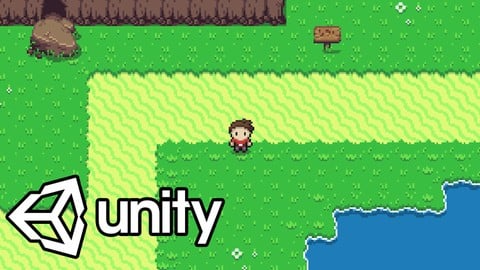
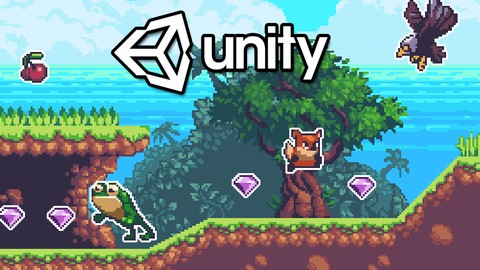
Learn To Code By Making a 2D Platformer in Unity & C# (2020)
4.5 (1,744 Reviews)
 Provider: Udemy
 Time: 14.9h
$15.99

Learn To Create A Roguelike Game In Unity (2020)
4.8 (1,234 Reviews)
- Provider: Udemy
- Time: 19.4h
$16.99
Learn To Create A Complete Menu System in Unity (2019)
4.6 (916 Reviews)
- Provider: Udemy
- Time: 2.8h
Free
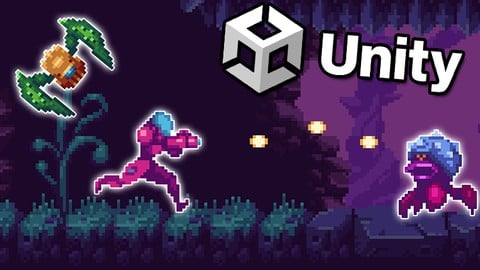
Learn to Create a Metroidvania Game using Unity & C# (2023)
4.6 (912 Reviews)
- Provider: Udemy
- Time: 11.3h
$89.99
Learn To Create An Online Multiplayer Game In Unity (2021)
4.7 (852 Reviews)
- Provider: Udemy
- Time: 12.9h
$84.99
More Unity courses

Learn to make an Awesome Builder-Defender game in Unity! (2021)
4.9 (1,909 Reviews)
- Provider: Udemy
- Time: 10.1h
$79.99


RPG Core Combat Creator: Learn Intermediate Unity C# Coding (2025)
4.8 (11,337 Reviews)
- Provider: Udemy
- Time: 27.6h
$149.99

Learn Blender 3D Modeling for Unity Video Game Development (2026)
4.8 (2,152 Reviews)
- Provider: Udemy
- Time: 11.7h
$149.99
Learn To Create A Roguelike Game In Unity (2020)
4.8 (1,234 Reviews)
- Provider: Udemy
- Time: 19.4h
$16.99
Make a Match-Three Puzzle Game in Unity (2021)
4.8 (1,013 Reviews)
- Provider: Udemy
- Time: 16.2h
$11.99
 Reviews

By Johnny Woods on 11/7/2020
Great starter course to help you learn some of the fundamentals of building a game. It great way to learn your way around unity.
By Boxlord001 on 10/27/2020
This lesson helps me understand coding concepts better than my professor does. The tutor explains exactly what you need to know in a way that is easy to digest. I really like the step by step layout of his lessons that I don't get from school. It's making me think why the heck do I need college when this course is so much better.
By Christopher Stampfer on 10/27/2020
I love the course and I am learning so many new things and I cant wait to see what else we will be adding to our little game throughout the rest of the course!
By Francisco Meneu on 10/23/2020
Would be nicer with a gigher resolution video
By John Espiritu Santo on 9/19/2020
The instructor is able to explain things that are easy for me to follow thus I'm able understand better and I'm learning a lot! Very helpful for game making!
By Gary Mander on 9/16/2020
Yes this is what I expected right now. Instructor is clear and concise, which makes this easier.
By Dylan Ravel on 9/16/2020
Love this tutorial it is so helpful. I love how he explains every bit of code and why he is putting this bit of code here and there. Obviously, there are things that are still a bit confusing but I really feel as if I am getting the hang of things!!!
By Barry Corman on 9/8/2020
My favorite course I have taken so far. Instruction is top notch and all material is thoroughly explained.
By Ernesto Emanuel Mata Tello on 9/8/2020
Amazing course, instructions clear and explained will definitely be able to do 1 game on my own now
By Georgina Bennett on 9/5/2020
This course has taught me a great deal about the art of making games. The video is easy to follow and gives great detail.
By Tyler on 8/9/2020
I was watching a lot of tutorials on YouTube before. James' tutorials were the most helpful for someone just getting started. He does well explaining things and giving helpful tips that make the process much easier and enjoyable.
By Jack Jara on 7/16/2020
as of so far I'm learning everything I need to and I cant wait to see what more is in store. Only problem is he is using a different free virson of unity that I could not find so I'm using unity hub and somethings are different so it a little hard to follow the instructions.

- Video Duration:
 13.1h
13.1h - Price: $13.99
- Provider: Udemy
- Updated:
 October 2017
 - Level:
 Beginner
 - Language:
 English
 - Certificate:
 Yes
Yes
30-day money-back guarantee on most paid courses
Udemy Coupon Price Tracker
