
 Web Development
 Python
 SQL
SQL Data Science
 JavaScript
 Artificial Intelligence
 IT & Software
 IT Certifications
 Hacking
 Arduino
 AWS
AWS DevOps
 3D Modeling
 Graphic Design
 Photoshop
 Drawing
 Digital Painting
 UX Design
 Business
 Data Analysis
 Communication Skills
 Leadership & Management
 Project Management
 Human Resources
 Digital Marketing
 Social Media Marketing
 Marketing
 SEO
SEO Google Analytics
 Branding
 Excel
Excel Office Productivity
 SAP
SAP PowerPoint
 Microsoft Access
 SharePoint
 Finance & Accounting
 Trading & Investing
 Accounting
 Bitcoin
 Personal Finance
 Video Editing & Animation
 Photography
 Adobe Premier Pro
 Adobe Lightroom
 Personal Development
 Productivity
 Career Development
 Life Coaching
 Health & Fitness
 Meditation & Mindfulness
 Yoga
Yoga Music
Music Music Production
 Guitar
 Piano
Piano Singing
 Language Learning
 Teaching & Academics
 Engineering
 Math
Math Lifestyle
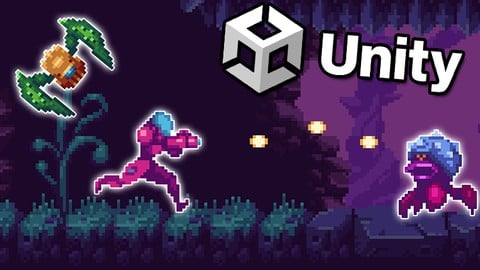
Learn to Create a Metroidvania Game using Unity & C# (Udemy.com)
Game development made easy. Learn C# using Unity and create your own 2D action game!
Created by: James Doyle
Last updated August 2023
 What you will learn
- Learn C#, a modern versatile programming language
- Understand the capabilities of 2D development in Unity
- Develop strong and transferrable problem solving skills
- Gain an understanding of the game development process
- Learn how object oriented programming works in practice
 Course Description
NEW UPDATE! A complete map system has now been added to the course for inclusion in your projects!
Learn how to create and program your very own metroidvania game using Unity, an industry-standard game development program used by large gaming studios and indie developers across the world.
In this course you won’t just be learning programming concepts, but tying these concepts to real game development uses. You will have access to a course forum where you can discuss the topics covered in the course as well as the next steps to take once the course is complete.
This course has been designed to be easily understandable to everyone, so whether you’re a complete beginner, an artist looking to expand their game development range or a programmer interested in understanding game design, this course will help you gain a greater understanding of development.
At the end of this course you will have developed the ability to understand such game elements as:
Special Abilites including Double Jumps, Dashing, Turning Into a ball and more
Unlocking & Collecting Abilities
Walking & Flying Enemies
Game Progression & Storing Your Progress
Complete Boss Battle
Audio systems
Interactive Menus
A full map system, including fullscreen & mini-maps
and much more...
The course also includes a complete version of the project to use for your own reference to ensure everything in your game works as it should!
Start learning today and let me help you become a game developer!

 Udemy Discount
The discount is applied through our link. Open the course from here and Udemy's current promotional price is applied at checkout on most courses, no code to type.
Some courses are excluded from Udemy's promotions. If the price does not drop, clear your browser cookies and use the button again.
Instructor Details

- 4.6 Rating
 912 Reviews
James Doyle
Hi, I'm James. I have helped thousands of people learn how to develop their own games in Unity, and whether you're a first-time developer, or need to refresh your skills, I can help you learn to make the games you want to make.
With a bachelors degree in Computer Science and a background working in independent game development, I have been helping others to create their own games and release them on multiple platforms.
I believe in helping you learn by teaching code in context, so rather than having to memorize a bunch of stuff you've never seen before, you learn how each coding concept can be applied to real working problems in your games.
I can't wait to help you learn all about making your own games and how to make them a success.
So why not start learning to make games with me now?
See you soon!
James
 More courses by James Doyle
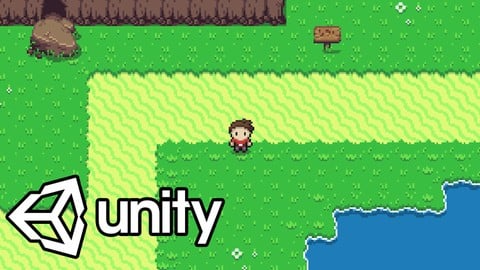

Learn To Code By Making a 2D Platformer in Unity (2017)
4.8 (2,597 Reviews)
 Provider: Udemy
 Time: 13.1h
$13.99
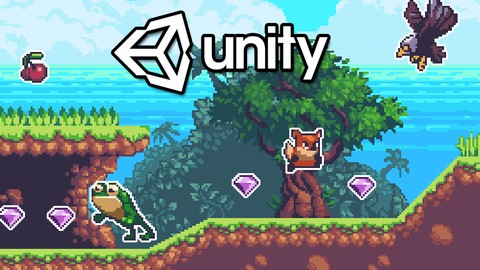
Learn To Code By Making a 2D Platformer in Unity & C# (2020)
4.5 (1,744 Reviews)
- Provider: Udemy
- Time: 14.9h
$15.99

Learn To Create A Roguelike Game In Unity (2020)
4.8 (1,234 Reviews)
- Provider: Udemy
- Time: 19.4h
$16.99
Learn To Create A Complete Menu System in Unity (2019)
4.6 (916 Reviews)
- Provider: Udemy
- Time: 2.8h
Free
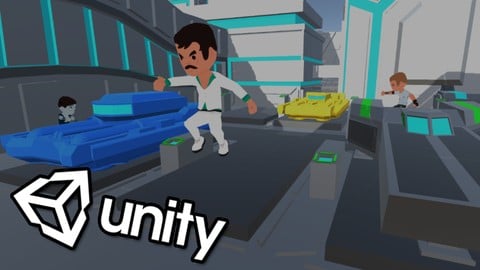
Learn To Create An Online Multiplayer Game In Unity (2021)
4.7 (852 Reviews)
- Provider: Udemy
- Time: 12.9h
$84.99
More Unity courses

Learn to make an Awesome Builder-Defender game in Unity! (2021)
4.9 (1,909 Reviews)
- Provider: Udemy
- Time: 10.1h
$79.99


RPG Core Combat Creator: Learn Intermediate Unity C# Coding (2025)
4.8 (11,337 Reviews)
- Provider: Udemy
- Time: 27.6h
$149.99
Learn To Code By Making a 2D Platformer in Unity (2017)
4.8 (2,597 Reviews)
- Provider: Udemy
- Time: 13.1h
$13.99

Learn Blender 3D Modeling for Unity Video Game Development (2026)
4.8 (2,152 Reviews)
- Provider: Udemy
- Time: 11.7h
$149.99
Learn To Create A Roguelike Game In Unity (2020)
4.8 (1,234 Reviews)
- Provider: Udemy
- Time: 19.4h
$16.99
 Reviews

By Tomasz Chrzanowski on 10/30/2024
+ unlocking abilities + collecting instant use healing consumables + fighting enemies + enemies chasing player + enemies shoot at player + boss fight well explained + building levels and moving between scenes well explained - no inventory/character view - no currency collection - no NPCs to interact with or buy items. - game save includes only single save/continue. No explaination how to make player have multiple saves - static background view, no explaination for scrolling background.
By Stefan Reed on 1/10/2024
I have no experience in Unity or coding and overall, this was a great course. There aren't many explanations on a basic level regarding the coding, but by the end of the course I was able to start seeing how things would be done and could pick up on mistakes when they were made. That being said, I think a short video covering the basics of what we would be using would have been helpful. I'm not sure why, but I could never get Vector3.one to work and had to use Vector3(1f, 1f, 1f). The Lesson 50 video had all of Lesson 49 at the beginning of it and that could be fixed. In Lesson 59, the boss entering phase 3 is incorrectly set to trigger off of the PlayerHealthController instead of the BossHealthController, so be aware of that. Here are some things I would like to have seen done differently: 1. We built a checkpoint system but never used it after building it. Would have preferred to see the Continue system we built work off of the checkpoints instead of door exit points. That would have made more sense and is how modern metroidvanias work. Would also liked to have seen how to code to let the player save at them. 2. We put win objects in the game for beating the boss, but after we enabled the Continue system and made it so the boss couldn't reappear, the platform that was a win object and required to get to the next part of the level disappeared and we were never shown how to fix this. Here are some things I would like for the course to have covered: 1. Would have loved to see an option to give the player a melee weapon and how the coding for that would work. 2. Would also have been nice to see how ladders or elevators are coded since they are common in modern metroidvanias. 3. Finally, showing how to create a script for entering a building or structure that is inside the level would also have been cool. Overall, a great course, and a good starting point if you have no experience with this kind of thing.
By Arpy_G on 9/26/2023
This is a really good course for me as I want to make my first game be in the Metroidvania vein. I've studied code and C# for two years now all through books, and feel like I am well prepared for the code explanations in this tutorial series. I think this course is great for people with a stable understanding of C#'s syntax who are ready to see it applied in action. The instructor demystifies a lot of code structures that seemed a lot more complex than they are once examined through this hands-on light. Great course!
By Jeffrey Rudes on 3/23/2023
I'm an IT professional and found this course helpfull in building a Metroidvania. If you are a complete beginner to Unity and programming, you will need to become familiar with the basics of those before you start this course as it is not a zero to hero kind of course. All in all I appreciated how the material was presented and how the instructor did not go into deep theory but was still able to make basic concepts understandable.
By Martin Zazpe on 1/25/2023
Brutal course, just what i wanted you taught me skills that I can re-shape and re-use in my own games. As a comment, I implemented a few diffrent things like enemies that change color as they loose health and a solid cooldown between shots. This course is great if you just want general knowledge to make rpgs, platformers and james explains what is going on, which is soo valuable. Thanks James!
By Gordon Farkas on 9/5/2022
I am enjoying this course. I got a bit tired of the 3d world and really wanted to learn about 2d stuff, especially tilemaps, sprites and animation etc. I'm half way through, game is starting to shape up. Coding is kept uncomplicated and gets the job done. Covers a lot of ground. Update: I'm nearly finished. A lot of valuable information in this course. Will add more to review when finished. I had no idea 2d games were this involved.
By Nikola Vetnic on 8/2/2022
Although I am not new to programming, I am to Unity - I completed another one of James' courses and that's about it. This one was amazing as it provided a clear workflow one could follow in order to get an interesting working game prototype. IRO of code style, I would say it is very beginner friendly and would recommend this to anyone new to coding - however, this very approach leads to situations where there are many repetitions, some things could've been done better, and so on. I don't think this is a flaw and I am sure James is aware of this, it is impossible to write beginner friendly and production level code at the same time. Another issue I would like to point out is related to a design decision, namely how the scenes are laid out and how the transitions are handled. I understand this is again tied to "beginner-frendlyness" of the course, but one should be aware that should the exit door of one scene be moved, the geography of the level it leads to should also be adapted. To resolve that issue is not too complex, but again I understand it might be a bit above the requirements posted for this course. All in all, I would recommend this and any other of James' courses for anyone new to Unity as it will give you a solid ground to stand on, after which only your imagination is the limit.
By Alejandro A. O. on 7/8/2022
Outstanding course. This is my second unity course ever (the first one was to know the basics), I'm new to programming in general and I'm starting to get familiar with how unity and C# work, yet I found this course really easy to follow, James is not only an expert but he also teaches you in a way that it's very easy to understand what is being done. As a beginner I had my doubts if I should purchase this course when I first saw the rating, but I'm so glad I did, to me this is a 5 star course, no less.
By Aulia Rizky on 3/6/2022
I bought this course with the 90% off discount, and I gotta say that this course is above my expectations. I thought this course would just be another generic course about making games in Unity. But oh boy, I was wrong. The contents of the course are thoroughly explained, easy to follow, and of course by the end of the course you'll have a working system to start making your own Metroidvania style game.. Worth every penny !!
By Stephen Watson on 1/13/2022
Pretty good course. An absolute beginner should be fine with this course. Although not everything is explained fully, such as why certain things happen or why he chooses certain techniques over others, as long as you follow along you will be able to make the game at the end. One thing that is missing, that other people have pointed out, is the mini map. It would be great to have a section to show the user how to create a mini map in the game. Overall a good course, and even though I'm not a beginner, I still learn a few new things.
 Quality Score
No CourseDuck member has rated this course yet. Taken it? Give each part a thumbs up or down.
Overall Score : 92 / 100
- Video Duration:
 11.3h
11.3h - Price: $89.99
- Provider: Udemy
- Updated:
 August 2023
 - Level:
 Beginner
 - Language:
 English
 - Certificate:
 Yes
Yes
30-day money-back guarantee on most paid courses
Udemy Coupon Price Tracker
