
 Web Development
 Data Science
 Python
 SQL
SQL JavaScript
 Artificial Intelligence
 IT & Software
 IT Certifications
 Hacking
 AWS
AWS Arduino
 DevOps
 3D Modeling
 Graphic Design
 Photoshop
 Drawing
 Digital Painting
 UX Design
 Business
 Data Analysis
 Communication Skills
 Project Management
 Leadership & Management
 Human Resources
 Digital Marketing
 Social Media Marketing
 Marketing
 SEO
SEO Google Analytics
 Branding
 Excel
Excel Office Productivity
 SAP
SAP PowerPoint
 Microsoft Access
 SharePoint
 Finance & Accounting
 Trading & Investing
 Accounting
 Bitcoin
 Personal Finance
 Video Editing & Animation
 Photography
 Adobe Premier Pro
 Adobe Lightroom
 Personal Development
 Productivity
 Career Development
 Life Coaching
 Health & Fitness
 Meditation & Mindfulness
 Yoga
Yoga Music
Music Music Production
 Guitar
 Piano
Piano Singing
 Language Learning
 Teaching & Academics
 Engineering
 Math
Math Lifestyle
Make a Tetris-style Puzzler in Unity (Udemy.com)
Build a tile-based puzzle game with C# and Unity
Created by: Wilmer Lin
Last updated October 2020
 What you will learn
- Make their own Tetris-like puzzle game to be deployed on Mac or PC!
How it compares
Against the other 183 rated Udemy courses in Unity on CourseDuck:
- Rating4.9 out of 5higher than 99% of them
- Reviews758#54 of 184 by number of reviews
- Length10 hoursshorter than 53% of them
- Last updatedOctober 2020earlier than 55% of them
 Quality Score
Overall Score : 98 / 100
 Course Description
Unity 3D has quickly become one of today's fastest growing game development tools. Learn more about this fascinating game engine in our project-based class, where we build a Tetris-style puzzle game from scratch! If you have some basic knowledge of C# and Unity, take your skills to a new level by exploring this short course in remaking a classic arcade game.
If you have completed a few basic tutorials on Unity and have some basic knowledge of C# (variables, loops, data structures, etc.),this class is for you! We take a project-based approach, where we follow one game from start to finish.
We will:
- start with a blank Unity project and flesh out a fully working game.
- learn some fundamental techniques for creating your own puzzle game
- follow several C# scripts line-by-line and learn how to organize our scripts logically and cleanly
- port our application to iOS and Android! See your glorious game run on a mobile device!
- Setup our project settings and environment
- Breaking down the gameplay mechanics
- Creating a Board class to store our data
- Laying out user interface items
- Creating our game piece Shape class
- Setting up our master GameController class to handle logic
- Apply Time to our game logic
- Script to handle player input
- Add sound effects to game events
- Apply particle effects to add some punch to our graphics
- Making a score manager to track player progress and high scores
- Enhance our game with extra features to make it a polished experience
- This course is meant for beginning to intermediate students with some familiarity with Unity and C#
- This course is NOT meant as an introduction to Unity; though we will walk you step-by-step through the project, do NOT use this as your first course in Unity
- Some working knowledge of C# is necessary; do NOT use this as an introduction to C#
- If you are a beginning to intermediate game developer interested in improving your skill set, this course is for you!

 Udemy Discount
The discount is applied through our link. Open the course from here and Udemy's current promotional price is applied at checkout on most courses, no code to type.
Some courses are excluded from Udemy's promotions. If the price does not drop, clear your browser cookies and use the button again.
Instructor Details

- 4.9 Rating
 758 Reviews
Wilmer Lin
Wilmer Lin is a 3D and visual effects artist with over fifteen years of industry experience in film and television. He has trained tens of thousands students over the course of a decade.
Now an independent game developer and educator, Wilmer helps aspiring gamedevs learn technical art and the craft of programming, using Unity3D, Maya and Photoshop.
 More courses by Wilmer Lin
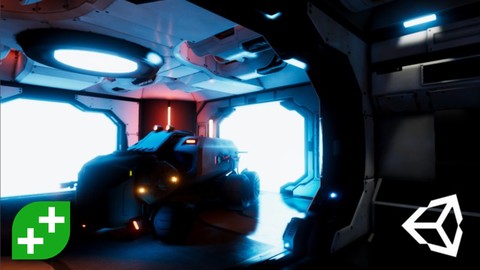
Unity Tech Art: Realistic Lighting For Game Development (2022)
4.5 (1,152 Reviews)
 Provider: Udemy
 Time: 10.9h
$13.99
Make a Match-Three Puzzle Game in Unity (2021)
4.8 (1,013 Reviews)
- Provider: Udemy
- Time: 16.2h
$11.99
Make an Assassins GO Board Game in Unity (2020)
4.8 (471 Reviews)
- Provider: Udemy
- Time: 11.4h
$99.99


More Unity courses

Learn to make an Awesome Builder-Defender game in Unity! (2021)
4.9 (1,909 Reviews)
- Provider: Udemy
- Time: 10.1h
$79.99

RPG Core Combat Creator: Learn Intermediate Unity C# Coding (2025)
4.8 (11,337 Reviews)
- Provider: Udemy
- Time: 27.6h
$149.99

Learn To Code By Making a 2D Platformer in Unity (2017)
4.8 (2,597 Reviews)
- Provider: Udemy
- Time: 13.1h
$13.99

Learn Blender 3D Modeling for Unity Video Game Development (2026)
4.8 (2,152 Reviews)
- Provider: Udemy
- Time: 11.7h
$149.99

Learn To Create A Roguelike Game In Unity (2020)
4.8 (1,234 Reviews)
- Provider: Udemy
- Time: 19.4h
$16.99
Make a Match-Three Puzzle Game in Unity (2021)
4.8 (1,013 Reviews)
- Provider: Udemy
- Time: 16.2h
$11.99
 Reviews

By Marcia Wilson on 11/21/2020
A great tutorial. Great break down with excellent explanatory data. It does help if you know you're way around Unity first. Great job and I am very pleased as I learned so much more than I thought I would!
By Sascha Hartwig on 11/21/2020
Great course! I used this course as a baseline for a game project at university and your level of detail and polishment earned me a 1.3!
Thanks a lot and keep up the great work!! :)
By Janos Kovacs on 11/15/2020
Better and more informative than most other Unity-based tutorials, books, or courses you'll find. Better than even the official Unity tutorials, and other courses on this site that are more popular. I think this course is a must if you're serious about learning Unity properly, and you're tired of endless beginner tutorials that teach bad coding practices and zero software architecture. Also, the finished project is an actual game that is genuinely fun to play. With other courses it would be charitable to say that the end result is a barebones tech demo. I hope the instructor makes more content.
By Evgezer on 10/26/2020
He is really good. Really clean and detailed explanations, nice english, nice to hear voice.
Respect+
By Paul Crawley on 9/17/2020
Very cool, most excellent course
By Biswajit Sahoo on 9/16/2020
Yes absolutely, just for suggestion, if you could have added a architecture (dynamically creating branches and classes diagrams) before jumping into creating classes and functionality a developer could have better understand why and how the data have been isolated and managed in the whole scenario for respective classes. Other than that, learnt a lot. Thank you.
By A. Lucas on 9/15/2020
It's been a bit of a grind tbh - Feels a bit too fast paced and have had to stop, rewind the video many times to catch up to get bearings in whichever class is being edited. More detailed commenting within the code would be useful. Kind of feels like I'm just copying what's in the video to get the result rather than actually taking in the lessons. Maybe once the project is complete, I can go back through and re-clarify what each section is doing.
A few times throughout the course what's being shown in some of the video doesn't correspond to what's in the Unity editor any more due to the interface being updated by the looks of it. The game builds OK in Unity 2020.1 - Would've liked to have seen some advice on building to WebGL - Have built the project and uploaded it, but the progress loading bar stops at about 90% and just hangs and I don't know why.
By Saif Altaleb on 9/10/2020
Great Course with great teaching and visual explanation to every concept a bit outdated for today but still, work great even in Unity 2020
By Oana Croitoru on 8/9/2020
It was okay.
By Brandyn Reindel on 7/7/2020
Nice pace, not too fast or too slow. Easy to understand.
By Marie Scraeyen on 7/7/2020
Really, really good. It gives a clear explanation of what the steps are of making a video game in unity and is a really clear course for a beginner video game designer
By Hind Boucherit on 6/12/2020
I was a great course and it kind of demystified the whole creating game thing ! Thank you !

- Video Duration:
 10h
10h - Price: $74.99
- Provider: Udemy
- Updated:
 October 2020
 - Level:
 Intermediate
 - Language:
 English
 - Certificate:
 Yes
Yes
30-day money-back guarantee on most paid courses
Udemy Coupon Price Tracker
