

Create a Game Character: Blender, Substance Painter, Unity (Udemy.com)
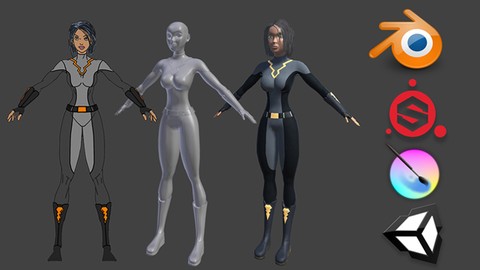
Learn to use Blender, Substance Painter, Krita, and Unity to create your own game characters.
Created by: Darrin Lile
Produced in 2018
 What you will learn
- Model and UV Map a 3D character in Blender suitable for game engines
- Texture a 3D character in Substance Painter
- Rig a character in Blender that will work with the Humanoid Rig system in Unity
- Use the free character animations provided with Unity on your own custom character
 Quality Score
Content Quality
/
Video Quality
/
Qualified Instructor
/
Course Pace
/
Course Depth & Coverage
/
Overall Score : 92 / 100
 Course Description
Inthis course you will learn how to create a game character using Blender, Substance Painter, Krita, and Unity.
Model and UV Map a 3D character in Blender suitable for game engines Import Blender objects into Substance Painter Use Substance Painter to Texture a 3D objects created in BlenderRig a character in Blender that will work with the Humanoid Rig system in UnityUse the free animations provided with Unity for your own custom character We will begin by creating a low-poly version of our character in Blender suitable for game engines. From this Blender model we will create a high-resolution version to be used for baking our texture maps. We will UV map the character in Blender, and then import the models into Substance Painter where we will create PBR textures for the characters skin and costume. We will also cover how to best organize and prepare the character in Blender so that we can texture efficiently in Substance Painter.
Once that is done, we will work on creating polygon hair in Blender and use Krita to hand-paint hair strands for the character.
Well then go back to Blender to rig our character, based on what Unity needs to set-up its Humanoid Rig system. If we can fulfill the requirements of the Humanoid Rig then it opens up the possibility for using hundreds of animations available for free and for purchase on the Unity Asset store. In the end, we will bring our character and textures into Unity and set it up so that we can use the animations that come free with Unitys Standard Assets.
Creating a game character in Blender can be a daunting task, but this course willprovide an organized and well-structured discussionof eachtopic, explaining not only the how, but the why, of everystep of the process. Who this course is for:
Intermediate 3D artists who are interested in learning the entire game character pipeline.
Model and UV Map a 3D character in Blender suitable for game engines Import Blender objects into Substance Painter Use Substance Painter to Texture a 3D objects created in BlenderRig a character in Blender that will work with the Humanoid Rig system in UnityUse the free animations provided with Unity for your own custom character We will begin by creating a low-poly version of our character in Blender suitable for game engines. From this Blender model we will create a high-resolution version to be used for baking our texture maps. We will UV map the character in Blender, and then import the models into Substance Painter where we will create PBR textures for the characters skin and costume. We will also cover how to best organize and prepare the character in Blender so that we can texture efficiently in Substance Painter.
Once that is done, we will work on creating polygon hair in Blender and use Krita to hand-paint hair strands for the character.
Well then go back to Blender to rig our character, based on what Unity needs to set-up its Humanoid Rig system. If we can fulfill the requirements of the Humanoid Rig then it opens up the possibility for using hundreds of animations available for free and for purchase on the Unity Asset store. In the end, we will bring our character and textures into Unity and set it up so that we can use the animations that come free with Unitys Standard Assets.
Creating a game character in Blender can be a daunting task, but this course willprovide an organized and well-structured discussionof eachtopic, explaining not only the how, but the why, of everystep of the process. Who this course is for:
Intermediate 3D artists who are interested in learning the entire game character pipeline.
 Instructor Details

- 4.6 Rating
 105 Reviews
Darrin Lile
Darrin Lile is an animator, developer, and Blender Foundation Certified Trainer teaching courses in computer animation and game development. He received Bachelors and Masters degrees in Film and Media Studies from the University of Kansas and has worked as an animator, a producer of educational films, a sound editor for film and television, and as a computer security analyst.
 More courses by Darrin Lile




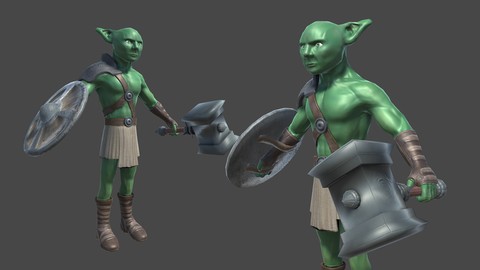
Create Game Assets with Blender and Substance Painter (2018)
4.6 (230 Reviews)
 Provider: Udemy
 Time: 6.5h
$11.99
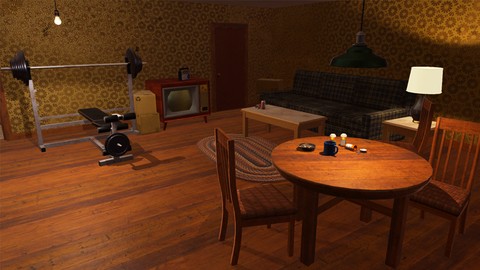
Create a Game Environment with Blender and Unity (2018)
4.6 (114 Reviews)
- Provider: Udemy
- Time: 7.5h
$11.99
More blender courses



Learn 3D Animation - The Ultimate NEW BLENDER 2.8 Course A-Z (2019)
4.7 (311 Reviews)
- Provider: Udemy
- Time: 19h
$11.99
 Reviews

- Video Duration:
 12.5h
12.5h - Price: 11.99 Track Price 11.99 Track Price
- Provider: Udemy
- Year:
 2018
2018 - Language:
 English
 - Certificate:
 Yes
Yes

30-Day Money-Back Guarantee
Udemy Coupon Price Tracker
