

Create a Game Environment with Blender and Unity (Udemy.com)
Use Blender, Photoshop, and Unity to create your own game environments.
Created by: Darrin Lile
Produced in 2018
 What you will learn
- Model game assets in Blender
- Create UV maps and texture maps
- Use FBX to import Blender models into Unity
- Light your scenes in Unity
- Create a test build in Unity
 Quality Score
Content Quality
/
Video Quality
/
Qualified Instructor
/
Course Pace
/
Course Depth & Coverage
/
Overall Score : 92 / 100
 Course Description
Learn how to create your own game environmentswithBlender, Photoshop, and Unity!
Discoverhow to bring your own game designs to life by using Blender and Unity in a more integrated way than you mayhave seen before.
Build your skills so that you can create your own gameenvironmentsin Blender.
Model game assetsin BlenderCreate UV maps andtexture mapsUse FBX to import Blender models into UnityLight your scenes in UnityCreate a test build in Unity
Create Your Own Game Environments!
Learning to create your own game environments opens the door for you to create theincredible video games you've always dreamed of. Blender is free to download and use for any purpose and has proven itself to be a powerful tool for independent and commercial projects all over the world.
Blender provides an excellent low-cost way to learn the fundamentals of 3D modeling, texturing, and rendering. Since 1995, it has been growing in features and usage in the animation and visual effects industry.
Content and Overview
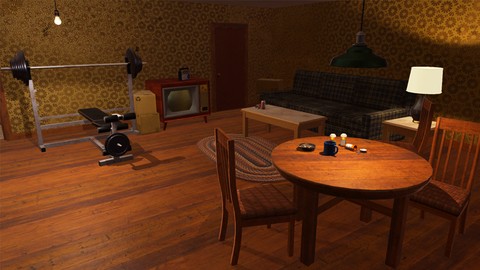
In this course we will use Blender and Unity in an integrated way to create a run-down apartment game environment. We will establish a pipeline process between Blender and Unity and go over different ways of organizing your game projects.
You will learn about game modeling, UV mapping, texturing, and lighting as we build the environment. This course will also discuss the use of Adobe Photoshop and Substance Painter when texturing game assets.
"I love your tutorials! For the first time, I'm able to understand Blender! Thank you so much!" -Jade W
"Great work, Darrin. You make a great teacher as well as a fantastic 3D artist. I really appreciate your work; can't wait to see what you do next! -theLegendofSamuel
"I just wanted to say how much I appreciate these high quality tutorials you put out!!! You are truly an inspirational person. -Zach BWho this course is for:
Anyone who wants to learn how to create a game environment using Blender and Unity.
Discoverhow to bring your own game designs to life by using Blender and Unity in a more integrated way than you mayhave seen before.
Build your skills so that you can create your own gameenvironmentsin Blender.
Model game assetsin BlenderCreate UV maps andtexture mapsUse FBX to import Blender models into UnityLight your scenes in UnityCreate a test build in Unity
Create Your Own Game Environments!
Learning to create your own game environments opens the door for you to create theincredible video games you've always dreamed of. Blender is free to download and use for any purpose and has proven itself to be a powerful tool for independent and commercial projects all over the world.
Blender provides an excellent low-cost way to learn the fundamentals of 3D modeling, texturing, and rendering. Since 1995, it has been growing in features and usage in the animation and visual effects industry.
Content and Overview
In this course we will use Blender and Unity in an integrated way to create a run-down apartment game environment. We will establish a pipeline process between Blender and Unity and go over different ways of organizing your game projects.
You will learn about game modeling, UV mapping, texturing, and lighting as we build the environment. This course will also discuss the use of Adobe Photoshop and Substance Painter when texturing game assets.
"I love your tutorials! For the first time, I'm able to understand Blender! Thank you so much!" -Jade W
"Great work, Darrin. You make a great teacher as well as a fantastic 3D artist. I really appreciate your work; can't wait to see what you do next! -theLegendofSamuel
"I just wanted to say how much I appreciate these high quality tutorials you put out!!! You are truly an inspirational person. -Zach BWho this course is for:
Anyone who wants to learn how to create a game environment using Blender and Unity.
 Instructor Details

- 4.6 Rating
 114 Reviews
Darrin Lile
Darrin Lile is an animator, developer, and Blender Foundation Certified Trainer teaching courses in computer animation and game development. He received Bachelors and Masters degrees in Film and Media Studies from the University of Kansas and has worked as an animator, a producer of educational films, a sound editor for film and television, and as a computer security analyst.
 More courses by Darrin Lile

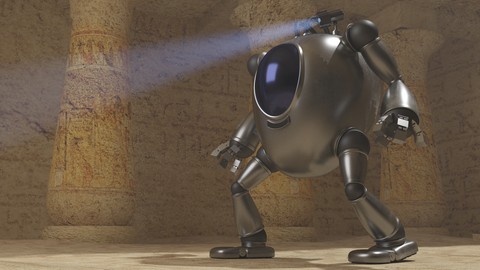


Create Game Assets with Blender and Substance Painter (2018)
4.6 (230 Reviews)
 Provider: Udemy
 Time: 6.5h
$11.99
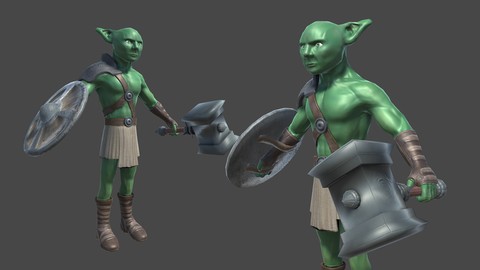
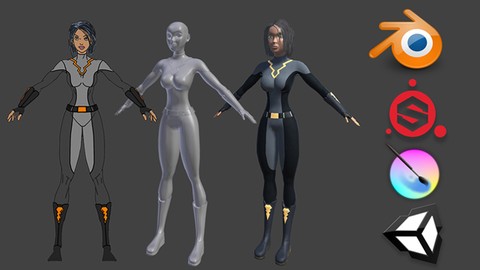
Create a Game Character: Blender, Substance Painter, Unity (2018)
4.6 (105 Reviews)
- Provider: Udemy
- Time: 12.5h
$11.99
More blender courses



Learn 3D Animation - The Ultimate NEW BLENDER 2.8 Course A-Z (2019)
4.7 (311 Reviews)
- Provider: Udemy
- Time: 19h
$11.99
 Reviews

- Video Duration:
 7.5h
7.5h - Price: 11.99 Track Price 11.99 Track Price
- Provider: Udemy
- Year:
 2018
2018 - Language:
 English
 - Certificate:
 Yes
Yes

30-Day Money-Back Guarantee
Udemy Coupon Price Tracker
