
 JavaScript
 Web Development
 Python
 SQL
SQL Artificial Intelligence
 Machine Learning
 IT & Software
 AWS
AWS Hacking
 Arduino
 3D Modeling
 Photoshop
 Graphic Design
 UX Design
 Drawing
 Adobe After Effects
 Business
 Data Analysis
 Shopify
 Digital Marketing
 Social Media Marketing
 Marketing
 SEO
SEO Google Analytics
 Branding
 Excel
Excel Office Productivity
 Finance & Accounting
 Bitcoin
 Video Editing & Animation
 Photography
 Adobe Premier Pro
 Adobe Lightroom
 Personal Development
 Health & Fitness
 Music
Music Guitar
 Teaching & Academics
 Language Learning
 Engineering
 Lifestyle
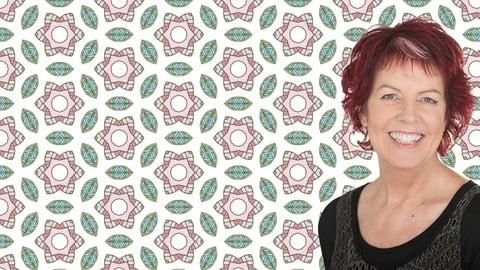
Make Patterns to Sell in Adobe Photoshop - A Masterclass (Udemy.com)
Boost your Graphic Design skills - make seamless patterns in Photoshop - in-depth training for all experience levels
Created by: Helen Bradley
Last updated September 2022
 What you will learn
- Make a range of seamless repeating patterns in Photoshop
- Work more confidently in Photoshop
- Create designs suitable for print on demand products, and digi-scrapping
- Prepare patterns ready for upload for sale online
- Use a range of handy Photoshop tools and techniques
- Create stripe, chevron and polkadot patterns
- Understand where to find design requirements for Print On Demand sites
- Understand the difference between a swatch and a pattern filled document
- Draw and edit shapes in Photoshop
- Use layers and layer blend modes
- Size and recolor any pattern
- Use Adobe Capture inside Photoshop
- Create a range of basic and more advanced patterns
 Quality Score
No CourseDuck member has rated this course yet. Taken it? Give each part a thumbs up or down.
Overall Score : 96 / 100
 Course Description
Make Patterns to Sell in Adobe Photoshop - A Masterclass
Learn to use Photoshop by making useful designs
Are you ready to learn Photoshop? Do you want to increase your Photoshop knowledge? Do you want to expand your graphic design skills?
Great!
Welcome!
This course is for you. It's a fun and a practical way to learn Photoshop.
Here you'll "learn by doing" as you make a range of seamless repeating patterns. You can use these patterns for Print on Demand, fabric printing, scrapbook papers, stock images, backgrounds and more. You can even paper a room with them by uploading them to Spoonflower and make your own wallpaper. You can also print these designs on notebooks, pillows, mugs, soft furnishings and more on sites like Zazzle and Redbubble and sell your designs. There are literally hundreds of ways to make use of the patterns you'll make in this course and you'll be so proud when you say "I made that".
Who is your trainer?
Helen Bradley has taught thousands of students to use Photoshop and Illustrator. She doesn't fluff about and is focused on helping you learn to use Photoshop in a practical and smart way. Her workflows are carefully structured for maximum success and she explains everything so you know the 'why' as well as the 'how' of any process.
Helen has a huge commitment to her students' learning - she answers all student questions and often adds extra videos to a course to help students with questions that others might also benefit from learning from.
What will you learn?
When you complete this course, you'll:
- be able to create a range of different types and styles of patterns in Photoshop
- have extended your knowledge of Photoshop tools
- have learned new tips and techniques that you can use every day
- be able to confidently create pattern filled objects for a range of design and commercial uses
Do I hear you say "...but I don't know how to use Photoshop (and frankly, I'm scared of it)"?
I understand!
I've been there.
Photoshop can be really scary to use when you first start out.
… but I've created a better way to learn Photoshop. One that makes it a lot less scary and a lot more fun.
You see, you'll learn to make patterns you can sell, give away on your blog, and use yourself. So you'll be making designs that you can do something with at the same time that you are learning Photoshop. There's no waiting! There are no hours of learning before you can get started doing something. In fact you can start today. Complete the first few lessons and you'll have your first patterns made!
Do I hear you say "... but I can't draw"?
No problem! If you can use a mouse you can complete this course.
Quite simply, you don't need to be able to draw. In fact many designers can't draw and yet they make fantastic designs and great products.
If you can draw – great! If you can't draw – don't worry, you'll be able to succeed in this course even if drawing isn't a skill you have mastered.
Are you ready to extend your Photoshop skills?
If you already know the basics of using Photoshop, taking this class will elevate your skills to a new level. You'll learn to use tools and techniques in a practical situation and you will learn three very different ways to make patterns in Photoshop. In short, you'll reinforce your existing knowledge as you apply it to real world designs. And if we use tools you've never used before - great! You'll learn to use them fast and easily so you understand how you can put them to work in your daily workflow.
Do I hear you say "Please don't waste my time"?
If there is one thing I hate it’s wasting time and you probably do too.
So, I don't say "um", I don't fluff about, I don't make mistakes, I know my stuff and I show you how to do things efficiently and effectively. I speed up the videos where appropriate so you don't get bored or distracted.
I'm 100% focused on helping you learn.
In short, I'll get straight to the point and I’ll maximize what you learn in every class.
What version of Photoshop do I need?
For this course around 70% of the patterns can be made in practically any version of Photoshop but around 30% cannot. There are two separate sections in the course to pay attention to if you are using an earlier version of Photoshop. One focuses on the use of Adobe Capture inside Photoshop to make patterns and the other uses the new Pattern Preview tool – both of these sections require you to be using a current version of Photoshop – that is Photoshop CC 2022 or later. That said, I do recommend that, if possible, you upgrade to use the most recent version of Photoshop to get the most from this course.
Will I just learn to make patterns?
Well Yes, and No!
Yes, you'll learn to make patterns – lots of wonderful seamless repeating patterns. Each pattern has been chosen for a reason, there are the basic patterns like polka dots and stripes which are foundation patterns that everyone should know how to make. You'll also learn to make checks and chevrons and patterns of overlapping shapes because each pattern teaches different techniques.
In addition to making patterns you will learn to recolor your them and you will learn to assemble a range of designs into an illustration you can use to market your designs. You will also learn what some of the most popular Print on Demand sites will require you to upload so you can sell your designs there.
How will I learn?
This course is made up 100% of video content. You'll watch my screen as I show you how each pattern is made. I'll explain what I am doing and why so you can learn as you watch.
There are a couple of times you will need a starter photo or image to follow along with me and I will give you those images so look out for them in the lecture resources.
Join me...
I hope you will join me in this Photoshop class. I look forward to meeting you and I invite you to contact me if you have any questions as you work through the lectures.
cheers!
Helen

 Udemy Discount
The discount is applied through our link. Open the course from here and Udemy's current promotional price is applied at checkout on most courses, no code to type.
Some courses are excluded from Udemy's promotions. If the price does not drop, clear your browser cookies and use the button again.
Instructor Details

- 4.8 Rating
 52 Reviews
Helen Bradley
Helen Bradley is an expatriate Australian, designer, and educator. She specializes in teaching graphic design using Adobe Illustrator, Procreate 5X, and Adobe Photoshop. She also teaches photo-editing with Lightroom and Photoshop.
Helen has taught hundreds of thousands of students world wide and she is recognized as a skilled trainer who "knows her stuff" and who is able to communicate even highly technical and complex processes so they are easy to understand.
Apart from her technical expertise, one thing students frequently comment on is her lack of 'fluff' she doesn't waste time and she gets to the point quickly.
 More courses by Helen Bradley

Adobe Illustrator Pattern Making Masterclass (2021)
4.6 (264 Reviews)
 Provider: Udemy
 Time: 5.1h
$54.99

Pattern Making in Adobe Illustrator CC - A masterclass (2023)
4.6 (139 Reviews)
- Provider: Udemy
- Time: 5.2h
$59.99
Adobe Illustrator Text Effects Masterclass (2018)
4.8 (84 Reviews)
- Provider: Udemy
- Time: 3.3h
$54.99

From Drawing to Pattern in Adobe Illustrator - a Masterclass (2021)
4.7 (63 Reviews)
- Provider: Udemy
- Time: 1.7h
$44.99
More Graphic Design courses
Adobe Premiere Pro + AI Mastery: Beginner to Pro Editor (2026)
5.0 (48 Reviews)
- Provider: Udemy
- Time: 8.6h
$44.99

Adobe InDesign - From Basics to Professional Level Designs (2024)
4.9 (320 Reviews)
- Provider: Udemy
- Time: 11.4h
$84.99

The Adobe Illustrator CC Mastery Course: Basics to Pro + AI (2026)
4.9 (268 Reviews)
- Provider: Udemy
- Time: 30.8h
$19.99

Adobe After Effects Essentials VFX Training Course (2024)
4.9 (24 Reviews)
- Provider: Udemy
- Time: 3.7h
$39.99

Graphic Design Masterclass: Design 40+ Projects in Photoshop (2025)
4.8 (668 Reviews)
- Provider: Udemy
- Time: 16.5h
$109.99

Affinity Publisher for Beginners | Updated for Version 2 (2022)
4.8 (539 Reviews)
- Provider: Udemy
- Time: 5.2h
$84.99
 Reviews

By Maria Juarez on 11/10/2024
Great course easy to follow and apply all I learned.
By Claudine Rose on 10/26/2023
The video lags when I play and pause,making it hard to take notes as I watch.
By Laura Sesana on 10/21/2023
really easy to follow with great results
By Jodi B on 7/12/2023
Best teacher ever! I am learning a lot. Thanks!
By Joanne Hopper on 4/9/2023
The materials were presented in an orderly and totally understandable way! The interface was easy to stop and restart to actually follow along on my computer. I learned a great deal -have a solid understanding of the content and feel confident that I can continue using what I’ve learned to further my own patterns and business. Thank you Helen!
By Dori Mikszta on 4/4/2023
Other than working on the new version of Photoshop and things being a bit different, this is really easy to follow along with.
By Donna Mortenson on 1/27/2023
Excellent course! Just what I was looking for. Like someone else mentioned, it's hard to find something outside of a YouTube video that focuses on Photoshop patterns. I loved the very clear, in-depth and easy to follow instructions. I just started the Advanced Pattern by Helen and it's just as good. Looking forward to using these new skills in the marketplace.
By Marilyn Greenfield on 1/21/2023
Yes, I find her very easy to follow and understand. I'm also a Kiwi! She doesn't go too fast and hasn't skipped any steps where I'm thinking...huh?
By Howard Schwartz Art and Calligraphy on 11/19/2022
The instruction is clear and concise. I feel confident that I’ll be able to learn the information presented in this course and then put what I’ve learned into practice. The instructor has the perfect attitude to teach this. She is self-assured and organized. I’m a very satisfied customer!
By Kathy Stahl on 8/19/2022
I have been looking for a class on making patterns using Photoshop for a while, outside of few limited videos on Youtube, there isn't much. This class fills that void wonderfully! I have learned both new tools and new techniques! Having completed the course, I am now going back through the lessons and redoing them using my own materials. Even if you have been using Photoshop for awhile, you will learn plenty of new skills.
- Video Duration:
 2.8h
2.8h - Price: $64.99 Track Price 11.99 Track Price
- Provider: Udemy
- Updated:
 September 2022
 - Level:
 Beginner
 - Language:
 English
 - Certificate:
 Yes
Yes
30-day money-back guarantee on most paid courses
Udemy Coupon Price Tracker
