
 Web Development
 Python
 JavaScript
 SQL
SQL Artificial Intelligence
 Data Science
 IT & Software
 Hacking
 AWS
AWS Arduino
 3D Modeling
 Graphic Design
 Photoshop
 Drawing
 UX Design
 Blender
 Business
 Data Analysis
 Shopify
 Digital Marketing
 Social Media Marketing
 Marketing
 SEO
SEO Google Analytics
 Branding
 Excel
Excel Office Productivity
 Finance & Accounting
 Bitcoin
 Video Editing & Animation
 Photography
 Adobe Premier Pro
 Adobe Lightroom
 Personal Development
 Health & Fitness
 Music
Music Guitar
 Teaching & Academics
 Language Learning
 Engineering
 Lifestyle
AutoCAD Mastery: 500 Examples| 10 Projects| 110 Q&A|10 Tests (Udemy.com)
A complete AutoCAD [2025-2015] course for beginners to become professionals in 2D drafting and 3D modeling.
Created by: Roy Academy
Last updated January 2026
 What you will learn
- Learn from the true expert with around 50 years of industry experience
- Explore AutoCAD's user-friendly interface, drawing lines, circles, arcs, and everything
- Detailed comparison between AutoCAD 2025 to 2015 versions
- Latest features and tools included in the AutoCAD 2025 to 2015 versions
- Master duplication and transformation tools, array, mirror, and more
- Master 2D drafting using Parametric drawing concepts and AutoCAD Pro tools
- In-depth exploration of 3D modeling, including extrude, revolve, UCS, and more
- Use of Artificial Intelligence in Computer Aided Design in general
- 100 tailored questions and answers for Autodesk certification and interviews
- 500 practice drawings to download and practice along with their video solutions
- 10 real-world industrial projects to apply AutoCAD skills including mechanical drawings and 3D models
 Course Description
Last Update: Dec' 2025
- Engineering Drawing Basics
- Orthographic Projections
- Sectional and Isometric Projection Views
- Lectures on Electronics and Electrical applications of AutoCAD
Ongoing Updates: Jan' 2026
- Pro Drafting tools
- Study of Industrial Drawings - 10 Drawings
Further Planned Updates :
Adding 10 Practice drawings of building and architectural design along with solution videos
Adding 10 Practice drawings of Electronics and Electrical designs along with solution videos
Study of Industrial Drawings - 100 Drawings
Following Industrial Projects will be added
Reverse engineering of an aerospace component
Clamping fixture Tool design
Inspection gauge Tool design
Handling an Assembly project
Professional Drafting using templates and sheets
Drawing conversion for using layers
Export/Import of drawings from high-end CAD tools and drafting in AutoCAD
Rendering and presentation of a 3D model
Preparing a drawing for printing and conversion to other formats
Creating a new Design of a drawing template
And unlimited Further Updates in the future
Stay Tuned...
In this "AutoCAD Mastery " training program you will experience a unique successful method of teaching developed and experimented on 1000's of students in live sessions. This course is designed for individuals who are new to AutoCAD as well as students who learned AutoCAD a long time ago and just want to brush up on the tools and features quickly and use them in their projects immediately.
This course introduces the tools of AutoCAD in a step-by-step process, enabling you to clearly understand the application of the tools under discussion before starting the next tool.
Major Highlights of The Course
All the Drawings practiced in the Lectures are included in this course for download.
This course has been designed using the AutoCAD 2018 version but a section is introduced where you will be conversant with all the interfaces from 2015 to 2025 versions of AutoCAD. Hence you can practically work on any version of AutoCAD after this course
Taught by a professional team headed by Mr. S. N. S. Roy who is the Chief Course Designer with experience of almost 50 years in Engineering Design and Product Development.
A beginner can start practicing the tools right from lecture one
A Professional brushing up on AutoCAD can easily directly jump to the section of their choice.
This course has been designed such that you can learn any other high-end 3D CAD modeling software package easily using the concepts that you will learn in this course.
Course Design:
Section 1: Deals with Introduction to AutoCAD
Section 2: You will know about the Interfaces of AutoCAD 2015 through 2025
Section 3: You will start drawing lines and practice professional tools using lines
Section 4: You will know the use of Circles and arcs using examples
Section 5: Make your drawing easily by learning the duplication & Transformation tools
Section 6: Learn about giving dimensions to your drawings
Section 7: Nothing better than learning to create a 3D model
Section 8: Become a Pro by learning some professional tools in AutoCAD
Section 9: Know about the AI applications in CAD
Section 10: Become interview-ready by giving 10 Mock tests
Section 11: Pass Autodesk certification tests and interviews by using 110 Quiz Questions & Answers
Section 12: Practice through a humongous database of 500 Drawings (Progressively Solutions being made available)
If You Only Buy ONE Course This Year … It GOT To Be This One!
With over 37 hours of video content, over 500 downloadable resources, bonuses, and quizzes - this is one of the most comprehensive AutoCAD courses available!
You'll also get access to:
Lifetime Access to course updates
Fast & Friendly 24-hour deadline Tech. Support in the Q&A section
Udemy Certificate of Completion Ready for Download
Quiz to Test Your Knowledge!
We have a 30-day 100% money-back guarantee through Udemy, so there’s no reason to hesitate!
Join Today and learn AutoCAD the easy way.
I will see you inside the course.

 Udemy Discount
The discount is applied through our link. Open the course from here and Udemy's current promotional price is applied at checkout on most courses, no code to type.
Some courses are excluded from Udemy's promotions. If the price does not drop, clear your browser cookies and use the button again.
Instructor Details

- 4.5 Rating
 471 Reviews
Roy Academy
Roy Academy is a professional education initiative dedicated to building industry-ready engineering and professional skills through practical, experience-driven learning.
Courses under Roy Academy are developed and academically guided by S. N. S. Roy, a senior engineering design professional with over five decades of hands-on industry experience across aerospace, automobile, turbine and blade design, product development, and advanced CAD systems.
Throughout his career, Roy Sir has worked extensively with real engineering drawings, design standards, and industrial workflows using tools such as AutoCAD, SOLIDWORKS, CATIA, NX, CREO and Ansys, as well as specialized domains including Gear, turbine and blade design. His experience also extends to mentoring engineers, reviewing industrial designs, and guiding professionals in real-world engineering environments.
The instructional philosophy at Roy Academy is built on one principle:
true professional competence comes from application, not memorization.
Accordingly, Roy Academy courses focus on:
- Strong fundamentals combined with real-world practice
- Industry-relevant workflows rather than isolated software commands
- Building confidence for real engineering work, machine tests, and interviews
 More courses by Roy Academy

CATIA V5 Mastery: 500 Examples| 20 Project| 300 Q&A| 10 Test (2025)
4.6 (3,233 Reviews)
 Provider: Udemy
 Time: 80.3h
$84.99

Siemens NX Mastery : 500 Examples|20 Project|300 Q&A|10 Test (2026)
4.5 (1,601 Reviews)
- Provider: Udemy
- Time: 78.8h
$64.99

AutoCAD + Fusion 360: A Complete Designer's Guide (2024)
4.5 (338 Reviews)
- Provider: Udemy
- Time: 12.8h
$99.99

CREO Mastery : 500 Examples | 20 Project | 300 Q&A | 10 Test (2025)
4.2 (307 Reviews)
- Provider: Udemy
- Time: 58.2h
$54.99
More Graphic Design courses
Adobe Premiere Pro + AI Mastery: Beginner to Pro Editor (2026)
5.0 (48 Reviews)
- Provider: Udemy
- Time: 8.6h
$44.99

Adobe InDesign - From Basics to Professional Level Designs (2024)
4.9 (320 Reviews)
- Provider: Udemy
- Time: 11.4h
$84.99

The Adobe Illustrator CC Mastery Course: Basics to Pro + AI (2026)
4.9 (268 Reviews)
- Provider: Udemy
- Time: 30.8h
$19.99
Adobe Certified Professional in Photoshop - Exam Guide (2025)
4.9 (42 Reviews)
- Provider: Udemy
- Time: 8.3h
$19.99

Adobe After Effects Essentials VFX Training Course (2024)
4.9 (24 Reviews)
- Provider: Udemy
- Time: 3.7h
$39.99
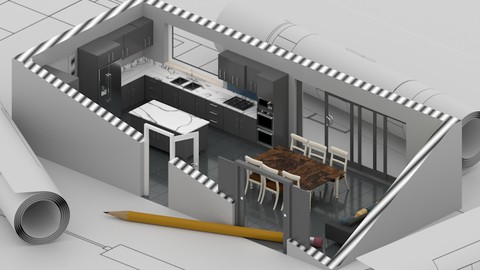
Kitchen Design in Blender 3D & Real-Time Rendering (2025)
4.9 (22 Reviews)
- Provider: Udemy
- Time: 2.5h
$19.99
 Reviews

By Anonymized User on 11/15/2025
Good course, but the resource file in the practice section should have had higher quality PDF.
By Reever John Abella on 8/19/2025
The lectures are great and were easy to follow. However, the practice examples and assignments are missing lots of information within the pdf, so most students will have to look at the solution videos following them to get any missing information they need (that is, if there IS a solution video present - half of the time there isn't one and I was left having to guess on all of those). It's a shame, since the lectures are great, but there's no proper way to practice and ingrain anything from them when half the practice examples are incomplete.
By Prasad Uttam Pawar on 9/6/2024
Lectures are good but i guess they are very short needs to be like atleast 10 15 min and again sir's teaching speed is bit slow
By Abhi on 12/22/2023
I'm thoroughly enjoying this course (haven't finished yet, but already have an opinion). It's explained exceptionally well, and the projects are practical for everyday tasks. It goes beyond just AutoCAD and teaching a lot of things.
By Rohit tiwari on 12/21/2023
This course is the complete Autocad package. easy videos, good practice, mock tests, interview questions, and too many drawings with their solution. Everyone should take it.
By Swarnalata Panda on 12/21/2023
This course is truly exceptional for learning AutoCAD. The instructor deserves the highest praise for their teaching prowess. I eagerly anticipate the release of their next course.
By Debasis S on 12/21/2023
The best autoCAD course on this platform. The explanations are very clear and are supported by elaborate examples, wonderful explanations, and an amazing mode of presentation.Thank you sir
By Deb on 12/21/2023
This is a perfect course for learning AutoCAD. Also there are so many examples which makes us perfect in understanding and creating drawings. A really practical oriented course from Mr. Roy. Thank you sir for this wonderful course.
By Smriti on 12/20/2023
Best course. The course is completely career-oriented, aligning with industry requirements to prepare me to start my professional journey. I now have 500 practice drawings and 110 interview questions to prepare for interviews.
By Mona S on 12/20/2023
This course is very good and ensures that I stay relevant in the ever-evolving CAD world, keeping my AutoCAD skills up-to-date and competitive. The experience is great with the 500 examples with solutions. Really love the mock tests... Nicely done Sir....
 Quality Score
No CourseDuck member has rated this course yet. Taken it? Give each part a thumbs up or down.
Overall Score : 90 / 100

- Video Duration:
 39.2h
39.2h - Price: $19.99 Track Price 11.99 Track Price
- Provider: Udemy
- Updated:
 January 2026
 - Level:
 All Levels
 - Language:
 English
 - Certificate:
 Yes
Yes
30-day money-back guarantee on most paid courses
Udemy Coupon Price Tracker
