
 Web Development
 Python
 JavaScript
 SQL
SQL Artificial Intelligence
 Data Science
 IT & Software
 Hacking
 AWS
AWS Arduino
 3D Modeling
 Graphic Design
 Photoshop
 Drawing
 UX Design
 Blender
 Business
 Data Analysis
 Shopify
 Digital Marketing
 Social Media Marketing
 Marketing
 SEO
SEO Google Analytics
 Branding
 Excel
Excel Office Productivity
 Finance & Accounting
 Bitcoin
 Video Editing & Animation
 Photography
 Adobe Premier Pro
 Adobe Lightroom
 Personal Development
 Health & Fitness
 Music
Music Guitar
 Teaching & Academics
 Language Learning
 Engineering
 Lifestyle
Kitchen Design in Blender 3D & Real-Time Rendering (Udemy.com)
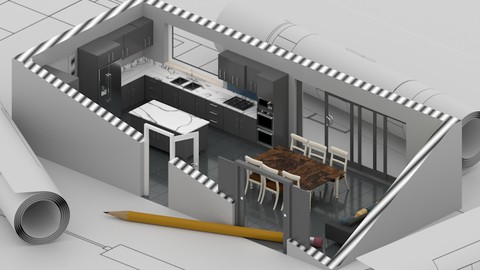
Model a kitchen in Blender 4: cabinetry, Asset Browser, node materials, HDRI, real-time and Freestyle.
Created by: Thomas McDonald
Last updated November 2025
 What you will learn
- Increase your efficiency in Blender’s design workflow
- Create real-world scale models with precision
- Leverage the Asset Browser to speed up project iteration
- Complete a professional-quality 3D kitchen design
 Course Description
You want a kitchen you can show: walls, cabinets, materials, light. This course is one interior, done in Blender 4.
Build structure and cabinetry with modifiers, use the Asset Browser, apply node materials, light with HDRI, set cameras, and render real-time plus a Freestyle option. The finish is a portfolio kitchen, not a whole house.
What you work through
Blender 4 modelling tools
Walls, furniture, cabinetry with modifiers
Asset Browser
Node materials
HDRI lighting, cameras, Freestyle
A complete kitchen scene (Archimesh doors/windows, MeasureIt, FreeStyle)
Who this is for Interior / kitchen visualization. A tighter project than the full Interior course.
What you’ll learn
Model architectural structure and cabinetry in Blender 4
Use the Asset Browser on a kitchen project
Apply node-based materials
Light with HDRI and render in real time
Finish a portfolio kitchen scene
Requirements
A computer that can run Blender 4 (free)
Three-button mouse recommended
Who it’s for
People who want a kitchen visualization project in Blender 4
Course Breakdown
- Navigate Blender's interface and modelling tools
- Build walls, furniture, and cabinetry with modifiers
- Customize assets and apply realistic materials
- Master lighting, camera setup, and freestyle rendering
- Complete a full kitchen design project
Whether you’re a student, architect, or 3D enthusiast, this course unlocks Blender 4’s potential for architectural visualization. Enrol now to start your 3D modelling journey!

 Udemy Discount
The discount is applied through our link. Open the course from here and Udemy's current promotional price is applied at checkout on most courses, no code to type.
Some courses are excluded from Udemy's promotions. If the price does not drop, clear your browser cookies and use the button again.
Instructor Details

- 4.9 Rating
 22 Reviews
Thomas McDonald
Thomas is a 3D designer, Python automation specialist, and dedicated Udemy instructor based in Ireland, passionate about technology and empowering creativity. With expertise in 3D CAD, Blender, and Python scripting, he creates automation tools and leverages Blender Python to simplify complex design workflows. Through his engaging Udemy courses, Thomas teaches 3D software and techniques, guiding students to transform their creative ideas into stunning realities. With 12 years of experience in design and technology, he’s committed to sharing innovative tools and insights to inspire learners worldwide.
 More courses by Thomas McDonald

Touch Typing Mastery - Learn to type correctly (2026)
4.5 (5,144 Reviews)
 Provider: Udemy
 Time: 2.5h
$74.99

3D Printing from Zero to Hero in Blender – FDM & MSLA (2026)
4.6 (2,203 Reviews)
- Provider: Udemy
- Time: 10.3h
$149.99

Architectural Design & Animation in Blender (2025)
4.6 (1,199 Reviews)
- Provider: Udemy
- Time: 8.2h
$119.99

Python Scripting for Blender: With Practical Projects (2026)
4.1 (774 Reviews)
- Provider: Udemy
- Time: 3.2h
$69.99
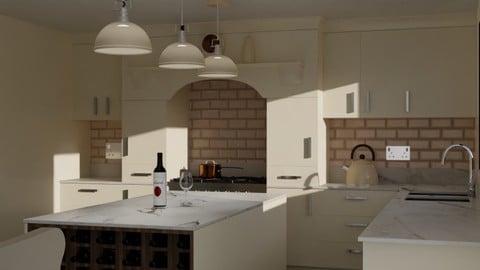
Interior 3D Modelling & Rendering - Blender 3D (2025)
4.6 (770 Reviews)
- Provider: Udemy
- Time: 13.3h
$119.99
More Graphic Design courses
Adobe Premiere Pro + AI Mastery: Beginner to Pro Editor (2026)
5.0 (48 Reviews)
- Provider: Udemy
- Time: 8.6h
$44.99

Adobe InDesign - From Basics to Professional Level Designs (2024)
4.9 (320 Reviews)
- Provider: Udemy
- Time: 11.4h
$84.99

The Adobe Illustrator CC Mastery Course: Basics to Pro + AI (2026)
4.9 (268 Reviews)
- Provider: Udemy
- Time: 30.8h
$19.99
Adobe Certified Professional in Photoshop - Exam Guide (2025)
4.9 (42 Reviews)
- Provider: Udemy
- Time: 8.3h
$19.99

Adobe After Effects Essentials VFX Training Course (2024)
4.9 (24 Reviews)
- Provider: Udemy
- Time: 3.7h
$39.99

Graphic Design Masterclass: Design 40+ Projects in Photoshop (2025)
4.8 (668 Reviews)
- Provider: Udemy
- Time: 16.5h
$109.99
 Reviews

By Brent Kjernisted on 12/21/2025
Setting up the program is important.
By Yan Xu on 7/5/2025
Yes. I enjoy this class. The instructor is concise and to the point.
By Daniela Jugue Hagihara on 6/10/2024
Very detailed course, I've learned a lot!
By Tomasz W on 5/12/2024
Dowiedziałem się kilku technik i szczegółów przy modelowaniu kuchni. To dla mnie cenne informacje. Kurs i wykłady bardzo dobrze zrobione. Dla mnie projekt jest profesjonalnie zrobiony i pokazane są ciekawe techniki pracy z kamerą. ---- I learned some techniques and details when modeling a kitchen. This is valuable information for me. The course and lectures very well done. For me, the project is professionally done and interesting camera techniques are shown. :-)
By Frigo Gra on 5/7/2024
Absolutely perfect. I was looking for a course to help me learning to work in Blender with a high level of precision
By Karabo Tlatlane on 3/12/2024
detailed and easy to follow
By Anthony Joseph on 12/19/2023
Excellent so far, I'm learning a lot!
 Quality Score
No CourseDuck member has rated this course yet. Taken it? Give each part a thumbs up or down.
Overall Score : 98 / 100
- Video Duration:
 2.5h
2.5h - Price: $19.99 Track Price 11.99 Track Price
- Provider: Udemy
- Updated:
 November 2025
 - Level:
 Beginner
 - Language:
 English
 - Certificate:
 Yes
Yes
30-day money-back guarantee on most paid courses
Udemy Coupon Price Tracker
