
 Web Development
 Python
 JavaScript
 SQL
SQL Artificial Intelligence
 Data Science
 IT & Software
 Hacking
 AWS
AWS Arduino
 3D Modeling
 Graphic Design
 Photoshop
 Drawing
 UX Design
 Blender
 Business
 Data Analysis
 Shopify
 Digital Marketing
 Social Media Marketing
 Marketing
 SEO
SEO Google Analytics
 Branding
 Excel
Excel Office Productivity
 Finance & Accounting
 Bitcoin
 Video Editing & Animation
 Photography
 Adobe Premier Pro
 Adobe Lightroom
 Personal Development
 Health & Fitness
 Music
Music Guitar
 Teaching & Academics
 Language Learning
 Engineering
 Lifestyle
Create Your Own Character in Blender (Udemy.com)
Learn the Great skill of character creation with Blender 3D
Created by: Thomas McDonald
Last updated August 2025
 What you will learn
- Add reference images
- Use mirroring to speed up the modelling process
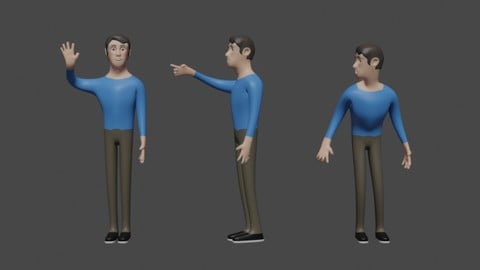
- Model an entire character
- Add an armature and generate control bones
 Course Description
In this course we create a simple character in 3D. We quickly and easily apply a rig for easy animation.
We begin by setting up some background images to use as a reference.
This course involves modelling the character from a simple plane so we use the mirror modifier to speed the process up.
We quickly get the form of the character and add his hands, form his ears, model some teeth and even model him a pair of simple shoes. We continue by creating some hair and forming eye brows.
When we are happy with how our character looks we move on and add an armature using an add-on within blender. We position the rig and generate control bones for use in animating our character. We briefly look at weight painting and how much influence some bones have over certain parts of the character.

 Udemy Discount
The discount is applied through our link. Open the course from here and Udemy's current promotional price is applied at checkout on most courses, no code to type.
Some courses are excluded from Udemy's promotions. If the price does not drop, clear your browser cookies and use the button again.
Instructor Details

- 4.5 Rating
 1,508 Reviews
Thomas McDonald
Thomas is a 3D designer, Python automation specialist, and dedicated Udemy instructor based in Ireland, passionate about technology and empowering creativity. With expertise in 3D CAD, Blender, and Python scripting, he creates automation tools and leverages Blender Python to simplify complex design workflows. Through his engaging Udemy courses, Thomas teaches 3D software and techniques, guiding students to transform their creative ideas into stunning realities. With 12 years of experience in design and technology, he’s committed to sharing innovative tools and insights to inspire learners worldwide.
 More courses by Thomas McDonald

Touch Typing Mastery - Learn to type correctly (2026)
4.5 (5,144 Reviews)
 Provider: Udemy
 Time: 2.5h
$74.99

3D Printing from Zero to Hero in Blender – FDM & MSLA (2026)
4.6 (2,203 Reviews)
- Provider: Udemy
- Time: 10.3h
$149.99

Architectural Design & Animation in Blender (2025)
4.6 (1,199 Reviews)
- Provider: Udemy
- Time: 8.2h
$119.99

Python Scripting for Blender: With Practical Projects (2026)
4.1 (774 Reviews)
- Provider: Udemy
- Time: 3.2h
$69.99
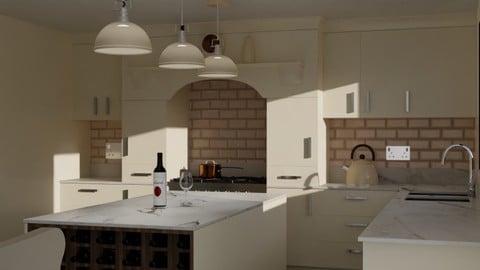
Interior 3D Modelling & Rendering - Blender 3D (2025)
4.6 (770 Reviews)
- Provider: Udemy
- Time: 13.3h
$119.99
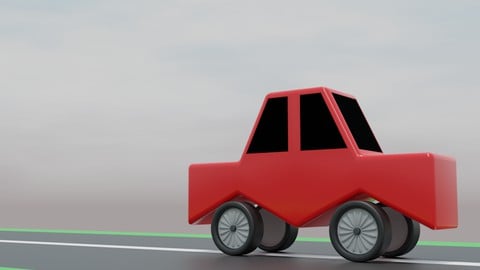
A Practical Introduction - Modeling & Animation in Blender (2024)
4.6 (667 Reviews)
- Provider: Udemy
- Time: 1.4h
Free
More Digital Painting courses

Character Art School: Complete Coloring & Painting (2026)
4.8 (6,041 Reviews)
- Provider: Udemy
- Time: 19.5h
$199.99



Procreate Masterclass: Digital Drawing on the iPad (2023)
4.8 (1,744 Reviews)
- Provider: Udemy
- Time: 18.2h
$94.99
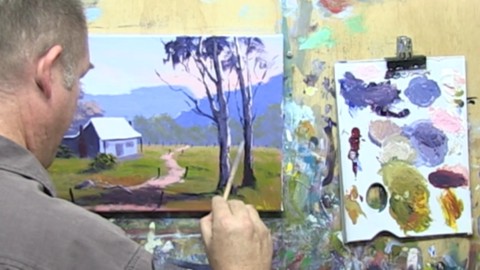
Acrylic Painting - Introduction to Acrylic Painting (2017)
4.8 (1,507 Reviews)
- Provider: Udemy
- Time: 3.7h
$79.99

 Reviews

By Salman Ali on 6/3/2021
A really good course. I am new to blender and this course gave me a very good understanding and technique on modeling. Best part of the course design was how the instructor shows few seconds of clip on what will be the output of that particular section would be. It helps in mental visualization of the activities being performed during the section. Immediately after the course, i was able to bring one of my daughter's designed characters to life without any hassle.
By Lex Halaby on 1/31/2019
The instructor was clear about every step he was taking in great detail. Even saying out loud almost every key stroke and mouse click. It's very easy to follow along but ultimately that's about all you can gain from the course. There was no discussion about techniques or the "whys" to all the actions. It's kind of like sitting next to someone and watching them work in Blender but not really getting a deeper understanding of how to use the tools on your own. Sure you can follow along, but if you're not giving more context then it becomes a bit too "pain by numbers." Still a good course if you want to see one person's process in detail, but you'll need to find other resources to widen your understanding of technique.
By Zainab Nomaan on 1/22/2019
I was already working in a gaming studio and i have been doing 3d art for a really long time now but i never made a character in blender and this course actually helped me alot to learn to make a character of my own from very basic point. I really appreciate that instructor has covered alot of things in detail in this course like modeling a character, applying materials on it, rigging it and all. I would really recommend it to everyone looking forward to learning character modelling in blender.
By Michael Gratis Jr. on 11/18/2018
I had taken some basic Blender courses before, so a lot of this wasn't new to me, but a beginner may find it useful. Also shows the basic work flow for modeling a character so that the Student can get a feel for if this is something they want to specialize in the future. I think this is a little basic for intermediate and a little frustrating for beginners , but it lets you jump right in and get your feet wet. Also, I would like to see added during the beginning in the user preferences that the changes you make here are FOR EVERY SESSION AFTER YOU SAVE! And show beginners that there is a way to reset the factory defaults up in the FILE menu under LOAD FACTORY SETTINGS, Just in case they are taking more than one course and the setups are different. I like the pacing, as it shows just how long it takes to perform certain actions, and the level of commitment that a professional in the field might be expected to have. All in all, not to shabby.
By Najeeb Hassan on 9/22/2018
The course is a very good course that helps you create a character model in Blender. This course is aimed at beginners so the keyboard shortcuts are frequently mentioned to help students. However, the course is fast paced and certain repetitive tasks are done off screen, so if you are not as experienced, it may take a moment to catch up and figure out what to do, especially if you are a visual learner, although the instructor does briefly let you know what has been done off screen to help you keep up the pace. With that in mind, don't be fooled into thinking that because its a 5 hour course, you can finish this quickly! I have spent twice and nearly three times as long to build my character. Saying that, by the time I finished, I learnt a lot about 3D modeling and Blender. I definitely recommend the course - I have just started 3D modeling a week before this I started this course, and I have produced a character that is portfolio ready, and as one of my first models I have created, it is quite impressive.
By Julie Reeves on 6/12/2018
I had previously tried to learn blender through Youtube tutorials. I found them very frustrating and did not got very far at all. I seriously need an idiots guide and found every tutorial I tried unclear and difficult with no clear explanation for what or where the tools were. I believe they expected me to know regardless of claiming to be a beginners guide. It was very frustrating, time-consuming going through video after video and totally getting nowhere. A disheartening way to learn for me. I have now started this course and have gone through many of the early videos and found it easy to follow and very thorough even for me. I love the little quiz at the end of a few videos. It helps to refresh and keep me up with everything, instead of bombarding and overwhelming. I like how the tools are broken down into smaller sections, all the options are clearly marked and explained well. I am very happy with it so far and finally feel as if I am getting somewhere. I no longer feel like giving up. Thank you!
By Urapelewwe Nilanka on 3/28/2018
A bit fast paced when you start the course but you'll get used to ... Excellent free course as we can see many in udemy and i learned lots of new things because i am a real new comer to Blender 3D ! Although, i followed Thomas instructions as best i can, i had a problem at the end of the course while generating the bone with an error message : "bone heat weighting: failed to find solution for one or more bones error" so now, i am checking for any errors that i may have done with previous save files ... But this is a free course and overall very well done :-) !
By Matteo Ravera on 8/17/2017
Ottimo corso, veramente fantastico per poter imparare a fare un personaggio partendo dalle tre immagini ortogonali: frontale, laterale e da sopra, anche se a me sarebbe piaciuto approfondire un po' di più magari facendo fare anche delle piccole animazioni al personaggio e magari utilizzare un altro metodo più realistico per i capelli, tuttavia quello insegnato è più che sufficiente per poter imparare le basi per creare i propri personaggi 3D in Blender. Grazie
By andrew Pottinger on 3/30/2017
Mr. Mcdonald, It was my pleasure. I have messed around with blender on and off for awhile but this course has helped me learn enough that I can start making my own models (I'm not great of course and still have a lot to learn). I have ADHD so it is really hard for me to follow video or written tutorials without something else stealing my attention every thirty seconds. The way you explained everything and the process you used to create the character was really easy for me to digest and follow throughout. I really appreciate the time and effort you put into making this course.
By Daniel Somers on 12/2/2016
This was very helpful to get me started with Blender. I now know how to use the controls and I am eager to start making my own custom creations. I do feel that sometimes the controls were mentioned a little too much, for example: "Press S too scale", after a while I picked up how its done and I think that all that needs to be said is what axis is is being scaled on at the time. Also narration could be a bit more upbeat as sometimes it got slightly boring. Other than that, a great tutorial for blender that I would recommend to anyone who wants to get started with modelling.
 Quality Score
No CourseDuck member has rated this course yet. Taken it? Give each part a thumbs up or down.
Overall Score : 90 / 100
- Video Duration:
 4h
4h - Price: Free 11.99 Track Price
- Provider: Udemy
- Updated:
 August 2025
 - Level:
 Beginner
 - Language:
 English
 - Certificate:
 No
No
Udemy Coupon Price Tracker
