
 Web Development
 Python
 JavaScript
 SQL
SQL Artificial Intelligence
 Data Science
 IT & Software
 Hacking
 AWS
AWS Arduino
 3D Modeling
 Graphic Design
 Photoshop
 Drawing
 UX Design
 Blender
 Business
 Data Analysis
 Shopify
 Digital Marketing
 Social Media Marketing
 Marketing
 SEO
SEO Google Analytics
 Branding
 Excel
Excel Office Productivity
 Finance & Accounting
 Bitcoin
 Video Editing & Animation
 Photography
 Adobe Premier Pro
 Adobe Lightroom
 Personal Development
 Health & Fitness
 Music
Music Guitar
 Teaching & Academics
 Language Learning
 Engineering
 Lifestyle
A Practical Introduction - Modeling & Animation in Blender (Udemy.com)
Take your first steps in 3D Modeling & Animation with Blender - B3D
Created by: Thomas McDonald
Last updated August 2024
 What you will learn
- Develop ideas and transform them into animations
- Add material to objects
- Set up cameras in the scene
- Set up lighting in the scene
 Course Description
Welcome to our practical learning course in Blender 3D, where you will embark on an exciting journey to master the fundamentals of 3D modeling, editing, lighting, and animation using this amazing software. This course is designed for the beginner, to provide you with a solid foundation in Blender, a highly popular 3D design software.
In this course, you will:
Develop a strong understanding of the 3D modeling process, enabling you to create impressive assets from scratch.
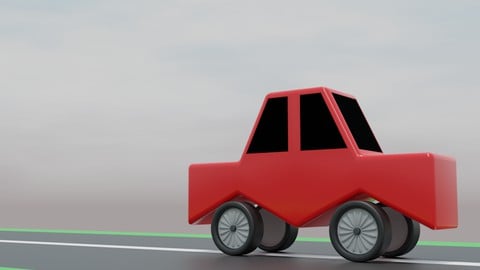
Dive into the exciting world of car and road asset modeling, gaining hands-on experience in building intricate 3D objects.
Master camera setup and control, ensuring you can capture your 3D scenes from the perfect angles.
Utilize powerful modifiers to enhance your modeling workflow and create dynamic designs effortlessly.
Learn how to set up environment lighting to add realism and atmosphere to your scenes.
Explore the art of adding multiple materials to your assets, enhancing their appearance and realism.
Unleash your creativity through animation using keyframes, bringing life and movement to your 3D creations.
Throughout this course, you'll receive a comprehensive understanding of the 3D modeling process, laying a strong foundation for your journey into the world of 3D design. Don't worry if you have no prior experience; we'll guide you step-by-step through each concept and technique. Materials play a crucial role in bringing your 3D creations to life, and we'll show you how to add multiple materials to your assets for a professional touch. Additionally, you'll explore the captivating world of animation using keyframes, adding dynamic movement to your designs.
This course is tailor-made for complete beginners like you. We'll introduce you to Blender's various modeling tools and provide all the support you need to grasp the concepts. Learning at your own pace is important to us, so you can follow along comfortably and confidently. Starting with enabling Blender's add-ons and mastering the camera's functionality, we'll build your skills gradually. Even if you're unfamiliar with the interface, we'll begin with a simple default cube and guide you through shaping it creatively.
By the end of this course, you'll be capable of creating your animations in Blender and rendering them into impressive MP4 video files. Blender's free access, industry-standard tools, and a strong online community for help and support make it the perfect software to unleash your creative potential.
As industries and small production houses increasingly embrace Blender, now is the ideal time to learn this valuable skill. With Blender's continuous improvements in recent releases, it's becoming an essential tool for 3D artists and designers.
Unlock your creativity and dive into the world of 3D design with confidence. Join our beginner-friendly course today and embark on an exciting journey into the realm of Blender 3D!

 Udemy Discount
The discount is applied through our link. Open the course from here and Udemy's current promotional price is applied at checkout on most courses, no code to type.
Some courses are excluded from Udemy's promotions. If the price does not drop, clear your browser cookies and use the button again.
Instructor Details

- 4.6 Rating
 667 Reviews
Thomas McDonald
Thomas is a 3D designer, Python automation specialist, and dedicated Udemy instructor based in Ireland, passionate about technology and empowering creativity. With expertise in 3D CAD, Blender, and Python scripting, he creates automation tools and leverages Blender Python to simplify complex design workflows. Through his engaging Udemy courses, Thomas teaches 3D software and techniques, guiding students to transform their creative ideas into stunning realities. With 12 years of experience in design and technology, he’s committed to sharing innovative tools and insights to inspire learners worldwide.
 More courses by Thomas McDonald

Touch Typing Mastery - Learn to type correctly (2026)
4.5 (5,144 Reviews)
 Provider: Udemy
 Time: 2.5h
$74.99

3D Printing from Zero to Hero in Blender – FDM & MSLA (2026)
4.6 (2,203 Reviews)
- Provider: Udemy
- Time: 10.3h
$149.99
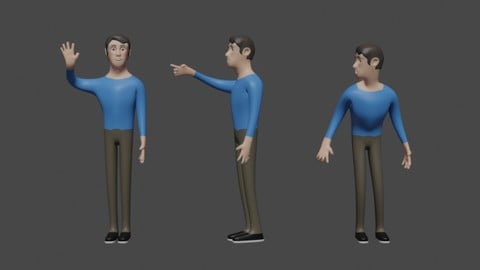

Architectural Design & Animation in Blender (2025)
4.6 (1,199 Reviews)
- Provider: Udemy
- Time: 8.2h
$119.99

Python Scripting for Blender: With Practical Projects (2026)
4.1 (774 Reviews)
- Provider: Udemy
- Time: 3.2h
$69.99

Interior 3D Modelling & Rendering - Blender 3D (2025)
4.6 (770 Reviews)
- Provider: Udemy
- Time: 13.3h
$119.99
More Blender courses

Low Poly Landscapes: Blender Bite Sized Course (2025)
4.9 (1,704 Reviews)
- Provider: Udemy
- Time: 6.2h
$99.99

Absolute Beginners 3D character in Blender course (2022)
4.9 (1,133 Reviews)
- Provider: Udemy
- Time: 14.5h
$94.99



Complete Blender Creator: 3D Modelling (Compatible with 4.3) (2026)
4.8 (69,132 Reviews)
- Provider: Udemy
- Time: 13.8h
$199.99

The Ultimate Blender 3D Sculpting Course (2026)
4.8 (3,904 Reviews)
- Provider: Udemy
- Time: 37.2h
$119.99
 Reviews

By Aris Mandolini on 8/27/2020
Using different versions and result not looking as expected. I have no clue what to do next and it seems he doesn't either because he's changed from version 2.79 to 2.77 where some things are different. Very unprofessional. Other things pretty well explained.
By Sangeen Khan Khalil on 5/19/2018
Hi, this course was so helpful for me. It is very necessary for the beginners. It helped me a lot. The accent of the instructor was very good. And that sudden response to the questions was so good. I enjoyed that course. Thank you very much to Udemy and Sir Thomas for such course. I learned a lot from Sir Thomas. Once again thanks.
By j k on 2/16/2018
It feel empty, you need to start explainis thing insted of just said what key you pressed. Overall the course is good for someone what have some minimum of experience about the topic of this course, or at least if someone already took other course about blender that really explains why we are using that option. Thanks Thomas, I would to take the other courses at somepoint.
By Craig Hughes on 1/26/2018
This course is perceptibly increasing my knowledge and skill using blender through approaching differently than the tutor's other beginner level courses, some of which i've already completed and heartily recommend to anyone wishing to familiarise themselves with this software.
By Divya Ramakumar on 11/16/2017
Good course for an absolute beginner who wants to just get into it and make something in Blender. I found it easy to follow along with the instructor as he was doing the exercises. His pace made it easy to focus and not miss anything. Though some might find it a bit slow. The video can always be sped up so it's not really an issue
By Kahlen Vaniva on 9/13/2017
the instructor is clear and concise, he explains what he's doing with detail. I have another blender for beginners video that is far less clear and had me so frustrated i was ready to give up. This instructor has changed my mind.. and I'll be looking for lots more videos on Blender from him.
By Oya Beklan Cetin on 8/9/2017
This course is the part-1 for beginners. If your Blender using skill is about 0-1 out of 10, this course is for you. If your skill is about 2-3 out of 10, you can take part-2 Create Your Own Character in Blender course.
By Keith Sudberry on 6/19/2017
Thomas takes his time to explain in terms that a beginner such as myself can understand and follow along. I would recommend this course for any beginner who wishes to learn the Blender interface, modeling techniques, and animating a scene all in one sitting. Thanks Mr. McDonald.
By Jose Alberto Avalos Bobadilla on 4/14/2017
Excellent course! It's just what the title says, a very "Practical Introduction to Blender 3D"! I'm very glad to take it and learn all the basics of how to use the begginer features of Blender. This course is a must for every begginer, It explains everything in a very simple, practical and clear way. Mr. Thomas Mc Donald did a great work with this course! Thank you very much!
By Kevin Kiser on 4/3/2017
If you are looking for a gentle introduction to creating 3D animation with the free Blender software, this is a good place to look. Thomas is easy to hear, easy to understand, and gives clear explanations of the concepts being introduced. A very helpful feature in most of the lectures is the on-screen indicator of exactly what he is doing with his keyboard and mouse, and what command his action translates to (e.g. "Ctrl-A -- Add menu"). Don't expect to become an expert from this short course, but do expect to take the step from non-Blender to novice-Blender. Thomas also offers many other courses on Blender if you want to go further in creating your 3D masterpieces.
 Quality Score
No CourseDuck member has rated this course yet. Taken it? Give each part a thumbs up or down.
Overall Score : 92 / 100
- Video Duration:
 1.4h
1.4h - Price: Free 11.99 Track Price
- Provider: Udemy
- Updated:
 August 2024
 - Level:
 Beginner
 - Language:
 English
 - Certificate:
 No
No
Udemy Coupon Price Tracker
