
 Web Development
 Data Science
 Python
 SQL
SQL JavaScript
 Artificial Intelligence
 IT & Software
 IT Certifications
 Hacking
 AWS
AWS Arduino
 DevOps
 3D Modeling
 Graphic Design
 Photoshop
 Drawing
 Digital Painting
 UX Design
 Business
 Data Analysis
 Communication Skills
 Project Management
 Leadership & Management
 Human Resources
 Digital Marketing
 Social Media Marketing
 Marketing
 SEO
SEO Google Analytics
 Branding
 Excel
Excel Office Productivity
 SAP
SAP PowerPoint
 Microsoft Access
 SharePoint
 Finance & Accounting
 Trading & Investing
 Accounting
 Bitcoin
 Personal Finance
 Video Editing & Animation
 Photography
 Adobe Premier Pro
 Adobe Lightroom
 Personal Development
 Productivity
 Career Development
 Life Coaching
 Health & Fitness
 Meditation & Mindfulness
 Yoga
Yoga Music
Music Music Production
 Guitar
 Piano
Piano Singing
 Language Learning
 Teaching & Academics
 Engineering
 Math
Math Lifestyle
Architectural Design & Animation in Blender (Udemy.com)
Model a house in Blender at real-world scale, add Archimesh doors and windows, then animate a walkthrough.
Created by: Thomas McDonald
Last updated October 2026
 What you will learn
- Master 3D modelling, lighting, and animation in Blender from the ground up.
- Command the techniques to create a full house construction animation with confidence.
- Work smarter with time-saving shortcuts and workflows in Blender and FreeCAD.
- Build a detailed, animation-ready 3D house that stands out.
- Control lighting like a pro with real-world environmental effects.
- Draft precise 2D designs in CAD software to fuel your 3D creations.
- Use the Archimesh add-on to craft architectural elements quickly and flawlessly.
How it compares
Against the other 100 rated Udemy courses in Blender on CourseDuck:
- Rating4.6 out of 5higher than 38% of them
- Reviews1,199#23 of 101 by number of reviews
- Length8.2 hoursshorter than 55% of them
- Last updatedOctober 2026more recently than 100% of them
 Course Description
You want a floor plan in Blender, a house at real-world scale, and a camera animation you can show someone. This course is that pipeline in Blender 4.
Get metres right first so a DXF or CAD import lands at the right size (scale the import, not Blender’s world). Extrude the plan into walls. Use Archimesh for doors, windows, stairs, and railings. Build a simple material library, cut openings with booleans, light the scene, place cameras, and animate a house construction or walkthrough.
This is beginner architectural Blender: 3D cursor, scale, Archimesh, cameras. Not geo-nodes or character work.
What you work through
2D layout in Blender (and a look at drafting in FreeCAD)
Walls and structure from the plan
Archimesh doors, windows, stairs, railings
UV mapping and lighting
Cameras and a full house construction animation
Who this is for People who want to design and present a house in Blender. No prior 3D required. Blender 4 or newer.
Who this is not for Character animation, game assets, or interior-only visualization (that is the Interior course).
Build one house properly. The next one is faster.
What you’ll learn
Model, light, and animate a house in Blender 4
Set real-world scale and import CAD/DXF without breaking units
Use Archimesh for doors, windows, stairs, and railings
Draft a 2D layout that drives the 3D model
Build an animation-ready house
Place cameras and render views you can share
Use a simple FreeCAD draft where CAD precision helps
Requirements
A computer that can run Blender 4 or newer (free)
No prior Blender or 3D experience required
Three-button mouse recommended
Who it’s for
Beginners who want architectural modelling and a house animation in Blender
Designers who need a free tool for house-scale 3D
Anyone stuck on Archimesh, scale, or the 3D cursor

 Udemy Discount
The discount is applied through our link. Open the course from here and Udemy's current promotional price is applied at checkout on most courses, no code to type.
Some courses are excluded from Udemy's promotions. If the price does not drop, clear your browser cookies and use the button again.
Instructor Details

- 4.6 Rating
 1,199 Reviews
Thomas McDonald
Thomas is a 3D designer, Python automation specialist, and dedicated Udemy instructor based in Ireland, passionate about technology and empowering creativity. With expertise in 3D CAD, Blender, and Python scripting, he creates automation tools and leverages Blender Python to simplify complex design workflows. Through his engaging Udemy courses, Thomas teaches 3D software and techniques, guiding students to transform their creative ideas into stunning realities. With 12 years of experience in design and technology, he’s committed to sharing innovative tools and insights to inspire learners worldwide.
 More courses by Thomas McDonald

Touch Typing Mastery - Learn to type correctly (2026)
4.5 (5,144 Reviews)
 Provider: Udemy
 Time: 2.5h
$74.99

3D Printing from Zero to Hero in Blender – FDM & MSLA (2026)
4.6 (2,203 Reviews)
- Provider: Udemy
- Time: 10.3h
$149.99
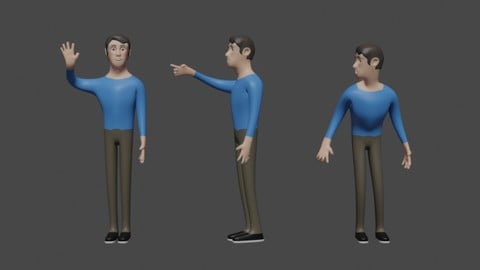

Python Scripting for Blender: With Practical Projects (2026)
4.1 (774 Reviews)
- Provider: Udemy
- Time: 3.2h
$69.99
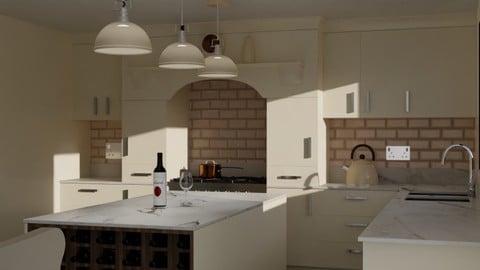
Interior 3D Modelling & Rendering - Blender 3D (2025)
4.6 (770 Reviews)
- Provider: Udemy
- Time: 13.3h
$119.99
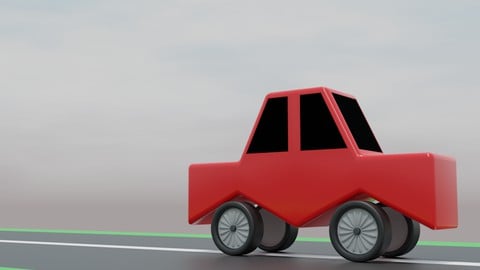
A Practical Introduction - Modeling & Animation in Blender (2024)
4.6 (667 Reviews)
- Provider: Udemy
- Time: 1.4h
Free
More Blender courses

Low Poly Landscapes: Blender Bite Sized Course (2025)
4.9 (1,704 Reviews)
- Provider: Udemy
- Time: 6.2h
$99.99

Absolute Beginners 3D character in Blender course (2022)
4.9 (1,133 Reviews)
- Provider: Udemy
- Time: 14.5h
$94.99


Complete Blender Creator: 3D Modelling (Compatible with 4.3) (2026)
4.8 (69,132 Reviews)
- Provider: Udemy
- Time: 13.8h
$199.99

The Ultimate Blender 3D Sculpting Course (2026)
4.8 (3,904 Reviews)
- Provider: Udemy
- Time: 37.2h
$119.99

Blender Total! From Basic to Advanced 3D! (2025)
4.8 (2,407 Reviews)
- Provider: Udemy
- Time: 21.3h
$109.99
 Reviews

By Mike Lyons on 2/27/2026
Just what I needed. I have gotten in the habit of watching the videos first to get a big picture view of what Blender can do. I have 2D CAD experience, can draw in 3D (I use MOI3D) and was a keen amateur photographer back in the day. The skills that I acquired while pursuing these interests along with some typical video editing experience all comes together with this course. Younger students who are into gaming etc will be totally familiar with these topics. I look forward to the lessons and appreciate the precise explanation. It will be on me to go back and apply what I have learnt. I have two projects that I needed to conceptualise in a more real world. Finding Blender (for free) and this course will hopefully get me unstuck and help communicate the designs that I have in my head. Thank You. I am glad that I found this course!
By Metin Görel on 1/17/2022
Thank you very much Thomas for this useful course. I learned many new things. The FreeCad information was also useful. Also, it was very good that you specified what will be processed in that video at the beginning of each video. I wish you success in your work. I would definitely recommend this course.
By alar on 11/14/2020
FreeCad Draft for Thank You !
By Davide Molin on 11/14/2020
Great start and easy to follow.
By Kjell Inge Johnsen on 11/1/2020
To rate the course after lesson 2 is weird, but so far it looks good.
By Ana Ramahef on 10/25/2020
it was so well explained so far.
By Rachel Thomas Easaw on 10/25/2020
The animation sequence is interesting.
By Omar Al Bedwawi on 10/17/2020
Thank you Thomas, for the wonderful course. I really did not expect to learn that much :D
By Jess Mujico Martnez on 10/17/2020
Se est desarrollando muy bien, ofrece muchas posibilidades para realizar varias operaciones dentro de Blender.
By Blessed Darko Mawuli on 10/15/2020
love the step by step explanation.
By Duilio Costantini on 9/17/2020
De momento todo bien.
By Fabio Garcia on 9/13/2020
I had some difficulty to create these lines. The folder construction didn't appear for me. I'm using FreeCAD 0.18 on Mac.
 Quality Score
No CourseDuck member has rated this course yet. Taken it? Give each part a thumbs up or down.
Overall Score : 92 / 100

- Video Duration:
 8.2h
8.2h - Price: $19.99
- Provider: Udemy
- Updated:
 October 2026
 - Level:
 Beginner
 - Language:
 English
 - Certificate:
 Yes
Yes
30-day money-back guarantee on most paid courses
Udemy Coupon Price Tracker
