
 Web Development
 Python
 JavaScript
 SQL
SQL Artificial Intelligence
 Data Science
 IT & Software
 Hacking
 AWS
AWS Arduino
 3D Modeling
 Graphic Design
 Photoshop
 Drawing
 UX Design
 Blender
 Business
 Data Analysis
 Shopify
 Digital Marketing
 Social Media Marketing
 Marketing
 SEO
SEO Google Analytics
 Branding
 Excel
Excel Office Productivity
 Finance & Accounting
 Bitcoin
 Video Editing & Animation
 Photography
 Adobe Premier Pro
 Adobe Lightroom
 Personal Development
 Health & Fitness
 Music
Music Guitar
 Teaching & Academics
 Language Learning
 Engineering
 Lifestyle
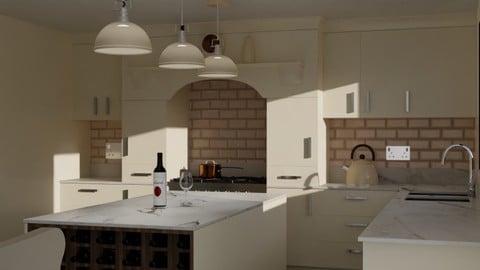
Interior 3D Modelling & Rendering - Blender 3D (Udemy.com)
Model and light photorealistic interiors in Blender: PBR materials, stills, animation, and 360° views.
Created by: Thomas McDonald
Last updated June 2025
 What you will learn
- Master Blender’s 3D Modelling, Lighting & Rendering tools
- Create ultra-realistic materials with PBR shaders
- Render high-quality images, videos & 360° panoramas
- Use non-destructive workflows for faster and more efficient modelling
- Transform 2D layouts into stunning 3D interior designs
- Achieve real-world lighting conditions for professional-grade renders
- Use the MeasureIt add-on to ensure precision and accuracy
- How to use the MeasureIt add-on to add dimensions to your designs
 Course Description
You want a room that reads as a real interior: walls that meet, furniture on the floor, daylight or lamps that make sense. This course is interior modelling, lighting, and rendering in Blender.
Start from a 2D layout, build the 3D space, model kitchen / living / bedroom furniture, apply PBR materials, light for real-world conditions, then render stills, a simple animation, and a 360° panorama (Marzipano). Archimesh speeds up architectural bits. MeasureIt keeps dimensions honest. Particles cover things like carpets. FreeStyle is there if you want a line look.
What we build
2D house layout
3D furniture (kitchen, living room, bedroom)
Photorealistic lighting
Stills, animation, and a 360° VR-style tour
What we use Blender modifiers (array, bevel, screw, subdivision, boolean), UV mapping and texel density, Archimesh, Dynamic Sky, MeasureIt, FreeStyle, Marzipano.
Who this is for Interior designers, architects, and beginners who need interior visualization in Blender. No prior 3D required.
Who this is not for Exterior-only house animation (Architectural Design & Animation) or game interiors.
What you’ll learn
Turn a 2D layout into a 3D interior in Blender
Model kitchen, living room, and bedroom furniture
Build PBR materials (procedural and texture-based)
Light interiors for real-world daylight and lamps
Render stills, video, and 360° panoramas
Use MeasureIt, Archimesh, Dynamic Sky, and non-destructive modifiers
Set cameras (orthographic and perspective) for client views
Requirements
A computer that can run Blender (free)
No prior 3D experience required
Three-button mouse recommended
Who it’s for
Interior designers and architects who need photorealistic rooms in Blender
Beginners learning 3D modelling and rendering from an interior project

 Udemy Discount
The discount is applied through our link. Open the course from here and Udemy's current promotional price is applied at checkout on most courses, no code to type.
Some courses are excluded from Udemy's promotions. If the price does not drop, clear your browser cookies and use the button again.
Instructor Details

- 4.6 Rating
 770 Reviews
Thomas McDonald
Thomas is a 3D designer, Python automation specialist, and dedicated Udemy instructor based in Ireland, passionate about technology and empowering creativity. With expertise in 3D CAD, Blender, and Python scripting, he creates automation tools and leverages Blender Python to simplify complex design workflows. Through his engaging Udemy courses, Thomas teaches 3D software and techniques, guiding students to transform their creative ideas into stunning realities. With 12 years of experience in design and technology, he’s committed to sharing innovative tools and insights to inspire learners worldwide.
 More courses by Thomas McDonald

Touch Typing Mastery - Learn to type correctly (2026)
4.5 (5,144 Reviews)
 Provider: Udemy
 Time: 2.5h
$74.99

3D Printing from Zero to Hero in Blender – FDM & MSLA (2026)
4.6 (2,203 Reviews)
- Provider: Udemy
- Time: 10.3h
$149.99
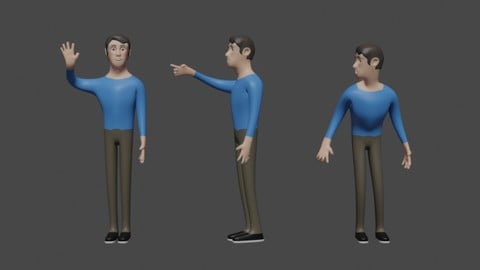

Architectural Design & Animation in Blender (2025)
4.6 (1,199 Reviews)
- Provider: Udemy
- Time: 8.2h
$119.99

Python Scripting for Blender: With Practical Projects (2026)
4.1 (774 Reviews)
- Provider: Udemy
- Time: 3.2h
$69.99
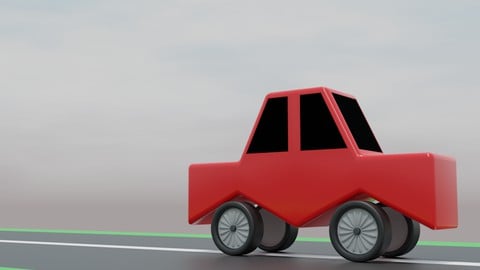
A Practical Introduction - Modeling & Animation in Blender (2024)
4.6 (667 Reviews)
- Provider: Udemy
- Time: 1.4h
Free
More Blender courses

Low Poly Landscapes: Blender Bite Sized Course (2025)
4.9 (1,704 Reviews)
- Provider: Udemy
- Time: 6.2h
$99.99

Absolute Beginners 3D character in Blender course (2022)
4.9 (1,133 Reviews)
- Provider: Udemy
- Time: 14.5h
$94.99



Complete Blender Creator: 3D Modelling (Compatible with 4.3) (2026)
4.8 (69,132 Reviews)
- Provider: Udemy
- Time: 13.8h
$199.99

The Ultimate Blender 3D Sculpting Course (2026)
4.8 (3,904 Reviews)
- Provider: Udemy
- Time: 37.2h
$119.99
 Reviews

By Lisha on 6/18/2026
I so enjoyed this course and finally have a good grasp of 3D modeling. Blender is extensive, but what I learned here got me over the previously intimidating parts of the learning curve. Now, I'm ready to create movie scenes. I finished this course using Blender 5.1.2, so I used Google AI to figure out the parts that no longer exist in the course's version of Blender. Excellent job with explaining, creating models in different ways (to get the same results [options]), and showing us how to access menus with shortcuts or by clicking through the menus. I appreciate your approach of leaving us to build things on our own, but only after so much good teaching. The repetition certainly helped with retention. I feel like I've actually learned, so I'm happy that I've finished it :)
By Dev on 5/30/2024
The teacher goes into every minute detail and even a complete beginner without any prior knowledge can understand him easily even if English is not their main language. He speaks very cleary and helps us to understand how things work in the software. What I like the most about him is that he does not assume that the users knows everything and clearly demonstrates every concept very clearly. Armed with all the basic knowledge the learning experience is not hindered by ambiguity or confusion which makes the experience truely enjoyable. The best instructor for me.
By Jun Y on 9/16/2023
このコースでは、モデリング、シェーダー、カメラ、アニメーションなどblenderの基本的な使い方が大体学べるようになっています。 個人的には多くのことを学ぶことができてとても満足しています。 とくに最新のblenderの機能をまとめて学ぶことが出来たことがよかったです。 その他にも知らずにいた機能を多く知ることができ、今後より効率良く3DCGが出来ると思います。Blenderで図面を書くという発想は驚きました。とても良いアイディアですね。 あえて課題をあげるのであれば、「セッション9」の内容だと思います。 それまでとても丁寧に解説されていましたが、このセッションから「次のビデオまでにつくっておきましょう」が多くなり少し困惑しました。UV展開やテクスチャ、シェーダー、シミュレーションなど凄く難しくて大変重要なセッションだったので、ここだけ気になりました。 自分で考えながら作業をすることはとても大切なので、その方法自体は否定しませんが、もし可能であれば、次のチャプターにいったときに、その作業の答え合わせがもっとできる部分がほしかったです。 すべてがとても良い内容になっているので、この部分だけ少し勿体ないと思いました。 全体的にはとても良い内容です。 最後までやりきったら多くのことを身につけられていると思うのでおすすめです。 In this course, you can learn the basics of Blender, including modeling, shaders, cameras, animations, and more. Personally, I am very satisfied as I have been able to learn many things. In particular, it was great to be able to learn about the latest features in Blender. I discovered many functions that I wasn't aware of before, which I believe will enable me to work more efficiently in 3D CG in the future. The concept of creating blueprints in Blender was a pleasant surprise. It's a fantastic idea. If I were to point out a challenge, it would be the content in "Session 9." Up until that point, the explanations were very thorough, but from this session onwards, there were more instances of "let's create this before the next video," which left me slightly puzzled. This session involved complex and highly important topics such as UV unwrapping, texturing, shaders, and simulations, which is why this stood out to me. While I don't dismiss the importance of working independently and problem-solving, if possible, it would have been helpful to have more opportunities for checking our work in the next chapters. Overall, I felt this was the only aspect that could have been improved. The content overall is excellent. I believe that if you complete the course, you will have acquired a lot of knowledge and skills, so I highly recommend it.
By Brendan Molloy on 7/10/2023
I found this course very good and informative. The teacher goes into good detail in each of the sections explaining well the subject in question. As new ideas are introduced such as lighting, texturing, layout etc, the concepts are explained in an easy to understand way and each of the relevant options pointed out and their usage shown. Overall I enjoyed this course and learned a lot, about creating and rendering interior scenes and the creation of assets to populate those scenes.
By Geoff Hodgson on 10/17/2022
There is a huge amount to get to grips with in this course. It's not a quick YouTube 'how to do it' and as such you need to give it serious time. It took me almost 11 months doing perhaps a 1-2 hrs per working day. Thomas the instructor is excellent and always responds to your queries very quickly. One recommendation, just a small point, is to keep reminding us students how to get back to some previous state. I found that toward the end of the course where I really had to think hard how to do something (keyboard shortcuts!) or how to get back to a previous screen which was explained perhaps several months ago. I think Udemi itself needs to up it's game. They are hard to contact, the usual on-screen non-human contact can be a real pain. Overall very pleased with the course and would recommend Thomas without hesitation.
By Peter Laponder on 11/24/2021
I started this course with hardly knowing how to move around in the viewport or constructing objects. I found the course very enjoyable as it gave me step by step instructions at a pace which I could follow easily with Thomas’ clear understandable English (something other instructors lack). Particularly recommendable was the support I received from Thomas whenever I got stuck, his answers were always prompt and clear. How he was able to pinpoint my mistakes still leaves me in awe. Most of the times when I did make a mistake or got stuck, it was because I was in too much of a hurry to proceed and did not follow the instructions to the letter. I have found along the course that I could do extra edits myself simply because I got more confidence as I went along. I would recommend this Blender course for anyone learning the arch-vis side of Blender, not only did it give me the necessary skills to go confidently to a next course but also I see now how much satisfaction one gets out of being able to complete a challenge one sets for oneself.
By Jorge Alis on 3/30/2019
Good course, lots of information and applicable techniques. Here's my suggestions as improvement and the reason why I took 1 star off: 1-Involvement Quite a few times it felt like I was just watching someone recording himself as he models instead of teaching. 2-Pace 5 seconds of "Press G and Y, press E, scale in, press E again, scale in, G and Y up..." is a bit too much. But if you are going to do that, slow down. A course should allow us to clearly see what you are doing and how you are doing it to translate said skills. Other than that, great course.
By Trent Kroetz on 9/10/2018
All in all it was pretty much what I expected. There were many times I had to pause the playback so I could keep up. I would recommend that the less experienced (though I am not a beginner) like myself, watch some of the more detailed videos BEFORE trying to follow along. Most people might already do that but I typically don't. There were some areas where it would have been helpful to explain WHY some things were being modeled the way they were before just diving right into it. Sometimes the WHY is just as helpful when learning 3D modeling/design as the HOW.
By Maria Cromety on 7/19/2018
After completing the course I feel so much more confident with the my blender skills. I really enjoy the course I would recommend this course to anyone who's getting started with blender. I just wish I found this when I was first getting started with blender 3D. What really sold being with in this course is that he is able to actually help you to understand and also fix mistakes and learn from them. I've seen so many instructors just go through the process Without Really explaining how the procedure should be. He is truly a great instructor to learn from.
By Steve Burnside on 2/22/2018
Felt more like working on a model kit along with someone else than a class. I learned a few new things, but didn't catch several others. Did get practice working on things I probably wouldn't have made yet but some of them I still don't understand the why or how it works. just that you do it this way. all in all a decent class, but if you are just coming off a beginner course you'll find yourself lost at several points and having to redo things a lot. it's a really good into to archimesh though.
 Quality Score
No CourseDuck member has rated this course yet. Taken it? Give each part a thumbs up or down.
Overall Score : 92 / 100
- Video Duration:
 13.3h
13.3h - Price: $119.99 Track Price 11.99 Track Price
- Provider: Udemy
- Updated:
 June 2025
 - Level:
 All Levels
 - Language:
 English
 - Certificate:
 Yes
Yes
30-day money-back guarantee on most paid courses
Udemy Coupon Price Tracker
