
 Web Development
 Data Science
 Python
 SQL
SQL JavaScript
 Artificial Intelligence
 IT & Software
 IT Certifications
 Hacking
 AWS
AWS Arduino
 DevOps
 3D Modeling
 Graphic Design
 Photoshop
 Drawing
 Digital Painting
 UX Design
 Business
 Data Analysis
 Communication Skills
 Project Management
 Leadership & Management
 Human Resources
 Digital Marketing
 Social Media Marketing
 Marketing
 SEO
SEO Google Analytics
 Branding
 Excel
Excel Office Productivity
 SAP
SAP PowerPoint
 Microsoft Access
 SharePoint
 Finance & Accounting
 Trading & Investing
 Accounting
 Bitcoin
 Personal Finance
 Video Editing & Animation
 Photography
 Adobe Premier Pro
 Adobe Lightroom
 Personal Development
 Productivity
 Career Development
 Life Coaching
 Health & Fitness
 Meditation & Mindfulness
 Yoga
Yoga Music
Music Music Production
 Guitar
 Piano
Piano Singing
 Language Learning
 Teaching & Academics
 Engineering
 Math
Math Lifestyle
Python Scripting for Blender: With Practical Projects (Udemy.com)
Learn Python in Blender: custom UI, bpy, automation, and a CSV data-visualization project.
Created by: Thomas McDonald
Last updated May 2026
 What you will learn
- How to set up the scripting interface inside Blender and start creating scripts
- Basics to Python in Blender
How it compares
Against the other 100 rated Udemy courses in Blender on CourseDuck:
- Rating4.1 out of 5higher than 3% of them
- Reviews774#33 of 101 by number of reviews
- Length3.2 hoursshorter than 88% of them
- Last updatedMay 2026more recently than 86% of them
 Course Description
Python is a really popular programming language and coupled with Blender will help you get a better understanding of the language through the visual feedback of the Blender interface.
The course will teach you how to set up the scripting interface inside Blender and start creating scripts.
The outcome of this course is the creation of 4 Python scripts to run inside Blender. Each one of these Python scripts builds on the previous one. The aim is to replace manually repetitive tasks with scripts that automate these processes.
We cover a variety of topics during this course, including:
VariablesListsFor loopsCommentsMesh manipulationMaterial CreationAdding Key Frames.........
and much More!
Who is this course for?
Beginners who want a visual experience learning Python.
Who this course is for:
Beginner Python & Blender Users looking to Automate Tasks

 Udemy Discount
The discount is applied through our link. Open the course from here and Udemy's current promotional price is applied at checkout on most courses, no code to type.
Some courses are excluded from Udemy's promotions. If the price does not drop, clear your browser cookies and use the button again.
Instructor Details

- 4.1 Rating
 774 Reviews
Thomas McDonald
Thomasis a designerliving in Ireland. Hehas a passion for 3D modelling and animation and using Blenders powerful software allows his imagination come to life like never before.
Over the past 12 years hes worked on various 3D Modelling programs designing for production. Having discovered Blender a number of years ago and realized its amazing potential for creating, the future has no limits.
 More courses by Thomas McDonald

Touch Typing Mastery - Learn to type correctly (2026)
4.5 (5,144 Reviews)
 Provider: Udemy
 Time: 2.5h
$74.99

3D Printing from Zero to Hero in Blender – FDM & MSLA (2026)
4.6 (2,203 Reviews)
- Provider: Udemy
- Time: 10.3h
$149.99
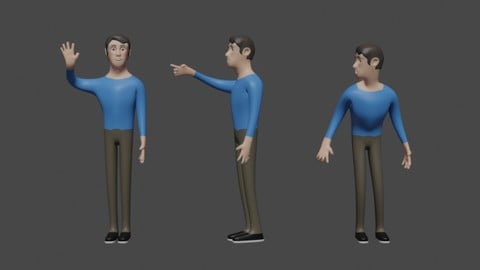

Architectural Design & Animation in Blender (2026)
4.6 (1,199 Reviews)
- Provider: Udemy
- Time: 8.2h
$19.99

Interior 3D Modelling & Rendering - Blender 3D (2025)
4.6 (770 Reviews)
- Provider: Udemy
- Time: 13.3h
$119.99
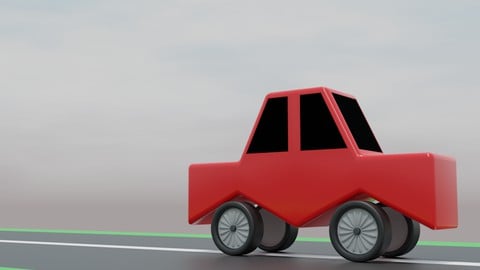
A Practical Introduction - Modeling & Animation in Blender (2024)
4.6 (667 Reviews)
- Provider: Udemy
- Time: 1.4h
Free
More Blender courses

Low Poly Landscapes: Blender Bite Sized Course (2025)
4.9 (1,704 Reviews)
- Provider: Udemy
- Time: 6.2h
$99.99

Absolute Beginners 3D character in Blender course (2022)
4.9 (1,133 Reviews)
- Provider: Udemy
- Time: 14.5h
$94.99


Complete Blender Creator: 3D Modelling (Compatible with 4.3) (2026)
4.8 (69,132 Reviews)
- Provider: Udemy
- Time: 13.8h
$199.99

The Ultimate Blender 3D Sculpting Course (2026)
4.8 (3,904 Reviews)
- Provider: Udemy
- Time: 37.2h
$119.99

Blender Total! From Basic to Advanced 3D! (2025)
4.8 (2,407 Reviews)
- Provider: Udemy
- Time: 21.3h
$109.99
 Reviews

By F. Konnerth on 12/20/2020
Sorry, thats not what I expected. I spent a lot of time typing down code from screenshots. Try doing this with only one small screen from an laptop! Very frustrating to burn time searching for typing errors. Some typing errors where very frustrating because they didn't raise errors. Like "bpy.context.scene_frame_end = 50" instead of "bpy.context.scene.frame_end = 50". There is not a lot of content an even less explanation of the content. I think about using the money back option. First time - and I have dozens of courses. Why is the animated camera not combined with the monkey scene at the beginning?
By Neil Brown on 10/19/2020
Clear explanations of whats being done and why.
By Roman Bednarz on 9/25/2020
I'm trying to perform certain repetitive functions in Blender. Hopefully, Python will do the trick.
By Daniel Rojo Mata on 9/3/2020
I loved it!
I'm a beginner, and this course motivates me to learn more about Python and Blender.
Good job.
By Bruce W. Johnson on 8/25/2020
Yes, this is what I need.
By Aaron Spain on 8/17/2020
Great course. Very well explained in reference-sized chunks. Do wish there was a bit more explanation of how to read Blender python documentation to learn to find properties and data sets on own.
By Brian Pyman on 8/5/2020
Some of this has been superfluous
By ukasz Sowak on 8/3/2020
Byy to podstawy, w szczeglnoci przydatne, dla programistw, ktrzy nie s grafikami 3D
By Juan Francisco Paez on 7/19/2020
Hopefully I've bought the course on sale. It's useful to a very general knowledge but it's a bit basic. It begins good but then starts to copy/paste a lot of code lines.
When you finish the course you can't imagine how coding can save you time in the future. The final script has no practical applications.
By Stephen Heyworth on 7/16/2020
The course was good as far as it went, but I would have liked it to go further. For example it didn't cover things like vertex and edge manipulation which are quite fundamental to Blender. The video appeared a bit fuzzy - probably because it was recorded at 720p and this made reading the text a bit of a strain on my eyes and distinguishing some of the characters difficult. For example 0 and 8 looked very similar as did the full stop and comma. As there was no actual final code provided (as there usually is with many of your courses), this made hunting for the inevitable typos very difficult.
By Eduardo Castillo on 7/14/2020
at the moment, is exactly what i was looking. [Edit] I did learn a lot but got lost sometimes with the copy paste lines.
By William Anderson on 7/12/2020
Would like this to be longer. This video only gave a me peak at what is possible but really just left we with so many unanswered more questions.
 Quality Score
No CourseDuck member has rated this course yet. Taken it? Give each part a thumbs up or down.
Overall Score : 82 / 100

- Video Duration:
 3.2h
3.2h - Price: $69.99
- Provider: Udemy
- Updated:
 May 2026
 - Level:
 Beginner
 - Language:
 English
 - Certificate:
 Yes
Yes
30-day money-back guarantee on most paid courses
Udemy Coupon Price Tracker
