
 Web Development
 Data Science
 Python
 SQL
SQL JavaScript
 Artificial Intelligence
 IT & Software
 IT Certifications
 Hacking
 AWS
AWS Arduino
 DevOps
 3D Modeling
 Graphic Design
 Photoshop
 Drawing
 Digital Painting
 UX Design
 Business
 Data Analysis
 Communication Skills
 Project Management
 Leadership & Management
 Human Resources
 Digital Marketing
 Social Media Marketing
 Marketing
 SEO
SEO Google Analytics
 Branding
 Excel
Excel Office Productivity
 SAP
SAP PowerPoint
 Microsoft Access
 SharePoint
 Finance & Accounting
 Trading & Investing
 Accounting
 Bitcoin
 Personal Finance
 Video Editing & Animation
 Photography
 Adobe Premier Pro
 Adobe Lightroom
 Personal Development
 Productivity
 Career Development
 Life Coaching
 Health & Fitness
 Meditation & Mindfulness
 Yoga
Yoga Music
Music Music Production
 Guitar
 Piano
Piano Singing
 Language Learning
 Teaching & Academics
 Engineering
 Math
Math Lifestyle
3D Printing from Zero to Hero in Blender – FDM & MSLA (Udemy.com)
Learn 3D modeling and 3D printing in Blender: FDM, MSLA resin, STL, slicing, and models you can actually print.
Created by: Thomas McDonald
Last updated August 2026
 What you will learn
- Model and Print with Confidence: Design and 3D print successfully from scratch.
- Tap Free Resources: Discover where to find top-tier 3D printing assets.
- Export STL Files: Prep models for flawless printing.
- Slice and Generate G-Code: Control every detail of your print.
- Design Efficiently: Create stunning 3D models fast.
- Master Photo Scanning: Turn photos into printable 3D reconstructions.
- Print Like a Pro: Use FDM and MSLA printers with ease.
- Leverage Shapeways: Cost and print your models effortlessly.
- Eliminate Failures: Troubleshoot and perfect your prints – all with Blender!
How it compares
Against the other 100 rated Udemy courses in Blender on CourseDuck:
- Rating4.6 out of 5higher than 38% of them
- Reviews2,203#13 of 101 by number of reviews
- Length10.3 hourslonger than 56% of them
- Last updatedAugust 2026more recently than 92% of them
 Course Description
You want to design your own parts in Blender and print them, on a filament printer, a resin printer, or through a print service. This course is the practical path from a blank file to a print that holds together.
By the end you will model solid, printable objects, check them with Blender’s 3D-Print Toolbox, export STL, slice to G-code or resin files, and run jobs on FDM (Prusa-style) and MSLA (Elegoo Mars-style) machines. You do not have to rely on other people’s STLs.
Each project teaches a print problem: wall thickness, normals, overhangs, infill, supports, brim. Failed prints become something you can fix.
What we build
Door grip (more than one method)
Vase (more than one method)
Phone stand
Piggy bank
Coin
Phone case
Photogrammetry / 3D reconstruction of a 12th-century font
Cleanup and retopology of an imported model
What we use Blender, 3D-Print Toolbox, MeasureIt, Bolt Factory, STL export, FDM slicing and G-code, Chitubox for resin, Prusa-style FDM, Elegoo Mars-style MSLA, Meshroom for photo scanning, sending a model to a print service. FreeCAD where a CAD solid is the cleaner start.
Who this is for Beginners who want to 3D model and 3D print their own objects. Prior Blender helps but is not required. A three-button mouse is recommended.
Who this is not for If you only want a slicer tutorial and never want to model, pick something else.
Open Blender, pick a project, and print something that is yours.
What you’ll learn
Model solid, manifold objects in Blender for 3D printing
Check and fix prints with the 3D-Print Toolbox (thickness, normals, non-manifold)
Export STL and slice to G-code (FDM) or resin files (MSLA / CTB)
Print on a filament printer and on a resin printer
Use infill, supports, brim, and bridging so jobs succeed
Photo-scan a real object and prepare it for print
Import an external model, retopologise, and make it printable
Know when a print service is the better option
Requirements
A computer that can run Blender (free)
Three-button mouse recommended
A 3D printer is useful but not required; slicing and print-service export are covered
Who it’s for
Beginners who want to design and 3D print their own models in Blender
Makers who already print downloaded STLs and want to model their own
Anyone moving between FDM filament and MSLA resin workflows

 Udemy Discount
The discount is applied through our link. Open the course from here and Udemy's current promotional price is applied at checkout on most courses, no code to type.
Some courses are excluded from Udemy's promotions. If the price does not drop, clear your browser cookies and use the button again.
Instructor Details

- 4.6 Rating
 2,203 Reviews
Thomas McDonald
Thomas is a 3D designer, Python automation specialist, and dedicated Udemy instructor based in Ireland, passionate about technology and empowering creativity. With expertise in 3D CAD, Blender, and Python scripting, he creates automation tools and leverages Blender Python to simplify complex design workflows. Through his engaging Udemy courses, Thomas teaches 3D software and techniques, guiding students to transform their creative ideas into stunning realities. With 12 years of experience in design and technology, he’s committed to sharing innovative tools and insights to inspire learners worldwide.
 More courses by Thomas McDonald

Touch Typing Mastery - Learn to type correctly (2026)
4.5 (5,144 Reviews)
 Provider: Udemy
 Time: 2.5h
$74.99
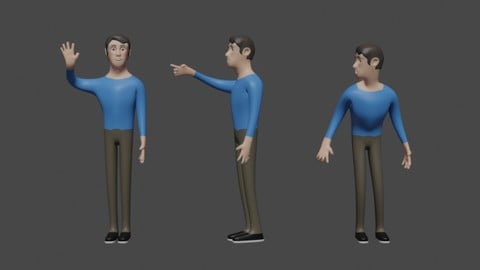

Architectural Design & Animation in Blender (2026)
4.6 (1,199 Reviews)
- Provider: Udemy
- Time: 8.2h
$19.99

Python Scripting for Blender: With Practical Projects (2026)
4.1 (774 Reviews)
- Provider: Udemy
- Time: 3.2h
$69.99
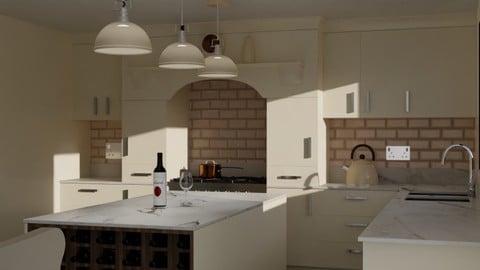
Interior 3D Modelling & Rendering - Blender 3D (2025)
4.6 (770 Reviews)
- Provider: Udemy
- Time: 13.3h
$119.99
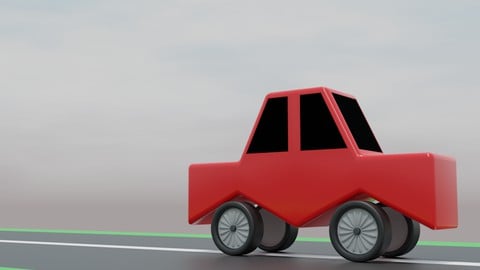
A Practical Introduction - Modeling & Animation in Blender (2024)
4.6 (667 Reviews)
- Provider: Udemy
- Time: 1.4h
Free
More Blender courses

Low Poly Landscapes: Blender Bite Sized Course (2025)
4.9 (1,704 Reviews)
- Provider: Udemy
- Time: 6.2h
$99.99

Absolute Beginners 3D character in Blender course (2022)
4.9 (1,133 Reviews)
- Provider: Udemy
- Time: 14.5h
$94.99


Complete Blender Creator: 3D Modelling (Compatible with 4.3) (2026)
4.8 (69,132 Reviews)
- Provider: Udemy
- Time: 13.8h
$199.99

The Ultimate Blender 3D Sculpting Course (2026)
4.8 (3,904 Reviews)
- Provider: Udemy
- Time: 37.2h
$119.99

Blender Total! From Basic to Advanced 3D! (2025)
4.8 (2,407 Reviews)
- Provider: Udemy
- Time: 21.3h
$109.99
 Reviews

By Aleece Cooper on 5/25/2026
He is very clear in giving the information and I find the tools and shortcuts very helpful but, as has been stated by others, could give reasons for curtain things.
By Dr Rishi Raj sharma on 5/24/2026
“Learning common 3D printer terms helped me better understand printing basics like FDM, MSLA, filament, slicing, and supports. The lessons were simple, useful, and made 3D printing easier to understand.”
By Celestino Corrado on 4/2/2026
Currently finishing section 4. Very happy with all the information and knowledge shared. Thomas has a great way of explaining all the details and steps, and his voice and tone is perfectly adapted to teaching in my opinion. Cheers lad for the course. Enjoying it so far.
By Martina Serdarova on 4/1/2026
I learned a lot from the course. There was a major thing I missed in it though. There should be more theory and explanation about what and why exactly has something been demostrated in the videos. In many cases the lecturer's actions lacks obvious logic and need to be explained more thoroughly.
By Kea Johnston on 2/8/2026
I could not find the assets that were recommended in the first episode--they aren't in the dropdown menu next to the 25th episode of the second season. It makes me wonder if this is going to have a bunch of missing assets in the course.
By Matheus Sepulvida Peres Monteiro on 1/27/2026
O curso é bem completo o que o faz merecer as 5 estrelas. Por um lado isso é bom pois mostra uma variedade considerável de usos do Blender, mas por outro é ruim pois não foca mais naquilo que eu esperava do curso: criação de modelos para impressora 3D. É possível que até o fim do curso haja um aprofundamento na criação de modelos, porém achei a parte de animação desnecessária para esse propósito.
By Udemy User on 1/12/2026
I appreciate the teachers explaining of why he’s doing something. And having the keystrokes visible is super nice.
By Nguyen Tuan on 1/1/2026
Lots of useful hints and tips. Clear explanation. Perfect for building up my foundation from ground up.
By Juan Jose Retana Diaz on 12/25/2025
Me está gustando mucho que te lleva literalmente desde cero, como si nunca hubieras usado esto antes en tu vida.
By Haidar Alsalah on 12/10/2025
it is from Zero to Hero you take me from know nothing about the design to make 3d print to now i can make some good thing, still not complete the course however i'm satisfied with what i know up to now and will continue however i think we need more project for the practice also to know more about the Add-ONS
 Quality Score
No CourseDuck member has rated this course yet. Taken it? Give each part a thumbs up or down.
Overall Score : 92 / 100

- Video Duration:
 10.3h
10.3h - Price: $149.99
- Provider: Udemy
- Updated:
 August 2026
 - Level:
 Beginner
 - Language:
 English
 - Certificate:
 Yes
Yes
30-day money-back guarantee on most paid courses
Udemy Coupon Price Tracker
