
 Web Development
 Data Science
 Python
 SQL
SQL JavaScript
 Artificial Intelligence
 IT & Software
 IT Certifications
 Hacking
 AWS
AWS Arduino
 DevOps
 3D Modeling
 Graphic Design
 Photoshop
 Drawing
 Digital Painting
 UX Design
 Business
 Data Analysis
 Communication Skills
 Project Management
 Leadership & Management
 Human Resources
 Digital Marketing
 Social Media Marketing
 Marketing
 SEO
SEO Google Analytics
 Branding
 Excel
Excel Office Productivity
 SAP
SAP PowerPoint
 Microsoft Access
 SharePoint
 Finance & Accounting
 Trading & Investing
 Accounting
 Bitcoin
 Personal Finance
 Video Editing & Animation
 Photography
 Adobe Premier Pro
 Adobe Lightroom
 Personal Development
 Productivity
 Career Development
 Life Coaching
 Health & Fitness
 Meditation & Mindfulness
 Yoga
Yoga Music
Music Music Production
 Guitar
 Piano
Piano Singing
 Language Learning
 Teaching & Academics
 Engineering
 Math
Math Lifestyle
Alteryx: Self-Service Analytics In Your Hands (Udemy.com)
Learn Alteryx Hands-on. The powerful combination of data preparation, data blending, joining, and aggregation!
Created by: Renato Baruti
Last updated March 2018
 What you will learn
- Understand Alteryx platform and how it works
- Work with different types of Data Inputs
- Work with renaming fields, changing data types, and sorting
- Work with Data Blending in Alteryx
- Create Filters
- Create Formulas
- Create Samples
- Understand types of Joins and how they work
- Create Unions
- Work with Appending data
- Work with Fuzzy Match, Make Group, and Find & Replace tools
- Create String to Date/Time formats and Date/Time to String formats
- Create Regular Expressions and Text to Columns
- Work with pivoting orientation of data using Crosstab, Transpose, and Arrange tools
- Create Running Totals and Record Counts
- Understand different types of Aggregations with Summarize and Weighted Average tools
- Create a report from start to finish using multiple tools in the Reporting tool palette
How it compares
Against the other 371 rated Udemy courses in Data Analysis on CourseDuck:
- Rating4.6 out of 5higher than 73% of them
- Reviews3,443#66 of 372 by number of reviews
- Length3 hoursshorter than 65% of them
- Last updatedMarch 2018earlier than 95% of them
 Course Description
Self-Service Data Analytics, the opportunities are increasing in demand for data preparation, blending, advanced analytics, and sharing of insights. According to Research and Markets, the global operational analytics market is expected to grow from USD 4.65 billion in 2016 to USD 10.93 billion by 2021. Companies worldwide are looking for data they can take action upon in hours, not weeks. Alteryx Analytics provides analysts with the ability to easily prep, blend and analyze all of their data using a repeatable workflow.
Use Alteryx and Analyze Data for Deeper Insights
- Connect and cleanse data from data warehouses, cloud applications, spreadsheets, and other sources
- Data Prep, Analyze, Blend, Join, and Aggregate Data
- Perform self-service data analytics and create reporting layouts in tables and charts
This course is meant for all skill levels, primarily beginners to learn and continue expanding your knowledge of Alteryx Analytics. Each section provides new tools to use to apply what you're learning immediately.
This is your step-by-step actionable guide to sharing insights from data within minutes by learning the tools to use for self-service data analytics.
You'll be fully prepared to data prep, analyze, examine, and present data for deeper and faster insights.

 Udemy Discount
The discount is applied through our link. Open the course from here and Udemy's current promotional price is applied at checkout on most courses, no code to type.
Some courses are excluded from Udemy's promotions. If the price does not drop, clear your browser cookies and use the button again.
Instructor Details

- 4.6 Rating
 3,443 Reviews
Renato Baruti
Renato is Founder of Baruti Analytics and Author of the book Learning Alteryx, a #1 New Release in Enterprise Applications. He is an Alteryx and Tableau Certified Professional and the Tampa Bay Alteryx User Group leader, strengthening the self-service analytics community by bringing professionals closer together to share endless data-driven insights Alteryx has to offer.
After graduating with an Economics degree from the University of South Florida, Renato continued with that interest as a certified Six Sigma Black Belt and holds an MBA in Data Analytics from Louisiana State University Shreveport. His experience has ranged across data structure and design using SQL, building intuitive Alteryx workflows to answer complex business problems and finishing with expressive data visualizations by developing Interactive Tableau dashboards to revolutionize not just how individuals work, but how the entire organization works.
Renato believes in learning by understanding and loves teaching everything he learns! He has a passion using Alteryx and Tableau that grows exponentially day after day, identifying relationships in data and solving problems in minutes.
"It is my privilege and pleasure to teach you. I hope you'll come away learning something new, understanding at a level deeper than before, and feeling positive that you can accomplish what you've set out to accomplish. Thank you!" - Renato Baruti
 More courses by Renato Baruti
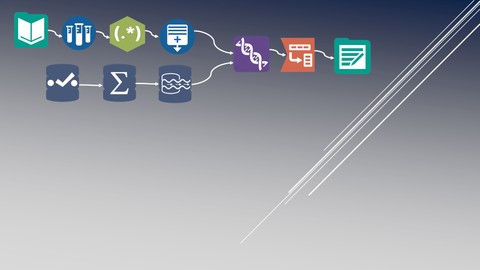
Alteryx: Real-Life Exercises For Data Analytics! (2020)
4.1 (555 Reviews)
 Provider: Udemy
 Time: 5.6h
$54.99
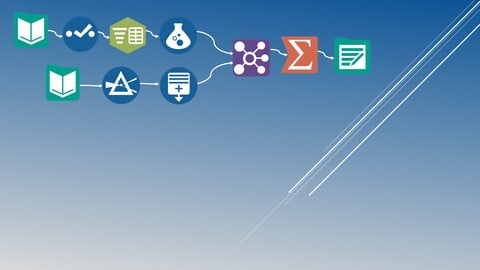
More Data Analysis courses



Complete neural signal processing and analysis: Zero to hero (2026)
4.8 (2,013 Reviews)
- Provider: Udemy
- Time: 46.9h
$12.99

Excel for Business Analysts Online Course (2023)
4.8 (636 Reviews)
- Provider: Udemy
- Time: 9.3h
$74.99

Alteryx Designer Advanced Certification Mega Bundle (2023)
4.8 (468 Reviews)
- Provider: Udemy
- Time: 16.9h
$69.99

 Reviews

By Subhadeep Sen on 2/7/2022
Yes, it is an excellent course as the trainer showed so many small but important things that can be used inside a tool, which is really helpful while analyzing the data.
By Agustin A Garcia on 10/11/2020
Concise and to the point. Really useful.
By Justin Albert on 10/8/2020
Does not explain basic concepts like joins. Not recommended for beginners.
By Molly E Mann on 10/6/2020
I have never seen Alteryx before and I think this program uses a bit too much complex vocabulary and usage of functions for a complete beginner.
By Ryan Flavelle on 10/4/2020
Although resources provided to show capabilities, the application of the workflow was not always clear - how to use alteryx not why to use alteryx with certain problems
By David Welliver on 10/2/2020
This was generally a good course, although some areas were confusing or the presenter was making assumptions and not explaining why he took certain actions. The lectures on Reporting Layout need to be updated to reflect new functionality in Alteryx, such as the "Interactive Chart" tool, which has replaced the "Charting" tool. The new tool is much more confusing to understand at first glance.
By Sikku Peter on 9/27/2020
Nice experience! It was pretty fast and well detailed.
By Dinesh Bomma on 9/21/2020
Cant install
By Sri Gandepalli on 9/21/2020
Though its a little basic, the narration was great!
By Vijay Balasubramanian on 9/19/2020
The instructor doesn't explain anything properly for novice users to understand.
By Nimmu Mary Ivan on 9/18/2020
yes. good
By Binu Thomas Mathew on 9/12/2020
This was a very informative course.
 Quality Score
No CourseDuck member has rated this course yet. Taken it? Give each part a thumbs up or down.
Overall Score : 92 / 100
- Video Duration:
 3h
3h - Price: $14.99
- Provider: Udemy
- Updated:
 March 2018
 - Level:
 All Levels
 - Language:
 English
 - Certificate:
 Yes
Yes
30-day money-back guarantee on most paid courses
Udemy Coupon Price Tracker
