
 Web Development
 Python
 JavaScript
 SQL
SQL Artificial Intelligence
 Data Science
 IT & Software
 IT Certifications
 Hacking
 AWS
AWS Arduino
 3D Modeling
 Graphic Design
 Photoshop
 Drawing
 UX Design
 Illustrator
 Business
 Data Analysis
 Shopify
 Digital Marketing
 Social Media Marketing
 Marketing
 SEO
SEO Google Analytics
 Branding
 Excel
Excel Office Productivity
 Finance & Accounting
 Bitcoin
 Video Editing & Animation
 Photography
 Adobe Premier Pro
 Adobe Lightroom
 Personal Development
 Health & Fitness
 Music
Music Guitar
 Teaching & Academics
 Language Learning
 Engineering
 Lifestyle
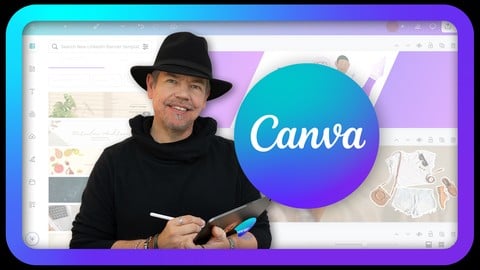
Easy Canva for Professional Results (Udemy.com)
Become a Canva Expert and Learn to Create Amazing Eye-Catching Content including Video and Animation.
Created by: Tim Wilson
Last updated January 2026
 What you will learn
- Design tips and tricks used by professional graphic designers to help you create polished, eye-catching content.
- How to design graphics for print and social media
- How to create animated and static posts, banners, and infographics
- How to build simple websites and mini-brochures
- How to produce professional materials for personal or business use
- Become confident with the Canva interface
- Use the AI effectively to enhance your creations
- Use some of the integrated App add-ons
 Course Description
Hi - I'm Tim
I'm an Adobe Certified Instructor and Adobe Certified Expert and designer working in and around London and welcome to my Easy Canva for Professional Results where I help you to Master Canva and Create Stunning Content for Social Media, Print, and More!
Canva is an incredible tool for marketing, graphic design, and crafting projects, but many users stick to the basics and miss its full potential. This course is perfect for beginners or those who’ve only dabbled with Canva. Whether you’re a marketer, graphic designer or crafter, this step-by-step guide will help you unlock your creativity and build professional-quality designs for print, web, and social media.
From Facebook and Instagram to TikTok, Pinterest, and YouTube, this course has something for everyone looking to create eye-catching content that stands out.
You can use a desktop, laptop or iPad!
What You’ll Learn
This course is packed with exciting tutorials, showing you how to use Canva to design professional graphics, animations, videos, and even print materials like brochures. Each lesson is short and easy to follow, making it simple to pick up new skills at your own pace.
You’ll explore how to:
Navigate Canva’s interface
Use pre-made templates and build designs from scratch
Work with text styles, animations, and AI tools
Add sound, voiceovers, and effects
Adjust colors and fine-tune your designs
Create social media posts, animated Pinterest pins, Instagram reels, and more
Use Canvas add-on Apps to create even more exceptional material
Whether you’re using Canva’s free version or the paid version, this course has you covered. While some features (like background removal) are exclusive to the paid plan, I’ll provide alternatives for free users and even include pre-cut images for your projects. Plus, Canva offers a free trial of its paid plan, so you can test these features risk-free during the course.
Hands-On Projects
You won’t just watch tutorials—you’ll actively create! Each project teaches a new set of skills that you can practice and combine with what you’ve already learned. We’ll design:
Social media graphics for platforms like Instagram and Facebook
Marketing materials such as banners, eBooks, and business cards
Professional infographics
Mini-brochures for print
YouTube banners, video thumbnails, and animated end screens
Simple websites
Most images will come from Canva’s library, but you’re welcome to use your own photos or other royalty-free sources.
Export and Showcase Your Work
You’ll learn how to export your projects as PDFs, JPGs, PNGs, MP4s, and even PowerPoint files. These projects can be added to your portfolio or used immediately for personal or professional purposes.
Tips from a Pro
Throughout the course, I’ll share design tips and tricks used by professional graphic designers to help you create polished, eye-catching content.
Why This Course?
This course is ideal for anyone in marketing, graphic design, or crafting, including crafters. Whether you need Canva skills for work or simply want to elevate your social media posts, these tutorials will give you the confidence and expertise to create stunning designs quickly and easily.
By the end of this course, you’ll be able to:
Design graphics for print and social media
Create animated and static posts, banners, and infographics
Build simple websites and mini-brochures
Produce professional materials for personal or business use
I would suggest you do the projects in order. However, if you decide to do them out of order, you will still be able to follow along as I do explain every step of the process.
If you have questions before or during the course, feel free to ask in the discussion section. Let’s get started and unleash your creativity with Canva!
Intro Music from Pixabay Royalty Free Sound:
Linsenor's: olexy-25300778
Licensee: JimmiImage
Audio File Title: The Beat of Nature
Audio File ID: 122841

 Udemy Discount
The discount is applied through our link. Open the course from here and Udemy's current promotional price is applied at checkout on most courses, no code to type.
Some courses are excluded from Udemy's promotions. If the price does not drop, clear your browser cookies and use the button again.
Instructor Details

- 4.8 Rating
 73 Reviews
Tim Wilson
Tim divides his time between training, and undertaking design and photography projects. He has trained a range of companies including BBC, Disney, Aardman, Sky, Nissan, Ford, British Airways, Virgin, Barclays, KPMG, NHS, the Times and Adobe amongst many others.
Tim spent many years as a lecturer for Graphic Design and Photography Honour Degree students at universities. He loves sharing his passion for design and this is reflected by the enthusiasm from his students who rebook his courses to continue their professional development.
 More courses by Tim Wilson

Adobe Illustrator - Beginner to Pro Level With New AI (2026)
4.8 (1,368 Reviews)
 Provider: Udemy
 Time: 13.7h
$89.99
Affinity: The Complete Design Course – Beginner to Pro (2026)
4.8 (466 Reviews)
- Provider: Udemy
- Time: 23.8h
$19.99
Affinity Publisher - The Essentials for Beginners V1 & V2 (2022)
4.5 (441 Reviews)
- Provider: Udemy
- Time: 5.3h
$69.99
Affinity Designer Desktop V2 - From Beginner to Pro Level (2023)
4.6 (434 Reviews)
- Provider: Udemy
- Time: 11.3h
$84.99

Beginner to Wow - Affinity Photo Version 2 (2022)
4.9 (420 Reviews)
- Provider: Udemy
- Time: 4.8h
$69.99
More Social Media Marketing courses

Digital Marketing Agency | Start a Social Media Business (2026)
4.7 (5,903 Reviews)
- Provider: Udemy
- Time: 94.7h
$189.99

SMM Social Media Marketing Professional Certification (2025)
4.7 (725 Reviews)
- Provider: Udemy
$24.99
Social Media Marketing MASTER COURSE - 8 in 1 (2025)
4.7 (402 Reviews)
- Provider: Udemy
- Time: 21.2h
$69.99

Social Media Marketing MASTERY 2026 + 9 Social Ad Platforms!
4.7 (265 Reviews)
- Provider: Udemy
- Time: 23.6h
$19.99
Instagram Marketing: Complete Guide To Instagram Growth (2023)
4.6 (37,525 Reviews)
- Provider: Udemy
- Time: 7.7h
$149.99
 Reviews

By Gill Doyle on 3/20/2026
I like his style and he doesn't talk too fast either. so far so good.
By Danii Green on 1/17/2026
I like that he doesn't overly explain the steps, but instead actually does the steps and allows me to follow along. I also appreciate that he provides alternative names for concepts like opacity/transparency. The videos have good pacing and are not too overwhelming or time-consuming.
By felice Kutner on 1/6/2026
he speaks slowly. Much better than many other courses that ive checked out. hes clear. he almost speaks as if i was a child. but i dont mind that or repition
By Alexandra B on 1/5/2026
Thank you Tim! Thorough, but not too long. JUST right! All the sections were practical and excellent examples for what I would need and want to design in Canva.
By Stephanie on 12/20/2025
Great course for beginners, you can understand and implement right away.
By Mr Kane on 11/19/2025
The content is clearly structured, easy to follow, and presented in a way that makes even complex topics feel approachable.
By Royce E Hamel on 5/8/2025
I don't think this course needed to be seven hours long, but the fact that each bit is broken up into sections - which is then broken up into even smaller chunks - makes it so much smoother and easier to go back and find things that have been missed or pausing to catch up and continuing. This was a LOT of fun and I adore this instructor. He made this much more engaging than a lot of the other instructors I've had.
By Edy Lorisme on 5/6/2025
This is the best course I've ever had. Thank you for your teaching. I appreciate your expertise very much.
By Mercedes Butler on 3/11/2025
Amazing instructor very well modulated and knowledgeable. He did not go too fast and I could understand every word even with accent. Thanks for providing such top flight instructors
By jean-hugues D. on 1/13/2025
Cours parfait pour la prise en main de Canva. Grâce à des exemples pratiques expliqués clairement sans fioritures, l'évolution se fait progressivement et sûrement.
 Quality Score
No CourseDuck member has rated this course yet. Taken it? Give each part a thumbs up or down.
Overall Score : 96 / 100
- Video Duration:
 7.2h
7.2h - Price: $84.99 Track Price 11.99 Track Price
- Provider: Udemy
- Updated:
 January 2026
 - Level:
 All Levels
 - Language:
 English
 - Certificate:
 Yes
Yes
30-day money-back guarantee on most paid courses
Udemy Coupon Price Tracker
