
 Web Development
 Data Science
 Python
 SQL
SQL JavaScript
 Artificial Intelligence
 IT & Software
 IT Certifications
 Hacking
 AWS
AWS Arduino
 DevOps
 3D Modeling
 Graphic Design
 Photoshop
 Drawing
 Digital Painting
 UX Design
 Business
 Data Analysis
 Communication Skills
 Project Management
 Leadership & Management
 Human Resources
 Digital Marketing
 Social Media Marketing
 Marketing
 SEO
SEO Google Analytics
 Branding
 Excel
Excel Office Productivity
 SAP
SAP PowerPoint
 Microsoft Access
 SharePoint
 Finance & Accounting
 Trading & Investing
 Accounting
 Bitcoin
 Personal Finance
 Video Editing & Animation
 Photography
 Adobe Premier Pro
 Adobe Lightroom
 Personal Development
 Productivity
 Career Development
 Life Coaching
 Health & Fitness
 Meditation & Mindfulness
 Yoga
Yoga Music
Music Music Production
 Guitar
 Piano
Piano Singing
 Language Learning
 Teaching & Academics
 Engineering
 Math
Math Lifestyle
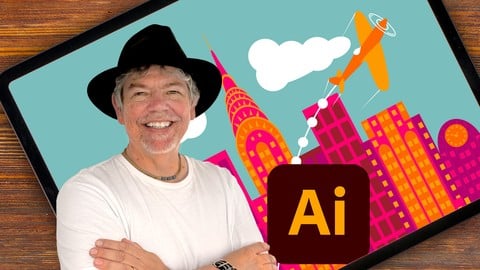
Illustrator on the iPad - Zero to Hero (Udemy.com)
Master Illustrator on the iPad, with easy lessons as well as step-by-step real world projects.
Created by: Tim Wilson
Last updated November 2022
 What you will learn
- Create professional designs and illustrations using tools such as the Shape Builder
- Draw your own shapes and manipulate them using the Pen, Pencil, Pathfinder tools
- How to create infographics, logos and icons
- Learn to create eye-catching and amazing digital vector artwork with stunning color
- Create amazing artwork and patterns with Radial, Mirror and Symmetry Repeats
- Understand color including RGB / CMYK, Spot as well as working with Gradients
- Create designs for use in print, packaging, advertising, social media, websites and mobile graphics
- Understand how Illustrator works between the iPad and Desktop versions
How it compares
Against the other 100 rated Udemy courses in Illustrator on CourseDuck:
- Rating4.6 out of 5higher than 57% of them
- Reviews606#28 of 101 by number of reviews
- Length5.5 hourslonger than 63% of them
- Last updatedNovember 2022more recently than 73% of them
 Course Description
Learn to Create Beautiful Graphics on this Comprehensive Adobe Illustrator on the iPad Course
This is a comprehensive course in Illustrator on the iPad, starting from scratch for complete beginners, through to advanced techniques. Using the new iPad version, I show you the techniques and concepts using touch, gestures and the Apple pencil. You do not have to be able to draw to complete this Illustrator on the iPad course.
Using real life examples, I will demonstrate and give you exciting projects to carry out so you can easily put these into practice for your own artwork, graphic design work and marketing materials. Whether you want to get paid for your Illustrator skills, or you're doing this for fun / self-improvement, this course and the projects will help you build confidence to be able to translate into your own work.
I will take you through Illustrator on the iPad by first looking at a specific set of tools and techniques, and then reinforcing your knowledge in these with a step-by-step project at the end of most sets of lectures. The projects range from simple logos and icons, through to more complex posters and into in-depth infographics. All the content can be adapted for both print or web.
During the videos there will also be key phrases that appear to help you remember tools, shortcuts and techniques.
Music by Bensound - License code: CLF6AEQ7NRUGZVFA

 Udemy Discount
The discount is applied through our link. Open the course from here and Udemy's current promotional price is applied at checkout on most courses, no code to type.
Some courses are excluded from Udemy's promotions. If the price does not drop, clear your browser cookies and use the button again.
Instructor Details

- 4.6 Rating
 606 Reviews
Tim Wilson
Tim divides his time between training, and undertaking design and photography projects. He has trained a range of companies including BBC, Disney, Aardman, Sky, Nissan, Ford, British Airways, Virgin, Barclays, KPMG, NHS, the Times and Adobe amongst many others.
Tim spent many years as a lecturer for Graphic Design and Photography Honour Degree students at universities. He loves sharing his passion for design and this is reflected by the enthusiasm from his students who rebook his courses to continue their professional development.
 More courses by Tim Wilson

Adobe Illustrator - Beginner to Pro Level With New AI (2026)
4.8 (1,368 Reviews)
 Provider: Udemy
 Time: 13.7h
$89.99

Affinity: The Complete Design Course – Beginner to Pro (2026)
4.8 (466 Reviews)
- Provider: Udemy
- Time: 23.8h
$19.99
Affinity Publisher - The Essentials for Beginners V1 & V2 (2022)
4.5 (441 Reviews)
- Provider: Udemy
- Time: 5.3h
$69.99
Affinity Designer Desktop V2 - From Beginner to Pro Level (2023)
4.6 (434 Reviews)
- Provider: Udemy
- Time: 11.3h
$84.99

Beginner to Wow - Affinity Photo Version 2 (2022)
4.9 (420 Reviews)
- Provider: Udemy
- Time: 4.8h
$69.99

Adobe InDesign - From Basics to Professional Level Designs (2024)
4.9 (320 Reviews)
- Provider: Udemy
- Time: 11.4h
$84.99
More Illustrator courses

Adobe Illustrator CC - Essentials Training Course (2025)
4.8 (33,107 Reviews)
- Provider: Udemy
- Time: 12.1h
$124.99

Adobe Illustrator CC – Advanced Training Course (2025)
4.8 (10,960 Reviews)
- Provider: Udemy
- Time: 10.2h
$174.99

Adobe Illustrator Advanced Vector Artwork (2020)
4.8 (1,988 Reviews)
- Provider: Udemy
- Time: 8.3h
$14.99
Adobe Illustrator - Beginner to Pro Level With New AI (2026)
4.8 (1,368 Reviews)
- Provider: Udemy
- Time: 13.7h
$89.99

How to create flat design icons in 15 minutes in Illustrator (2023)
4.8 (335 Reviews)
- Provider: Udemy
- Time: 5.4h
$124.99

Logo Design Mastery In Adobe Illustrator (2022)
4.7 (5,700 Reviews)
- Provider: Udemy
- Time: 5.8h
$139.99
 Reviews

By Teresa Mohon on 2/20/2026
Halfway through and continue in my amazement...illustrator is not scary! This instructor is awesome at presenting "bite-sized" lessons. Just getting to the part of the class I wanted to learn, but the first half was imperative to getting comfortable and familiar with the basics.
By Erinski Easy on 6/11/2024
He does gloss over some of the details of the tools like brushes especially making your own brush … so many lessons just have repeated stuff or just one thing that didn't need to be said at the same time really important in-depth information is missing. this course could have been 1 hour and would give a good introduction to the app, but I still had to buy another course to get the deep training I needed.
By Nina Launer on 4/2/2024
A great course – not only for beginners! Instead of being familiar with the desktop version I learned new skills for my daily work with Illustrator. I liked the way the teacher explained everything. Learning with fun! Thank you :-)
By Barbara Leyne on 6/16/2023
This is a fantastic course and I highly recommend it. The instructor is thorough, very clear, and pleasant to listen to. It's my second course of his and I'd definitely buy another. Heads up though for anyone (like me) who only has illustrator on the ipad and not desktop. I make clip art to sell and I noticed that my art looks beautiful on the ipad but when I airdrop it to my laptop, the quality decreases and the lines look pixelated. Not sure if that's because I'm missing a step or if it's a problem with illustrator on the ipad, but thought I should mention it.
By Karie Ann on 2/16/2023
I've only just begun, but find this an Amazing course! Tim is so thorough and explains everything in such detail. I am so grateful to have fallen upon it and that I didn't choose another one I was looking at. I just love his enthusiasm. He speaks slow and its so easy to follow. Thank you so much! Highly recommend!
By Zaan Esterhuyzen on 2/4/2023
I really enjoyed this course. The lecturer was thorough, clear and left me curious for more. I have completed two other adobe courses in the past for the desktop illustrator. Regardless, I prefer his teaching style. The notes on the side of every class and the fact that his mouse is coloured blue , as well as his general enthusiasm, I appreciated his tutorial.
By Anusha Gupta on 8/15/2022
Definitely want to thank the tutor for this absolutely awesome course where they have thoroughly explained and taught illustrator with some great projects from creating logos to infographics and social media posts!! Can confidently say I’ve learned enough from this to start freelancing!
By Mariajose de Vasquez on 2/8/2022
I loved this course, very easy to follow. It's perfect if never have used a vector app before and even when you know the basics or used another software, it will give tips and hidden tools and tricks. Tim is very pleasant and his classes are engaging. Happy to say I am using Illustrator on regular basis, confidently.
By James Monohan on 4/15/2021
This was a good introduction to the software. I think another course by this instructor is merited. Time to do more projects and learn principals of art and design - shadows, highlights and perspective - while further hammering in the nuts and bolts of operating the software. I think such a course could be very popular.
By Mark Maynard on 12/14/2020
The course was very thorough and the practice files made it very effective. Having the ability to pause the video and actually complete the exercises helped to make the lessons sink in. I would definitely recommend this others that are new to Illustrator.
 Quality Score
No CourseDuck member has rated this course yet. Taken it? Give each part a thumbs up or down.
Overall Score : 92 / 100
- Video Duration:
 5.5h
5.5h - Price: $74.99
- Provider: Udemy
- Updated:
 November 2022
 - Level:
 All Levels
 - Language:
 English
 - Certificate:
 Yes
Yes
30-day money-back guarantee on most paid courses
Udemy Coupon Price Tracker
