
 Web Development
 Data Science
 Python
 SQL
SQL JavaScript
 Artificial Intelligence
 IT & Software
 IT Certifications
 Hacking
 AWS
AWS Arduino
 DevOps
 3D Modeling
 Graphic Design
 Photoshop
 Drawing
 Digital Painting
 UX Design
 Business
 Data Analysis
 Communication Skills
 Project Management
 Leadership & Management
 Human Resources
 Digital Marketing
 Social Media Marketing
 Marketing
 SEO
SEO Google Analytics
 Branding
 Excel
Excel Office Productivity
 SAP
SAP PowerPoint
 Microsoft Access
 SharePoint
 Finance & Accounting
 Trading & Investing
 Accounting
 Bitcoin
 Personal Finance
 Video Editing & Animation
 Photography
 Adobe Premier Pro
 Adobe Lightroom
 Personal Development
 Productivity
 Career Development
 Life Coaching
 Health & Fitness
 Meditation & Mindfulness
 Yoga
Yoga Music
Music Music Production
 Guitar
 Piano
Piano Singing
 Language Learning
 Teaching & Academics
 Engineering
 Math
Math Lifestyle
Adobe Illustrator Advanced Vector Artwork (Udemy.com)
Learn the secrets of creating every type of vector illustration you can think of from a real expert
Created by: Widhi Muttaqien
Last updated August 2020
 What you will learn
- Create different kind of vector illustration styles with ease
- Master the secrets and proven techniques of working with vector illustration in the real production environment
- Become a vector graphic professional and start making money using the skill learned from this course
How it compares
Against the other 100 rated Udemy courses in Illustrator on CourseDuck:
- Rating4.8 out of 5higher than 89% of them
- Reviews1,988#12 of 101 by number of reviews
- Length8.3 hourslonger than 79% of them
- Last updatedAugust 2020more recently than 56% of them
 Course Description
[IMPORTANT NOTICE: This course is currently being updated. New videos will be added at the bottom of the curriculum. Their order and information may not make sense while in the update process. After all the lesson videos are finished, we will reorder them so that most of the outdated ones will be moved to the bottom and eventually removed].
Learn the advance skills you need to create any type of vector illustrations using Adobe Illustrator CC. Learn the core concepts and the secret techniques along with 14 hands-on projects covering almost every type of vector illustrations you can think of.
Never use Adobe Illustrator before? No worries! You can start from the basic level designed for complete beginners. Seasoned adobe Illustrator users can start jump into intermediate or advance level to leverage their vector illustration skill to the next level.
You might be asking, why vector illustration? Vector illustration skill is the foundation of almost every applied graphic design. The skills you learn from this course will be super useful when you need to: create icons, design logos, create book or album covers, children book illustrations, comics, game artworks, mobile app UI (user interface), 2D puppet animation, etc.
If you join the course you’ll get lifetime access to more than 70 videos carefully organized to make sure you master the skills easily. Beside full access to video tutorials you’ll get PDF files of cheat-sheet and printable slides of important concept and notes through out the course. Last but not least you’ll get access to all of the project files (Adobe Illustrator cc format among other things). You have no risk on taking this course as it is backed-up with “100% money back guarantee” policy by Udemy. Enroll now and get all the benefits!

 Udemy Discount
The discount is applied through our link. Open the course from here and Udemy's current promotional price is applied at checkout on most courses, no code to type.
Some courses are excluded from Udemy's promotions. If the price does not drop, clear your browser cookies and use the button again.
Instructor Details

- 4.8 Rating
 1,988 Reviews
Widhi Muttaqien
Widhi is the CEO of Expose Academy and the founder of several other creative-based companies. He has a bachelor's degree in information technology and a master's degree in business management and information system. Besides doing business he is also an academic lecturer in the computer graphics field.
With more than 20 years of experience in the CG industry, he finished hundreds of projects with clients from all over the globe. He has been producing thousands of CG images and animations. His deep passion for computer graphics leads him to dive into digital painting, 3D visualization, animation, game development, web design, video, and motion graphic.
 More courses by Widhi Muttaqien
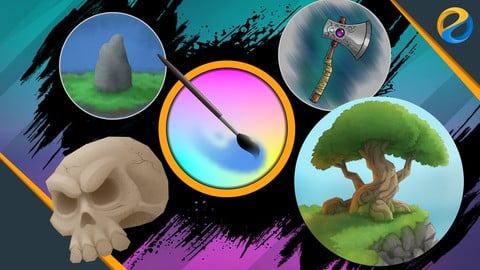
Digital painting with Krita 5.0 for beginners (2022)
4.6 (3,072 Reviews)
 Provider: Udemy
 Time: 7.5h
$89.99

3D Visualization For Beginners: Interior Scene with 3DS MAX (2021)
4.5 (1,673 Reviews)
- Provider: Udemy
- Time: 12.9h
$13.99
Microsoft Excel dari dasar hingga pakar (2025)
4.8 (1,527 Reviews)
- Provider: Udemy
- Time: 17.4h
$11.99

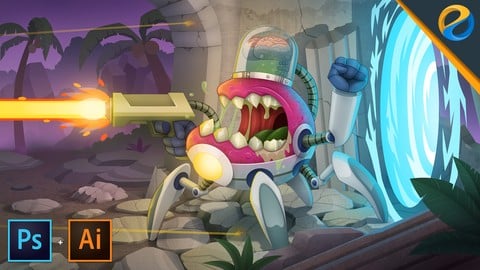
Photoshop and Illustrator speed illustration workflow (2019)
4.7 (787 Reviews)
- Provider: Udemy
- Time: 12.1h
$64.99

Digital painting with Krita 5.0 intermediate level (2022)
4.8 (271 Reviews)
- Provider: Udemy
- Time: 6.8h
$79.99
More Illustrator courses

Adobe Illustrator CC - Essentials Training Course (2025)
4.8 (33,107 Reviews)
- Provider: Udemy
- Time: 12.1h
$124.99

Adobe Illustrator CC – Advanced Training Course (2025)
4.8 (10,960 Reviews)
- Provider: Udemy
- Time: 10.2h
$174.99

Adobe Illustrator - Beginner to Pro Level With New AI (2026)
4.8 (1,368 Reviews)
- Provider: Udemy
- Time: 13.7h
$89.99

How to create flat design icons in 15 minutes in Illustrator (2023)
4.8 (335 Reviews)
- Provider: Udemy
- Time: 5.4h
$124.99

Logo Design Mastery In Adobe Illustrator (2022)
4.7 (5,700 Reviews)
- Provider: Udemy
- Time: 5.8h
$139.99
Photoshop and Illustrator speed illustration workflow (2019)
4.7 (787 Reviews)
- Provider: Udemy
- Time: 12.1h
$64.99
 Reviews

By Partap Rajput on 3/19/2021
I am a Graphic Designer since past 24 years. I have always used CorelDRAW. Many times i tried learning Illustrator but moving from CorelDRAW was nearly impossible. Widhi finally made it possible. Now i am equally comfortable in Illustrator as well. This gentleman not only develops the technical skills but many essentials of arts basic as well. This course really inspired me that now i have purchased his blender course also because of his best and easy teaching techniques. Thank You Widhi
By Rob Whitehead on 9/20/2020
This is an outstanding course in which I had an enjoyable time learning. Not only did I learn how to use the tools in Illustrator in greater depth than ever before, but I finally saw in the final project when the lights went on in terms of how everything is put together. Especially the shading, textures, and creation of highlights and shadows which give the illusion of depth in the illustration. I would highly recommend this course if you are looking to learn or improve your existing skills as Widhi Muttaqien is in a league of his own with his clarity of presentation and competency of the subject matter.
By Laurianne Simonin on 5/2/2020
I've been learning a lot, it's an amazing course. The explanations on the use of every single tool are very precise and the course structure makes a lot of sense, you can really feel the progression as you go. All the pieces of the puzzle come together in the final project, and even though it's intense and there's still a lot of learning during this phase, it's fun and very gratifying to see the final illustration come to live. You find yourself at the end casually switching tools and techniques like you've used them forever, that's how good the learning process is. And most of all, we learn all the necessary shortcuts, which I find absolutely essential when I work on other softwares! Thank you very much!
By Doug Mattocks on 2/19/2020
For ME it's all about work flow - how to get started - AND - how to end …….. so far this teacher is giving me what exactly I want with very little, to none, continuous review of the tools I already have used ------ THE Difference ------ he's giving me projects which actually show how the hell the tools work in projects - I'm very happy AND I'm only half way through this lesson..... And NOW I've completed the course - I have gotten more out of Section 9 than I have gotten out of all the other Udemy Illustrator courses I've taken - I will be doing Section 9 all over to really help me understand all the steps it takes to make this extremely complicated BUT great looking Illustration.
By Masudull Haque on 3/7/2019
He is excellent his teaching and presentation is crystal clear, i really enjoy . Now time to practice time, but only one issue last project when he done he create lot of layers some time i confused which layer is first which one is second and which one is last...can you able to provide any chart for this, i know it's depend on various illustration' but i believe and satisfied to your technique hope it is sufficient for creating any kind of illustration. I am awaiting our feedback. Thanks & good luck. With best regards Masudull Haque
By Sherri Hill on 12/12/2018
In 2009 I graduated from college studying digital media and graphic design spending over 20,000 dollars to attend school. I realize that there is no way to learn everything in class about the software and how to use it. With that being said I have gained so many more valuable skills by watching this course. I am so happy with what I have learned in the process of watching you draw the examples. When I saw the final artwork that you created for the course I was saying there is no way I will ever be able to make something like that. I love the colors and the way you do the shading and linework is awesome. It really looks like this is a 3D drawing. I purchased a tablet from Huion and I love it makes drawing so much more fun and enjoyable to create. Thanks for telling the class about blender did not know there was 3D software that is free out there. Downloaded it and will be learning how to use that as well. Just got your other course on Photoshop and Illustrator speed illustration workflow and Blender 3D zero to hero. I cannot wait to start learning blender I have used Maya in the past so this will be nice to see what blender has to offer. Thank you for taking the time to make these courses I have learned soooooooooooooooooooooo much more in just one course than I have ever learned by going to years of college and at the cost of less than a book.. I am very please..
By Vivian Carrillo on 12/8/2018
I love this course. I like the way he breaks down every piece into the simplest terms. No matter how simple he makes it seem though, you still have to practice, practice, practice. Learning illustrator is no simple task. At least he makes it pleasurable! - 2nd update- Almost done with the course now. He has answered all of my questions within 24 hours which is helpful. It's starting to seem like something I can actually do.
By Alan on 9/11/2018
Good course; however, I don't recommand it for beginners as they will definitly get confused. Lots of work here is sped up and exessive. Maybe this course is suitable for more advanced designers.
By Walter S. Ragland, Jr. on 3/3/2018
This was hands-down the best Adobe Illustrator course that I have ever taken online. I started this course because I was interested in the screenshot artwork (nice sales point). as an animator, I usually design my vector graphics in Adobe Animate (previously Flash) for easier access. I tried using Illustrator before a few years ago, but it just seemed to be too in-depth, cumbersome and time-consuming when compared to my workflow Flash. But now that I`m actually designing logos, t-shirts, and physical products for sales, I can really understand the value of this software thanks to this course! The instructor is very good and takes you through everything step-by-step using the basic tools that you have available. I would highly recommend this course for both beginners as well as seasoned professionals who want to increase their workflow productivity. Thanks a lot for making this course!
By Desiree Nienhaus on 6/9/2017
The instructor explains every concept and tool clearly and in depth so you can really get a solid understanding of each one. I already have experience working with illustrator but I learned a TON of new things! I feel much more confident in the program now and I feel like I have a strong foundation to where I can really utilize the full scope of it. I would highly recommend this course to ANYONE that wants to learn Illustrator either for the first time, for advancing a basic skill set, or for experts to brush up on the basics and maybe learn a few new tips and tricks! I am extremely happy and I don't have anything I would change about this course.
 Quality Score
No CourseDuck member has rated this course yet. Taken it? Give each part a thumbs up or down.
Overall Score : 96 / 100

- Video Duration:
 8.3h
8.3h - Price: $14.99
- Provider: Udemy
- Updated:
 August 2020
 - Level:
 All Levels
 - Language:
 English
 - Certificate:
 Yes
Yes
30-day money-back guarantee on most paid courses
Udemy Coupon Price Tracker
