
 Web Development
 Data Science
 Python
 SQL
SQL JavaScript
 Artificial Intelligence
 IT & Software
 IT Certifications
 Hacking
 AWS
AWS Arduino
 DevOps
 3D Modeling
 Graphic Design
 Photoshop
 Drawing
 Digital Painting
 UX Design
 Business
 Data Analysis
 Communication Skills
 Project Management
 Leadership & Management
 Human Resources
 Digital Marketing
 Social Media Marketing
 Marketing
 SEO
SEO Google Analytics
 Branding
 Excel
Excel Office Productivity
 SAP
SAP PowerPoint
 Microsoft Access
 SharePoint
 Finance & Accounting
 Trading & Investing
 Accounting
 Bitcoin
 Personal Finance
 Video Editing & Animation
 Photography
 Adobe Premier Pro
 Adobe Lightroom
 Personal Development
 Productivity
 Career Development
 Life Coaching
 Health & Fitness
 Meditation & Mindfulness
 Yoga
Yoga Music
Music Music Production
 Guitar
 Piano
Piano Singing
 Language Learning
 Teaching & Academics
 Engineering
 Math
Math Lifestyle
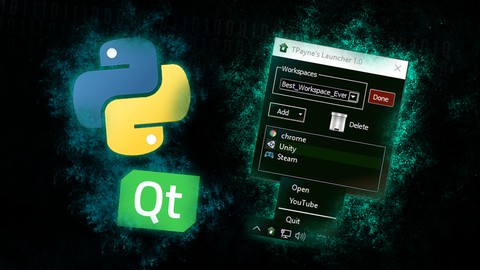
Python Tool Development with PySide & PyQt (Udemy.com)
Learn to create a simple GUI tool using the powerful Qt Framework for Windows, Linux, and Mac with Python 2.7, 3.4, 3.5.
Created by: Trevor Payne
Last updated November 2017
 What you will learn
- Create your own GUI and tools!
How it compares
Against the other 388 rated Udemy courses in Python on CourseDuck:
- Rating3.9 out of 5higher than 3% of them
- Reviews78#364 of 389 by number of reviews
- Length1.4 hoursshorter than 95% of them
- Last updatedNovember 2017earlier than 92% of them
 Course Description
Hey, fellow programmer! Interested in creating python tools to make your life easier? Want to take your scripts to the next level? Let me teach you how!
This series will walk you through the creation of a custom tool to launch other applications and documents with ease. Whether you know just the basics of python programming or an expert curious about PySide or PyQt, this series will be perfect for you!
The tool we develop will work on:
- Python 2.7, 3.4 and 3.5
- PySide, PySide2, PyQt4 and PyQt5
- Windows, Linux and Mac!
In this series you'll learn how to:
- Prototype in Designer
- Create readable GUI code
- Plan data holding code
- Connect data to GUI
- Expand GUI functionality
- Iterative testing
- Custom widget classes
- Drag & Drop functionality
- Save & Load data
- Dock tool in System Tray
- Add custom style!
At the end of this series, you'll be well prepared to create you own tools!
If you have any questions, feel free to message me directly! Thanks for being awesome!

 Udemy Discount
The discount is applied through our link. Open the course from here and Udemy's current promotional price is applied at checkout on most courses, no code to type.
Some courses are excluded from Udemy's promotions. If the price does not drop, clear your browser cookies and use the button again.
Instructor Details

- 3.9 Rating
 78 Reviews
Trevor Payne
Hi there! One day, I was tired of watching low quality instructors and tutorials, so I decided to do something about it. I've tutored, mentored and taught for over 10 years, and created loads of Python and C++ tutorials on YouTube. Four years, +3 million views and 50,000+ subs later, I'm ready expand my horizon here to Udemy! Have I reached the character limit here yet?
 More Python courses

Python 3: Deep Dive (Part 1 - Functional) (2024)
4.9 (13,534 Reviews)
 Provider: Udemy
 Time: 45.8h
$22.99

Python 3: Deep Dive (Part 3 - Dictionaries, Sets, JSON) (2023)
4.9 (1,996 Reviews)
- Provider: Udemy
- Time: 21.9h
$17.99

Programming for Everybody (Getting Started with Python)
4.9 (717 Reviews)
- Provider: Coursera
- Time: 12h
Free

An Introduction to Interactive Programming in Python (2013)
4.9 (554 Reviews)
- Provider: Coursera
- Time: 6h 40m
Free

Python: Python Programming Language | Tutorial | Beginner (2023)
4.9 (239 Reviews)
- Provider: Udemy
- Time: 5.1h
$19.99

An Introduction to Interactive Programming in Python (Part 2)
4.9 (225 Reviews)
- Provider: Coursera
- Time: 25h
Free
 Reviews

By Egil Eskilsson on 4/19/2020
I expected a more en deep explanation of stuffs. The stylesheet is not showing up when I use the code from the tutorial.
By Justin Giffard on 12/4/2019
Great course. Would have liked to see some navigation to new windows though
By Dano Buendia on 5/28/2019
This has been a great course so far, although, I've seen it all before to this point because I watched the heck outta the previews before buying...waiting to get to the untasted portion of this roasted ham...
By Alfio Alioscia Alessi on 12/17/2018
[Ita]ho appena iniziato e il corso sembra fammentario e poco comprnesibile...mi riservo di cambiare il mio voto successivamente. [Eng]just start the course but it seems too much splitted and fragmented, I will reserve for a further review of this comment
By Kulukilu on 9/23/2018
It's just my thought, it may differ from case to case that is The instructor may have given better and relevant examples for the topics he is trying to explain, so that it may have been more understandable. If the instructor had explained the Designer section first before diving into more complex form and whenever the instructor is explaining about the contents then he must have explained how it needs to be installed or done before jumping into the details, he should understand that, in some cases were the user may be new to QT or he or she may have a basic knowledge of the topic. And because of this only we are here to improve. Some of the topics are just bouncing to me, for that, I have done a lot of online homework to understand what the instructor is explaining...
By Jonathan Moore https://www.udemy.com/use on 8/24/2018
A different approach to teaching - but comprehensive and well thought out (if not a little out of date now, in terms of the code itself; however, the concepts and method / approach are still very relevant). Good job.
By Steve Burke on 3/28/2018
There are a million Python courses but very, very few that can show you how to make a working, functional application with a proper GUI using PyQt. This is a relatively short course but I learned a ton from it and I would say it's been more helpful than all the others I've watched. The delivery style of the tutorial is a bit silly at times but it wasn't boring and the information was all great and included some important insights about things I would have taken a long time, no doubt, to discover on my own. The application is small but covers issues like context menus, dynamic interface changes, compatibility between PySide and PyQt, making your application work as a system tray app, interface design, good coding practices; a lot of useful knowledge that is not obvious from the course description itself. Highly recommended.
By Nemanja Stavric on 12/9/2017
Trevor is a great instructor! He makes learning easy and fun with a dry sense of humor. The course was a little bit fast paced but it was always to the point. Short 1-2 minute lectures are easy to navigate if at any point you want a recap or a specific bit of information. There was no gap filling with random things just to extend the length of the course. If you haven't seen his youtube channel please do, this tutorial is a specific but his channel goes into the python basics if you need that first.
By Jannik Stramer on 11/25/2017
As someone who never used Qt I felt a bit confused at times, because the instructor does not every time give a super detailed explanation why a certain class/function etc is used (instead of another one). Although I really have to mention that every line of code is explained in a general fashion to tell you what it does, which is really nice. I am not sure I like the style of the tutorial where there is finished code and it is explained what the code does, I guess this is very subjective. The thing I really like is that there is a start- and end code example for each lesson. So you can always get the code the instructor is working with, code along (kind of) and then compare with the finished version. Overall the tutorial gives a nice overview of how to work with Qt in Python, independent of using pyqt4, pyqt5, pyside or pyside2. Keep up the good work :)
By Murat.Dindar on 11/17/2018
 Quality Score
No CourseDuck member has rated this course yet. Taken it? Give each part a thumbs up or down.
Overall Score : 78 / 100
- Video Duration:
 1.4h
1.4h - Price: $10.99
- Provider: Udemy
- Updated:
 November 2017
 - Level:
 Intermediate
 - Language:
 English
 - Certificate:
 Yes
Yes
30-day money-back guarantee on most paid courses
Udemy Coupon Price Tracker
