
 Web Development
 Data Science
 Python
 SQL
SQL JavaScript
 Artificial Intelligence
 IT & Software
 IT Certifications
 Hacking
 AWS
AWS Arduino
 DevOps
 3D Modeling
 Graphic Design
 Photoshop
 Drawing
 Digital Painting
 UX Design
 Business
 Data Analysis
 Communication Skills
 Project Management
 Leadership & Management
 Human Resources
 Digital Marketing
 Social Media Marketing
 Marketing
 SEO
SEO Google Analytics
 Branding
 Excel
Excel Office Productivity
 SAP
SAP PowerPoint
 Microsoft Access
 SharePoint
 Finance & Accounting
 Trading & Investing
 Accounting
 Bitcoin
 Personal Finance
 Video Editing & Animation
 Photography
 Adobe Premier Pro
 Adobe Lightroom
 Personal Development
 Productivity
 Career Development
 Life Coaching
 Health & Fitness
 Meditation & Mindfulness
 Yoga
Yoga Music
Music Music Production
 Guitar
 Piano
Piano Singing
 Language Learning
 Teaching & Academics
 Engineering
 Math
Math Lifestyle
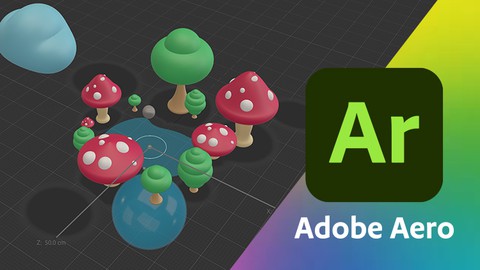
Adobe Aero for Beginners: Getting Started with AR (Udemy.com)
Learn to Create Augmented Reality (AR) Experiences With Adobe Aero.
Created by: Tony Lockhart
Last updated October 2023
 What you will learn
- The fundamentals of Adobe Aero
- How to create an Augmented Reality Experience
- Turn your Photoshop & Illustrator designs into AR experiences
- Use 3D in Adobe Illustrator & Dimensions to create your augmented reality experience
- Animate in Adobe Aero
- Learn the benefits and challenges of augmented reality
- Adobe Aero best practices
How it compares
Against the other 413 rated Udemy courses in Graphic Design on CourseDuck:
- Rating4.4 out of 5higher than 31% of them
- Reviews43#380 of 414 by number of reviews
- Length1.6 hoursshorter than 86% of them
- Last updatedOctober 2023earlier than 64% of them
 Course Description
Create augmented reality experiences with Adobe Aero
Transform your designs and illustrations into interactive augmented reality experiences using Adobe Aero. You'll be able to use your existing skills in Adobe Photoshop, Illustrator and Dimensions to bring your designs to life utilizing behaviors, anchor images, and more! This course uses the creative cloud desktop version over the mobile version. You can learn using either if you prefer the mobile version.
Bring your imagination into the physical world!
This course includes exercise files so you can follow along while you watch therefore, you can create your own original AR projects right after you complete the course.
Why should you trust me?
My name is Tony and I've been working as a creative over a decade specializing in illustration and have been featured by Adobe. Since the release of Aero, I have developed AR experiences for various events and marketing materials such as postcards and posters.
I’m always here
I'll be here for you through the whole course. If you have any questions about the course or Adobe Aero, feel free to post a question in the course or send me a direct message and I’ll answer as soon as possible.
What is this Adobe Aero course about?
In this course for beginners, you’ll learn how to take your original designs or digital art and bring it into the physical space no matter if you created it in Photoshop, Illustrator, Dimension or other 3D rendering programs that exports FBX, OBJ and GLB files. By the end of this course, you'll have experience creating 3 different AR experiences
Who this course is for:
Designers and digital artists of all skill levels who want to dive into Adobe Aero and not sure where to start.
This course will cover Aero’s basics and ways to share your work, including:
Starting an experience
Navigating Aero
Adding animation and interactivity to your AR experience
Planning your Aero AR experience
Adding audio
Use Photoshop to create AR in Aero
Learn various ways to turn your Illustrator files into AR
Explore Adobe Dimension
Use Adobe Illustrator’s 3D tool to create 3D assets
Exporting assets from Dimension, Photoshop and Illustrator for Aero
Best practices for Aero projects
Pros and cons of Aero
So much more!
By the end of this course, you'll understand how to use Adobe Aero to create experiences for fun or professionally to propel your clients into the future.
Go ahead and click the enroll button, and I'll see you in the first lesson!
Thank you in advance,
Tony Lockhart

 Udemy Discount
The discount is applied through our link. Open the course from here and Udemy's current promotional price is applied at checkout on most courses, no code to type.
Some courses are excluded from Udemy's promotions. If the price does not drop, clear your browser cookies and use the button again.
Instructor Details

- 4.4 Rating
 43 Reviews
Tony Lockhart
Labeled a futurist, Tony strives to be future-proof and enjoys learning as much as he can in the world of design and enjoys sharing that knowledge with others.
Tony’s professional background is in illustration, advertising, and graphic design. He graduated from Francis Marion University with a Bachelor in Visual Communications and a Bachelor in Marketing. His professional journey began in 2013 leading to him creating for brands such as ABSOLUT Vodka, The American Red Cross, Ford, Acura, Lexus, Dunkin’, JCPenney, Home Depot, and more.
Today, Tony’s niche is illustration focusing on storyboarding while constantly learning new skills. When he is away from his Wacom you can find him with a sketchbook doodling his surroundings on a train traveling or at a concert when his hand needs a break.
For a few years, Tony passed along the knowledge he learned over the years to aid those in their creative development from creating social media tutorials, workshops, student portfolio judging, and guest speaking at universities.
 More Graphic Design courses

Adobe InDesign - From Basics to Professional Level Designs (2024)
4.9 (320 Reviews)
 Provider: Udemy
 Time: 11.4h
$84.99

Shop Drawing & Details-Autodesk Revit 2025- for BIM Modelers
4.9 (300 Reviews)
- Provider: Udemy
- Time: 30.9h
$10.99

The Adobe Illustrator CC Mastery Course: Basics to Pro + AI (2026)
4.9 (268 Reviews)
- Provider: Udemy
- Time: 30.8h
$19.99


Software Architecture & System Design Practical Case Studies (2026)
4.8 (2,584 Reviews)
- Provider: Udemy
- Time: 4h
$15.99

Graphic Design Masterclass: Design 40+ Projects in Photoshop (2025)
4.8 (668 Reviews)
- Provider: Udemy
- Time: 16.5h
$109.99
 Reviews

By Jacque Rosenau on 3/22/2025
this is all information that i can get on you tube. i was expecting more hands on details and files i can use.
By Pierce F. Krouse on 11/24/2024
Really good beginner course, and the teacher provided good examples showing him tweak things as he went. There is a fair amount of time spent in other applications like Illustrator, but it doesn't distract from the subject at hand.
By Ahmet Avci on 9/20/2024
Tony is a very good teacher, he is patient, explains very well and he knows what he is doing. I was impressed with his knowledge and the "customer" support he gives to his student. Most defintialy one of the best courses i have bought on Udemy hands down. Don´t hesitate just go ahead and attend the course if you want to understand Augmentetd reality and Aobe Aero.
By Claire on 6/6/2024
Gave me a good understanding of aero's workspace to get started on my own projects
By Hailee on 5/10/2024
great start to learning the basics of aero and now I know where to start.
By 박삼숙 on 3/8/2024
너무 내용이 쉽게 구성되었습니다. 액션 부분 활용이 더 보고 싶었습니다.
By Jeff on 2/23/2024
Great introduction and gateway to Adober Aero! Now I'm comfortable enough to explore more on my own and build my own Aero projects. Hoping there is a more advanced course offered soon.
By David Nuckols on 1/3/2024
Super helpful course! Just enough detail to give me a clear understanding of what Aero is actually used for and a basic workflow to follow to get started. Thanks Mr. Lockhart
By Stephanie on 12/15/2023
Love how through this all is! Promising program and quality explanations.
By Anthony Thompson on 12/13/2023
Liked I learned how to make AR designs using my own custom work, most aero tutorials and courses just used the adobe asset library.
 Quality Score
No CourseDuck member has rated this course yet. Taken it? Give each part a thumbs up or down.
Overall Score : 88 / 100
- Video Duration:
 1.6h
1.6h - Price: $49.99
- Provider: Udemy
- Updated:
 October 2023
 - Level:
 Beginner
 - Language:
 English
 - Certificate:
 Yes
Yes
30-day money-back guarantee on most paid courses
Udemy Coupon Price Tracker
