
 Web Development
 Data Science
 Python
 SQL
SQL JavaScript
 Artificial Intelligence
 IT & Software
 IT Certifications
 Hacking
 AWS
AWS Arduino
 DevOps
 3D Modeling
 Graphic Design
 Photoshop
 Drawing
 Digital Painting
 UX Design
 Business
 Data Analysis
 Communication Skills
 Project Management
 Leadership & Management
 Human Resources
 Digital Marketing
 Social Media Marketing
 Marketing
 SEO
SEO Google Analytics
 Branding
 Excel
Excel Office Productivity
 SAP
SAP PowerPoint
 Microsoft Access
 SharePoint
 Finance & Accounting
 Trading & Investing
 Accounting
 Bitcoin
 Personal Finance
 Video Editing & Animation
 Photography
 Adobe Premier Pro
 Adobe Lightroom
 Personal Development
 Productivity
 Career Development
 Life Coaching
 Health & Fitness
 Meditation & Mindfulness
 Yoga
Yoga Music
Music Music Production
 Guitar
 Piano
Piano Singing
 Language Learning
 Teaching & Academics
 Engineering
 Math
Math Lifestyle
Adobe InDesign Pro Book & Magazine Design for Beginners (Udemy.com)
Create stunning publications, book covers, and layouts using Adobe InDesign and Photoshop in this club-style course!
Created by: Tim Pond, MA
Last updated July 2026
 What you will learn
- How to use Adobe InDesign to create stunning book or magazine covers and page layouts using professional techniques, tricks and tips
- How to prepare, scan and digitise any original artwork to professional resolution (including personal nature journals, educational materials etc)
- How to adjust images using Adobe Photoshop
- How to use Adobe InDesign to create striking typography and make the most of display fonts and body texts
- How to set up page furniture and pagination
- Many more practical and transferable design and layout techniques for use across all types of publications
How it compares
Against the other 413 rated Udemy courses in Graphic Design on CourseDuck:
- Rating4.4 out of 5higher than 31% of them
- Reviews97#313 of 414 by number of reviews
- Length5.1 hourslonger than 50% of them
- Last updatedJuly 2026more recently than 90% of them
 Course Description
The Adobe InDesign Club for Creatives: Book and Magazine Design
My name is Tim, and I'm a graphic designer and illustrator. In this course, we are going to learn how to use InDesign to an outstanding level so that your book and magazine designs are stunning! InDesign is a fantastic graphic design programme for layout, particularly for print design. This course is for complete beginners, and there is no need for any experience in InDesign or graphic design. We will work through real-world book design projects, starting with a simple vintage typographic poster. We'll make dust jackets for children's books, layouts for hobby and recipe books and lots more.
Along the way, we will learn to work with colour, picking your colours and then working with these and combining them with your own font selection. I am going to give you all the tips and tricks I've learned over the years because my goal is for you to get to the end of this video series and all the skills necessary to make beautiful InDesign documents with confidence and a sense of design flair. I am here to ensure that you have the very best experience in learning book design, so if you have any questions, please reach out. I am always up for a chat! This is a club-style course, meaning that I am continually updating it and adding new projects for a lifetime of learning InDesign.
Are you looking to learn practical and essential Adobe InDesign and Adobe Photoshop software skills to create professional graphics, designs and typography with a focus on professional book and magazine covers and page layouts?
Do you want help getting your fiction or nonfiction book ready for a publisher?
Do you have personal or original artwork that you want to digitalise?
If the answer to any of those questions is yes, then this course has been designed with you in mind.
This course is for everyone interested in using Adobe InDesign and Adobe Photoshop to create professional graphic design for all types of publications. It also teaches the skills you will need to digitise your artwork from sketchbooks to handwritten recipe collections and create high-impact publications, book spreads and magazine covers.
I am going to give you all the tips and tricks I've learned over the years because my goal is for you to get to the end of this video series and all the skills necessary to make beautiful InDesign documents with confidence and a sense of design flair. I am here to ensure that you have the very best experience in learning book design, so if you have any questions, please reach out. I am always up for a chat!
We will use Adobe InDesign throughout the course to develop and build your software skills and we'll also cover:
How to scan and prepare images
How to organise a book or magazine
And then we'll go deeper into typography, body text and design fonts
You will learn about page masters, page furniture, pagination and flow
Finally, you will learn how to create the cover design with the front cover and to the book cover design with front, back and spine.
On completion of this course, you will be able to design any publication, book or magazine cover and format the book or magazine layout using Adobe Photoshop and Adobe InDesign.
Master InDesign with Pip, Your Imaginative, Friendly AI Guide
Meet Pip, your creative and technical AI guide in mastering Adobe InDesign. At 25, Pip is an imaginative companion with a love of storytelling and design, pedalling through InDesign Village on his vintage bike, satchel brimming with sketchbooks and font samples. With a keen eye for detail and a relaxed editorial style, he treats every layout as a work of art—balancing type, images, and whitespace with ease. More than just a guide, Pip is your creative partner, turning complex tools like grids, kerning, and paragraph styles into approachable, inspiring steps. Do ask him questions, such as font pairings or to explain a step that you need greater clarification on!
In addition, you will also benefit from:
1. Knowledge checks throughout the course to support your learning journey
2. Practical examples and assignments that you can follow to practice what you learn throughout the course
3. Full support through Udemy's online learning community
4. Full suite of resources, which means you can learn using the documents you see the instructor using on the course
Learn from the approachable and patient instructor Tim Pond, who is an experienced educator as well as an author and illustrator of "The Field Guide to Drawing and Sketching Animals" which has been published in ten languages. Tim will take you through this online course at a gentle pace, perfect for beginners.
Please note that I have remastered all the sound levels on this course to ensure the audio is tickety-boo! In the resources, you will find a forty-page Indesign support booklet. New projects will be regularly added to this club-style course, and I look forward to welcoming you!

 Udemy Discount
The discount is applied through our link. Open the course from here and Udemy's current promotional price is applied at checkout on most courses, no code to type.
Some courses are excluded from Udemy's promotions. If the price does not drop, clear your browser cookies and use the button again.
Instructor Details
- 4.4 Rating
 97 Reviews
Tim Pond, MA
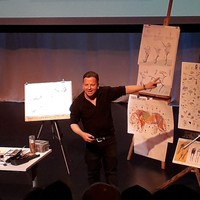
Tim Pond is a full time trainer and lectures in Graphic Design and Architecture at Richmond upon Thames College, United Kingdom where he teaches students of all ages how to use Adobe Indesign and Adobe Photoshop to create professional work. The majority of his students go on to pursue successful careers in animation, architecture, graphic design and illustration.
Tim's own artwork and illustration is widely recognized. His most recent publication which he wrote and illustrated is "Drawing the Natural World" (GMC 2023) which featured as Book of the Month in "Artists and Illustrators Magazine" (Dec 2023). He also wrote and illustrated "Watercolour the Natural World" (GMC 2022) and "The Field Guide to Drawing and Sketching Animals" (Search Press 2019) which has been published in eight languages.
He was associate artist at London Zoo (ZSL) and has completed collaborations with Tring Natural History Museum, WWT Wildfowl and Wetlands Trust, Barnes and the Royal Veterinary College. Tim is a judge for the Nancy Rothwell Award of the Royal Society of Biology. Previously, he was a freelance illustrator for The Guardian (a British national daily newspaper).
Tim holds an MA in Illustration from Kingston University, a degree in Fine Art from the University of the West of England and a PGCE in Art and Design from The Institute of Education in London.
 More Graphic Design courses

Adobe InDesign - From Basics to Professional Level Designs (2024)
4.9 (320 Reviews)
 Provider: Udemy
 Time: 11.4h
$84.99

Shop Drawing & Details-Autodesk Revit 2025- for BIM Modelers
4.9 (300 Reviews)
- Provider: Udemy
- Time: 30.9h
$10.99

The Adobe Illustrator CC Mastery Course: Basics to Pro + AI (2026)
4.9 (268 Reviews)
- Provider: Udemy
- Time: 30.8h
$19.99


Software Architecture & System Design Practical Case Studies (2026)
4.8 (2,584 Reviews)
- Provider: Udemy
- Time: 4h
$15.99

Graphic Design Masterclass: Design 40+ Projects in Photoshop (2025)
4.8 (668 Reviews)
- Provider: Udemy
- Time: 16.5h
$109.99
 Reviews

By paul greasby on 10/21/2025
I'm fairly experienced with InDesign and layout for publications (although rusty in both). The practical element of the course has made learning very comfortable and relevant. The instructor style is informal. I'm glad, like me, he occasionally can't find things. But delivers a "warts 'n' all" style, which is genuine. The examples are really professional. I do wonder whether this kind of theme is suitable for beginners though. Some of the features involved are quite advanced and beginners will struggle (see the reviews). It was frustrating that many text documents were not included. So instead of copying plain text easily into ID, I had to open the finished example and paste formatted text into a plain text editor. Not a problem, but I'm sure this is easily fixed. Also some of the images referenced were missing. Again, not a problem, if you're not resourceful enough by the end to find your own, you probably shouldn't be considering this profession. I didn't have time to do all the exercises as I want to apply to my own specific examples. Overall, I'm excited by this course, learned more than I could have imagined, and really looking forward to applying it all.
By Hoag Levins on 9/7/2024
The screen used in this video DO NOT MATCH the screens I'm seeing on InDesign 2024, making this tutorial useless. He even SAYS he's using a much over version of the program. What the hell is this!!!!!!!!!!!
By James Green on 11/4/2023
I've have done other Indesign training. This one helps with what I want to do the most as can I don't have to do exactly what the instructor is demonstrating, but do my own version of it, which makes the project personal and more interesting!
By Tracy on 10/25/2023
I'm loving this so far! I have always struggled with Indesign. I am a visual learner so this course is not too technical for me and I like the pace! I feel I am learning somethig that will be useful for my work in a pub as we always need new menus!
By Vivienne Eastwood on 10/16/2023
Gosh! What an interesting course. I am learning so much effortlessly! Tim is a natural teacher, and the projects are well thought-through and resourced. He must have put a lot of work into this course and wants his students to succeed, which is highly evident! Bravo!
By Jemima Sweet on 10/16/2023
I need to learn this programme for my job and have really struggled with other courses. For my visual style of learning this course is simply the best. Tim goes at a pace that I can cope with. As a teacher he seems to intuitvely understand where people might get lost. I love this course and so does my boss!
By John on 2/6/2023
I am enjoying this course and I am finding it relevant to the needs that I am seeking to fulfill. I like Tim Pond as an instructor, comes across well and I like his teaching style.
By Sharon Bryant on 1/14/2023
I think the videos are a bit grainy and hard to see, but the content, when you take the time to zoom in, is the best I've seen for the project I'm doing. Just really useful stuff. Thanks, Tim!
By Daryl O'Grady on 9/27/2021
It was good. I learned a lot on how to use the tool. I actually would like to learn more about the aethetic design choices and how to pick fonts, etc. but I realize that those things take much more time and are hard to teach. Tim makes a lot of mistakes as he clicks about the screen (reminds me of myself) which can distract you but it didn't bother me really. I figured out what he was doing and was able to follow along.
By Anna Czech on 9/19/2021
Very useful course for beginners who would like to try their hand at designing books and book covers. All the stages of design were clearly explained by the tutor step by step, very cool idea with the assignments after each section that you have to do and you can send for evaluation. I urge everyone who is at the beginning of their "graphic road" to buy this course, who wants to learn the basics of Indesign and design their first ever covers and spreads (quite complex). The great thing is that after completing the course you can see the progress you've made. Recommended!
 Quality Score
No CourseDuck member has rated this course yet. Taken it? Give each part a thumbs up or down.
Overall Score : 88 / 100
- Video Duration:
 5.1h
5.1h - Price: $74.99
- Provider: Udemy
- Updated:
 July 2026
 - Level:
 Beginner
 - Language:
 English
 - Certificate:
 Yes
Yes
30-day money-back guarantee on most paid courses
Udemy Coupon Price Tracker
