
 Web Development
 Data Science
 Python
 SQL
SQL JavaScript
 Artificial Intelligence
 IT & Software
 IT Certifications
 Hacking
 AWS
AWS Arduino
 DevOps
 3D Modeling
 Graphic Design
 Photoshop
 Drawing
 Digital Painting
 UX Design
 Business
 Data Analysis
 Communication Skills
 Project Management
 Leadership & Management
 Human Resources
 Digital Marketing
 Social Media Marketing
 Marketing
 SEO
SEO Google Analytics
 Branding
 Excel
Excel Office Productivity
 SAP
SAP PowerPoint
 Microsoft Access
 SharePoint
 Finance & Accounting
 Trading & Investing
 Accounting
 Bitcoin
 Personal Finance
 Video Editing & Animation
 Photography
 Adobe Premier Pro
 Adobe Lightroom
 Personal Development
 Productivity
 Career Development
 Life Coaching
 Health & Fitness
 Meditation & Mindfulness
 Yoga
Yoga Music
Music Music Production
 Guitar
 Piano
Piano Singing
 Language Learning
 Teaching & Academics
 Engineering
 Math
Math Lifestyle
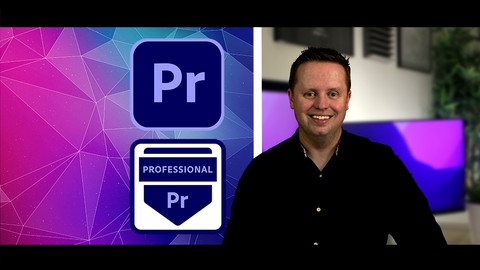
Adobe Premiere Pro for Beginners: Professional Training (Udemy.com)
Learn how to video edit like a Professional in Adobe Premiere Pro: Editing, Sound, Color, Transitions, Titles & VFX
Created by: Cathal McCarthy
Last updated September 2023
 What you will learn
- Set-up an Adobe Premiere Pro 2023 video project from scratch using best workflow practices
- Edit videos seamlessly together using powerful editing tools in Adobe Premiere Pro 2023
- Frame your shots perfectly in a cinematic or social media format
- Add a soundtrack and time it to your video to add impact
- Stabilize shaky footage to make it smooth and elegant
- Add green screen video footage with a different video background in Adobe Premiere Pro 2023
- Create slow motion video footage to make your footage more emotive
- Add and track blur through a scene as the blurred object moves
- Reverse video footage to either enhance a scene or create a time reversal effect
- Add photos and/or images to your video either as individual scenes or to overlay your footage
- Colour correct your video footage to add realism to it in Adobe Premiere Pro 2023
- Add vignettes to your scenes to focus on particular characters
How it compares
Against the other 293 rated Udemy courses in Video Editing & Animation on CourseDuck:
- Rating4.5 out of 5higher than 56% of them
- Reviews98#203 of 294 by number of reviews
- Length10.2 hourslonger than 89% of them
- Last updatedSeptember 2023more recently than 50% of them
 Course Description
Welcome to this course on Adobe Premiere Pro 2023!
My name is Cathal McCarthy and I am a certified Adobe Premiere Pro Professional.
My goal with this course is to help you go from being a Beginner to a confident Professional Video Editor using Adobe Premiere Pro 2023.
This course is designed to train and support you in making a beautiful and impactful 60 second video commercial using Adobe Premiere Pro 2023 with the following sections:
Setting up Your First Project
Editing Videos Together
Adding a Soundtrack
Framing Your Footage
Visual Effects
Color Correction & Color Grading
Text & Titles
Video Transitions
Dialogue & Sound Effects
Exporting & Showcasing on Web & Social Media
Video editing in Adobe Premiere Pro 2023 gives you the power to weave amazing pieces of video content together into a story - this is what you will learn to do in this course.
Also, I will make recommendations to you around what equipment to use, what software I use, where to find high quality royalty-free video and audio content and much more.
I know that it can be daunting learning a new skill so I have made the tutorials as easy to follow as possible, while aiming for the highest standards in best practices so that I am setting you up for success.
I look forward to working with you through this course to create a spectacular video together.
See you in the tutorials!
Best wishes,
Cathal McCarthy.

 Udemy Discount
The discount is applied through our link. Open the course from here and Udemy's current promotional price is applied at checkout on most courses, no code to type.
Some courses are excluded from Udemy's promotions. If the price does not drop, clear your browser cookies and use the button again.
Instructor Details

- 4.5 Rating
 98 Reviews
Cathal McCarthy
My passion is Creativity & Marketing, and I love to help people to learn new skills!
I have 15 years of industry experience in Video Editing, Creative Advertising, and Digital Marketing, with a Master degree in Marketing.
I have worked on both agency-side and client-side for global brands across a number of industries including Professional Services, Media, Financial Services, Energy & Utilities, FMCG and Advertising.
I am from Ireland but I also lived in Spain for a while, I love meeting students from around the world!
 More Video Editing & Animation courses

Learn to Storyboard for Film or Animation (2024)
4.8 (2,727 Reviews)
 Provider: Udemy
 Time: 2.2h
$12.99


Fire Starter Sessions Video Workshop with Danielle LaPorte (2017)
4.8 (1,205 Reviews)
- Provider: Udemy
- Time: 3.7h
$11.99

The Ultimate Color Grading Bootcamp in DaVinci Resolve (2026)
4.8 (947 Reviews)
- Provider: Udemy
- Time: 8.7h
$19.99

The Complete Talking Head Video Production Masterclass (2026)
4.8 (319 Reviews)
- Provider: Udemy
- Time: 17.6h
$59.99

The Complete iMovie Course - from Beginner to Advanced 2026!
4.7 (2,021 Reviews)
- Provider: Udemy
- Time: 11.1h
$10.99
 Reviews

By Tiffany Payne on 2/18/2024
Honestly, your training modules are top notch. You have crafted a very clear, concise, and cohesive training for a newbie like me. I thank you and my companies operations thanks you.
By Stewart Gbenpelle on 1/8/2024
I am following well, I will need to rewatch the video, but I am catching up.
By Evens Auguste on 9/4/2023
I am loving it. The instructor is very clear. I am so excited and proud of my progress. This is what I call an instructor.
By Robert C Kezer on 6/27/2023
Terrible jumps over everything, resources do not work.
By Steven Gallagher on 3/9/2023
Very clear when speaking, and work very slow peace to help me keep up. Amazing!
By Lesley Cho on 1/25/2023
Thanks for the resources. It's so helpful to know where professional artists are getting their resources from that are trustworthy.
By Laxminarayana Jakkapalli on 12/24/2022
Thank you sir, for your reply to me i hope i will learn so much from this course.
By Gunawan on 12/12/2022
Thank you very much for this course. It is very important and useful for me. Amazing...
By Andrzej Gackowski on 11/22/2022
I really liked the course and the project. I wanted to refresh everything that has to do with editing and I wanted to learn more about the technical aspect of editing, etc. This course helped me a lot and I learned a lot of new things. Cathal seems like a very nice person and he explains everything very clearly and with enthusiasm. Thank you, Cathal. Best! :-)
By Helen Maria on 11/9/2022
This is a fantastic course. I was a complete beginner, and I found these lessons very easy to follow and to learn from. The video project in this course is very professional and I feel confident video editing now. I also love the fact that I have access to all of these tutorials whenever I need to come back for a refresh in the future.
 Quality Score
No CourseDuck member has rated this course yet. Taken it? Give each part a thumbs up or down.
Overall Score : 90 / 100
- Video Duration:
 10.2h
10.2h - Price: $79.99
- Provider: Udemy
- Updated:
 September 2023
 - Level:
 Beginner
 - Language:
 English
 - Certificate:
 Yes
Yes
30-day money-back guarantee on most paid courses
Udemy Coupon Price Tracker
