
 Web Development
 Data Science
 Python
 SQL
 JavaScript
 Artificial Intelligence
 IT & Software
 IT Certifications
 Hacking
 Microsoft Azure
 AWS
 Arduino
 3D Modeling
 Graphic Design
 Photoshop
 Drawing
 Digital Painting
 UX Design
 Business
 Data Analysis
 Communication Skills
 Project Management
 Leadership & Management
 Human Resources
 Digital Marketing
 Social Media Marketing
 Marketing
 SEO
 Google Analytics
 Branding
 Excel
 Office Productivity
 SAP
 PowerPoint
 Microsoft Copilot
 Microsoft Access
 Finance & Accounting
 Trading & Investing
 Accounting
 Bitcoin
 Personal Finance
 Video Editing & Animation
 Photography
 Adobe Premier Pro
 Adobe Lightroom
 Personal Development
 Productivity
 Career Development
 Life Coaching
 Health & Fitness
 Yoga
 Meditation & Mindfulness
 Music
 Music Production
 Guitar
 Piano
 Singing
 Teaching & Academics
 Engineering
 Language Learning
 English Language
 Math
 Lifestyle
Adobe Premiere Pro Mastery: Learn Pro Video Editing + AI (Udemy.com)
Build real video editing skills with practical projects covering Premiere Pro, cinematic editing, AI workflows and more
Created by: HiveFlux Creative Academy
Last updated August 2026
 What you will learn
- Master the fundamentals of color theory to create visually balanced and professional-looking videos
- Correct exposure, white balance, and color casts using Premiere Pro's Lumetri Color panel
- Read and interpret Waveform, RGB Parade, and Vectorscope for accurate color correction
- Create cinematic color grades using HSL Secondary, adjustment layers, and professional workflows
- Match colors across multiple clips to achieve a consistent and polished final edit
- Save, export, and apply custom LUTs to speed up your color grading workflow across projects
How it compares
Against the other 298 rated Udemy courses in Video Editing & Animation on CourseDuck:
- Rating5.0 out of 5higher than 100% of them
- Reviews56#245 of 299 by number of reviews
- Length8.7 hourslonger than 86% of them
- Last updatedAugust 2026more recently than 95% of them
 Course Description
Go beyond learning where the buttons are. This Adobe Premiere Pro course is designed to help you build real video editing skills through structured lessons, practical assignments, creative projects, and modern AI-assisted workflows.
Learn and Master Professional Video Editing with Adobe Premiere Pro
Learn Premiere Pro from the fundamentals and build confidence through practical projects.
Master professional editing techniques, pacing, rhythm, trimming, interviews, and B-roll.
Organize projects professionally using bins, metadata, proxies, folder systems, and efficient workflows.
Create polished audio using dialogue cleanup, sound design, EQ, Adobe Audition, and AI speech enhancement.
Control speed and motion with time remapping, cinematic speed ramps, freeze frames, and other techniques.
Create titles, lower thirds, animated graphics, captions, and reusable motion graphics templates.
Correct and grade footage using Lumetri Color, scopes, curves, HSL Secondary, and cinematic grading workflows.
Create creative effects and composites using masking, tracking, double exposure, object removal, and Generative Extend.
Master green-screen compositing, including matte cleanup, spill suppression, backgrounds, and realistic shadows.
Edit for YouTube, Instagram, TikTok, Reels, and other modern content platforms.
Use AI for transcript editing, speech enhancement, captions, Auto Reframe, content repurposing, and multi-platform workflows.
Learn professional export, bitrate, compression, delivery, freelance pricing, and basic client strategy.
This is not simply a collection of random Premiere Pro tutorials. The course takes you through a structured progression—from understanding how editors think and creating your first project to building professional editing workflows and integrating AI into your process.
You will learn by doing. Practical assignments are built throughout the curriculum, covering editing, organization, audio, speed editing, graphics, title design, color grading, creative effects, green screen, and social media editing.
Whether you're a complete beginner, aspiring video editor, content creator, YouTuber, graphic designer, videographer, freelancer, or an existing Premiere Pro user looking to strengthen your workflow, this course gives you a clear path to build your skills.
By the end, you'll have more than knowledge of Premiere Pro—you'll have a stronger understanding of how to think, edit, create, refine, and deliver modern video content.
Learn. Practice. Create. Build your editing skill with Adobe Premiere Pro and AI.
Enroll NOW and take charge of your video editing future

 Udemy Discount
The discount is applied through our link. Open the course from here and Udemy's current promotional price is applied at checkout on most courses, no code to type.
Some courses are excluded from Udemy's promotions. If the price does not drop, clear your browser cookies and use the button again.
Instructor Details

- 5.0 Rating
 56 Reviews
HiveFlux Creative Academy
At HF(HiveFlux) Creations, we are passionate about helping aspiring creatives unlock their full potential in the world of graphic design, motion graphics, and digital creativity. Our mission is simple: to make high-quality creative education accessible, engaging, and practical for learners around the globe.
With years of experience in design, animation, and creative entrepreneurship, our team of instructors has crafted step-by-step courses that are beginner-friendly yet packed with professional techniques. Whether you’re just starting your creative journey or looking to level up your skills, our courses are designed to give you the confidence and expertise to bring your ideas to life.
 More courses by HiveFlux Creative Academy
Adobe After Effects CC Master Course - VFX & Motion Graphics (2026)
4.6 (197 Reviews)
 Provider: Udemy
 Time: 42.3h
$11.99
Original price
The Logo Design Mastery Course in Adobe Illustrator CC (2025)
4.7 (170 Reviews)
- Provider: Udemy
- Time: 13h
$11.99
Original price More Video Editing & Animation courses
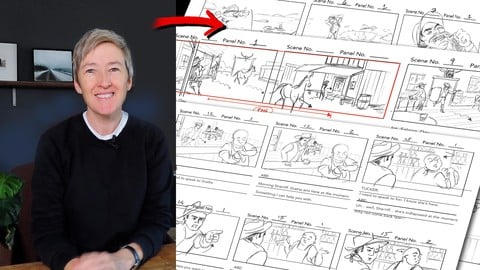
Learn to Storyboard for Film or Animation (2024)
4.8 (2,727 Reviews)
- Provider: Udemy
- Time: 2.2h
$12.99
Original price
Final Cut Pro X Tutorial (2021)
4.8 (1,462 Reviews)
- Provider: Udemy
- Time: 3.3h
$11.99
Original price
Fire Starter Sessions Video Workshop with Danielle LaPorte (2017)
4.8 (1,205 Reviews)
- Provider: Udemy
- Time: 3.7h
$11.99
Original price
The Ultimate Color Grading Bootcamp in DaVinci Resolve (2026)
4.8 (947 Reviews)
- Provider: Udemy
- Time: 8.7h
$11.99
Original price
The Complete Talking Head Video Production Masterclass (2026)
4.8 (319 Reviews)
- Provider: Udemy
- Time: 17.6h
$11.99
Original price
The Complete iMovie Course - from Beginner to Advanced 2026!
4.7 (2,021 Reviews)
- Provider: Udemy
- Time: 11.1h
$10.99
Original price  Reviews

By Nokof on 9/28/2026
I learned a lot from this course. The Premiere Pro lessons are explained clearly, and the practical approach makes it easier to understand each tool and technique
By varedar on 9/28/2026
The lessons are clear, practical, and easy to follow. I especially enjoyed the AI section because it makes modern video editing feel much faster and more efficient.
By ferovem on 9/27/2026
This course gave me a much broader understanding of Premiere Pro. I learned about editing, audio, color, effects, graphics, workflow, and AI tools, which together provide a strong foundation for continuing to develop as an editor.
By bebogo on 9/27/2026
I enjoyed that the course doesn't feel limited to traditional editing. It introduces modern AI-assisted features alongside core Premiere Pro skills, making the learning experience feel relevant to today's content-creation environment.
By Legil on 9/27/2026
For anyone hoping to offer video-editing services, this course covers many practical areas that clients commonly need. The combination of editing, audio, color, graphics, effects, and efficient workflows provides a useful skill set to develop.
By Vamec on 9/23/2026
The combination of video editing and AI makes the course feel very useful for anyone who wants to improve their skills and create better videos.
By Ticaba on 9/23/2026
The content is organized well, and I found the practical demonstrations particularly useful. I now feel much more comfortable editing videos and exploring more advanced techniques.
By fohobay on 9/23/2026
The lessons are clear, practical, and easy to follow. I also really enjoyed the AI section because it shows how modern tools can make the editing process faster and more efficient.
By Rihige on 9/23/2026
I learned how to work more confidently with Premiere Pro, improve my workflow, and use AI tools to speed up different parts of the editing process. The practical approach made learning much easier.
By Wonorav on 9/21/2026
I really enjoyed the step-by-step lessons, especially the AI sections. Great course for anyone who wants to improve their video editing skills.
 Quality Score
No CourseDuck member has rated this course yet. Taken it? Give each part a thumbs up or down.
Overall Score : 100 / 100

- Video Duration:
 8.7h
- Price: $9.99
- Provider: Udemy
- Updated:
 August 2026
- Level:
 Beginner
- Language:
 English
- Certificate:
 Yes
30-day money-back guarantee on most paid courses
Udemy Coupon Price Tracker
