
 Web Development
 Data Science
 Python
 SQL
SQL JavaScript
 Artificial Intelligence
 IT & Software
 IT Certifications
 Hacking
 AWS
AWS Arduino
 DevOps
 3D Modeling
 Graphic Design
 Photoshop
 Drawing
 Digital Painting
 UX Design
 Business
 Data Analysis
 Communication Skills
 Project Management
 Leadership & Management
 Human Resources
 Digital Marketing
 Social Media Marketing
 Marketing
 SEO
SEO Google Analytics
 Branding
 Excel
Excel Office Productivity
 SAP
SAP PowerPoint
 Microsoft Access
 SharePoint
 Finance & Accounting
 Trading & Investing
 Accounting
 Bitcoin
 Personal Finance
 Video Editing & Animation
 Photography
 Adobe Premier Pro
 Adobe Lightroom
 Personal Development
 Productivity
 Career Development
 Life Coaching
 Health & Fitness
 Meditation & Mindfulness
 Yoga
Yoga Music
Music Music Production
 Guitar
 Piano
Piano Singing
 Language Learning
 Teaching & Academics
 Engineering
 Math
Math Lifestyle
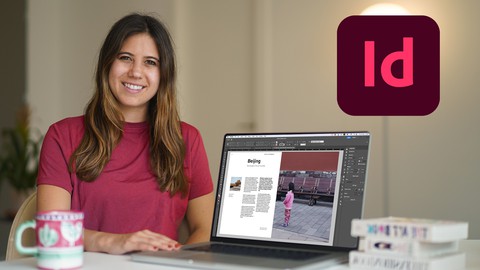
Advanced Adobe InDesign CC: Boost your Portfolio & Workflow (Udemy.com)
8 Graphic Design projects to Boost your Portfolio: Tables & Text Styles
Created by: Kate Silver
Last updated July 2023
 What you will learn
- Fine-tuning Typography
- Tables & Table of Content
- Optimized Workflow & Workspace for Automation
- Mastering Long Documents
- Paragraph & Character Styles
- Object Styles & Drop Shadow
- Optimizing Preferences & Workspace
- Convert a pdf to Flipbook
- Advanced Bullet Points (Emoji Bullets)
- Search/Find
- Hidden Characters
- QR Codes
- Save Styles in CC Libraries
- Blending Modes
- The Pen Tool
- Images inside Text
- Story Editor
- Text Data to Table
- Graphics inside Tables
- Clipping Path Removing Backgrounds
- Forced Line Break
- Pathfinder Tool
- (Ignore) Text Wrap
How it compares
Against the other 413 rated Udemy courses in Graphic Design on CourseDuck:
- Rating4.7 out of 5higher than 81% of them
- Reviews27#400 of 414 by number of reviews
- Length4.8 hoursshorter than 51% of them
- Last updatedJuly 2023earlier than 66% of them
 Course Description
Level Up your Graphic Design with this Advanced Adobe InDesign CC Course.
8 Projects to Boost your Portfolio & Workflow!
Explore Tables, Paragraph Styles, Workflow Techniques, Default Fonts and More!
Who is this Course for?
Those with Basic knowledge of Adobe InDesign
Those who are Self-Taught
Those who want a Faster & Efficient way of working
Those who Completed my Beginners InDesign Course
What you’ll need:
Adobe InDesign CC: Download Free Trial here:
Main Topics:
Tables
Table of Content
Paragraph & Character Styles
Object Styles & Drop Shadow
Multiple Parent Pages
Useful Perks:
60 different tools
8 Free Templates
Optimizing Preferences & Workspace
Convert a pdf to Flipbook
8 Projects:
Restaurant Menu (+ QR Code)
Flyer with Patterns & Effects
Timetable Design
Data to Table
Table of Contents (For E-Book)
Coffee Table Decor Book
Interior Design Brochure (Long Document)
Free 3D FlipBook Converter
What you’ll Learn:
Preferences
Customizing Workspaces
Auto-Activate Adobe Fonts
Character Option (rules, borders)
Advanced Bullet Points
Emoji Bullets
Search/Find
Hidden Characters
Generate a QR Code
Save Styles in CC Libraries
Blending Modes
Introducing The Pen Tool
Images inside Text
Story Editor
Text Data to Table
Basic Table Design
Graphics inside Tables
Table Book Design
Clipping Path
Removing Backgrounds
Forced Line Break
Pathfinder Tool
(Ignore) Text Wrap
Drop Caps
Gridify
Locking / Unlocking
Dot Tabs
This is a Step-by-Step Guide with 8 Hands-on Exercises
8 Projects:
Restaurant Menu (+ QR Code)
Flyer with Patterns & Effects
Timetable Design
Data to Table
Table of Contents (For E-Book)
Coffee Table Decor Book
Interior Design Brochure (Long Document)
Free 3D FlipBook Converter
Files:
You will see a downloadable series of Zip files - If you double click on each of these, they will expand into folders and you can access the files inside.
Each exercise has its own zip folder with:
InDesign file (indd.)
IDML (for Other InDesign versions)
Images
Text
Fonts
Additional useful files :
Free Images
Free fonts
Free Templates
InDesign versions:
We’ll be using Adobe InDesign CC 2023. For older versions (CS4 - 2023), open IDML files instead of INDD
Course Project Challenge:
Customize 1 of these projects with your own colors, logos, branding
Save & Export as a PDF
Convert into A 3D Flipbook
Upload to the Project Gallery
I am around to help so if you have any questions or feel stuck, drop me a line in 'Questions and Answers' and I will get back to you promptly. Happy learning!

 Udemy Discount
The discount is applied through our link. Open the course from here and Udemy's current promotional price is applied at checkout on most courses, no code to type.
Some courses are excluded from Udemy's promotions. If the price does not drop, clear your browser cookies and use the button again.
Instructor Details

- 4.7 Rating
 27 Reviews
Kate Silver
Who am I?
I'm Kate, A Graphic Designer & Shoe Designer working at the UK's Leading Adobe training centre in London. I have worked with Jimmy Choo, Sophia Webster & Nicholas Kirkwood.
Designer of All things
Adobe Instructor, Graphic Designer, Fashion Designer, Footwear Designer - these are some of the diverse job titles I've held throughout my career as designer of all things. Because when you are a designer - you are never just that.
Where do you teach Adobe?
I've been working at the UK's leading Adobe Training Centre in London for over 4 years. I have worked with and consulted Sony Music, Marks & Spencers, Nespresso, The White Company & more!
What is your teaching style?
My courses are a very hands-on step by step approach. I help you crawl before you can run. I love creating cool exercises to help you attune your skills.
Adobe is like any language (except it is visual) that needs to be nurtured and used and what better way than an Adobe Workshop?
 More courses by Kate Silver

Adobe InDesign CC: Beginners | Workshop | Essentials (2023)
4.8 (225 Reviews)
 Provider: Udemy
 Time: 3.2h
$59.99
More Graphic Design courses

Adobe InDesign - From Basics to Professional Level Designs (2024)
4.9 (320 Reviews)
- Provider: Udemy
- Time: 11.4h
$84.99

Shop Drawing & Details-Autodesk Revit 2025- for BIM Modelers
4.9 (300 Reviews)
- Provider: Udemy
- Time: 30.9h
$10.99

The Adobe Illustrator CC Mastery Course: Basics to Pro + AI (2026)
4.9 (268 Reviews)
- Provider: Udemy
- Time: 30.8h
$19.99


Software Architecture & System Design Practical Case Studies (2026)
4.8 (2,584 Reviews)
- Provider: Udemy
- Time: 4h
$15.99

Graphic Design Masterclass: Design 40+ Projects in Photoshop (2025)
4.8 (668 Reviews)
- Provider: Udemy
- Time: 16.5h
$109.99
 Reviews

By Stephanie Buosi on 2/12/2026
I love Kate's teaching style. She has a very calm and patient approach.
By Priyanka Pandit on 10/27/2024
Great course. Concepts are clearly explained with examples
By Kazım Başar ÇIVGIN on 7/15/2024
She is the best teacher on Udemy.
By Tabitha Miller on 6/6/2024
Excellent course. I'm learning a lot of very useful skills. Well worth the money.
By Charlotte Bouche-Florin on 3/21/2024
Everything was well explained, in a logical order. Enough repetitions to make you learn but not get bored. Perfect!
By Maria Karwinsky on 2/18/2024
Great course, I like the way Kate is explaining every detail with her very smart Belgian Accent! Although I am quite familiar with InDesign as a book layouter I learned a lot new things which will be helpful for my work. I'd like some more information about book layout meaning a proper book with more than 200 pages: adjusting text to a grid, fixing images to a specific line (so it can't be accidently moved), turning it to an e-book in different formats e.g. epub, kindle, etc. Maybe I will by the first course as well if there is a special offer. Thanks a lot, Kate, well done!! Voilà :)
By José Carlos Rodrigues Antonio on 2/13/2024
Great course! (But please make the next one 1080p )
By Juultje Oerlemans on 12/10/2023
I learned A LOT from this course. I started as a total beginner with the beginner course and after finishing this course I feel confident starting my own designs! And also I had a lot of fun doing the course... Thank you so much!
By Maryam Hosseinzadeh on 7/27/2023
I loved watching this explanation and practicing at the same time with you.
By Sabine Cimber on 7/27/2023
 Quality Score
No CourseDuck member has rated this course yet. Taken it? Give each part a thumbs up or down.
Overall Score : 94 / 100
- Video Duration:
 4.8h
4.8h - Price: $69.99
- Provider: Udemy
- Updated:
 July 2023
 - Level:
 Intermediate
 - Language:
 English
 - Certificate:
 Yes
Yes
30-day money-back guarantee on most paid courses
Udemy Coupon Price Tracker
