
 Web Development
 Data Science
 Python
 SQL
SQL JavaScript
 Artificial Intelligence
 IT & Software
 IT Certifications
 Hacking
 AWS
AWS Arduino
 DevOps
 3D Modeling
 Graphic Design
 Photoshop
 Drawing
 Digital Painting
 UX Design
 Business
 Data Analysis
 Communication Skills
 Project Management
 Leadership & Management
 Human Resources
 Digital Marketing
 Social Media Marketing
 Marketing
 SEO
SEO Google Analytics
 Branding
 Excel
Excel Office Productivity
 SAP
SAP PowerPoint
 Microsoft Access
 SharePoint
 Finance & Accounting
 Trading & Investing
 Accounting
 Bitcoin
 Personal Finance
 Video Editing & Animation
 Photography
 Adobe Premier Pro
 Adobe Lightroom
 Personal Development
 Productivity
 Career Development
 Life Coaching
 Health & Fitness
 Meditation & Mindfulness
 Yoga
Yoga Music
Music Music Production
 Guitar
 Piano
Piano Singing
 Language Learning
 Teaching & Academics
 Engineering
 Math
Math Lifestyle
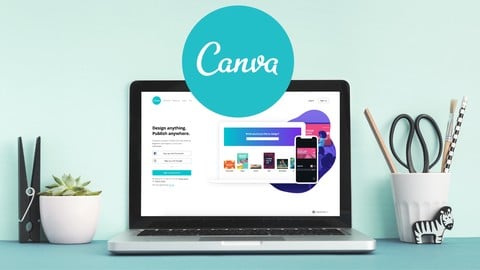
Canva 2020: Non-Designer’s Guide to Mastery (Udemy.com)
Design Pro Social Media Posts with Canva—Anywhere, Anytime
Created by: JP COURSES
Last updated March 2025
 What you will learn
- Learn all the basics of Canva
- You will easily learn everything about Canva.
- Start from scratch and become beginner to Expert.
- Deep Understanding of the Design Interface of Canva
- Professional & Time Saving Social Media designs from scratch
- Design Professional Social Media Posts to give life to your brands
- You will learn how to apply your ideas with built in Canva templates.
- Create Professional & Enchanting Social Media designs that helps to increase your brand sales.
- Create & Set up free account of Canva
- Discusses each design tool of Canva
- Deep understanding of Design Interface
- Discover Amazing Features of Canva
- Best Use of Canva Templates
- Access free Canva Photos & how to upload your images
- Use of built in Photo editing tools
- Create Perfect Color Combinations
- Use of graphic Elements that already exist in Canva Library
How it compares
Against the other 413 rated Udemy courses in Graphic Design on CourseDuck:
- Rating4.0 out of 5higher than 3% of them
- Reviews632#79 of 414 by number of reviews
- Length0.6 hoursshorter than 97% of them
- Last updatedMarch 2025earlier than 51% of them
 Course Description
Ready to transform your social media game without design skills? Enroll now in Canva 2020 for Non-Designers: Beginner to Expert on Udemy—your shortcut to crafting pro-level posts that skyrocket your brand to new heights! If you’re a non-designer wondering where to start, itching to turn basic images into jaw-dropping designs, or dying to bring your brand’s vision to life—your answer is YES, and this course is your golden ticket. Join today and unleash your creativity like never before!
Say goodbye to bland posts! This course walks you through setting up a free Canva account, mastering every design tool, and unlocking a deep understanding of the interface. You’ll explore amazing features, harness Canva’s templates, and tap into free photos or upload your own. With built-in editing tools, perfect color combos, and a library of graphic elements, you’ll create stunning social media content—fast. Think Facebook posts, Instagram stunners, Twitter hits, Pinterest pins, and more—all at your fingertips!
Start from scratch and go from newbie to expert, designing enchanting posts that boost brand sales daily. No experience? No problem—this is built for you. Enroll now, master Canva 2020 quickly, and watch your social media shine brilliantly. Your brand deserves this edge—start creating today!

 Udemy Discount
The discount is applied through our link. Open the course from here and Udemy's current promotional price is applied at checkout on most courses, no code to type.
Some courses are excluded from Udemy's promotions. If the price does not drop, clear your browser cookies and use the button again.
Instructor Details
- 4.0 Rating
 632 Reviews
JP COURSES
– Great Online Courses to Help Improve Your Life –
We create online courses to share our diverse range of expertise, skills, knowledge and wisdom about many different topics in Business, IT, Tech, Internet, Programming/Development, Blockchain/Crypto, Entrepreneurship, Finance, Marketing, eCommerce, Design & Creatives, and many other skills.
We hope that you will find our courses useful & helpful.
Never stop learning...
thanks
Jerome
JP COURSES
 More courses by JP COURSES

Unlock Blockchain: Ethereum, dApps & Beyond (2025)
4.0 (350 Reviews)
 Provider: Udemy
 Time: 1.1h
Free
More Graphic Design courses

Adobe InDesign - From Basics to Professional Level Designs (2024)
4.9 (320 Reviews)
- Provider: Udemy
- Time: 11.4h
$84.99

Shop Drawing & Details-Autodesk Revit 2025- for BIM Modelers
4.9 (300 Reviews)
- Provider: Udemy
- Time: 30.9h
$10.99

The Adobe Illustrator CC Mastery Course: Basics to Pro + AI (2026)
4.9 (268 Reviews)
- Provider: Udemy
- Time: 30.8h
$19.99


Software Architecture & System Design Practical Case Studies (2026)
4.8 (2,584 Reviews)
- Provider: Udemy
- Time: 4h
$15.99

Graphic Design Masterclass: Design 40+ Projects in Photoshop (2025)
4.8 (668 Reviews)
- Provider: Udemy
- Time: 16.5h
$109.99
 Reviews

By Robin Brown on 7/29/2024
The course details were good however, I think the presentation was a little too fast for a beginner like me that has no clue as to how to use Canva. I had to pause and rewind a few times to understand what was being said while taking notes.
By Jaimin Thakkar on 3/25/2021
Great to see she had explained most of bits of Canva, It can be better if she had created one section of Canva Pro also so users get idea about buying Canva Pro is worth or not. But orverall this course is totally worth it.
By ٱรคɗ ヾ(@⌒▽⌒@)ノ ƈɦપกﻭ on 10/17/2020
Glad I got for free, if you pay like $9 during offer, or like 18.99 or 19.99, what a waste. You can self learn all she said on canva for free with trial and error, and it takes less than like 6 hours to learn on your own, lousy teaching, nothing really special, no cool tips, watched this on like 10x the speed and still not miss any key detail, that's how bad it is.
By Rai Reed on 9/18/2020
The information was good although I felt like we were in a race to get through all of the topics. The sound quality fluctuated so I couldn't always understand what we being said.
By Mitu moni keot on 6/3/2020
Thank you Ma'am for the tutorial.I liked to edit,create and design in canva..I'm addicted to it.. It have lots of pro design,animations ,icons..loving it.
By Md Mahadi Hasan on 6/1/2020
I learned the basics of graphics from this course. Now I can create basic graphics designs. But, the course was a little fast track. I will it was more in detail, but, to be honest as a free course you can't ask more than this. Thank you to the Instructor for this beautiful course
By Mohsin Hussain on 5/30/2020
Its a very informative course, short & precise. I completed the course in one go. The only feedback I would like to give is that you should improve the communication skills and audio quality. Looking to learn more good stuff like this.
By Cris Roy on 5/29/2020
Very Nicely Taught on to design on Canva. It reminded me on how we created the intro slide of any powerpoint project :) . And through the adversity of this course am i pretty much confident of making a new post on FB or Insta in coming days
By Kimberly Hamilton on 5/21/2020
The course was very good at showing how to design social media and presentations. Quick and attractive designs. I have used Canva for some time and I did learn a few new tricks! Thank you for your course. Kimberly
By Saba on 5/21/2020
It was a great experience to enrol at this course. Instructions were obvious. Sound was clear. Teaching skills were good. A comprehensive video for the beginners like me! I would suggest others to enrol here if they are interested in designing. For me, Canva is a perfect tool for designing
 Quality Score
No CourseDuck member has rated this course yet. Taken it? Give each part a thumbs up or down.
Overall Score : 80 / 100
- Video Duration:
 36 mins
 - Price: See price on Udemy
- Provider: Udemy
- Updated:
 March 2025
 - Level:
 All Levels
 - Language:
 English
 - Certificate:
 Yes
Yes
30-day money-back guarantee on most paid courses
Udemy Coupon Price Tracker
