
 Web Development
 Data Science
 Python
 SQL
SQL JavaScript
 Artificial Intelligence
 IT & Software
 IT Certifications
 Hacking
 AWS
AWS Arduino
 DevOps
 3D Modeling
 Graphic Design
 Photoshop
 Drawing
 Digital Painting
 UX Design
 Business
 Data Analysis
 Communication Skills
 Project Management
 Leadership & Management
 Human Resources
 Digital Marketing
 Social Media Marketing
 Marketing
 SEO
SEO Google Analytics
 Branding
 Excel
Excel Office Productivity
 SAP
SAP PowerPoint
 Microsoft Access
 SharePoint
 Finance & Accounting
 Trading & Investing
 Accounting
 Bitcoin
 Personal Finance
 Video Editing & Animation
 Photography
 Adobe Premier Pro
 Adobe Lightroom
 Personal Development
 Productivity
 Career Development
 Life Coaching
 Health & Fitness
 Meditation & Mindfulness
 Yoga
Yoga Music
Music Music Production
 Guitar
 Piano
Piano Singing
 Language Learning
 Teaching & Academics
 Engineering
 Math
Math Lifestyle
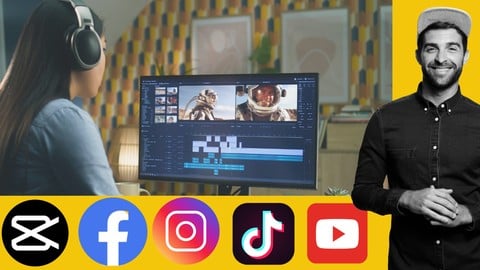
Capcut Video Editing for Social Media Reels Shorts Videos (Udemy.com)
Captivate & Convert: Master the Art of CapCut Editing for Social Media
Created by: Sayman Creative Institute
Last updated April 2026
 What you will learn
- Introduction to Workspace and the Interface
- Importing your media in Capcut
- Trimming, Splitting and Shortcut keys to use
- Color Grading and using Luts in your video
- Understanding the Keyframing in Capcut
- Working with Green Screen and using the Background Blur in Capcut
- Making an Instagram Reel in Capcut
- Creating an Instagram Story in Capcut
- Making a Tiktok Video
- Making a Youtube Thumbnail for your Video
- Making a Youtube Video in Capcut
- Making a Youtube Short
- Making a Facebook Video
How it compares
Against the other 293 rated Udemy courses in Video Editing & Animation on CourseDuck:
- Rating4.2 out of 5higher than 14% of them
- Reviews396#87 of 294 by number of reviews
- Length5.3 hourslonger than 66% of them
- Last updatedApril 2026more recently than 80% of them
 Course Description
Hello everyone welcome to our class of Capcut Tutorial for learning video editing for social media so if you are planning to learn video editing from the beginning than you are in right place because we will cover in this class from the basic to advanced. This is a semi-advanced level class so if you have any previous experience than it might be helpful for you to understand this class properly.
Lets take a look what you will learn from this class:
1. Introduction to Workspace and the Interface
2. Importing your media in Capcut
3. Trimming, Splitting and Shortcut keys to use
4. Color Grading and using Luts in your video
5. Understanding the Keyframing in Capcut
6. Working with Green Screen and using the Background Blur in Capcut
7. Making an Instagram Reel in Capcut
8. Creating an Instagram Story in Capcut
9. Making a Tiktok Video
10. Making a Youtube Thumbnail for your Video
11. Making a Youtube Video in Capcut
12. Making a Youtube Short
13. Making a Facebook Video
After complete this class you will be able to do
- Advanced Editing Techniques
- Advanced Effects
- Text and Titles
- Advanced Export Settings
- Workflow Optimization
- Project Examples
This is a project based class so during learning you will have class project so what you learned you will be able to participate in class project so you can do practice while you are learning. You will have supporting resource in this class so it will be easier for you to learn.
During learning if you face any issue or if you have any question than feel free to ask me I am always there for you to help you. So lets start learning Capcut for Video Editing Together.

 Udemy Discount
The discount is applied through our link. Open the course from here and Udemy's current promotional price is applied at checkout on most courses, no code to type.
Some courses are excluded from Udemy's promotions. If the price does not drop, clear your browser cookies and use the button again.
Instructor Details
- 4.2 Rating
 396 Reviews
Sayman Creative Institute
Hello there! Welcome to Sayman Creative Institute and we are excited to be your mentor on this exciting journey into the realms of Graphics Design and Video Editing. With a decade-long adventure in these dynamic fields, I'm here to share insights, techniques, and creative processes that will empower you to bring your ideas to life.
Unleash Your Creative Superpowers: Join us as we dive headfirst into the exhilarating world of graphics design. From understanding design fundamentals to conquering advanced techniques in Adobe Creative Suite, we'll traverse a spectrum of artistic expression. Let's unlock your ability to create stunning visuals that leave a lasting impact.
Craft Visual Stories That Resonate: Lights, camera, creativity Together, we'll explore the art of video editing, where every frame holds a piece of the narrative puzzle. From slicing and dicing footage to seamlessly blending visual effects, We are here to guide you through Adobe Premiere Pro, After Effects, and other tools that professionals use.
Why Learn With Me? Having worked with global brands and independent creators, our journey has equipped us with a treasure trove of practical insights. Our goal is to demystify complex concepts and equip you with actionable skills. Whether you're a curious beginner or a seasoned creator seeking to refine your abilities, our courses are tailored to all skill levels.
 More courses by Sayman Creative Institute

Figma for User Interface and User Experience UIUX Design (2026)
4.5 (839 Reviews)
 Provider: Udemy
 Time: 5h
$19.99

Python for Everyone Master the Basics of Programming (2026)
4.4 (781 Reviews)
- Provider: Udemy
- Time: 6.5h
$39.99
Learn UI UX Design Adobe XD : Learn User Experience Design (2026)
4.4 (713 Reviews)
- Provider: Udemy
- Time: 4.2h
$19.99
JavaScript Fundamentals to Advanced: Full Stack Development (2026)
4.4 (708 Reviews)
- Provider: Udemy
- Time: 5.7h
$19.99

The Ultimate Microsoft Excel: Essential Comprehensive Guide (2026)
4.3 (706 Reviews)
- Provider: Udemy
- Time: 4.5h
$19.99
Microsoft Office Mastery Learn Word Excel and PowerPoint (2026)
4.5 (600 Reviews)
- Provider: Udemy
- Time: 12.6h
$59.99
More Video Editing & Animation courses

Learn to Storyboard for Film or Animation (2024)
4.8 (2,727 Reviews)
- Provider: Udemy
- Time: 2.2h
$12.99


Fire Starter Sessions Video Workshop with Danielle LaPorte (2017)
4.8 (1,205 Reviews)
- Provider: Udemy
- Time: 3.7h
$11.99

The Ultimate Color Grading Bootcamp in DaVinci Resolve (2026)
4.8 (947 Reviews)
- Provider: Udemy
- Time: 8.7h
$19.99

The Complete Talking Head Video Production Masterclass (2026)
4.8 (319 Reviews)
- Provider: Udemy
- Time: 17.6h
$59.99

The Complete iMovie Course - from Beginner to Advanced 2026!
4.7 (2,021 Reviews)
- Provider: Udemy
- Time: 11.1h
$10.99
 Reviews

By Amit Upreti on 12/25/2025
Honestly, this course is pretty low effort. The instructor doesn't share any of the project files he’s using, which makes it hard to follow along, and he’s completely unresponsive in the Q&A section. The whole lesson plan feels like it was just copied from somewhere else. The biggest irony is that this is a video editing course, yet the very first video literally freezes halfway through and just plays audio for the rest of the lesson. The fact that an "editing instructor" didn't catch that or didn't care enough to fix it says a lot. It’s still somewhat useful if you’re a total beginner and just need the absolute basics
By Jasper Ritch Indita on 9/24/2025
I found the seminar on CapCut video editing very practical and engaging. It was a good match for me because I often create social media reels, and the course provided hands-on techniques that I could immediately apply.
By Solomon Moharana on 6/30/2025
The explanation is good but it does not go along with the videos. The video stops or literally does not follow the voiceover from 20 minutes in the time line.
By Miracle Opoku-Mensah on 3/22/2025
The course was great! I really enjoyed it and learned a lot of new things. One suggestion would be to add a resource section where we could access the LUT files for experimentation. It would have been really helpful for following along and practicing. While the course was fantastic, I was hoping for some LUT resources to work with, but I couldn’t find any. It would be a great addition to enhance the learning experience!
By Comfort Asuquo on 3/20/2025
I like the way the instructor took time to explain , and the video is self explanatory , the concept is clear
By Russell Ramoran on 2/2/2025
The trainer speaks clearly and explains the interface and functions of the CapCut menu effectively. His speaking pace is well-balanced—not too fast and not too slow—making it easy to follow.
By Abdulahafis Bamidele on 1/19/2025
Excellent tutorial! I recommend it for anyone who wants to learn video editing.
By Wonderful Adegoke on 7/30/2024
Honestly, I got intrigued! I tender my flowers to the course facilitator.
By Juan Carlos Vargas Rojas on 7/2/2024
Habla mucho de las secciones que está explicando, pero apenas y se alcanza a visualizar el puntero de su mouse donde se supone que está la opción que quiere explicar. Además de que tiene la muletilla de decir todo con un OK
By Akram ouadghiri bencherif on 5/8/2024
I'm sharing my experience with this course. It's wonderful, but it's more suitable for beginners. He didn't know anything about editing, but all in all, it's perfect.
 Quality Score
No CourseDuck member has rated this course yet. Taken it? Give each part a thumbs up or down.
Overall Score : 84 / 100
- Video Duration:
 5.3h
5.3h - Price: $59.99
- Provider: Udemy
- Updated:
 April 2026
 - Level:
 All Levels
 - Language:
 English
 - Certificate:
 Yes
Yes
30-day money-back guarantee on most paid courses
Udemy Coupon Price Tracker
