
 Web Development
 Data Science
 Python
 SQL
SQL JavaScript
 Artificial Intelligence
 IT & Software
 IT Certifications
 Hacking
 AWS
AWS Arduino
 DevOps
 3D Modeling
 Graphic Design
 Photoshop
 Drawing
 Digital Painting
 UX Design
 Business
 Data Analysis
 Communication Skills
 Project Management
 Leadership & Management
 Human Resources
 Digital Marketing
 Social Media Marketing
 Marketing
 SEO
SEO Google Analytics
 Branding
 Excel
Excel Office Productivity
 SAP
SAP PowerPoint
 Microsoft Access
 SharePoint
 Finance & Accounting
 Trading & Investing
 Accounting
 Bitcoin
 Personal Finance
 Video Editing & Animation
 Photography
 Adobe Premier Pro
 Adobe Lightroom
 Personal Development
 Productivity
 Career Development
 Life Coaching
 Health & Fitness
 Meditation & Mindfulness
 Yoga
Yoga Music
Music Music Production
 Guitar
 Piano
Piano Singing
 Language Learning
 Teaching & Academics
 Engineering
 Math
Math Lifestyle
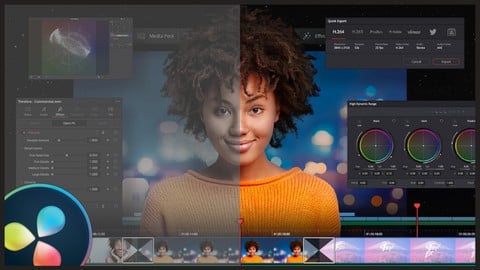
COLOR GRADING PRO | DAVINCI RESOLVE Beginner & Advanced (Udemy.com)
HOW TO COLOR GRADE FOOTAGE TO BE MORE CINEMATIC IN 45 MINUTES
Created by: Cody Scott
Last updated August 2023
 What you will learn
- How to make your own professional LUTS
- Able to apply other color match your favorite films match instantly
- How to get the cinematic look
- Deep and practical knowledge about color grading
- Begin & Finish a project for Color Grading
- Details knowledge about each parameters such as exposure, contrast, highlights, curves, color wheels etc.
- Setup DaVinci Resolve to match your current NLE Layout
- Setup DaVinci Resolve for highest quality results
- The key differeneces between color correction and color grading
- How to change a specific color to a video with HSL curves
- How to apply same color grading of one video to all the videos in the timeline
How it compares
Against the other 293 rated Udemy courses in Video Editing & Animation on CourseDuck:
- Rating4.2 out of 5higher than 14% of them
- Reviews28#280 of 294 by number of reviews
- Length3.7 hoursshorter than 52% of them
- Last updatedAugust 2023more recently than 50% of them
 Course Description
How to color correct and grade footage to give a cinematic and custom look and feel inside DaVinci Resolve in 45 minutes.
Welcome to our online course on color grading with DaVinci Resolve!
In this course, you will learn the essential skills and techniques needed to take your video projects to the next level with professional-quality color grading. Our step-by-step lessons will guide you through the entire process, from the basics of color theory to advanced color grading techniques.
Whether you are a beginner looking to get started with color grading or an experienced videographer looking to improve your skills, this course has something for everyone. You will learn how to use the powerful features of DaVinci Resolve to adjust the color and tonality of your footage, match colors between shots, and create beautiful, cinematic looks.
Throughout the course, you will work on real-world projects and receive feedback from our expert instructors. By the end of the course, you will have the confidence and skills to color grade any video project to professional standards.
Enroll now and take your videography skills to the next level with color grading in DaVinci Resolve!
WHAT'S INCLUDED IN THE COURSE?
Over 40+ Value-packed Tutorials
Premium Downloads
Creative LUTS & Powergrades to get a big-budget look quickly.
Exclusive Access
Instant access to ALL the content for life! And the content keeps on coming as creation continues to grow.
How to create your own professional LUTS
The core and basics of color correction
About exposure and contrast and how they affect your video
About highlights and shadows and how they affect your video
How to organize your node tree for higher efficiency
How to create power grades to save time on color grading
How to create presets that will save you time when starting a new project
About whites and blacks and how they affect your video
The details about color grading with curves, color wheels, etc
How to use secondary color sections in color grading to change specific portions in your video
The color grading process step by step.
How to apply color grading to all of your videos in the editing timeline
Enroll now today to learn all about color correction and color grading inside Davinci Resolve

 Udemy Discount
The discount is applied through our link. Open the course from here and Udemy's current promotional price is applied at checkout on most courses, no code to type.
Some courses are excluded from Udemy's promotions. If the price does not drop, clear your browser cookies and use the button again.
Instructor Details

- 4.2 Rating
 28 Reviews
Cody Scott
Creativity is characterised by the ability to perceive the world in new ways, to find hidden patterns, to make connections between seemingly unrelated phenomena, and to generate solutions. Creativity involves two processes: thinking, then producing. I wish to pass on all of the knowledge I have learned along the way to becoming a millionaire with video production. This valuable information is not just for one person to own. You can see courses from when I was just a starting all the way to where I am today. Let's grow together and learn together! I started in December of 2018 with no former knowledge of how to use a camera, how light, exposure or compose. However, I did know how to apply myself and to problem solve. The most basic skill yet, the most valuable. I surrounded myself with people who knew more than I did and I learned from them. I learn how to sell a product, how to structure a business, how to film edit and repeat. In three years time I have been able to build a life of freedom from finances. This is what I wish to teach you.
 More Video Editing & Animation courses

Learn to Storyboard for Film or Animation (2024)
4.8 (2,727 Reviews)
 Provider: Udemy
 Time: 2.2h
$12.99


Fire Starter Sessions Video Workshop with Danielle LaPorte (2017)
4.8 (1,205 Reviews)
- Provider: Udemy
- Time: 3.7h
$11.99

The Ultimate Color Grading Bootcamp in DaVinci Resolve (2026)
4.8 (947 Reviews)
- Provider: Udemy
- Time: 8.7h
$19.99

The Complete Talking Head Video Production Masterclass (2026)
4.8 (319 Reviews)
- Provider: Udemy
- Time: 17.6h
$59.99

The Complete iMovie Course - from Beginner to Advanced 2026!
4.7 (2,021 Reviews)
- Provider: Udemy
- Time: 11.1h
$10.99
 Reviews

By Chris on 6/5/2023
10 seconds of actual teaching with 30 seconds of fluff before and after the lession.
By Anonymized User on 4/27/2023
Useless and mostly intro and outro
By Shamah on 4/17/2023
All the way from South Africa I am enjoying this course
By Andreas Elpidoforou on 11/18/2022
Very informative and simple
By Romina Sauter on 9/13/2022
I bought this course to learn how to ColorGrade not how to trim and do children stuff. The intro and outros are longer than the teaching part.
By Corey Ogilvie on 3/26/2022
Just being honest. I appreciate how earnest and knowledgeable the teacher is, but HOW he teaches has some problems. Some of the videos have a 27 second intro, 30 seconds of teaching, and then a cookie-cutter 10 second outro. Over half of some videos is not even teaching, just a wind up and wind down > this is a problem. Wasted my time. Also, one of these videos has an embedded Vodka ad, and many were clearly on youtube before. Finally, while his demonstrations were good, he does not go in depth enough in the other videos. This course was clearly patched together with disparate parts, and it is not worth the money in my opinion. I have taken 6 UDEMY courses, and this is the first time I am leaving a critical review, because I really think this teacher has what it takes to put good courses together. Less intros and prep talking, more actual teaching and depth.
By Raphael Megera on 3/4/2022
This course is very powerful and gives me courage to use Davinci full. thanks Udemy
By Teddy Lawrence Hovis on 2/3/2022
Great Course. Cody explains everything well and in great detail. This is a course that anyone can follow along with and understand.
By Butie Elijah Tshukudu on 11/21/2024
 Quality Score
No CourseDuck member has rated this course yet. Taken it? Give each part a thumbs up or down.
Overall Score : 84 / 100
- Video Duration:
 3.7h
3.7h - Price: $44.99
- Provider: Udemy
- Updated:
 August 2023
 - Level:
 Intermediate
 - Language:
 English
 - Certificate:
 Yes
Yes
30-day money-back guarantee on most paid courses
Udemy Coupon Price Tracker
