
 Web Development
 Data Science
 Python
 SQL
SQL JavaScript
 Artificial Intelligence
 IT & Software
 IT Certifications
 Hacking
 AWS
AWS Arduino
 DevOps
 3D Modeling
 Graphic Design
 Photoshop
 Drawing
 Digital Painting
 UX Design
 Business
 Data Analysis
 Communication Skills
 Project Management
 Leadership & Management
 Human Resources
 Digital Marketing
 Social Media Marketing
 Marketing
 SEO
SEO Google Analytics
 Branding
 Excel
Excel Office Productivity
 SAP
SAP PowerPoint
 Microsoft Access
 SharePoint
 Finance & Accounting
 Trading & Investing
 Accounting
 Bitcoin
 Personal Finance
 Video Editing & Animation
 Photography
 Adobe Premier Pro
 Adobe Lightroom
 Personal Development
 Productivity
 Career Development
 Life Coaching
 Health & Fitness
 Meditation & Mindfulness
 Yoga
Yoga Music
Music Music Production
 Guitar
 Piano
Piano Singing
 Language Learning
 Teaching & Academics
 Engineering
 Math
Math Lifestyle
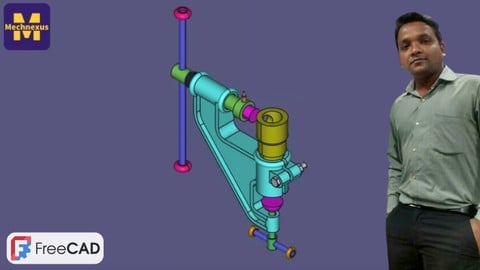
Complete FreeCAD Course : From Zero to Expert ! (Udemy.com)
Learn FreeCAD in a Professional way. Become an Expert in 3D Modeling, Assembly and Technical Drawing.
Created by: Amar Patel
Last updated July 2026
 What you will learn
- User will be easily to switch from Paid software to Opensource FreeCAD for Modeling, Assembly Drafting, detailing and 3D printing.
- Master FreeCAD : Acquire Profound Proficiency in Tools, Functions, and Interface to Effortlessly Excel in 3D Modeling.
- Generating Varied 3D Models: Skillfully Design Mechanical Parts and Product Prototypes from the Ground Up with FreeCAD.
- Hands-On Project Exposure: Immerse Yourself in Practical Assignments and Real-Life Design Dilemmas to Construct a Robust Portfolio.
How it compares
Against the other 413 rated Udemy courses in Graphic Design on CourseDuck:
- Rating4.4 out of 5higher than 31% of them
- Reviews653#77 of 414 by number of reviews
- Length40.7 hourslonger than 97% of them
- Last updatedJuly 2026more recently than 89% of them
 Course Description
I am a Mechanical Engineer with Solid command over CAD software like FreeCAD, SolidWorks, Autodesk Inventor and AutoCAD Mechanical. I’m here to share my knowledge to help you accomplish your design and engineering tasks quicker and easier.
FreeCAD, a no-cost solution, empowers you to create intricate 3D models, transforming your creative visions into reality. Embarking on this extensive course, I'm enthusiastic about guiding you from novice to adept in FreeCAD usage. Through comprehensive instruction, I'm committed to equipping you with essential insights across every critical facet of the software.
I have designed this course for Beginner user of FreeCAD. This course content is well structured as per beginner user weather user have no any prior experience on any 3D modeling software. This course covers all major topic of FreeCAD like FreeCAD installation and customization, Part Modeling in FreeCAD, Assembly in FreeCAD with A2Plus and Assembly4 Workbench, Creating manufacturing drawing in FreeCAD. In this course I have also covered essential Addon and macro to enhance productivity while working with FreeCAD.
I believe FreeCAD have lots of potential than traditional 3D software available in the market and it is a cost effective solution for small scale industries to reduce their operation cost by using FreeCAD.

 Udemy Discount
The discount is applied through our link. Open the course from here and Udemy's current promotional price is applied at checkout on most courses, no code to type.
Some courses are excluded from Udemy's promotions. If the price does not drop, clear your browser cookies and use the button again.
Instructor Details

- 4.4 Rating
 653 Reviews
Amar Patel
Hi, I am Amar Patel from India. I am Professionally a Mechanical Engineer with Solid command over CAD software like FreeCAD, SolidWorks, Autodesk Inventor and AutoCAD Mechanical. I have more than 10+ years of experience in Mechanical Design and worked with companies listed in Fortune 500 list.
I’m here to share my knowledge to help you accomplish your design and engineering tasks quicker and easier.
 More courses by Amar Patel
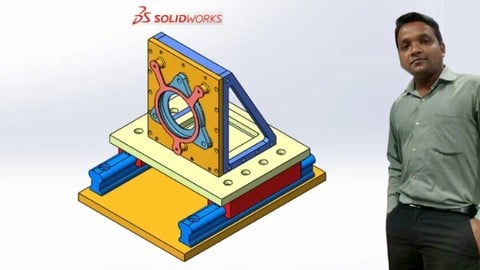
Complete SolidWorks Course : From Zero to Expert ! (2025)
4.4 (106 Reviews)
 Provider: Udemy
 Time: 28.9h
$74.99
More Graphic Design courses

Adobe InDesign - From Basics to Professional Level Designs (2024)
4.9 (320 Reviews)
- Provider: Udemy
- Time: 11.4h
$84.99

Shop Drawing & Details-Autodesk Revit 2025- for BIM Modelers
4.9 (300 Reviews)
- Provider: Udemy
- Time: 30.9h
$10.99

The Adobe Illustrator CC Mastery Course: Basics to Pro + AI (2026)
4.9 (268 Reviews)
- Provider: Udemy
- Time: 30.8h
$19.99


Software Architecture & System Design Practical Case Studies (2026)
4.8 (2,584 Reviews)
- Provider: Udemy
- Time: 4h
$15.99

Graphic Design Masterclass: Design 40+ Projects in Photoshop (2025)
4.8 (668 Reviews)
- Provider: Udemy
- Time: 16.5h
$109.99
 Reviews

By Robert T Evans on 6/19/2026
I have been a Freecad user for years, and I am leaning many things that I did not know from this course. The instructor breaks everything down into small bite sizes, and makes it easy to understand with his detailed examples. I wish I had taken this course much sooner, what a bargain it is.
By Artur Kamil Szulc on 6/19/2026
Good, but: -It's basicaly the same over and over again. You could shorten this course by half and it would still remain as valuable as before -All the work is done on technical drawings. I would recommend dedicate a short lesson on how to model a physical object you have in hand (that would be very useful, especially in 3D printing) -The audio/recordings on some videos are bad. I do not mean only the contant background noises, but I remember one video with terrible audio quality -Tests need more love - for example, in test number 6, questions are repeated, and even on one of these questions (the first one), there were 2 identical choices (one was correct and the second one was not) Overall 4/5 Thank you for your valuable time
By SDV Danayya Naidu Veelu on 1/18/2026
I’ve started a Udemy course on CAD basics, and so far, I’m really happy with it. As a complete beginner, the course has done a great job introducing the interface and laying a solid foundation. The explanations are clear and easy to follow, which is perfect for someone new to CAD. I’m looking forward to learning more
By Ricky Gai on 9/28/2025
The initial introduction sections may be a bit confusing (as I wasn't sure where to open the sample project), but things become clearer as you progress through the course. Section 5 onwards is where you will see the intructor's dedicated sample models that teach you the tricks and methods to build up 3D models from scratch in a step by step manner. However, certain parts of the technical drawing are dark and not so visible, missing description on how dimension lengths are derived. I skipped section 6, 9 and 10 as I feel it is enough knowledge to use FreeCAD to handle my own basic enclosure design, and not into depth mechanical designs. The instructor should briefly explain at the beginning of each section, especially section 7 and 8. Description like "what is Technical Drawing at Section 8" ? instead of doing the hands-on directly, simple words like "A 3D model is required at first to create a 2D techinical drawing", so that students are aware at first. This course can be improved by adding curves workbench sections, balance up the contents so that not solely focusing on mechanical models. I am more interested to know how to create smooth cursive surface enclosure ( eg. for Mouse, Gamepad...etc ) using curves workbench addon in FreeCAD actually. Nevertheless, some way down the road ( eg. after section 5 ), you will know your needs and decide whether to continue with section 6, 9, or 10 which are better to be placed under bonus section for mechanical engineeer, otherwise is confusing and delaying, just my thought. Hopes, this help. Thanks again.
By Miguel Angel Berrojo Martin on 9/24/2025
Curso muy interesante, ameno y muy recomendable. El profesor es bueno. El audio es algo mejorable pues se oyen animales y mucho ruido de la calle. No siempre se ciñe a los diseños que usa y deja algunas cosas por terminar Los exámenes tienen preguntas mal o repetidas y deben mejorarse. A veces pregunta sobre cosas que no se han visto. Algunas lecciones tienen ejercicios un tanto repetitivos en los que podría enseñar más cosas de las que enseña
By Wayne Riesterer on 9/20/2025
Absolutely brilliant course that teaches enough to prevent people from getting frustrated with creating real-world models. Most people can easily create a block shape with a few holes in it, but Amar goes from basic design tasks to modelling complex components and does so in a clear manner that doesn't leave out any pertinent information. I'd highly recommend this course to others if you'd like to learn FreeCAD. It's an amazing package and I personally feel that it's much better than Fusion360 in terms of ease of use, stability and of course, price point. Be patient in going through the first few sections. If you're like me, you'll want to start modelling something straight away, but I found it really helpful to learn the UI and tooling before modelling; as per the order of the course sections. It made creating the models a lot easier to do without having to guess what is happening or what to do next. Happy modelling!
By Paul Wilkinson on 7/20/2025
I took this course hoping to learn FreeCAD as an application more than learning CAD design and engineering principles. The best part of learning from this author is he updated the course to 1.0 after I originally purchased it as the previous version. He was easy to follow for the most part; especially when pausing and replaying multiple times. The 17+ hours were more like 17+ days because of this. I would recommend this course to anyone who has not used a CAD program before, since FreeCAD is open-source and free. People that have used other programs will have an easier time, but might be slightly frustrated with elements that a commercial application handles in a different way as a paid experience. I learned exactly what I needed for the technical illustration side of my career.
By Sam Baker on 5/6/2025
Huge variety of material and lots of opportunity to practice and review. I would recommend a third party review the videos from time to time as the instructor does occasionally get dimensions or other build parameters wrong, not a reason to avoid the course, just something to be aware of. Found the course really useful regardless and definitely worth the time.
By Arturs Plataiskalns on 3/15/2025
This is an excellent course, I'm currently done around 95% (took around a month for me, while repeating all the steps to follow from lessons) and I've learned a lot from zero experience in FreeCAD. I couldn't imagine that I will be able to create such advanced shapes/models with it like I'm creating now. This course maybe has some space for improvements (like some sections are made with older version, some small measurement mistakes in few places, etc, probably will be fixed over time anyways), but in overall it wont really bother me - its not a big deal, if I compare what I gain. Also I would like to add that teachers English is good and voice is very clear even on 1.5x and 2x speed. Thank you, very good course, appreciated!
By Glen Micallef on 7/24/2024
As an absolute beginner to FreeCAD and with only previous acquaintance to any other parametric CAD software (a bit of Fusion 360 couple of years ago), I wouldn't say I am an expert now, however I feel confident that I have a solid foundation on which to build further knowledge. A point of constructive criticism - I would have liked to see at least an introduction on working with curves and curved surfaces. Overall happy to have followed the course to the end. Thank you to the tutor for sharing the knowledge.
 Quality Score
No CourseDuck member has rated this course yet. Taken it? Give each part a thumbs up or down.
Overall Score : 88 / 100
- Video Duration:
 40.7h
40.7h - Price: $19.99
- Provider: Udemy
- Updated:
 July 2026
 - Level:
 All Levels
 - Language:
 English
 - Certificate:
 Yes
Yes
30-day money-back guarantee on most paid courses
Udemy Coupon Price Tracker
