
 Web Development
 Data Science
 Python
 SQL
 JavaScript
 Artificial Intelligence
 IT & Software
 IT Certifications
 Hacking
 Microsoft Azure
 AWS
 Arduino
 3D Modeling
 Graphic Design
 Photoshop
 Drawing
 Digital Painting
 UX Design
 Business
 Data Analysis
 Communication Skills
 Project Management
 Leadership & Management
 Human Resources
 Digital Marketing
 Social Media Marketing
 Marketing
 SEO
 Google Analytics
 Branding
 Excel
 Office Productivity
 SAP
 PowerPoint
 Microsoft Copilot
 Microsoft Access
 Finance & Accounting
 Trading & Investing
 Accounting
 Bitcoin
 Personal Finance
 Video Editing & Animation
 Photography
 Adobe Premier Pro
 Adobe Lightroom
 Personal Development
 Productivity
 Career Development
 Life Coaching
 Health & Fitness
 Yoga
 Meditation & Mindfulness
 Music
 Music Production
 Guitar
 Piano
 Singing
 Teaching & Academics
 Engineering
 Language Learning
 English Language
 Math
 Lifestyle
Course 5: MCSA Windows Server 2019 Enterprise Storage (Udemy.com)
Storage Pools, iSCSI, MPIO, RAIDs, Hyper-V nested, FOC, NLB, MDT, WSUS, Docker & Containers, Monitoring and many more...
Created by: Dante Leo
Last updated September 2019
Our take
Based on the ratings of 50 students, a sample of their written reviews and the syllabus, as the course stood in September 2019. No course pays to be reviewed.
Dante Leo's storage class is the fifth part of a longer Windows Server 2019 series, and it behaves like one. It skips building the virtual environment and sends newcomers back to Course 1 for that. In about 7 hours and 43 lectures it covers Server Core, RAID, iSCSI, MPIO, storage pools, clustering, load balancing, MDT, WSUS and monitoring. It suits working admins who already know Active Directory and networking basics. Failover clustering for file servers gets the most room, at 69 minutes, while the Hyper-V nested virtualization module gets 8 and containers 13.
The rating is 4.4 from just 50 reviews, with 25 five-star and 8 three-star scores, and only a handful of written comments to go on. One student likes the focus, the detailed explanations and the PowerShell commands. Another says the material carried over to real situations. A reviewer writing in French says the instructor masters his subjects but found the speed excessive and said there was no lab. Others wanted more on DFS, WSUS disaster recovery and features new to Server 2019. In 2020 one student reported missing videos in section 12, the WSUS module.
The age matters. The last update was September 2019, weeks after publication, despite a promise of regular additions. The MCSA goal is the bigger problem: the description was written before Microsoft had released official exam codes, so treat this as skills training and not exam prep. There are no quizzes, assignments or practice tests either. It's a reasonable pick for a Server 2019 shop that needs a compact storage and clustering walkthrough. For certification, look for something newer.
Pros
- Failover clustering gets proper space: 69 minutes for file servers, plus Hyper-V clustering and storage migration
- One reviewer praises the detailed explanations and the way PowerShell commands are presented
- Covers RAID, iSCSI, MPIO, storage pools and deduplication in about 7 hours
- One student says the lessons could be applied to real situations
Cons
- Last updated in September 2019, and its MCSA pitch predates any official exam codes
- One reviewer found the pace too fast, and another reported missing videos in section 12
- Nested Hyper-V gets 8 minutes and containers 13, and lab setup is left to an earlier course
Very focused course . Explains topics in detail Presents powershell commands very nice.
Listed as All Levels, but it expects PC and network basics, some VMware experience and a lab built in Course 1.
 What you will learn
- Understand the scenarios, requirements, storage and compute options that are available in Windows Server 2019
- Get ready to crack any interview and apply for jobs in this domain as an Admin "Study the entire series"
- Your last and final resort to achieve MCSA 2019
- Learn to install and work on a core server and apply migration strategy.
- How to manage disks and volumes in Windows Server 2019
- Implement Enterprise Storage solutions,iSCSI, MPIO etc
- Learn how to implement storage pools and data deduplication to find and remove duplicate data while maintaining your data’s integrity.
- Overview of Nested virtualization using Hyper-V
- How to install, configure, and manage containers by using Windows Powershell and Docker.
- Perform labs on Failover clustering thus planning a high availability and disaster recovery solutions
- Implementing Network Load Balancing
- Create and manage deployment images by using the Microsoft Deployment Toolkit (MDT)
- Learn how to manage the update process with WSUS
Course content
15 sections · 43 lectures · 7.1 hours of video
- 1Introduction 4 free previews4 lectures · 27 min
- 2Module 1 : Install and Configure Server Core3 lectures · 32 min
- 3Module 2 : Configuring Local Storage4 lectures · 40 min
- 4Module 3: Enterprise Storage Solutions3 lectures · 35 min
- 5Module 4: Creation of Storage Pool4 lectures · 37 min
- 6Module 5 : Hyper-V1 lecture · 8 min
- 7Module 6: Deploying & managing Windows and Hyper- V Containers1 lecture · 13 min
- 8Module 7 : Failover Clustering for File Server7 lectures · 1.2 hours
- 9Module 8 : Fail over Clustering for Hyper-V2 lectures · 25 min
- 10Module 9 : Migrate Hyper-V to Fail over Cluster "Storage Migration"1 lecture · 14 min
- 11Module 10 : Network Load Balancing (NLB)3 lectures · 38 min
- 12Module 11: Managing Deployment images2 lectures · 22 min
- 13Section 12: Implementing Windows Server Update Services (WSUS)4 lectures · 36 min
- 14Section 13: Monitoring tools3 lectures · 22 min
- 15What to study next ? 1 free preview1 lecture · 5 min
Who it is for
The instructor says it suits
- All professionals who want to be ready for their MCSA 2019 certification exams.
- This course is for students who want to take a full path of learning windows server 2019 (Beginner --> Professional), this is the 5th course in 10+ courses of Windows Server 2019 series.
- IT professionals who are looking to gain knowledge about Windows Server , especially around storage and compute technologies in Windows Server 2019.
What you need before you start
- It is highly advisable to attend at least Course 1 from this Windows server 2019 series to build your Network from Scratch. In this course we'll jump straight to LABS
- You need to have basic knowledge about PCs, networks and server hardware.
- Experience with VMware, although if you have used any other hypervisor, you won't face any problem
- Have a PC or laptop with 8 - 16 GB Ram to perform Labs smoothly, i5 or i7 CPU support, SSD,64-bit OS
How it compares
Against the other 127 rated Udemy courses in Windows Server on CourseDuck:
- Rating4.4 out of 5higher than 33% of them
- Reviews50#125 of 128 by number of reviews
- Length7.1 hourslonger than 52% of them
- Last updatedSeptember 2019earlier than 70% of them
 Course Description
The 2019 storage course is aimed to help you understand management of storage and compute by using Windows Server 2019. You will also learn how to manage storage disks and pools using a Windows server, advance labs of high availability solutions using FOC and NLB, how to get your 1st docker and create container, in addition to system updates and monitoring.
This course is for students who have accomplished windows server 2019 Active Directory and Network and want to take a step further towards MCSA 2019. So this is one of the 3 courses that you’ll have to study to achieve MCSA 2019.
***For students directly joining this course, kindly check Course 1 : Set Windows Server 2019 Network, to build your Lab and prepare the infrastructure. In this course we will not teach how we created the virtual environment. ***
This course can be divided into following topics:
A- Core server.
B- Disks and storage pools.
C- Hyper-V nested virtualization, 1st step toward docker and containers.
D- Deep understanding of failover clustering.
E- Network load balancing.
F- MDT & WSUS to deploy images and updates over the network.
G- Monitoring.
Detailed description of Modules as follows:
Section 1: We will teach you how to install and configure a core server.
Section 2: We have to spend some time with local storage, Windows RAID, Storage tools and VHD.
Section 3: is about iSCSI disks and Multipath I/O (MPIO).
Section 4: is about Storage pools, Storage Tiering, and Data Deduplication.
Section 5: is about providing the overview of Hyper-V nested virtualization.
Section 6: Our main step towards Docker and Containers. we will see how to install, configure, and manage containers by using Windows PowerShell and Docker.
Section 7: High availability and disaster recovery, we will study failover clustering(FOC), how to prepare your network, evaluate and configure FOC, and add File server roles to FOC.
Section 8: Provide high availability for Hyper-V using FOC .
Section 9: We will learn how to migrate Hyper-V storage into Failover Clustering.
Section 10: We have another High Availability technique, the NLB(Network Load balancing) which is going to support IIS to provide high availability for web hosting.
Section 11: We will discuss another PXE server tool, the MDT to deploy images over network.
Section 12: Windows Server Update Services (WSUS) is going to centralize updates in our network.
Finally In the last segment which is section 13, we will discuss a quick view for on box monitoring tools.
By finishing this course you have the right skills to be recognized as MCSA 2019.
Just like our students, we are Tech enthusiasts and our aim here is not to just add a course and forget about it. We will be updating the course regularly with more LABS , theoretical topics and even exam pools.
As soon as Microsoft releases the official exam codes or adds any additional topics , our students will be the first one to gain access.

 Udemy Discount
The discount is applied through our link. Open the course from here and Udemy's current promotional price is applied at checkout on most courses, no code to type.
Some courses are excluded from Udemy's promotions. If the price does not drop, clear your browser cookies and use the button again.
Instructor Details

- 4.4 Rating
 50 Reviews
Dante Leo
PhD, MSc, BSc in Networking security, networking and information system.
ACS "Australian computer society, network security specialist in 2007".
MCT "Microsoft certified trainer" , CEI "Certified ethical trainer".
Teach industrial course of "MS Servers, Exchange, SQL, scripts, Linux RH, CEH".
PhD, MSc, BSc in Networking security, networking and information system.
ACS "Australian computer society, network security specialist in 2007".
MCT "Microsoft certified trainer" , CEI "Certified ethical trainer".
Teach industrial course of "MS Servers, Exchange, SQL, scripts, Linux RH, CEH".
 More courses by Dante Leo

Microsoft windows server 2016 industry lab MCSA "fast track"
4.3 (1,435 Reviews)
 Provider: Udemy
 Time: 29h
$12.99
Original price
Course 1: Set Windows Server 2019 Network-Microsoft series
4.5 (269 Reviews)
- Provider: Udemy
- Time: 6.5h
$12.99
Original price
Course 3: MCSA Windows Server 2019 Active Directory
4.6 (187 Reviews)
- Provider: Udemy
- Time: 13.4h
$12.99
Original price
Windows Server 2019, Upgrade & Migrate from 2008,2012 & 2016
4.3 (174 Reviews)
- Provider: Udemy
- Time: 3.9h
$11.99
Original price
A to Z Microsoft windows server 2019/2022 Administration
4.6 (168 Reviews)
- Provider: Udemy
- Time: 26.6h
$11.99
Original price
Course 2: Integrate Windows Server 2019 & Windows 10 Pro
4.5 (137 Reviews)
- Provider: Udemy
- Time: 11.2h
$13.99
Original price More Windows Server courses
Active Directory & Group Policy Lab (2024)
4.7 (15,089 Reviews)
- Provider: Udemy
- Time: 7.2h
$17.99
Original price
Windows Server 2019 Administration
4.7 (12,627 Reviews)
- Provider: Udemy
- Time: 21.3h
$16.99
Original price
Automate Active Directory with PowerShell (Hands-On) (2026)
4.7 (2,001 Reviews)
- Provider: Udemy
- Time: 4.1h
$10.99
Original price
Installing and Configuring Windows Server 2012 (70-410)
4.7 (804 Reviews)
- Provider: Udemy
- Time: 15.9h
$159.99
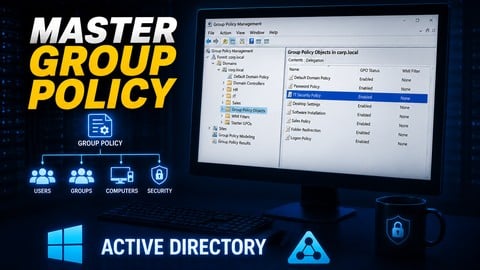
Build an Active Directory & Group Policy Production Lab (2026)
4.7 (706 Reviews)
- Provider: Udemy
- Time: 5.8h
$11.99
Original price
Microsoft Windows Server 2012 Certification - Exam 70-411
4.7 (617 Reviews)
- Provider: Udemy
- Time: 8.8h
$59.99
 Reviews

By Fabio dos Reis Ferreira on 9/20/2023
Curso ótimo, conhecimentos valiosos e que não se encontra por ai, para quem não tem problema em escutar as aulas em inglês!
By Stéphane BLIN on 7/20/2022
Cours de bonne qualité et Prof maitrisant ses sujets, néanmoins pas de labo et une vitesse excessive pouvant décourager l'apprenant.
By Konstantinos Konstantinou on 10/1/2021
Very focused course . Explains topics in detail Presents powershell commands very nice. I would like to see more detail about DFS and wsus disaster recovery
By Lukasz Krawczyk on 7/8/2021
Good job. As always i'd like to see more concentration on new features for Windows Server 2019.
By Chandrashekhar Jangamani on 3/7/2021
it is a good match for me
By Richard Gatchalian on 12/25/2020
Enjoyed the course. I can apply what I learned to real situations.
By Nereus on 12/21/2020
some video missing in section 12
By Jefferson Vilar Lopes on 10/24/2019
 Quality Score
No CourseDuck member has rated this course yet. Taken it? Give each part a thumbs up or down.
Overall Score : 88 / 100

- Video Duration:
 7.1h
- Price: $11.99
- Provider: Udemy
- Updated:
 September 2019
- Level:
 All Levels
- Language:
 English
- Certificate:
 Yes
- Lectures:43 in 15 sections
- Students:692
- Subtitles:1 language
30-day money-back guarantee on most paid courses
Udemy Coupon Price Tracker
