
 Web Development
 Data Science
 Python
 SQL
SQL JavaScript
 Artificial Intelligence
 IT & Software
 IT Certifications
 Hacking
 AWS
AWS Arduino
 DevOps
 3D Modeling
 Graphic Design
 Photoshop
 Drawing
 Digital Painting
 UX Design
 Business
 Data Analysis
 Communication Skills
 Project Management
 Leadership & Management
 Human Resources
 Digital Marketing
 Social Media Marketing
 Marketing
 SEO
SEO Google Analytics
 Branding
 Excel
Excel Office Productivity
 SAP
SAP PowerPoint
 Microsoft Access
 SharePoint
 Finance & Accounting
 Trading & Investing
 Accounting
 Bitcoin
 Personal Finance
 Video Editing & Animation
 Photography
 Adobe Premier Pro
 Adobe Lightroom
 Personal Development
 Productivity
 Career Development
 Life Coaching
 Health & Fitness
 Meditation & Mindfulness
 Yoga
Yoga Music
Music Music Production
 Guitar
 Piano
Piano Singing
 Language Learning
 Teaching & Academics
 Engineering
 Math
Math Lifestyle
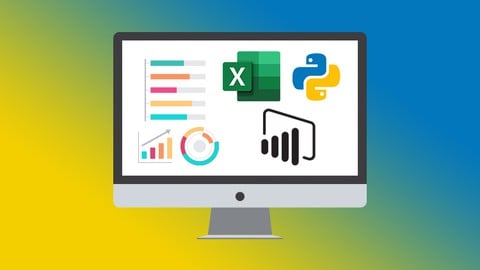
Data Analysts Toolbox: Excel, Python, Power BI, PivotTables (Udemy.com)
Learn Advanced Pivot Tables, Power Query, Power Pivot, Power BI, and Python in this four-course bundle
Created by: Simon Sez IT
Last updated December 2025
 What you will learn
- How to create amazing looking dashboards using Pivot Tables
- Advanced data analysis techniques
- How to do a PivotTable (a quick refresher)
- How to format a PivotTable, including adjusting styles
- Advanced Sorting and Filtering in PivotTables
- How to use 3D Maps from a PivotTable
- How to update your data in a PivotTable and Pivot Chart
- Advanced Sorting and Filtering in PivotTables
- Analyze huge buckets of data to make informed business decisions
- Become confident cleaning, sorting and linking data from various sources
- How to create stunning, interactive dashboards with Power BI
- How to share your analysis and dashboards using Power BI Online
- To import CSV and Excel files into Power BI Desktop
- All about DAX including using the COUTROWS, CALCULATE, and SAMEPERIODLASTYEAR functions
- All about using the card visual to create summary information
How it compares
Against the other 371 rated Udemy courses in Data Analysis on CourseDuck:
- Rating4.4 out of 5higher than 35% of them
- Reviews3,560#65 of 372 by number of reviews
- Length29.2 hourslonger than 95% of them
- Last updatedDecember 2025more recently than 56% of them
 Course Description
In business, being able to understand, harness, and use data is no longer a skill reserved for a handful of well-paid analysts. It's becoming an essential part of many roles.
If that sounds daunting, don't worry. There is a growing set of tools designed to make data analysis accessible to everyone, in this huge-value, four-course Data Analysts Toolbox bundle we look in detail at three of those tools: Excel, Python, and Power BI.
In isolation Excel, Python, and Power BI are useful and powerful. Learn all three and you are well on your way to gaining a much deeper understanding of how to perform complex data analysis.
This Data Analysts Toolbox bundle is aimed at intermediate Excel users who are new to Python and Power BI. All courses include practice exercises so you can put into practice exactly what you learn.
Here's what each course covers:
Introduction to Python
The basic data types in Python - Strings, Integers, Floats, and Boolean
All about Pythons built-in functions
How Variables and Functions work in Python
How to debug errors in Python
All about Python Keywords
How to use IF-Else Statements in Python
All about storing complex data, including Lists and Dictionaries
All about Python Modules and how to install them
How to install Python locally
How to write your first script in Python
To complete your first Python project
Advanced PivotTables
How to do a PivotTable (a quick refresher)
How to combine data from multiple worksheets for a PivotTable
Grouping, ungrouping and dealing with errors
How to format a PivotTable, including adjusting styles
How to use the Value Field Settings
Advanced Sorting and Filtering in PivotTables
How to use Slicers, Timelines on multiple tables
How to create a Calculated Field
All about GETPIVOTDATA
How to create a Pivot Chart and add sparklines and slicers
How to use 3D Maps from a PivotTable
How to update your data in a PivotTable and Pivot Chart
All about Conditional Formatting in a PivotTable
How to create amazing looking dashboards
Power Pivot, Power Query and DAX
How to get started with Power Query
How to connect Excel to multiple workbooks
How to get data from the web and other sources
How to merge and append queries using Power Query
How the Power Pivot window works
How to set up and manage relationships in a data model
How to create a PivotTable to display your data from the Power Pivot data model
How to add calculated columns using DAX
How to use functions such as CALCULATE, DIVIDE, DATESYTD in DAX
All about creating Pivot Charts and PivotTables and using your data model
How to use slicers to adjust the data you display
Power BI
What is Power BI and why you should be using it.
To import CSV and Excel files into Power BI Desktop.
How to use Merge Queries to fetch data from other queries.
How to create relationships between the different tables of the data model.
All about DAX including using the COUTROWS, CALCULATE, and SAMEPERIODLASTYEAR functions.
All about using the card visual to create summary information.
How to use other visuals such as clustered column charts, maps, and trend graphs.
How to use Slicers to filter your reports.
How to use themes to format your reports quickly and consistently.
How to edit the interactions between your visualizations and filter at visualization, page, and report level.
***Exercise and demo files and project files included***
This mega-value bundle includes:
21+ hours of video tutorials
200+ individual video lectures
Exercise files to practice what you learned
Certificate of completion
Here’s what our students are saying…
"The instructors have explained everything amazing and the resources are super helpful."
- Oscar
"This course is very relevant in my line of work. The facilitators are detailed in their explanation & don't rush through the information."
- Thulani
"My name is Kenvis and I have a knowledge in IT but never thought of specializing in Data Analytics before. This was so exciting and I am now anxious to learn more."
- Kenvis
"Thank you for such a wonderful teaching. This is a great learning experience for me."
- Ankush

 Udemy Discount
The discount is applied through our link. Open the course from here and Udemy's current promotional price is applied at checkout on most courses, no code to type.
Some courses are excluded from Udemy's promotions. If the price does not drop, clear your browser cookies and use the button again.
Instructor Details

- 4.4 Rating
 3,560 Reviews
Simon Sez IT
Since 2008, individuals, small businesses, and Fortune 500 companies with thousands of employees have benefited from the easy and hands-on software training offered by Simon Sez IT. With over 12,000 video tutorials on a range of software programs, Simon Sez IT ensures stress-free eLearning and enhanced employee productivity - no matter whether you are implementing new software or a technological upgrade for your workplace. With over 1 million Udemy students in over 190 countries, Simon Sez IT is the preferred online learning choice for individuals and businesses everywhere.
 More courses by Simon Sez IT


Microsoft Excel 2016 for Beginners: Master the Essentials
4.7 (30,769 Reviews)
 Provider: Udemy
 Time: 15.7h
$14.99

Jira for Beginners - Detailed Course to Get Started in Jira (2025)
4.5 (30,730 Reviews)
- Provider: Udemy
- Time: 4.8h
$109.99

Ultimate Microsoft Office; Excel, Word, PowerPoint & Access (2024)
4.5 (17,065 Reviews)
- Provider: Udemy
- Time: 70.7h
$174.99

Mastering Microsoft 365 SharePoint Online: Essential Guide (2026)
4.5 (12,189 Reviews)
- Provider: Udemy
- Time: 9.2h
$84.99

Learn Microsoft Windows 11: Comprehensive Windows 11 Course (2025)
4.4 (6,330 Reviews)
- Provider: Udemy
- Time: 6h
$84.99
More Data Analysis courses



Complete neural signal processing and analysis: Zero to hero (2026)
4.8 (2,013 Reviews)
- Provider: Udemy
- Time: 46.9h
$12.99

Excel for Business Analysts Online Course (2023)
4.8 (636 Reviews)
- Provider: Udemy
- Time: 9.3h
$74.99

Alteryx Designer Advanced Certification Mega Bundle (2023)
4.8 (468 Reviews)
- Provider: Udemy
- Time: 16.9h
$69.99

 Reviews

By Ghanshyam Kumar on 6/18/2026
This course was well-structured, easy to follow, and provided practical knowledge that I can apply in real-world scenarios. The explanations were clear, the examples were relevant, and the instructor presented the concepts effectively. I especially appreciated the hands-on exercises and the step-by-step approach to learning. Overall, this course exceeded my expectations and was a great learning experience. I would highly recommend it to anyone looking to build or improve their skills in this subject.
By Rajamohana A on 4/19/2026
My experience with the Data Analyst Toolbox has been very useful and practical. It helped me understand how different tools work together in real-world data analysis. I learned the importance of data cleaning and preprocessing, which is the first and most important step in analysis. Tools like Excel and SQL made it easier to handle structured data, while Python helped in performing deeper analysis and automation.
By Khurram Shahbaz on 11/17/2024
Before taking the course I read some reviews which were saying that PowerBI section is not laid out clearly. I have just completed the PowerBI section and learned lot of valuable skills and found that these reviews were not justified. I will recommend honestly that this course is laid out in a very clear way and you will get full value for your purchase.
By Andreas Stoll on 10/17/2024
I'm just impressed. Deb Ashly and Alan Murray have done a fantastic job explaining the Power query, pivot and BI, demoing important elements and its details, concise and crisp. And yes, Power BI has changed a lot since 2020. I was very curious to get to know Python too. To what extend can it replace excel, is it complementary in any way? Jarret Retz has done the maximum, also by using sites like repl.it and explaining how to get Python running on the the laptop. The course is easy to follow and understand. However for me Python is a different animal and I do not intend to grow into this world of new classes, objects and methods anytime soon. Thanks to the Simon Sez team for this fantastic course.
By IAMuslim on 11/17/2023
It have been a wonderful journey of gaining knowledge and skills of power BI and Excel. Ive learnt tons of new information which i believe will be very helpful for me for finding jobs. The pace is quite slow for me but i use the speed button to make the pace a bit more fast which suits me well. overall i am loving the lesson and cant wait to finish them up.
By Renata de Souza Ferreira on 4/19/2023
Adorei a parte de tabelas dinâmicas avançadas e gostei bastante da parte de Power Query, Power Pivot, Dax e Power BI, mas achei que o curso se perdeu quando falou de Python (embora tenha sido legal revisar a parte básica). Confesso que não assisti a parte de Alteryx, por estar mais interessada em Power BI.
By Hagop Boudakian on 4/18/2023
Even tough I learned several new things from the course, overall the course was a disappointment. The Excel & Pivot Tables was average for me, Power BI & Alteryx were the most interesting parts. The Greatest Disappointment was the Python Part. I literally didn't learn anything in this module. The entire course seemed to have been hastily prepared appending several subjects together to give the impression of Value but it fails to deliver. There are much better courses, and It would be best to take a more targeted approach to specific subjects rather than a mashup of several subjects
By Ricardo Rocha Ferreira on 3/16/2023
It's a good course, it was explained step by step for easy understanding. The quality of the videos is excellent in Full HD which helps see all the data on Excel. The Python course is good for beginners, but the final project could be available for download.
By Chris Darmanin on 2/10/2022
It didn't say anything in the course preview about this Alteryx course. It's nice to have, but some notice on it would've helped. Some of the material was missing from the power BI course but I was able to find a link to obtain it. I liked the Excel sections the best and learning about power queries was very helpful. The python course was good but the last project involved many things that were not covered in the lessons.
By Sven Göhner on 12/20/2020
actually everyhing is well structured and presented in a pleasant way. Just that the topic of Power BI and Excel Query is more or less the same. But high probably this isnt to avoid because how i figured out Power BI Desktop is in my opinion till now more or less equal to Query with easier and more detailed kind of visualication tools.
 Quality Score
No CourseDuck member has rated this course yet. Taken it? Give each part a thumbs up or down.
Overall Score : 88 / 100
- Video Duration:
 29.2h
29.2h - Price: $119.99
- Provider: Udemy
- Updated:
 December 2025
 - Level:
 Intermediate
 - Language:
 English
 - Certificate:
 Yes
Yes
30-day money-back guarantee on most paid courses
Udemy Coupon Price Tracker
