
 Web Development
 Data Science
 Python
 SQL
SQL JavaScript
 Artificial Intelligence
 IT & Software
 IT Certifications
 Hacking
 AWS
AWS Arduino
 DevOps
 3D Modeling
 Graphic Design
 Photoshop
 Drawing
 Digital Painting
 UX Design
 Business
 Data Analysis
 Communication Skills
 Project Management
 Leadership & Management
 Human Resources
 Digital Marketing
 Social Media Marketing
 Marketing
 SEO
SEO Google Analytics
 Branding
 Excel
Excel Office Productivity
 SAP
SAP PowerPoint
 Microsoft Access
 SharePoint
 Finance & Accounting
 Trading & Investing
 Accounting
 Bitcoin
 Personal Finance
 Video Editing & Animation
 Photography
 Adobe Premier Pro
 Adobe Lightroom
 Personal Development
 Productivity
 Career Development
 Life Coaching
 Health & Fitness
 Meditation & Mindfulness
 Yoga
Yoga Music
Music Music Production
 Guitar
 Piano
Piano Singing
 Language Learning
 Teaching & Academics
 Engineering
 Math
Math Lifestyle
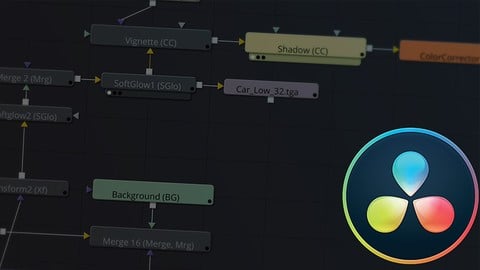
Davinci Resolve 16/15: Fusion Basics (Udemy.com)
Learn how to Animate / Motion graphic / Visual effects in Resolve 16/15 with Fusion
Created by: Abdelmalek Litim
Last updated October 2019
 What you will learn
- Use Davinci Resolve to create simple motion graphic and visual effects
How it compares
Against the other 293 rated Udemy courses in Video Editing & Animation on CourseDuck:
- Rating4.4 out of 5higher than 40% of them
- Reviews113#185 of 294 by number of reviews
- Length2.6 hoursshorter than 65% of them
- Last updatedOctober 2019earlier than 78% of them
 Course Description
Blackmagic Design the company that own Fusion, one of the world’s most advanced visual effects, 3D, VR and motion graphics solution! has finally integrated Fusion to Davinci Resolve, which mean that now you can Edit videos and add visuals effects and color correction using only one software. How Amazing is that.
And in this course we'll learn the basics to get up and running with fusion.
we'll start by taking a look at the fusion interface and how to add nodes then:
- Use different nodes and organize them
- Learn the basics of animation and how to use the keyframe / spline editor
- Create 3d Texts, add light and animate using the 3D camera
- Keying green screen using different type of Keyers
- Use the 2D and Planar tracker
at the end of each chapter you find an exercise that helps you practice what you've learned, and finally we'll end with 10 examples that will combine what we learned so far in this course.

 Udemy Discount
The discount is applied through our link. Open the course from here and Udemy's current promotional price is applied at checkout on most courses, no code to type.
Some courses are excluded from Udemy's promotions. If the price does not drop, clear your browser cookies and use the button again.
Instructor Details

- 4.4 Rating
 113 Reviews
Abdelmalek Litim
My name is Litim Abdelmalek, I am an automated system graduate, my passion is video and audio editing.
i have a YouTube channel that focus on teaching video and audio editing softwares as well as doing reviewing tech stuff, i worked with different video and audio editor software such as premiere pro, Sony Vegas, Audition, audacity, After Effects and finally i switched to Blackmagic Davinci Resolve and Fusion 9.
 More Video Editing & Animation courses

Learn to Storyboard for Film or Animation (2024)
4.8 (2,727 Reviews)
 Provider: Udemy
 Time: 2.2h
$12.99


Fire Starter Sessions Video Workshop with Danielle LaPorte (2017)
4.8 (1,205 Reviews)
- Provider: Udemy
- Time: 3.7h
$11.99

The Ultimate Color Grading Bootcamp in DaVinci Resolve (2026)
4.8 (947 Reviews)
- Provider: Udemy
- Time: 8.7h
$19.99

The Complete Talking Head Video Production Masterclass (2026)
4.8 (319 Reviews)
- Provider: Udemy
- Time: 17.6h
$59.99

The Complete iMovie Course - from Beginner to Advanced 2026!
4.7 (2,021 Reviews)
- Provider: Udemy
- Time: 11.1h
$10.99
 Reviews

By ASHUTOSH BHOI on 11/27/2024
This course is definitely not for beginners. A sound knowledge of edit page is must before starting this course. The contents are of advanced nature and at the same time very much interesting too. The person who is teaching does have very sound knowledge about the fusion page. Overall the course is very much helpful for advanced fusion users.
By 김현수 on 8/18/2024
To someone knows basic of davinci, it is helpful, but to beginners I think it will be hard to understand.
By Oleksandr Androsov on 2/19/2022
Very good course for beginners in Fusion! I don't know why people complain about the accent, you can hear everything very well.
By Carlos Manuel Boura Sampaio on 12/7/2020
Right to the point, no long talks. Just examples, practical. Doesn't cover all the features in detail, but that is not desired (it would just be too long). Instead, it shows some quick examples, some important tools, shows the potential and now it's up to your imagination and will to learn more! I like
By Richard Malarcher on 9/2/2020
Absolutely the best and most complete single series on Resolve 16 I've seen anywhere. From beginner and on, tons of practical examples to bring home the lessons.
By Jacob Dornhecker on 8/8/2020
Well taught. Was missing downloadable resources, but you can work around it by googling for images for the most part. Like others said, he moves pretty fast, but that's the point of downloadable lectures - you can go back. I used video game footage for video sections where I didn't have the resources.
By Marcio Silveira on 6/28/2019
O curso é bastante objetivo e as explicações são claras. Suficiente para o iniciante no uso do Fusion no Davinci Resolve.
By Marco Omage on 1/24/2019
Un corso assolutamente consigliato per chi si approccia al software Fusion per le prime volte, ed ottimo anche per chi vuole approfondire alcuni aspetti!
By Jackson Baker on 1/5/2019
So far, I like the speed of the course, but I think a little bit more could have been done explaining what we're actually editing. The timeline aspect has been a bit confusing for me inside of the fusion workspace, and I think it could have been explained a little bit more. After watching the first few videos, I went out and tried to apply what he was teaching, but I couldn't do it very well, and it was a bit frustrating. I think that if you could edit any of your videos, I think it would be a good idea to make another video after the first introductory video that shows the fusion interface in more depth, and shows what we're really doing and editing in the fusion workspace.
By Anton Wick on 12/10/2018
Trés bien, mais j'ai déjà des bases. La personne qui commence à peine va galèrer assez rapidement : ca va trop vite !!!!!! Il a un train à prendre le monsieur?
 Quality Score
No CourseDuck member has rated this course yet. Taken it? Give each part a thumbs up or down.
Overall Score : 88 / 100
- Video Duration:
 2.6h
2.6h - Price: $44.99
- Provider: Udemy
- Updated:
 October 2019
 - Level:
 Beginner
 - Language:
 English
 - Certificate:
 Yes
Yes
30-day money-back guarantee on most paid courses
Udemy Coupon Price Tracker
