
 Web Development
 Data Science
 Python
 SQL
SQL JavaScript
 Artificial Intelligence
 IT & Software
 IT Certifications
 Hacking
 AWS
AWS Arduino
 DevOps
 3D Modeling
 Graphic Design
 Photoshop
 Drawing
 Digital Painting
 UX Design
 Business
 Data Analysis
 Communication Skills
 Project Management
 Leadership & Management
 Human Resources
 Digital Marketing
 Social Media Marketing
 Marketing
 SEO
SEO Google Analytics
 Branding
 Excel
Excel Office Productivity
 SAP
SAP PowerPoint
 Microsoft Access
 SharePoint
 Finance & Accounting
 Trading & Investing
 Accounting
 Bitcoin
 Personal Finance
 Video Editing & Animation
 Photography
 Adobe Premier Pro
 Adobe Lightroom
 Personal Development
 Productivity
 Career Development
 Life Coaching
 Health & Fitness
 Meditation & Mindfulness
 Yoga
Yoga Music
Music Music Production
 Guitar
 Piano
Piano Singing
 Language Learning
 Teaching & Academics
 Engineering
 Math
Math Lifestyle
Design Beginners Bootcamp – Learn Graphic Design Skills Fast (Udemy.com)
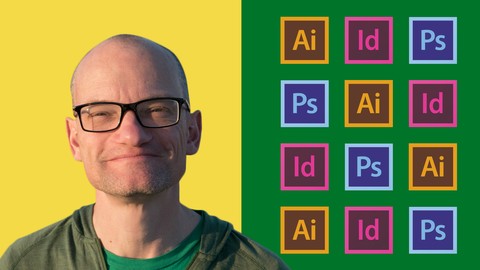
Learn InDesign, Illustrator, Photoshop, design theory and more in this practical 12 part graphic design crash course
Created by: Peter Bone
Last updated December 2020
 What you will learn
- Learn how to create icons, logos & infographics with Illustrator
- Learn how to create flyers, posters, postcards and more with InDesign
- Learn Graphic Design theory so you can design with confidence
- Learn to create stunning images for social media with InDesign, Illustrator & Photoshop
- Learn how to work with files that a designer will give you
- Learn how to choose and use fonts more professionally
- Learn how to cut objects and people out from their backgrounds with Photoshop
- Learn how professionals improve photos with Photoshop
- Learn how to get your design work commercially printed from InDesign
- Learn Adobe InDesign for complete beginners
- Learn Adobe Illustrator for complete beginners
- Learn Adobe Photoshop for complete beginners
- The main thing you'll get from this course is confidence – that comes from experience
How it compares
Against the other 413 rated Udemy courses in Graphic Design on CourseDuck:
- Rating4.4 out of 5higher than 31% of them
- Reviews99#310 of 414 by number of reviews
- Length8.2 hourslonger than 70% of them
- Last updatedDecember 2020earlier than 83% of them
 Course Description
In the 21st century, pretty much everyone is a designer. Whether you want to be or not. If you work in marketing or comms you’ll be expected to just be able to design things. Or if you’re a solopreneur or have your own side business, you’ll want to create things that look as good as your competitors.
But as much as you might have good taste, and as good as you are with computers, or ideas, none of those things add up to having design skills.
So how do you learn them? And while you’re at it, how do you learn InDesign, Illustrator, Photoshop – the programs design professionals use? Our Design Beginners Bootcamp will teach you those foundational skills, and supercharge your creative confidence.
Design Beginners Bootcamp is an intensive design workout. Starting from scratch you'll study a total of 12 mini courses, each one building on what you've learned previously to build your skills and confidence fast. But it's not just a graphic design course for beginners.
You’ll learn a mixture of Illustrator, Photoshop and InDesign skills alongside graphic design theory. It’s very practical, teaching you how to create very specific things like infographics, branding and social media imagery, all the while attempting to explain why particular design choices were made.
This is the course I would have loved to have studied when I was a beginner at graphic design and all the Adobe programs. I hope you find it super useful, and you end up brimming with design confidence.
Here's a list of the courses in order:
1 – Create Icons and Logos with Illustrator
2 – Ten steps to better graphic design
3 – Working from InDesign packages & templates
4 – Improving Images with Photoshop
5 – Create Website & Social Media Images with Illustrator
6 – Typography Course
7 – Create Posters, Flyers, Adverts & Postcards
8 – Create Social Media images with Photoshop
9 – Creating Basic Infographics with Illustrator
10 – Create a logo for your brand
11 – Getting Your Work Commercially Printed from InDesign
12 – How to cut people out with Photoshop
"I am so glad I joined this bootcamp when I did. My job at a non-profit requires me to regularly create posters, social media posts, and brochures, but as a new Creative Cloud user, these projects were taking me longer than necessary. Peter’s class was a helpful foundational course that showed me just how much is possible with InDesign, Photoshop and Illustrator. By implementing his tricks and tools, I’m on my way to becoming a better, faster, and more creative designer."
— Heather Pentecost, Events & Development Associate, Linc Housing
“Very very good. Great pace and easy to follow.”
— Lucy Joy, Artist
"I really enjoyed taking this class. I have learned so much from each module. It’s easy to follow and this is something that I will be going back to for future references. I’m hoping to take more classes in the future".
— Gladdie Cabral, Social Media Assistant

 Udemy Discount
The discount is applied through our link. Open the course from here and Udemy's current promotional price is applied at checkout on most courses, no code to type.
Some courses are excluded from Udemy's promotions. If the price does not drop, clear your browser cookies and use the button again.
Instructor Details
- 4.4 Rating
 99 Reviews
Peter Bone
Peter Bone has worked in graphic design for over 20 years. During that time, alongside his design work he has taught thousands of people to use Quark Xpress, Indesign, Illustrator and Photoshop – at every level from complete beginners through to experts in their field. He has taught designers, marketing people, creative directors, writers, editors, illustrators, fashion designers and photographers for companies as varied as the BBC, the British Museum, Condé Nast, the Designers Guild, Disney, Greenpeace, Paul Smith, Price Waterhouse Coopers, the Tate and Universal Music.
For the past few years he's been writing books and creating videos to help both beginners and more experienced designers get the most from InDesign, Illustrator and Photoshop.
 More Graphic Design courses

Adobe InDesign - From Basics to Professional Level Designs (2024)
4.9 (320 Reviews)
 Provider: Udemy
 Time: 11.4h
$84.99

Shop Drawing & Details-Autodesk Revit 2025- for BIM Modelers
4.9 (300 Reviews)
- Provider: Udemy
- Time: 30.9h
$10.99

The Adobe Illustrator CC Mastery Course: Basics to Pro + AI (2026)
4.9 (268 Reviews)
- Provider: Udemy
- Time: 30.8h
$19.99


Software Architecture & System Design Practical Case Studies (2026)
4.8 (2,584 Reviews)
- Provider: Udemy
- Time: 4h
$15.99

Graphic Design Masterclass: Design 40+ Projects in Photoshop (2025)
4.8 (668 Reviews)
- Provider: Udemy
- Time: 16.5h
$109.99
 Reviews

By Adan Abdirahmaan Elmi on 4/14/2026
clear and concise i have learn so much during this short course . thank you Peter bone
By Bryan Taylor on 7/25/2023
Definitely getting a good feel and foundation of Adobe Illustrator
By Brionna Woody on 9/13/2022
I used to be terrified of illustrator and photoshop. This course broke down all the essentials in such a simple and well explained way. Now I'm just excited to start making some projects of my own!
By Business Center on 8/10/2022
Excellent lessons. Very thoughtful and insightful! Thank you!
By Mellesia Lewis on 5/17/2022
Good so far...just a bit fast.
By Chante Mackay on 2/1/2022
very good and all of the tools needed are explained nice. Works a little bit fast
By Scott Domaratius on 1/1/2022
Very nice choice of exercises that demonstrate skills and build upon each other.
By Maria Paredes on 9/24/2021
He’s very Clear and it’s at a good pace
By Leon Ebondo on 5/26/2021
I would suggest that next time material resources used by the trainer is shared with learners to help practice using same files.
By David Lasky on 12/3/2020
I took Peter's "Work Faster with InDesign" course and liked it a lot so there was only one logical choice when I wanted to follow-up and learn more about design and this course does not disappoint! There is a lot of great information and a lot of chances to put what you are learning into practice. This course lays a solid foundation for learning about design and both the course content and course instructor are five star.
 Quality Score
No CourseDuck member has rated this course yet. Taken it? Give each part a thumbs up or down.
Overall Score : 88 / 100
- Video Duration:
 8.2h
8.2h - Price: $12.99
- Provider: Udemy
- Updated:
 December 2020
 - Level:
 Beginner
 - Language:
 English
 - Certificate:
 Yes
Yes
30-day money-back guarantee on most paid courses
Udemy Coupon Price Tracker
