
 Web Development
 Data Science
 Python
 SQL
SQL JavaScript
 Artificial Intelligence
 IT & Software
 IT Certifications
 Hacking
 AWS
AWS Arduino
 DevOps
 3D Modeling
 Graphic Design
 Photoshop
 Drawing
 Digital Painting
 UX Design
 Business
 Data Analysis
 Communication Skills
 Project Management
 Leadership & Management
 Human Resources
 Digital Marketing
 Social Media Marketing
 Marketing
 SEO
SEO Google Analytics
 Branding
 Excel
Excel Office Productivity
 SAP
SAP PowerPoint
 Microsoft Access
 SharePoint
 Finance & Accounting
 Trading & Investing
 Accounting
 Bitcoin
 Personal Finance
 Video Editing & Animation
 Photography
 Adobe Premier Pro
 Adobe Lightroom
 Personal Development
 Productivity
 Career Development
 Life Coaching
 Health & Fitness
 Meditation & Mindfulness
 Yoga
Yoga Music
Music Music Production
 Guitar
 Piano
Piano Singing
 Language Learning
 Teaching & Academics
 Engineering
 Math
Math Lifestyle
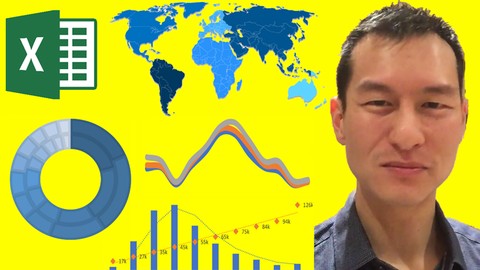
Easy Excel Dashboards, Models, Visualizations & Power Query (Udemy.com)
Build Professional Dashboards with No Formulas. Rapid Step by Step Beginner to Advanced. Get & Transform Data with Ease
Created by: Jonathan Ng
Last updated June 2023
 What you will learn
- Rapidly build interactive dashboards which are robust and easy to update
How it compares
Against the other 355 rated Udemy courses in Excel on CourseDuck:
- Rating4.6 out of 5higher than 63% of them
- Reviews464#231 of 356 by number of reviews
- Length2.5 hoursshorter than 80% of them
- Last updatedJune 2023earlier than 54% of them
 Course Description
Rapidly build robust dashboards in Excel by following a simple step by step process that requires no formulas. Beginners can get started easily due the lack of formulas. Advanced users will learn to structure their dashboards like software developers so that they become more automated with no additional work.
Not many people are aware how much can be done with no or very few formulas in Excel. This not only makes the design simpler it also makes it more robust, reduces risk and improve performance.
Jonathan trained as a Microsoft Certified Trainer and has used advanced Excel for over a decade.

 Udemy Discount
The discount is applied through our link. Open the course from here and Udemy's current promotional price is applied at checkout on most courses, no code to type.
Some courses are excluded from Udemy's promotions. If the price does not drop, clear your browser cookies and use the button again.
Instructor Details

- 4.6 Rating
 464 Reviews
Jonathan Ng
I've always enjoyed figuring out how to get things done in the most efficient way possible. How do you achieve 10x more results with 10x less work? Whether you're looking to get in shape, learn a new sport, invest for your future or get better at your job there are tips, tricks, strategies and shortcuts that can help you achieve that more effectively.
One of your key tools will absolutely be the effective use of technology. Technology is a multiplier of results and learning to use the right technology for the job is key.
 More courses by Jonathan Ng
R Tidyverse Reporting and Analytics for Excel Users (2021)
4.5 (783 Reviews)
 Provider: Udemy
 Time: 5.3h
$99.99

Klaviyo Email Marketing For eCommerce - 30-50% More Revenue! (2025)
4.4 (313 Reviews)
- Provider: Udemy
- Time: 5h
$79.99
More Excel courses

Microsoft Excel Data Analysis - Learn How The Experts Use It (2026)
5.0 (5,696 Reviews)
- Provider: Udemy
- Time: 3h
$39.99


Microsoft Excel: Advanced Dashboard Design (Project-Based!) (2026)
4.9 (4,868 Reviews)
- Provider: Udemy
- Time: 6.4h
$99.99


Master NEW Excel Functions in Office 365 & Office 2021+
4.8 (5,262 Reviews)
- Provider: Udemy
- Time: 7.1h
$15.99

Microsoft Excel Certification Exam Prep: MO-201 Excel Expert (2026)
4.8 (3,239 Reviews)
- Provider: Udemy
- Time: 8.6h
$119.99
 Reviews

By Jaime Galloway on 11/28/2022
Great course! Learned so much! There were parts of Excel I didn't know about prior to this course and I know I'll be able to analyze my data better now. My only constructive criticism is that it would have been nice to either have a quiz under each section or for this course to be something where you pull up excel and follow along as the course is showing different tools. I don't know about everyone else but I definitely learn better and retain more that way. Other than that, it was great!
By Sarah Golden-Waters on 11/29/2020
This course is fantastic! It's fast-paced so far, but it's ok because I can just pause and rewind as needed, and so much great info is packed in! I thought I knew a lot about Excel already, but I'm surprised over and over again in this course by all the amazing things I never knew it could do.
By Naju Mehra on 5/18/2020
Enjoying it thoroughly so far, Jonathan explains it very well and goes at a good pace so that there is time to absorb the knowledge. The only comment I would make is to be able to provide students some the sample data files he is using so that students can have a hands on experience. But I really love it, Jon is doing a great job!
By Todd Brannon on 11/2/2019
Great introduction to Power Query and some great use cases for examples. Would have liked more depth but honestly, this was a great balance between depth and length of course just to get you started with dashboards, modelling, some more advanced visualizations in Excel, and Power Query. You can easily rip through this course in a day or two, especially if you already have a strong Excel skillset.
By Geoff Pheysey on 8/13/2019
Yes particularly interested in query and relationships/modelling etc. Some interactive examples would have been good to really help get to to grips with some of these tools. i.e. sample data sets and tasks to perform some of these functions, as demonstrated. Overall a really good overview of what can be achieved.
By Ejetavwo Mukoro on 1/16/2019
Excellent... The Instructor took me from ZERO to HERO in visualizing data in excel without using formulae within 2hours . Wow. Awesome. Great explanations and straight to the point in delivering the course objectives. Already bought R Tidyverse and R Shiny Flex.... Am so excited and cannot wait to start analyzing data using R. Thanks.
By Gabriel Coyle on 12/9/2018
The instruction is organized, and he focuses on the most useful information: how to curate the methods of analysis. Thus, he doesn't overload the instruction with irrelevant details. This is the best Udemy course I've taken so far, and it is because of the instructor's approach to learning.
By Seamus Hand on 7/18/2018
The course helped me to think more strategically about what is the right tool and what distinct steps to plan with a data project. My previous approach would be to jump into a workbook and get stuck in. Jonathan is also quite motivational in that he is motivated to find the best tool for the job to get the job done and to move on to something more exciting - rather than getting lost in how wonderful the tool is.
By Partho Mitra on 3/30/2018
A lot of the things in this course is something that I was working on but the course was helpful on why aspect of it where I was doing things because it made sense and this course gave me the background logic on why I was doing it the way I was. Thanks for the to the point and at the same time detailed explanation!
By Michelle Oaks on 3/20/2018
Excellent! I'll be looking for ways to apply the tips and techniques learned in my work in reporting and analytics (currently using Excel 2013). The scenarios were practical and easy-to-follow. I will take additional courses by Jonathan to increase my technical skills as I found the training to be interesting, informative, and a bit fun!
 Quality Score
No CourseDuck member has rated this course yet. Taken it? Give each part a thumbs up or down.
Overall Score : 92 / 100
- Video Duration:
 2.5h
2.5h - Price: $64.99
- Provider: Udemy
- Updated:
 June 2023
 - Level:
 All Levels
 - Language:
 English
 - Certificate:
 Yes
Yes
30-day money-back guarantee on most paid courses
Udemy Coupon Price Tracker
